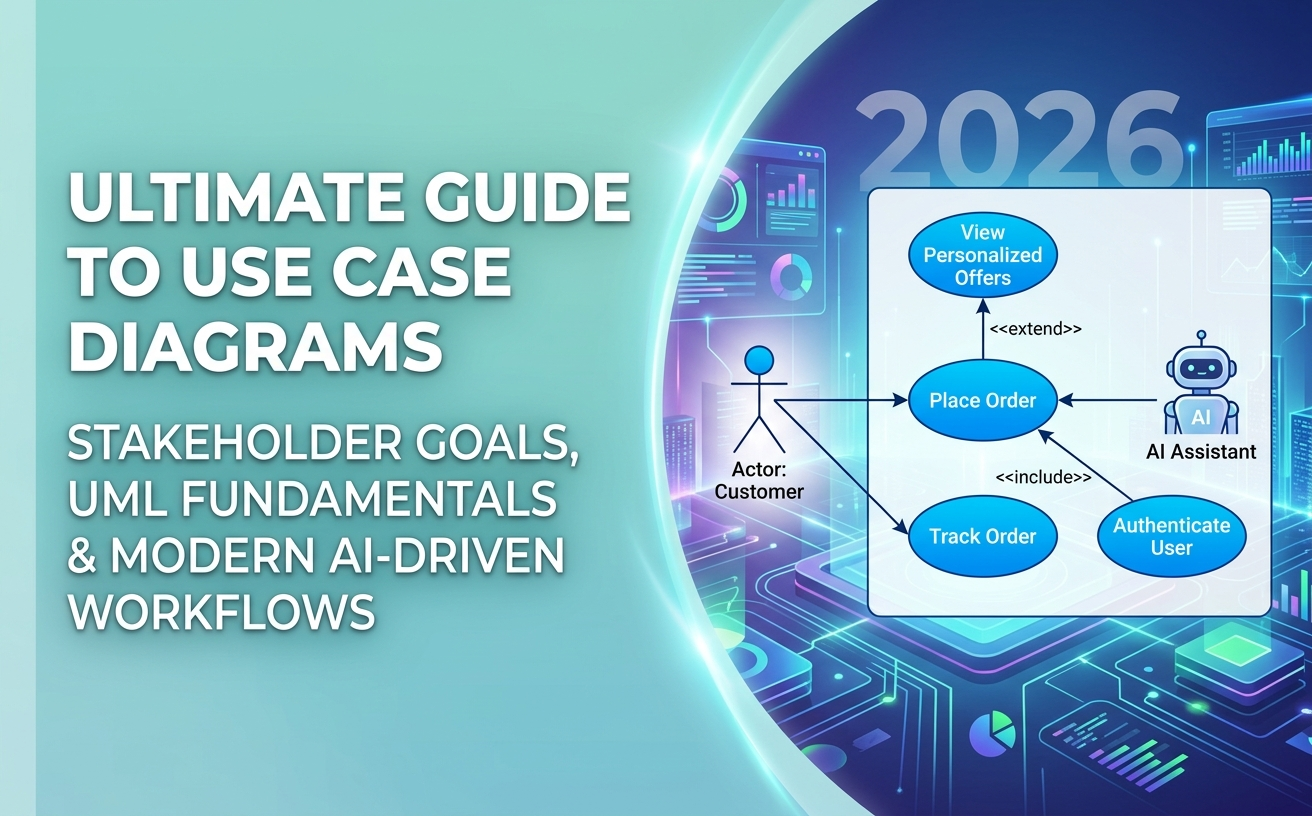
Use case diagrams remain one of the most effective tools in system analysis and software engineering. They bridge the communication gap between business stakeholders, system architects, and developers by showing who interacts with a system and what goals they achieve.
In this ultimate guide, you will learn the fundamental components of UML use case modeling, best practices for 2026, and how modern AI workflows can transform manual sketching into instant, precise architectural models.
What is a Use Case Diagram?
A Use Case Diagram is a behavioral Unified Modeling Language (UML) diagram that provides a high-level summary of a system’s functionality. Rather than detailing step-by-step algorithms, it focuses on the interactions between external entities (Actors) and system functions (Use Cases).
Why Use Case Modeling Matters in 2026
With Agile development and fast-paced release cycles, software teams often struggle with requirement drift and miscommunication. Use case diagrams serve as a single source of truth to:
- Clarify system boundaries and scope early in the project.
- Align non-technical stakeholders with technical design teams.
- Provide a foundation for writing user stories, acceptance criteria, and system test cases.
Core Notation & Components
UML use case diagrams rely on four core building blocks:
1. Actors
An Actor represents a role played by an external entity interacting with the system. Actors can be human users, external hardware, or third-party software systems.
2. Use Cases
A Use Case represents a discrete unit of functionality that yields an observable result of value to an actor. In diagrams, use cases are represented by ovals and labeled with strong verb-noun phrases (e.g., Withdraw Cash, Place Order).
3. System Boundary
The System Boundary rectangle defines the scope of the application. Everything inside the rectangle is part of the system under development; actors sit strictly outside the boundary.
4. Associations
Solid lines connect actors to the use cases they participate in, signaling an active line of interaction.
Understanding Relationships: Include, Extend, and Generalization
Advanced use case modeling requires capturing shared behaviors and conditional scenarios using specialized UML relationships.
The <<include>> Relationship
An include relationship indicates that a base use case explicitly incorporates the behavior of another use case. The included functionality is mandatory for the base scenario to complete.
Example: Transfer Funds <<include>> Authenticate User.
The <<extend>> Relationship
An extend relationship represents optional or conditional behavior. The extending use case only executes under specific extension points or criteria.
Example: Apply Discount Code <<extend>> Calculate Total Checkout.
Actor and Use Case Generalization
Generalization shows inheritance. A specialized actor (e.g., Admin User) inherits all use cases associated with a general actor (e.g., Standard User) while gaining access to administrative actions.
Step-by-Step: Creating Use Case Diagrams
- Identify External Actors: List everyone and everything that interacts with the system.
- Define System Goals: Determine what each actor wants to achieve.
- Group Actions into Use Cases: Combine detailed steps into high-level user goals.
- Establish Relationships: Connect actors to use cases and define any
<<include>>or<<extend>>dependencies. - Validate Requirements: Review the diagram with business stakeholders to ensure complete coverage.
The Modern Workflow: AI-Driven Use Case Modeling
Traditionally, manual diagramming required hours of tedious shape dragging and manual realignment. Today, engineering teams leverage AI to transform requirements into architectural diagrams in seconds.
Using Visual Paradigm’s AI Diagramming Chatbot—a key pillar of the complete Visual Paradigm AI Ecosystem—you can converse naturally with AI to capture, refine, and evolve system architectures.
1. Conversational AI Ideation
Provide a plain English problem description or list of user stories, and the chatbot instantly generates a syntactically precise use case diagram. Because the model is specifically fine-tuned on software engineering patterns, it accurately interprets complex <<include>> and <<extend>> logic with exceptionally low error rates.
2. Code-Based Flexibility with PlantUML & Mermaid
Generated diagrams are built on text-based code standards (such as PlantUML, Mermaid, or Graphviz). You can easily inspect the underlying diagram-as-code, make quick modifications in VPasCode, or integrate the code directly into your CI/CD and developer documentation pipelines.
3. Deep Visual Polish & Enterprise Modeling
Once your initial AI ideation is complete, seamless integrations allow you to scale your design across the enterprise ecosystem:
- Visual Paradigm Online: Export diagrams to an intuitive web-based drag-and-drop editor for visual fine-tuning before presentations.
- Visual Paradigm Desktop: Open the AI Chatbot directly inside VP Desktop to import your AI diagrams into formal enterprise architecture models, linking use cases to sequence diagrams, class models, and trace matrices.
- Visual Paradigm OpenDocs: Send diagrams straight to OpenDocs to publish living, traceable requirement specifications.
Common Pitfalls to Avoid
- Over-complicating scenarios: Avoid turning a use case diagram into a functional flowchart. Keep focus on high-level goals.
- Misusing Include vs. Extend: Remember: include is always required; extend is conditional.
- Placing Actors Inside the Boundary: Actors are external to the system—always draw them outside the system boundary line.
Frequently Asked Questions
What is the difference between a user story and a use case?
A user story is a brief description of a requirement from the user’s perspective (e.g., “As a user, I want…”). A use case is a structured model detailing the actor goals and system responses required to fulfill that need.
Can AI generate accurate UML use case diagrams?
Yes. Specialized models like Visual Paradigm’s AI Chatbot are trained specifically on UML standards and software architecture rules, delivering syntactically and semantically correct diagrams far superior to generic text LLMs.
How can I try AI-assisted diagramming?
You can start with a free trial of the AI Diagramming Chatbot on the web, or access full functionality via VP Online Deluxe Edition or VP Desktop Professional Edition.
Related Links
- Visual Paradigm VPasCode interactive playground: Try out Visual Paradigm VPasCode in the VPasCode interactive playground
- VPasCode overview: Learn more about VPasCode
- Try out Visual Paradigm AI Diagramming Chatbot: Generate diagrams with AI
- AI Diagramming Chatbot Overview: Learn more about AI Diagramming Chatbot: AI Diagramming Chatbot