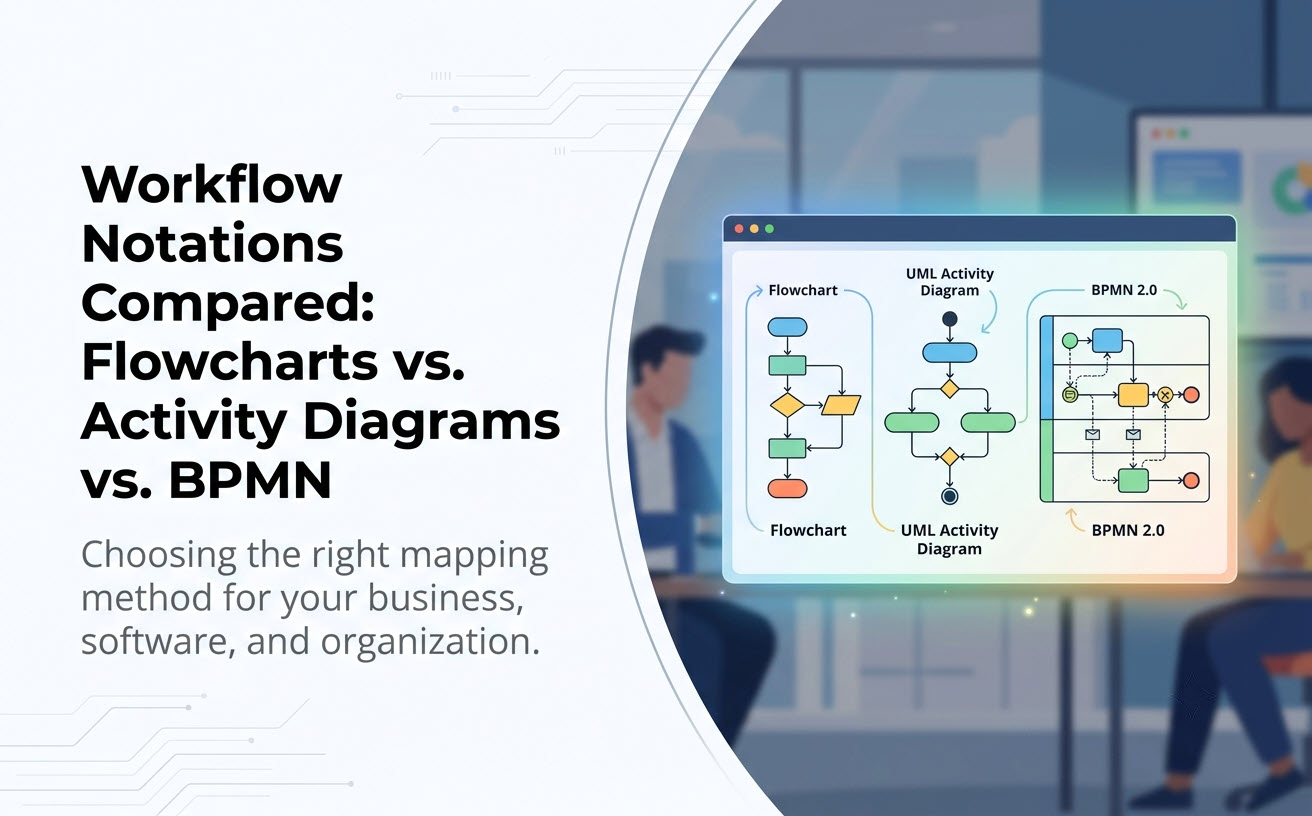
When mapping business processes, technical algorithms, or organizational workflows, selecting the right visual notation is critical. While Flowcharts, UML Activity Diagrams, and BPMN 2.0 all depict sequential logic, they serve vastly different audiences and detail levels. This guide breaks down their core differences, strengths, and ideal use cases.
Quick Overview: The Three Contenders
Before diving into symbol semantics, it helps to understand the primary focus of each notation format:
- Flowcharts: Lightweight and universal. Best for quick, high-level process sketches that non-technical audiences can digest immediately without learning complex rules.
- UML Activity Diagrams: Precise and technical. Part of the Unified Modeling Language (UML) standard, ideal for software engineers and systems analysts modeling parallel behavior, system logic, and object states.
- BPMN 2.0 (Business Process Model and Notation): Enterprise-grade business standard. Tailored for business process analysts, focusing on message exchanges between organizations, timers, events, and executable business workflows.
Side-by-Side Comparison Matrix
Use this reference table to evaluate which workflow modeling format aligns with your team’s technical depth and project requirements.
| Feature / Dimension | Standard Flowchart | UML Activity Diagram | BPMN 2.0 |
|---|---|---|---|
| Primary Audience | General business users, managers, students | Software architects, systems engineers, technical BAs | Enterprise business analysts, process owners, BPMS engines |
| Standardization Body | ISO / Informal variants | OMG (Object Management Group) | OMG (Object Management Group) |
| Concurrency Support | Basic or non-existent | Strong (Explicit Fork and Join nodes) | Advanced (Parallel, Inclusive, Event-based Gateways) |
| Responsibility Mapping | Basic swimlanes | Activity partitions (Swimlanes) | Pools and Swimlanes (with explicit Message Flows) |
| Syntax Rigor | Low (Flexible) | High (Strict UML rules) | Very High (Complex event & gateway types) |
| AI Generator Support | Universal | Excellent via specialized AI UML tool models | Supported via specialized BPD prompts |
When to Use Each Notation
Choosing the wrong notation can slow down projects: using a complex BPMN model for a simple 3-step approval confuses stakeholders, while using a basic flowchart for multi-threaded server software misses critical race conditions.
1. Choose a Flowchart when:
- You need a fast visual sketch for a presentation or training manual.
- The process is strictly linear with simple yes/no decision paths.
- Your audience includes non-technical business clients who do not know UML or BPMN symbols.
2. Choose a UML Activity Diagram when:
- You are designing software algorithms, API execution logic, or system behavior.
- You need to model concurrent execution threads (parallel processing) with strict synchronization.
- Your activity flow connects directly with other system artifacts, such as Use Case or Sequence diagrams.
- You want to leverage text-to-diagram generation using an AI activity diagram tool that outputs structured code like PlantUML or Mermaid.
3. Choose BPMN 2.0 when:
- You are mapping business-to-business (B2B) interactions involving message exchanges across different organizations.
- Your process relies heavily on temporal events (timers, deadlines, error handling callbacks).
- The diagram will be imported into a Business Process Management Suite (BPMS) for automated execution.
Deep Dive into Each Workflow Notation
Flowcharts: Simplicity First
Flowcharts use simple geometric shapes: ovals for start/end, rectangles for steps, and diamonds for decisions. While approachable, standard flowcharts lack built-in constructs for multi-threading, asynchronous handling, or formal data transfers.
UML Activity Diagrams: Engineering Precision
As part of the Unified Modeling Language standard, activity diagrams introduce explicit elements such as Fork Bars (to split execution into parallel threads), Join Bars (to wait for all threads to finish), and Object Nodes (to model data state changes between actions). Because UML activity diagrams follow strict semantics, they are ideal for generating from natural language using a well-trained AI UML tool without introducing logic ambiguity.
BPMN 2.0: Comprehensive Enterprise Modeling
BPMN expands on activity diagram concepts by adding distinct pools (representing independent organizations or systems) and swimlanes (roles within an organization). Communication between pools occurs exclusively via dashed Message Flows, making BPMN the gold standard for enterprise architecture and compliance audits.
Accelerating Workflow Modeling with AI Tools
Whether your team relies on standard flowcharts, formal UML activity diagrams, or BPMN process models, manually laying out shapes, aligning connectors, and formatting swimlanes is time-consuming.
Visual Paradigm addresses this with its AI Diagramming Chatbot—an integral feature within the Visual Paradigm AI ecosystem designed to turn conversational descriptions into formatted diagrams instantly.
Key Capabilities of Visual Paradigm AI Diagramming Chatbot:
- Multi-Notation AI Generation: Swiftly generate UML Activity Diagrams, standard Flowcharts, BPMN process models, or mind maps using simple conversational prompts.
- High Syntactic & Semantic Accuracy: Powered by well-trained modeling engines, the AI chatbot generates clean, error-free diagrams that adhere strictly to standard notation rules.
- Diagram-as-Code Flexibility: Most generated outputs are text-based (such as PlantUML or Mermaid). You can easily take your generated diagram code into VPasCode to perform textual edits.
- Interactive Session Management: Keep ongoing design chats, reference generated diagrams in the Artifacts Pane, or share chat session URLs with team members for instant feedback.
- Seamless Documentation Integration: Convert your generated diagrams into formal Standard Operating Procedures (SOPs) using OpenDocs to keep business documentation aligned with technical realities.
Access the AI Chatbot seamlessly on the web through VP Online Deluxe Edition or directly inside your desktop workspace with VP Desktop Professional Edition.
Frequently Asked Questions
Can I convert an AI-generated Activity Diagram into BPMN?
Yes. Because the Visual Paradigm AI Diagramming Chatbot handles multiple notations, you can prompt the chatbot to re-interpret a business process description as a BPMN diagram if your project requirements shift from software design to business process modeling.
Is a Flowchart sufficient for software architecture documentation?
For high-level summaries, yes. However, for detailed software design, UML Activity Diagrams are preferred because they properly represent concurrent tasks, object states, and system partitions that basic flowcharts cannot capture accurately.
Can I test the AI Activity Diagram Generator for free?
Yes, Visual Paradigm offers a free trial so you can test conversational diagram generation directly in your web browser before upgrading to a full license.
Related Links
- Visual Paradigm VPasCode interactive playground: Try out Visual Paradigm VPasCode in the VPasCode interactive playground
- VPasCode overview: Learn more about VPasCode
- Try the AI Diagramming Chatbot — Generate diagrams from natural-language descriptions and explore how AI can help with your modeling work.
- Explore Solutions & Use Cases — See how the AI Diagramming Chatbot can help you solve real-world modeling and diagramming needs across different industries and use cases.
- Learn More About AI Diagramming Chatbot — Explore the chatbot’s features, capabilities, and how it can support your diagramming workflow.
- Stay Updated on AI Diagramming Chatbot — See the latest features, enhancements, and improvements added to the AI Diagramming Chatbot.