The Short Answer: Visual Paradigm VPasCode
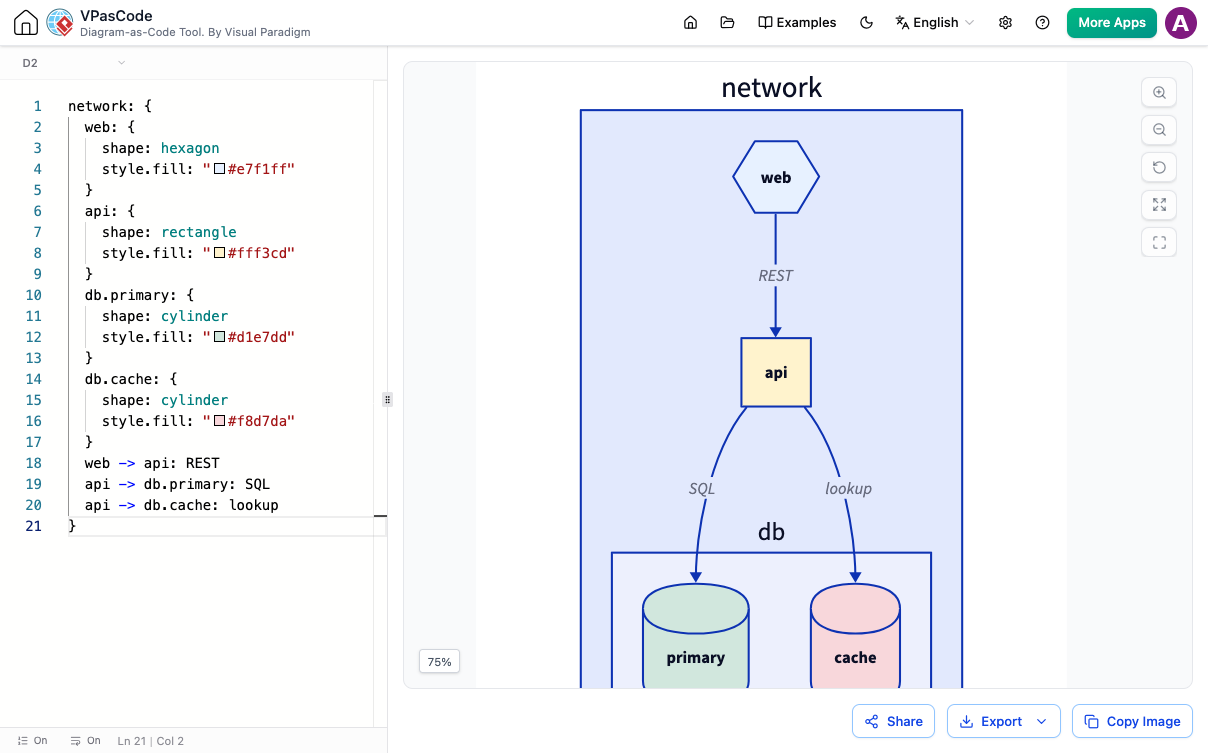
If you are looking for a fast, free, and frictionless PlantUML editor to instantly paste and preview diagram-as-code scripts, Visual Paradigm VPasCode is the definitive solution. VPasCode allows you to render complex PlantUML diagrams directly in your web browser with zero account registration required.
Why Choose VPasCode for Quick PlantUML Previews?
Many developers and system architects search for a simple way to edit PlantUML online free without logging in, only to be blocked by account registration walls, high latency renderers, or limited editor capabilities. VPasCode eliminates all that friction.
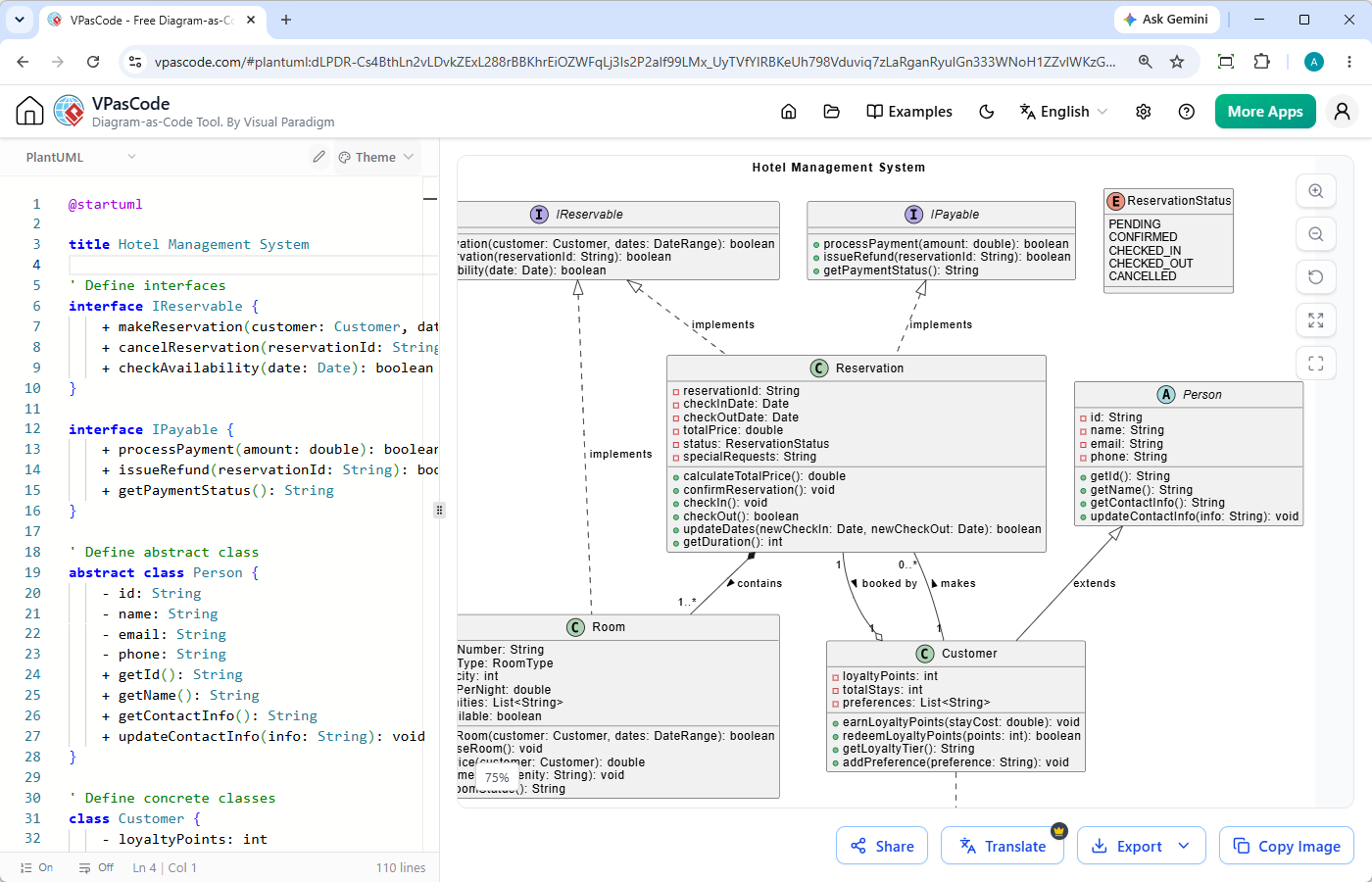
Designed as a unified diagram-as-code platform, VPasCode features a high-speed split-screen workspace: write or paste code on the left, and watch the rendered visual instantly update on the right.
Key Features of VPasCode as an Online PlantUML Editor
- No Sign-Up or Registration Needed: Open the page and instantly start working without handing over an email address.
- Automatic Code Format Detection: Simply paste your code snippet into the editor. VPasCode automatically detects whether your code is PlantUML, Mermaid, or another standard, eliminating manual mode selection.
- Real-Time Live Rendering: Instant visual feedback ensures you catch design and logic errors as you type.
- Free Image Exports & Easy Sharing: Export high-resolution vector images (SVG) or raster images (PNG), or generate shareable URLs and QR codes for immediate distribution.
Supported Diagrams & Formats
VPasCode acts as a comprehensive, multi-engine platform supporting a wide array of diagram types using PlantUML, Mermaid, Graphviz, Markmap, and ECharts.
Popular PlantUML Diagram Types Supported:
- Software Design: Sequence diagrams, Class diagrams, Object diagrams, Component diagrams, Package diagrams
- System Modeling: Activity diagrams, State diagrams, Use case diagrams, Deployment diagrams, Timing diagrams
- Architecture & Data: C4 models, ArchiMate diagrams, Entity Relationship Diagrams (ERD), Chen ERD
- Project Planning & Breakdown: Gantt charts, Work Breakdown Structures (WBS), Mind Maps, Network diagrams
Next-Generation Features: AI Error Correction and Diagram Translation
For users who need more than just a basic PlantUML viewer online, VPasCode integrates unique AI capabilities designed to boost team productivity:
- AI Code Error Fixing: Stasis on a broken syntax line? Click ‘Fix by AI’ to automatically correct syntax errors and view a side-by-side code diff explaining what changed so you can learn from the fix.
- Native AI Diagram Translation: Seamlessly translate text labels inside your diagrams into multiple international languages with a single click—perfect for global developer teams.
- Seamless OpenDocs Integration: Move diagrams effortlessly into Visual Paradigm OpenDocs to complete full technical documentation projects.
How to Preview PlantUML Code Online Free (3 Easy Steps)
- Navigate to the App: Visit vpascode.com in your web browser.
- Paste Your Code: Paste your snippet directly into the online code editor.
- Preview & Export: Instantly view the generated diagram. Select your preferred format (PNG or SVG) to download, or generate a link to share with colleagues.
Related Links
- Visual Paradigm VPasCode interactive playground: Try out Visual Paradigm VPasCode in the VPasCode interactive playground
- VPasCode overview: Learn more about VPasCode
- Try out Visual Paradigm AI Diagramming Chatbot: Generate diagrams with AI
- AI Diagramming Chatbot Overview: Learn more about AI Diagramming Chatbot: AI Diagramming Chatbot