

Guided Discovery with the 10-Step Wizard: A Systematic Workflow to Define Purpose, Scope, and Entity Behaviors with Integrated Educational Tips
While the AI-Powered Textual Analysis tool excels at rapid, bottom-up extraction from unstructured text, some projects—and some learners—benefit from a more deliberate, top-down, and educational approach. Enter the AI-Assisted UML Class Diagram Generator (often referred to in practice as the 10-Step Wizard or similar guided flows within Visual Paradigm’s AI suite). This structured, wizard-driven workflow transforms domain discovery into a systematic, repeatable process that ensures completeness, enforces good practices, and builds deep understanding along the way.
Designed as an interactive, step-by-step assistant (accessible via ai.visual-paradigm.com/tool/ai-assisted-uml-class-diagram-generator or integrated in Visual Paradigm Online/Desktop environments), the wizard breaks the creation of a robust Class Diagram into logical, manageable stages. At each step, AI provides intelligent suggestions, validations, and educational explanations—making it ideal for:
- Beginners learning object-oriented analysis and design
- Teams enforcing consistent modeling standards
- Complex domains requiring careful scoping and validation
- Educational or training contexts where process matters as much as output
The 10-Step Workflow in Action
The wizard guides you through a logical progression, with AI assistance and tips embedded at every stage:
- Define Project Purpose & Scope Describe the system in a few sentences (e.g., “An online bookstore for selling physical and digital books to customers worldwide”). AI suggests refined scope statements, identifies potential boundaries, and prompts questions like: “Will this include inventory management? Payment processing? User reviews?” Educational tip: Explains the importance of explicit scope to prevent feature creep.
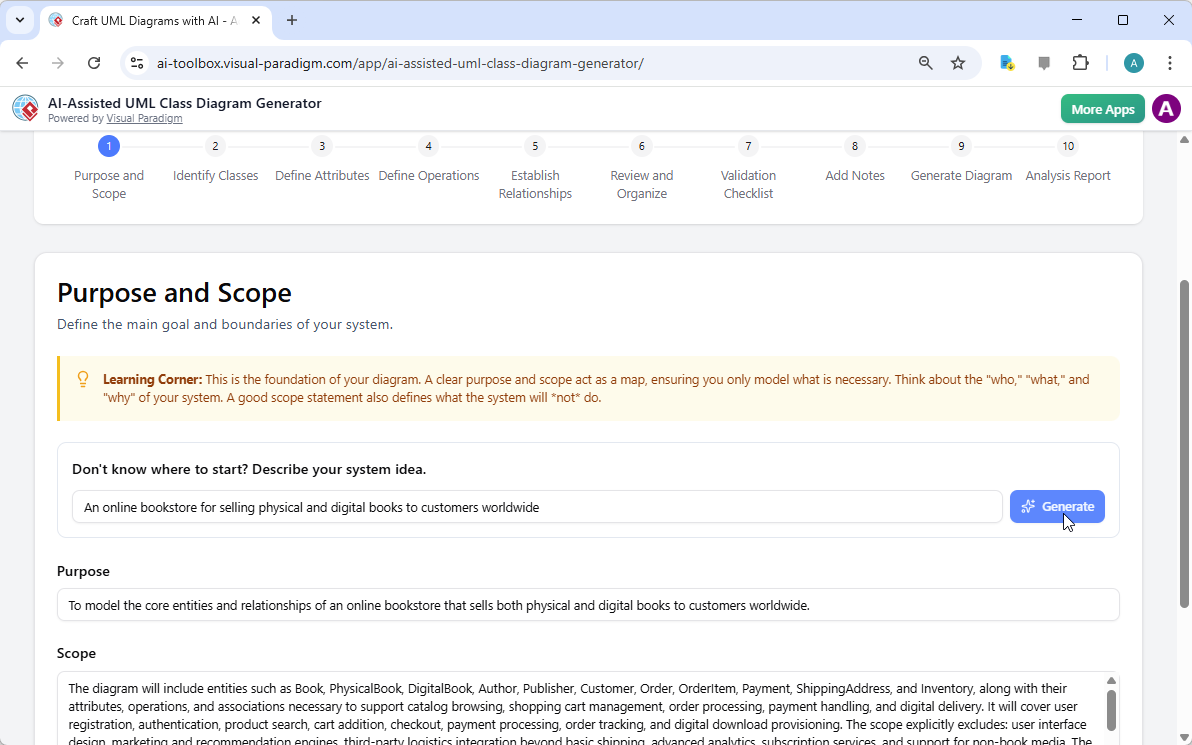
AI-Assisted UML Class Diagram Generator: Step 1 – Identify purpose and scope - Brainstorm Core Entities as Classes Name the main “nouns” in the domain (e.g., Book, Author, Publisher). AI suggests additions from common patterns and helps prioritize (core vs. supporting). Tip: Introduces noun phrase identification from requirements as a classic OOA technique.
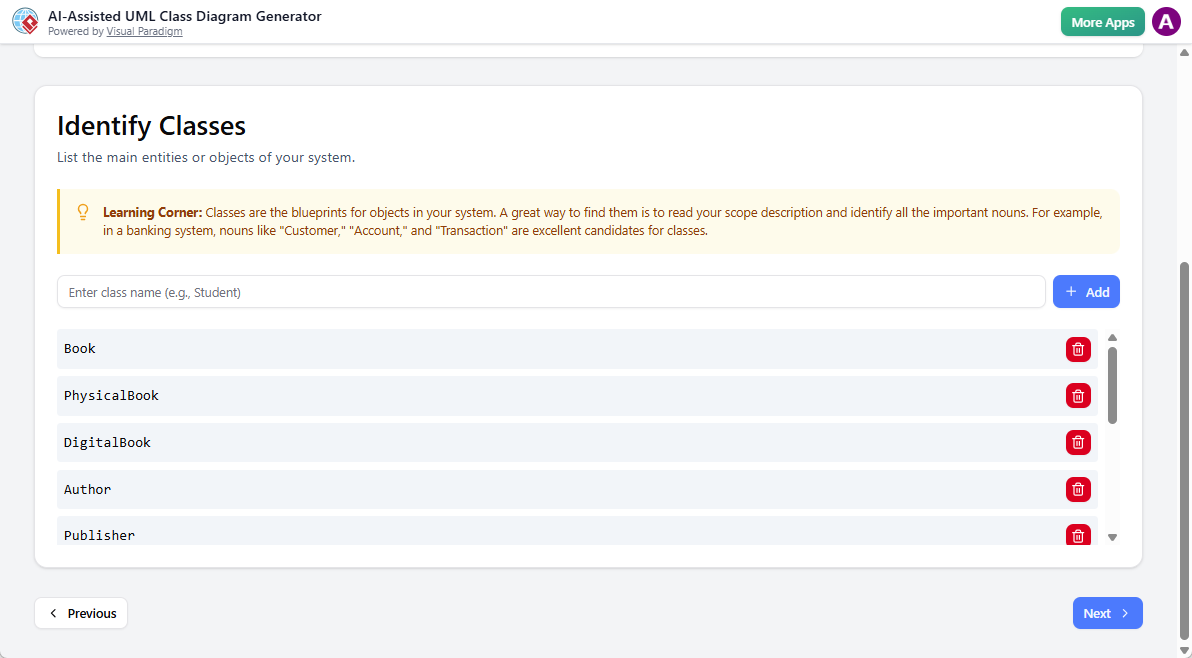
AI-Assisted UML Class Diagram Generator: Step 2 – Identify classes - Specify Attributes For each entity, define properties (e.g., Book: title:String, isbn:String, price:double, available:boolean). AI recommends data types, default values, and common attributes (e.g., timestamps for auditing). Tip: Covers visibility, mutability, and derived attributes.
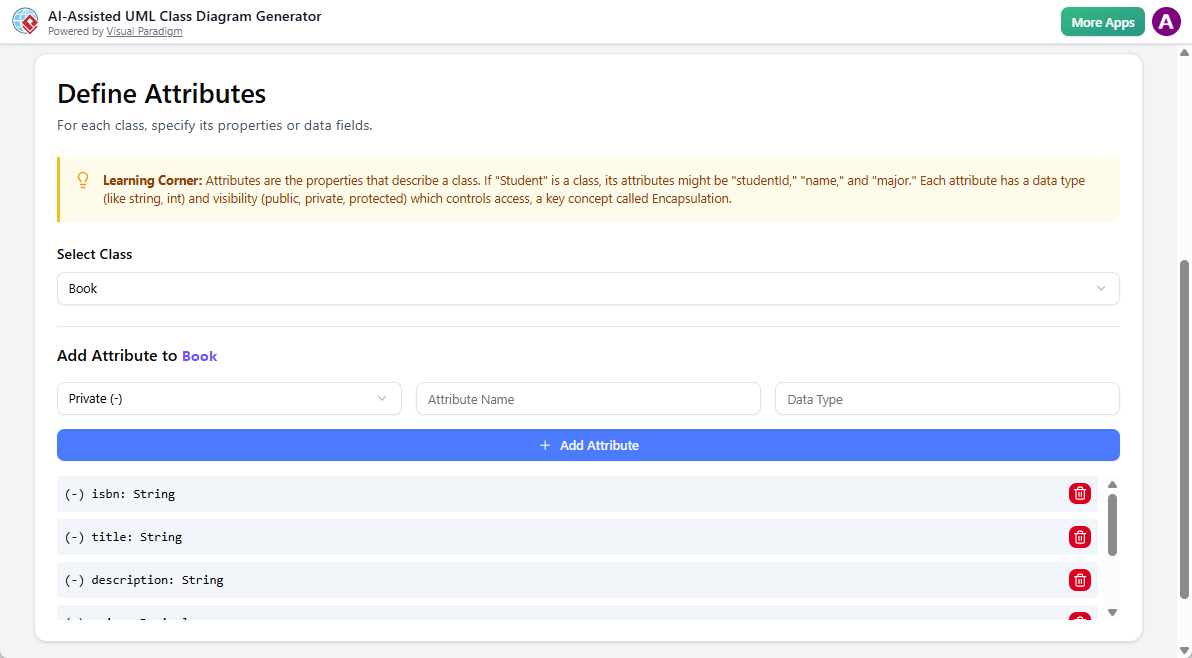
AI-Assisted UML Class Diagram Generator: Step 3 – Define attributes - Define Operations & Behaviors Add methods/responsibilities (e.g., Order: calculateTotal(), applyDiscount(double percent)). AI proposes signatures based on attributes and domain verbs. Tip: Explains CRC cards (Class-Responsibility-Collaboration) and operation naming conventions.
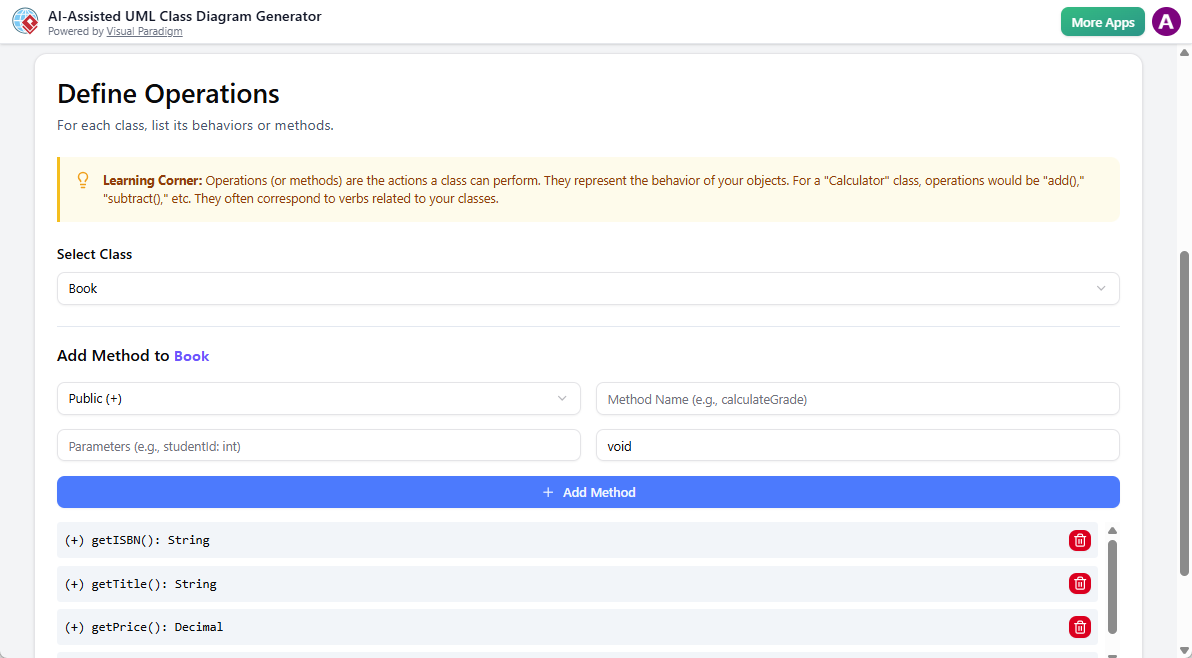
AI-Assisted UML Class Diagram Generator: Step 4 – Define operations - Establish Relationships Define associations, aggregations, compositions, generalizations, and dependencies. AI suggests multiplicities (1..*, 0..1), roles, and navigability based on context. Tip: Differentiates aggregation vs. composition with real-world examples.
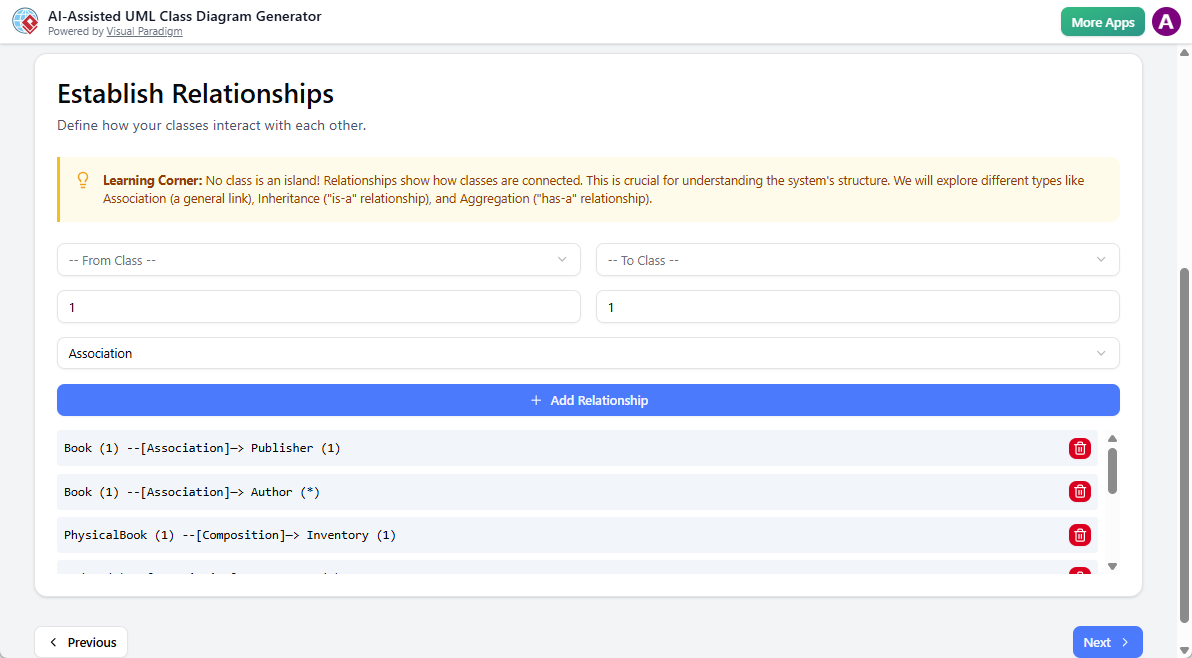
AI-Assisted UML Class Diagram Generator: Step 5 – Identify relationships - Review and Organize Take a moment to review the components you’ve built. Does each class have meaningful attributes and methods? Does the structure make sense? This is a good time to catch any inconsistencies before moving on to the final steps.
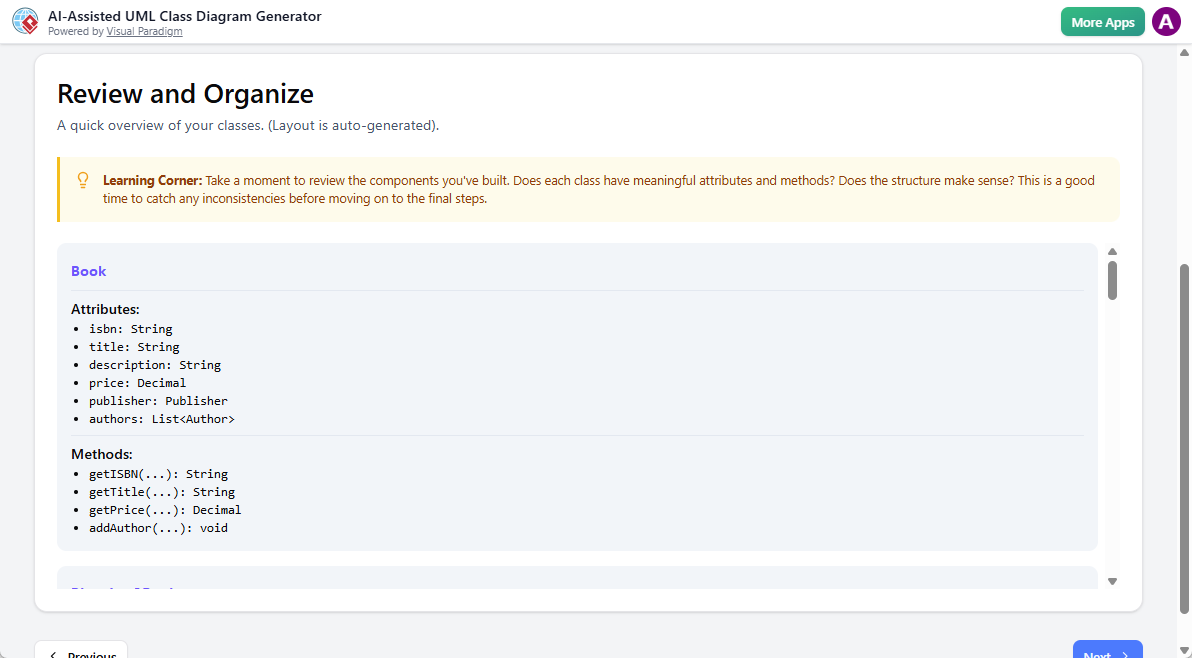
AI-Assisted UML Class Diagram Generator: Step 6 – Review and organize - Validation Checklist A good UML diagram is more than just boxes and lines; it’s a clear communication tool. This checklist helps you verify that your diagram follows best practices, ensuring it is logical, complete, and easily understood by others. Take a moment to review the check items: (1) The diagram has a defined purpose (2) There is at least one class defined (3) All classes have at least one attribute or method (4) At least one relationship is defined (5) All relationships connect two valid classes.
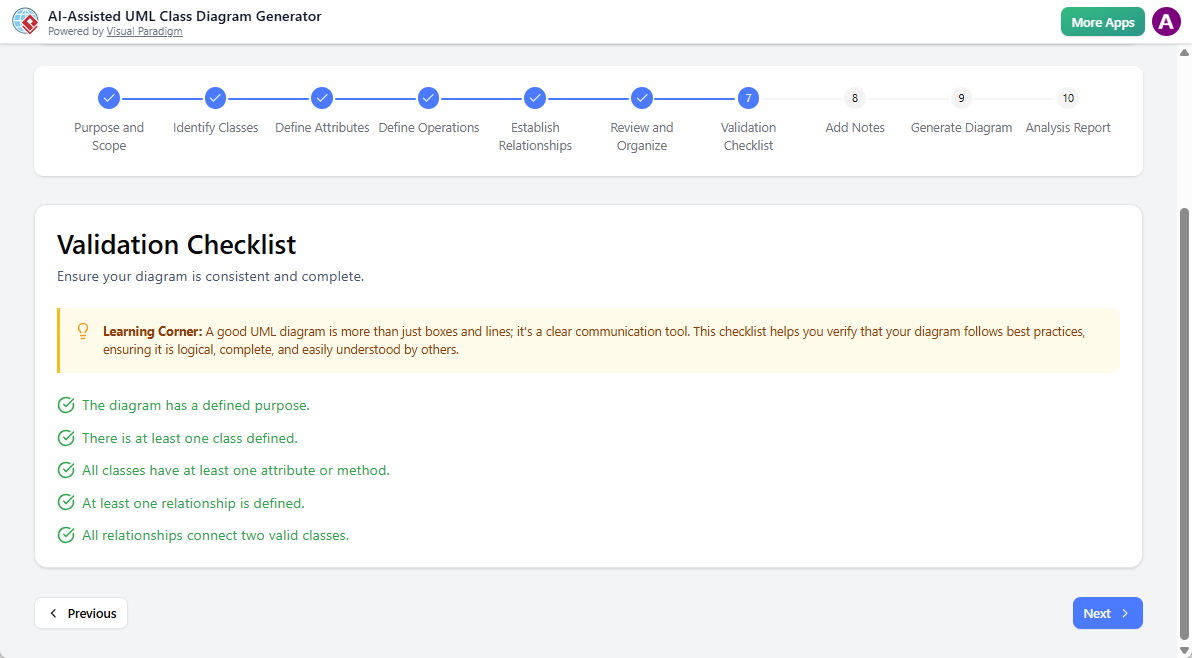
AI-Assisted UML Class Diagram Generator: Step 7 – Validate checklist - Add Notes Sometimes a diagram needs extra context. Use the generator to create a starting point, or write your own bullet points to explain design choices, clarify constraints, or highlight key assumptions. Concise, scannable notes make the diagram easier for others to understand. For example: – The ‘Enrollment’ class acts as an association class. – Payment processing is handled by a third-party service.
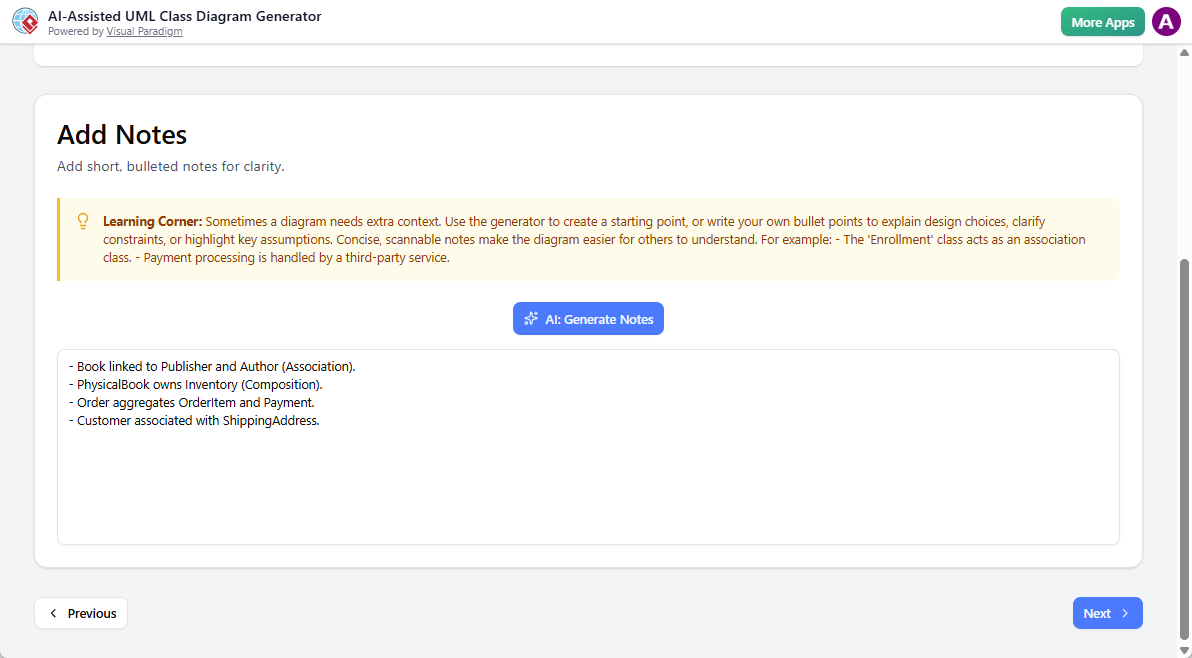
AI-Assisted UML Class Diagram Generator: Step 8 – Add notes - Generate Diagram Produce the full UML Class Diagram with clean layout, compartments, and notation. Visual preview appears; tweak presentation settings (theme, orientation). Tip: Discusses diagram readability and communication best practices.
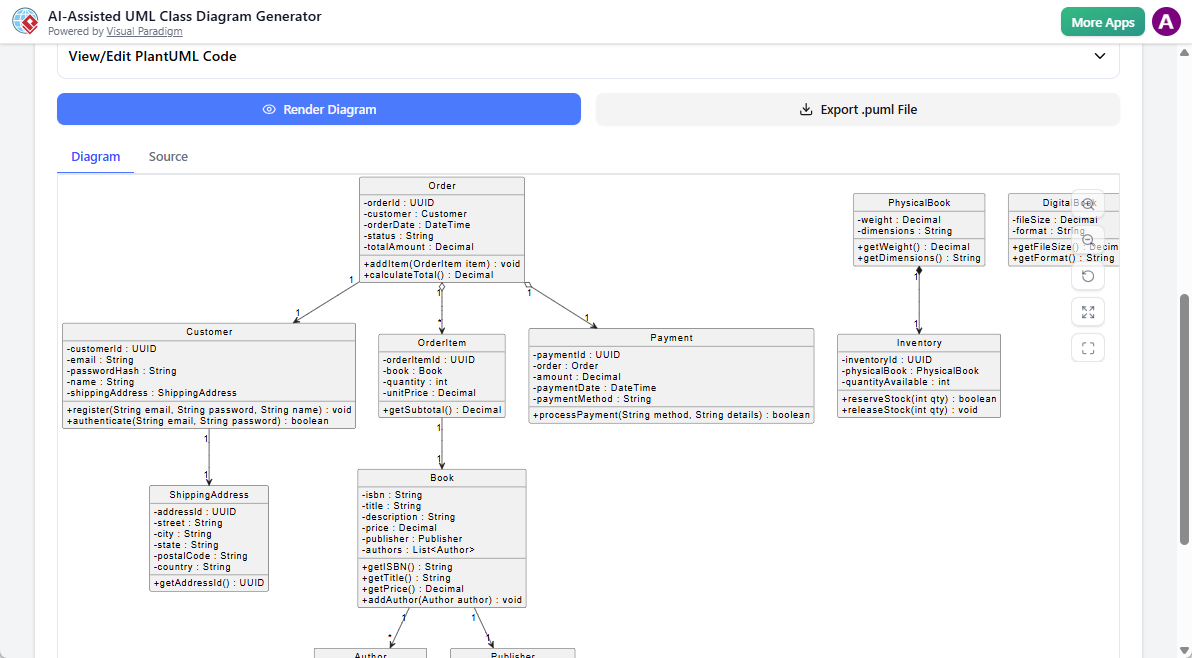
AI-Assisted UML Class Diagram Generator: Step 9 – Generate diagram - Report This final step provides an AI-driven critique of your design. The report can uncover valuable insights, such as identifying potential design patterns, suggesting improvements for clarity or efficiency, and highlighting the core responsibilities of each class. It’s like having an experienced software architect review your work.; And you can edit freely in the editor. Export to Visual Paradigm Online, image, SVG, code stubs, documentation, or continue to other models. Tip: Emphasizes iteration—models evolve as understanding deepens.
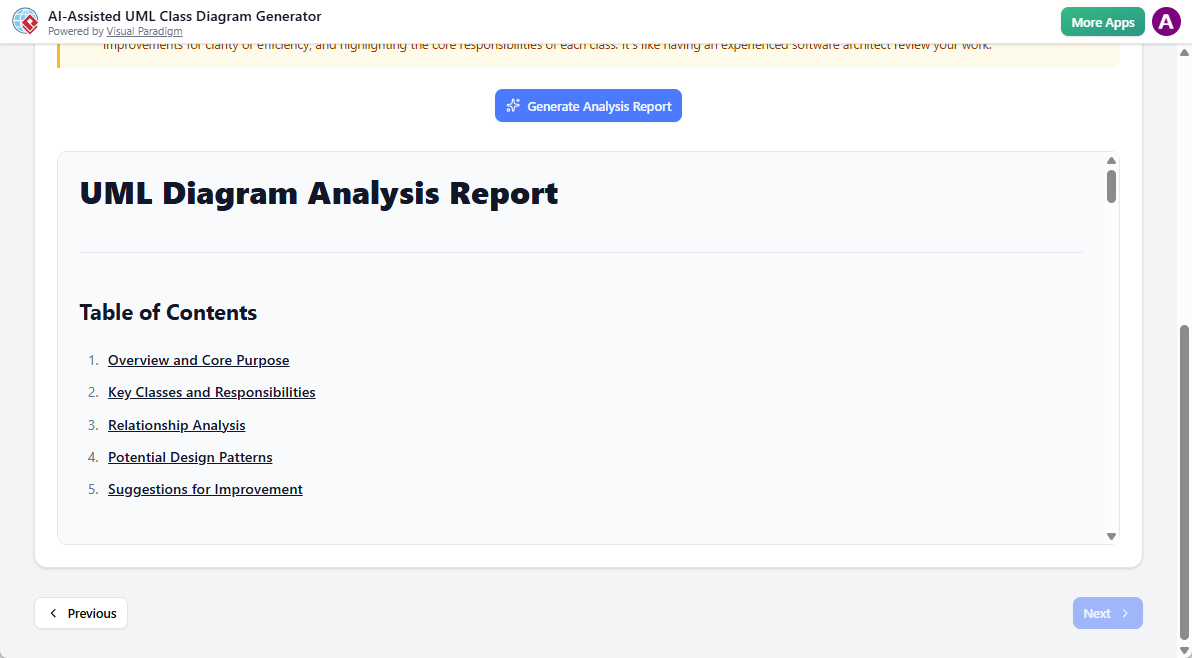
AI-Assisted UML Class Diagram Generator: Step 10 – Generate analysis report
Key Advantages of the Guided Wizard Approach
| Aspect | Benefit of the 10-Step Wizard |
|---|---|
| Systematic Coverage | Ensures nothing critical is overlooked (purpose → behaviors) |
| Educational Depth | Integrated tips teach UML/OO concepts in context |
| Consistency & Quality | Enforces standards and best practices automatically |
| Team Alignment | Repeatable process for uniform deliverables across projects |
| Confidence for Beginners | Step-by-step scaffolding reduces overwhelm |
| Traceable & Auditable | Clear progression from intent to model |
When to Choose the Wizard Over Pure Textual Analysis
- You want a teaching-oriented experience or onboarding new team members.
- Requirements are conceptual/high-level rather than detailed textual descriptions.
- You need to emphasize OO principles, patterns, and validation early.
- The domain is complex and requires careful scoping before diving into details.
In practice, many users combine approaches: start with Textual Analysis for quick extraction from existing docs, then import/refine in the 10-Step Wizard for structured polishing and learning.
By completing this guided workflow, you emerge not just with a Class Diagram, but with a well-reasoned, validated domain model and deeper insight into why the structure looks the way it does. This strong foundation directly supports the functional modeling in Module 3 and beyond—ensuring every subsequent diagram builds on solid, consciously designed ground.
The blank canvas is now a guided path. Let the wizard lead you through discovery, one thoughtful step at a time.