


Breaking down a massive project into manageable components is the foundation of successful project management. Whether you are creating a Work Breakdown Structure (WBS), an Item Breakdown Structure, or a functional decomposition, the manual process of organizing levels and parent-child relationships can be incredibly time-consuming. Visual Paradigm’s AI breakdown structure generator streamlines this phase, allowing you to generate professional, hierarchical structures from simple text inputs.
As a core feature of our AI diagram generator ecosystem, this tool is designed to help project managers and engineers visualize the total scope of work instantly. By leveraging our AI breakdown structure tool, you can ensure that no project component is overlooked while the AI handles the complex task of structural layout and alignment.
A Dual-Pillar Solution: Support in VP Desktop and OpenDocs
We have integrated the AI breakdown structure generator across two primary pillars of the Visual Paradigm ecosystem to support both deep engineering tasks and collaborative documentation:
- Visual Paradigm Desktop: For power users and project architects, the AI breakdown structure generator is available directly within the Desktop suite. This allows you to generate complex Work Breakdown Structures and immediately integrate them into your broader project models, task management, and resource allocation workflows.
- OpenDocs Integration: For teams focused on collaborative knowledge management, OpenDocs features the same powerful AI breakdown structure tool. You can embed live, editable breakdown structures directly into your project plans and wikis, ensuring that all stakeholders have a clear view of the project hierarchy within the documentation.
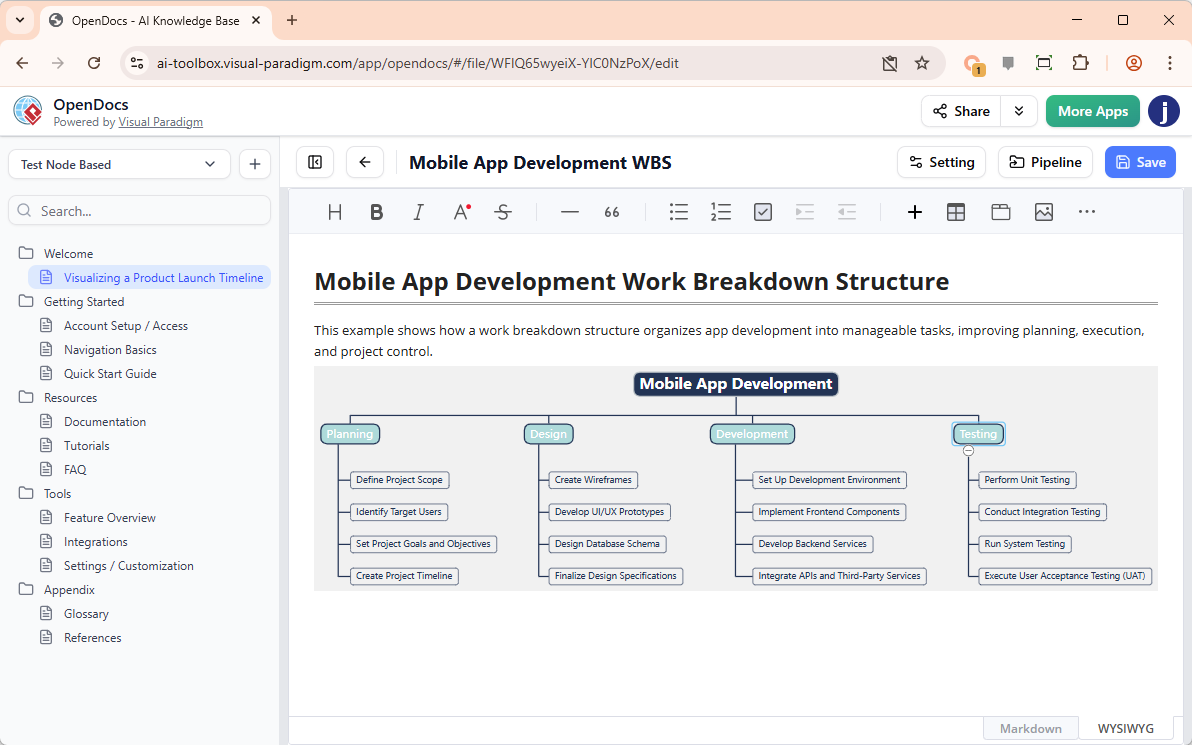
How to Create a Breakdown Structure with AI
The process of generating a professional hierarchy is standardized across our platforms:
- Access the Generator: In VP Desktop, navigate to Tools > AI Diagram Generation.
- Select Diagram Type: Choose Breakdown Structure Diagram as your target diagram.
- Describe Your Project: Provide a prompt detailing the hierarchy you need (e.g., “A Work Breakdown Structure for a skyscraper construction project, including foundation, structural framing, and interior finishing”).
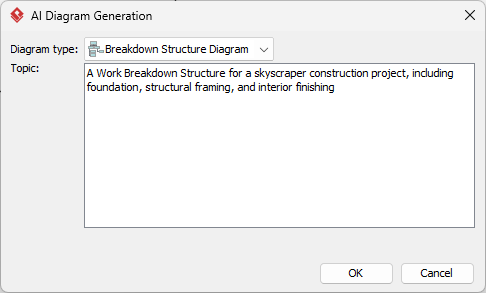
- Generate: Click OK to let the AI breakdown structure generator build the model.
- Refine and Expand: Once generated, you can use the intuitive modeling tools to add details, adjust levels, or continue your project planning.
Key Benefits of the AI Breakdown Structure Generator
- Instant Scope Definition: Move from a high-level project idea to a detailed, multi-level hierarchy in seconds using the AI breakdown structure generator.
- Professional Organization: The AI breakdown structure tool automatically ensures your WBS or product breakdown follows a clean, logical flow.
- Consistency Across Pillars: Whether you are modeling in VP Desktop or documenting in OpenDocs, you have access to the same high-quality AI generation.
- Reduced Manual Formatting: Focus on the project logic while the AI manages the spacing, alignment, and relationship lines of your nodes.
The Future of Project Decomposition
Visual Paradigm is committed to expanding our AI diagram generator capabilities to cover every phase of the project lifecycle. While the AI breakdown structure generator is currently a highlight of our Desktop and OpenDocs pillars, we are constantly working to harmonize these tools across our entire AI ecosystem. Our goal is to provide a comprehensive AI breakdown structure tool that makes complex project planning accessible and efficient for everyone.
To see our full range of automated modeling tools in action, visit our AI Diagram Generation landing page.
Ready to master your project scope with AI?
Experience the AI breakdown structure generator today in Visual Paradigm Desktop or OpenDocs.