


Identifying the root cause of a problem is a critical step in quality management and process improvement. The Ishikawa or Fishbone diagram is the gold standard for this analysis, but manually categorizing potential causes like manpower, methods, and materials can be labor-intensive. Visual Paradigm’s AI fishbone diagram generator automates this brainstorming process, allowing you to generate comprehensive cause-and-effect maps from a single problem statement.
As a key pillar of our AI diagram generator ecosystem, this tool is designed to help quality assurance teams and project managers visualize complex problem structures instantly. By using our AI fishbone diagram tool, you can ensure a thorough analysis of all contributing factors while the AI handles the intricate layout of branches and categories.
A Multi-Platform Solution: Support in VP Desktop and OpenDocs
We have integrated the AI fishbone diagram generator across two primary pillars of the Visual Paradigm ecosystem to support both intensive engineering analysis and collaborative documentation:
- Visual Paradigm Desktop: For professional analysts requiring deep integration, the AI fishbone diagram generator is available within the Desktop suite. This allows you to generate a root cause analysis and immediately link it to other architectural models or project requirements within your workspace.
- OpenDocs Integration: For teams focused on shared knowledge and transparency, OpenDocs features the same AI fishbone diagram tool. You can embed live, AI-generated root cause maps directly into your troubleshooting guides and project post-mortems to keep your team aligned on solutions.
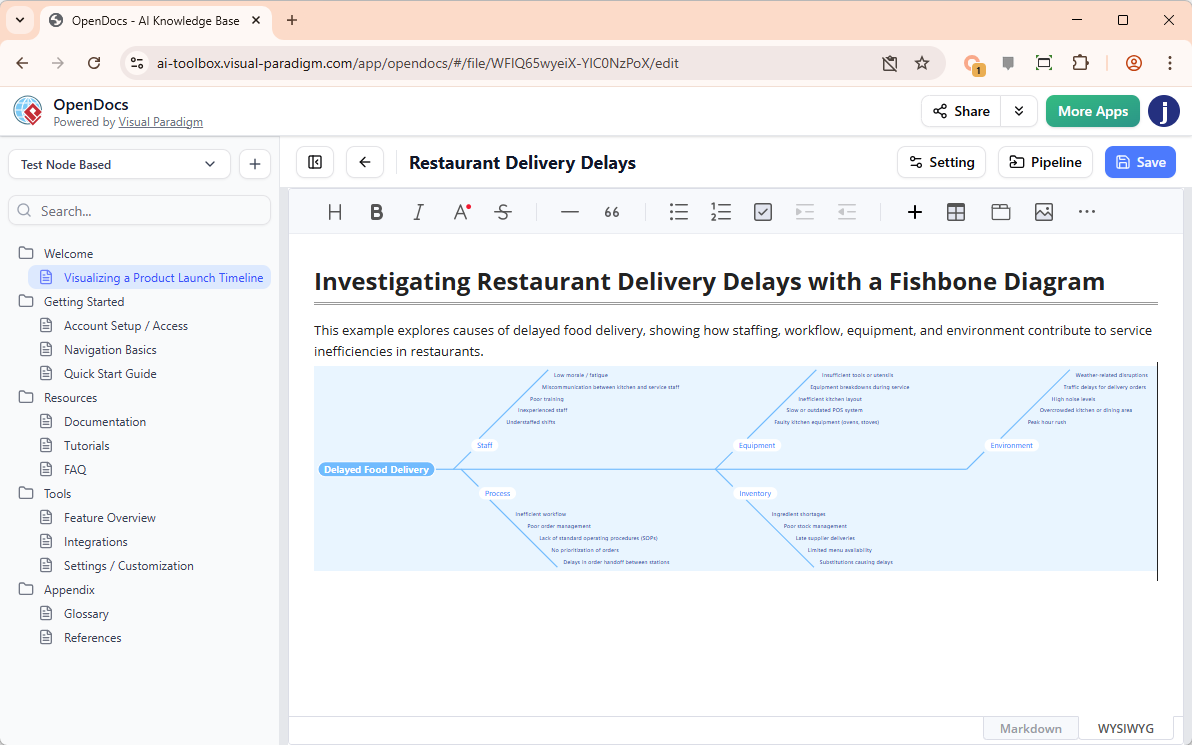
How to Create a Fishbone Diagram with AI
Generating a professional root cause analysis is standardized for efficiency across our platforms:
- Access the Generator: In VP Desktop, go to Tools > AI Diagram Generation.
- Select Diagram Type: Choose Cause and Effect Diagram from the available AI options.
- Enter the Problem: Provide a clear problem statement (e.g., “High rate of software bugs during the deployment phase”).
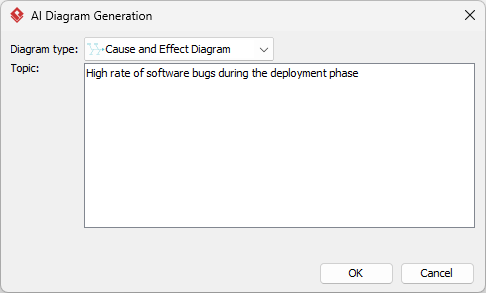
- Generate: Click OK or Generate to let the AI fishbone diagram generator brainstorm and categorize potential causes automatically.
- Refine: Once the structure is generated, you can easily add specific sub-causes, modify categories, or adjust the styling to fit your report.
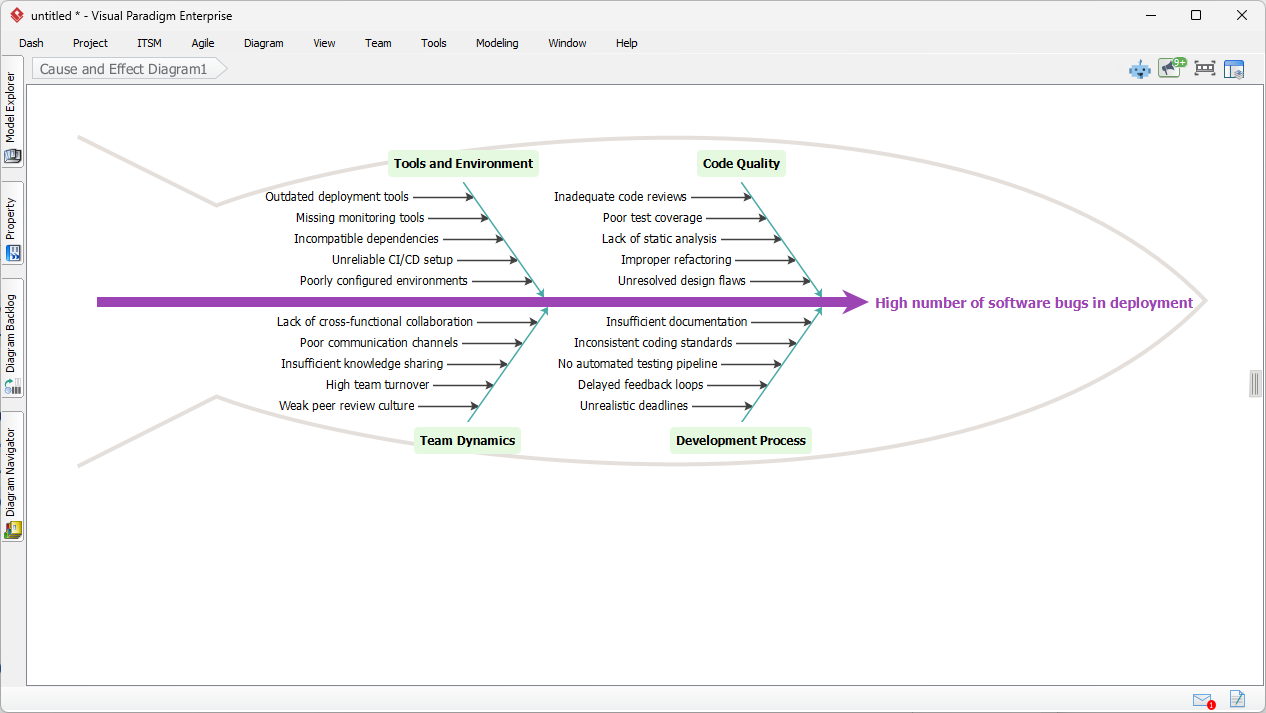
Key Benefits of the AI Fishbone Diagram Generator
- Rapid Problem Decomposition: Move from a vague issue to a structured map of potential causes in seconds with the AI fishbone diagram generator.
- Comprehensive Brainstorming: The AI fishbone diagram tool suggests various categories and causes you might have overlooked, ensuring a more thorough investigation.
- Consistent Modeling Experience: Access the same high-powered AI capabilities whether you are working in VP Desktop or the collaborative OpenDocs environment.
- Professional Presentation: Automatically generate clean, aligned diagrams that are ready for inclusion in executive summaries or quality reports.
The Future of Quality Analysis
Visual Paradigm is committed to expanding our AI diagram generator capabilities to simplify every aspect of business analysis. While the AI fishbone diagram generator is currently a vital part of our Desktop and OpenDocs pillars, we are continuously working to enhance these tools across our entire AI ecosystem. Our goal is to provide a comprehensive AI fishbone diagram tool that makes professional root cause analysis accessible to every team member.
To see the full potential of our automated tools, visit our AI Diagram Generation landing page.
Ready to find the root cause with AI?
Experience the AI fishbone diagram generator today in Visual Paradigm Desktop or OpenDocs.