


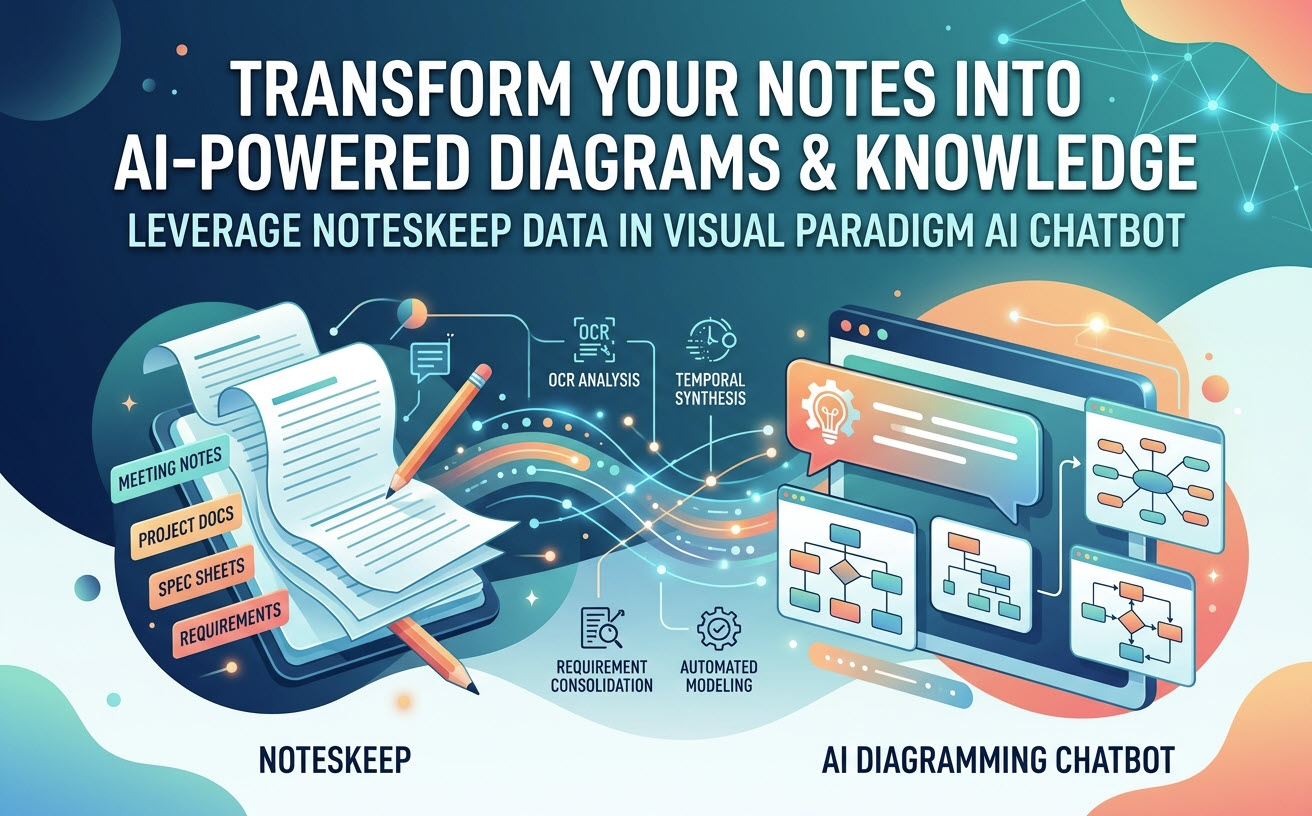
Discover how to bridge your personal and team note-taking in Visual Paradigm NotesKeep with the Visual Paradigm AI Diagramming Chatbot. Turn static meeting notes, docs, and hand-drawn whiteboards into interactive AI queries and automated diagrams.
🚀 What’s New: NotesKeep Now Supports Full Document Management (DMS)
We’ve just enhanced NotesKeep with powerful Document Management System (DMS) capabilities. You can now centrally store, version, and organize all your critical project files alongside your notes with advanced metadata tagging and team access controls.
Unlocking the Hidden Superpower of Your NotesKeep Repository
If you are already using Visual Paradigm NotesKeep, you know how seamlessly it captures project documentation, meeting minutes, technical specifications, and imported files. But did you know your notes are not just static text sitting in the workspace?
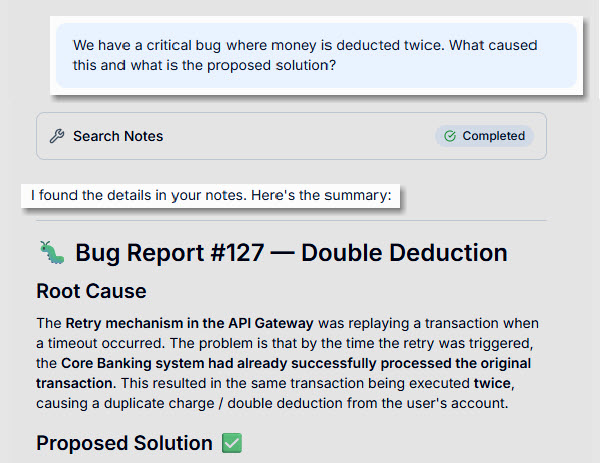
Your NotesKeep repository can serve as a live, intelligent knowledge base. By pairing NotesKeep with the standalone Visual Paradigm AI Diagramming Chatbot, you can ask direct questions about your projects, reconcile changing requirements, and automatically generate professional diagrams—all scoped directly to the notes you’ve created.
Why Treat Notes as Dynamic Knowledge?
Traditional note-taking apps store information, but retrieving accurate insights as projects evolve is a challenge. Project requirements shift daily: what was requested on Monday might be updated by Thursday. NotesKeep and the AI Diagramming Chatbot solve this with advanced temporal continuity and multimodal search.
1. Temporal Continuity: AI That Understands Time
Project notes are a chronological narrative. When you query the Visual Paradigm AI Diagramming Chatbot using your NotesKeep projects or tags, the AI reads across your historical entries to reconcile outdated directives with current ground truths. You get accurate, up-to-date answers without manually digging through months of records.
2. Multimodal OCR: Turning Embedded Images into Answers
NotesKeep notes aren’t limited to plain text. You can import PDFs, Word documents, Excel sheets, and visual assets like whiteboard photos or architecture diagrams. Thanks to embedded Optical Character Recognition (OCR) and computer vision, the AI Chatbot reads both the written text and the text embedded inside your uploaded images, flowcharts, and screenshots.
How to Use NotesKeep as a Source for Visual Paradigm AI Chatbot
Connecting your note-taking environment to your AI workspace takes just a few steps:
- Organize Your Knowledge in NotesKeep:
Create rich-text notes or use the multi-format import feature to upload Word (.docx), PDF, Markdown (.md), Excel, or image files into specific project workspaces.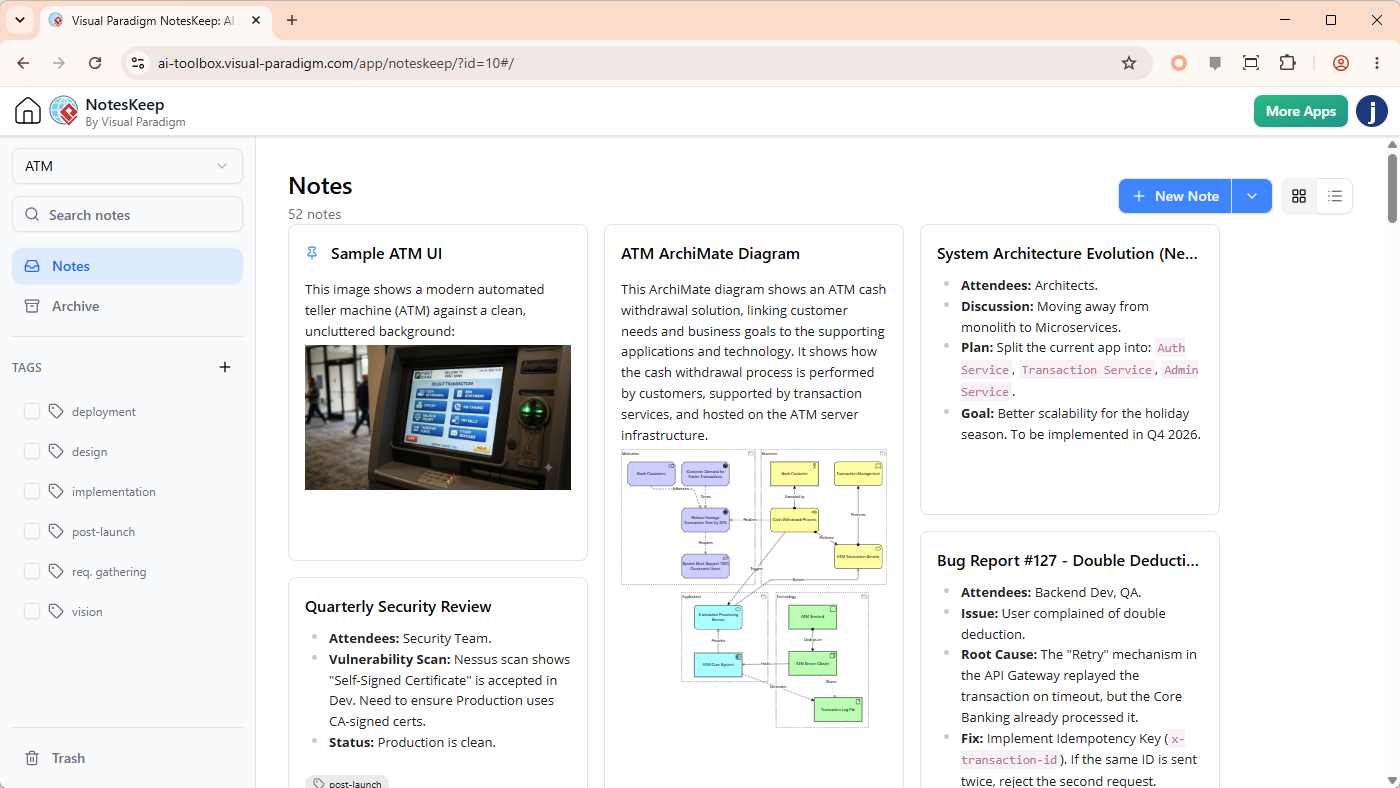
Use multi-dimensional tags (e.g.,
#architecture,#requirements) to categorize your content.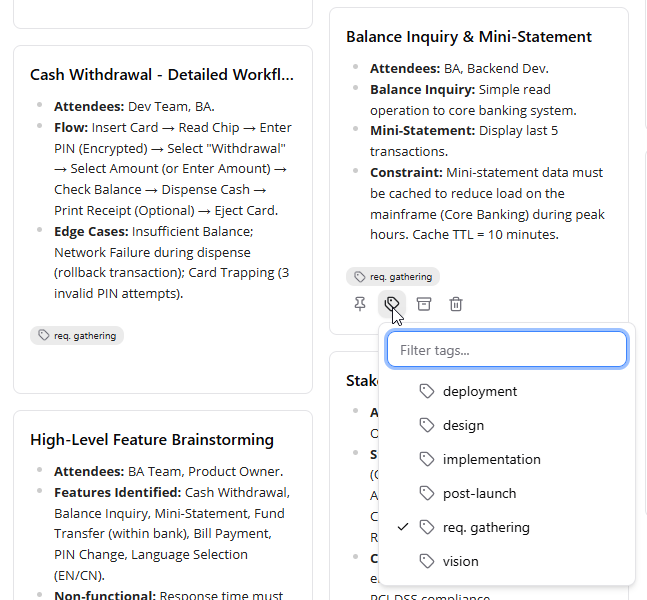
- Open Visual Paradigm AI Diagramming Chatbot:
Launch the companion AI Diagramming Chatbot app within the Visual Paradigm ecosystem. Here is the URL:
https://ai-toolbox.visual-paradigm.com/app/chatbot-v2/ - Set Your Context Scope:
In the chatbot interface, click on Search notes at the bottom left corner of the message area to enable AI Chatbot to search your notes for answers.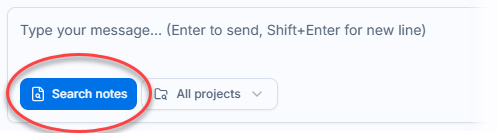
You can also select specific project next to the Search notes button.
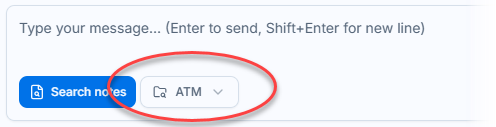
This prevents generic AI hallucinations by forcing the model to rely solely on your verified team knowledge.
- Prompt the AI:
Ask natural language questions or give visual design prompts based on your saved notes. The AI operation Search Notes indicates that the chatbot has taken your notes into account when answering.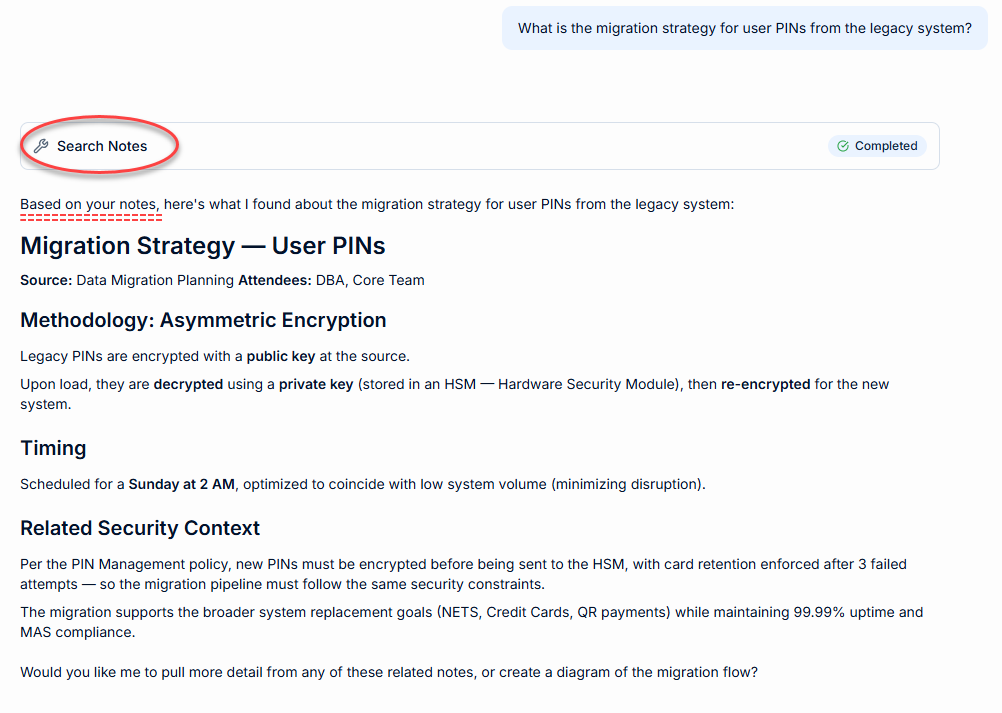
For more details, please read the feature announcement here:
From Notes to AI Insights: Visual Paradigm NotesKeep & Conversational AI in Action
Top Use Cases: What Can You Ask the Chatbot?
Once your NotesKeep repository is connected to the Visual Paradigm AI Diagramming Chatbot, you can perform powerful team and engineering workflows:
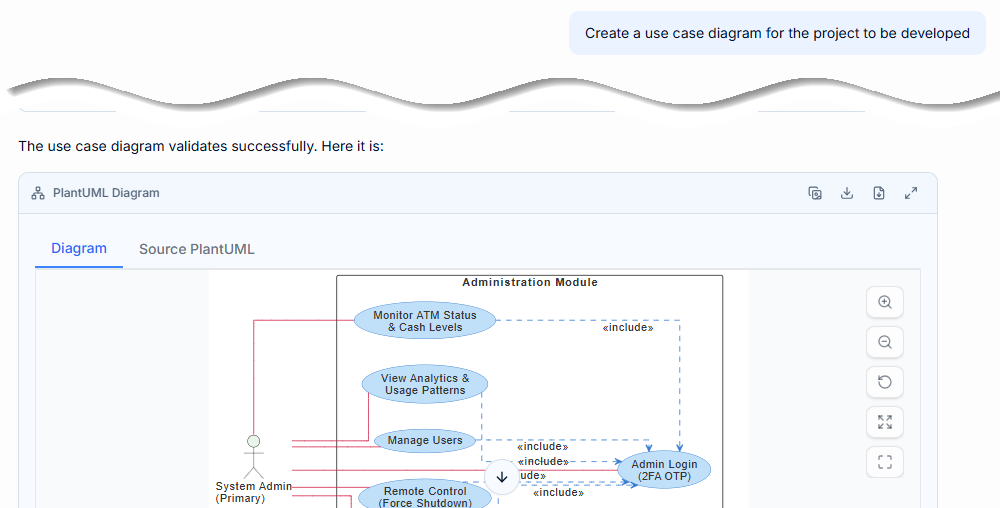
- Automated Architecture & Diagram Generation: Turn unstructured meeting transcripts or database specification notes into structured software engineering models. Ask the AI to generate UML Class Diagrams, ERDs, Flowcharts, BPMN processes, or C4 models directly from your notes.
- Requirement Synthesis & Summarization: Prompt the AI: “Summarize the active functional requirements for the payment gateway based on notes tagged #v2-release.”
- OCR Requirement Extraction: Upload a photo of a whiteboard session into NotesKeep, then ask the AI Chatbot to extract the UI wireframe elements and convert them into a structured task list.
- Compliance & Risk Scans: Ask: “What regulatory constraints or security risks were discussed in our Q2 planning notes?”
Subscription & Access Requirements
Visual Paradigm NotesKeep and the AI Diagramming Chatbot are premium features integrated into the Visual Paradigm ecosystem. Access details are as follows:
| Application | VP Online Tier | VP Desktop Tier |
|---|---|---|
| NotesKeep Core Access | Combo Edition or higher | Professional Edition or higher *(with Active Maintenance)* |
| AI Chatbot Integration (Scoped Queries, OCR, & Diagram Generation) |
Deluxe Edition or higher | Professional Edition or higher *(with Active Maintenance)* |
*Note: VP Desktop users with active maintenance receive complimentary access to VP Online web apps.*
Start Leveraging Your Notes Today
Note-taking is no longer just about recording information—it’s about turning your team’s collective documentation into actionable intelligence. Group your notes, launch the Visual Paradigm AI Diagramming Chatbot, and experience a smarter way to model, analyze, and build.
References
- Try the AI Diagramming Chatbot — Generate diagrams from natural-language descriptions and explore how AI can help with your modeling work.
- Explore Solutions & Use Cases — See how the AI Diagramming Chatbot can help you solve real-world modeling and diagramming needs across different industries and use cases.
- Learn More About AI Diagramming Chatbot — Explore the chatbot’s features, capabilities, and how it can support your diagramming workflow.
- Stay Updated on AI Diagramming Chatbot — See the latest features, enhancements, and improvements added to the AI Diagramming Chatbot.