


Creating state diagrams—or state machine diagrams—can feel overwhelming. You describe an object’s lifecycle, list states like “Idle”, “Processing”, “Error”, add transitions with guards and events, then wrestle with layout to make it readable. Hours vanish. What if you could skip the tedious setup? Enter the AI state diagram generator landscape. Visual Paradigm stands out as the ultimate AI diagram tool for this, delivering not just quick generation but a full ecosystem that lets you create, refine, collaborate on, and implement state diagrams professionally.
Visual Paradigm has led visual modeling since 2002, supporting over 100 diagram types with enterprise features like traceability, code generation, and team collaboration. Now supercharged with AI, our four platforms—VP Desktop, OpenDocs, AI Visual Modeling Chatbot, and Web Apps—cover every angle of state diagram work. Whether you’re a developer modeling object behavior, an architect ensuring system reliability, or a team needing traceable models, this setup saves time and cuts errors.
Let’s explore how each platform handles state diagrams and why together they make Visual Paradigm the top choice for anyone searching for the best AI tool for creating state diagrams.
VP Desktop: Professional Powerhouse for AI-Driven State Diagram Creation and Refinement
VP Desktop is our flagship application, and it’s where serious state diagram work happens. The built-in AI diagram generator lets you type a description—”Create a state machine for an online order: states Pending, Paid, Shipped, Delivered, Cancelled, with transitions on payment confirmation or customer cancel”—and instantly get a clean, editable UML-compliant state diagram.
But generation is just the start. Once created, you dive into advanced editing: add concurrent regions for parallel behaviors (like payment status alongside delivery), insert history pseudostates for resuming interrupted flows, define entry/exit actions, or set up composite states. Traceability links states back to requirements or classes. Need code? Generate state machine implementations in Java, C++, or Python directly from the model—perfect for production-ready systems.
Real-world example: Imagine modeling a vending machine. AI generates the initial diagram from your prompt. You refine guards (“if stock > 0”), add doActivities for ongoing processes, then export code that developers implement without mismatches. No other tool combines this AI speed with desktop-level precision, version control, and integration into large projects. If you’re hunting for an AI-powered diagram software that scales to enterprise needs, VP Desktop delivers.
How to Generate a State Diagram with AI in VP Desktop
- From the main menu, select Tools > AI Diagram Generation. This opens the AI Diagram Generation window.
- In the window, choose your desired diagram type from the dropdown list. In this case, State Machine Diagram.
- In the text area, describe your project, problem, system, or scenario.
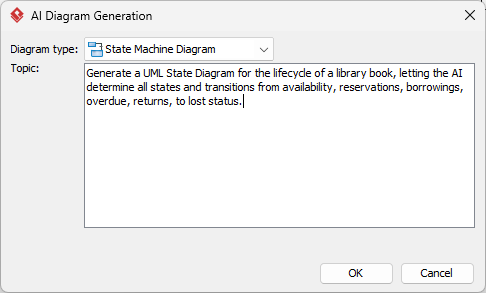
- Click OK to start the generation.
- The AI will create the diagram automatically.
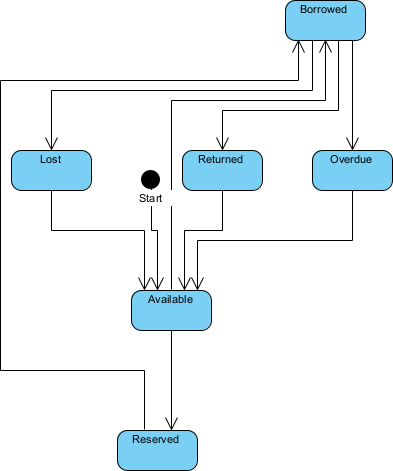
It appears as a fully editable, native Visual Paradigm diagram (not just an image). You can now:
- Edit elements, relationships, layout, or properties
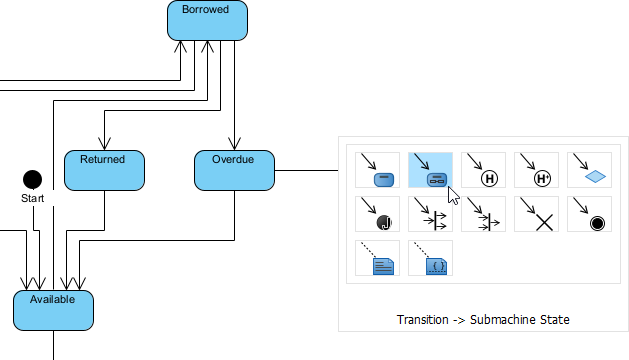
- Add more details manually
- Export as image (PNG, SVG, etc.), PDF, or use in reports
- Generate code or documentation if applicable
- Edit elements, relationships, layout, or properties
OpenDocs: Embed Dynamic State Diagrams in Living Documentation
OpenDocs flips the script on traditional docs. Think Notion or GitBook, but with AI-assisted, editable diagrams embedded right in your pages.
Why does this matter for state diagrams? Teams often need to explain lifecycles in context—like documenting a device’s states in an operations guide or showing workflow transitions in a process handbook. With OpenDocs, your diagram isn’t a dead PNG; it’s alive. Click to edit, or refine. Collaboration shines: team members comment directly on transitions or states, aligning everyone without tool-switching.
For organizations building knowledge repositories, this bridges the gap between modeling and sharing.
How to Insert an AI Generated State Machine Diagram into Your OpenDocs Page
- Open or create a page in OpenDocs: Log in to your Visual Paradigm Online workspace, navigate to OpenDocs, and either open an existing page or create a new one (via + New Document Page or similar).
- Insert a diagram: In the page editor, look at the top toolbar (or floating toolbar) and click Insert. From the popup window, select Diagram > State Machine Diagram.
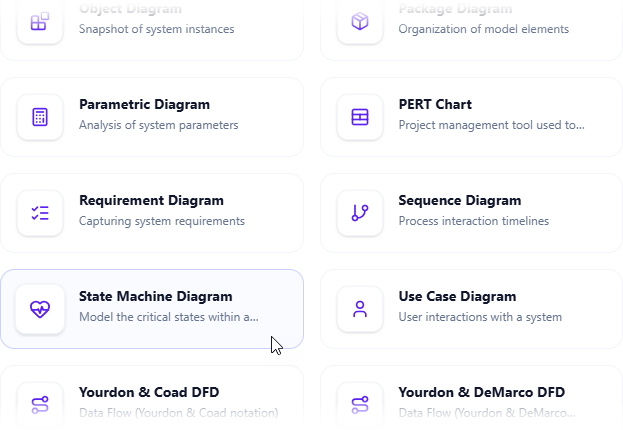
- Start creating the diagram with AI: This opens the diagram editor window. You can build it manually by dragging and dropping elements if you prefer. To use AI instead: Look for Create with AI in the top-right corner of the editor window and click it.
- Describe your problem and generate: In the text input area that appears, type a clear, detailed description of your system or scenario. Click Generate.
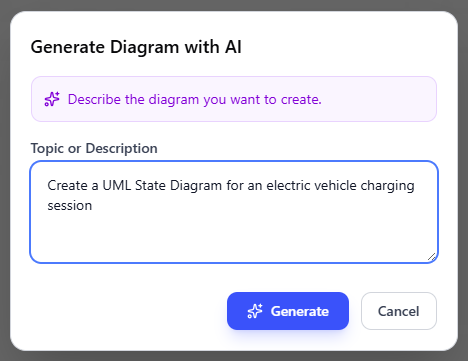
- Review, refine, and embed the diagram: The AI generates a professional state machine diagram instantly.
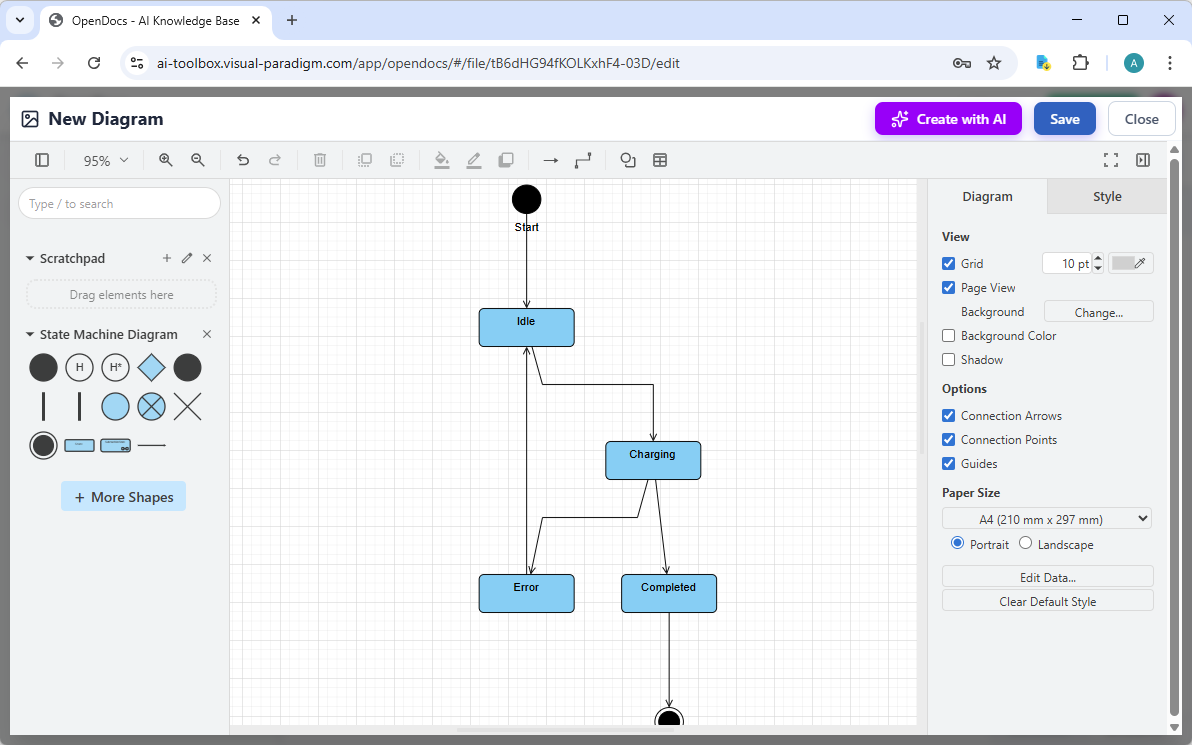
Use the intuitive drag-and-drop editor to touch up anything: move elements, adjust labels, add notes, change styles, etc. When you’re happy with it, click Save. Then click Close. The diagram is now embedded directly into your OpenDocs page as a live, editable visual block. You can view it inline without leaving the document.
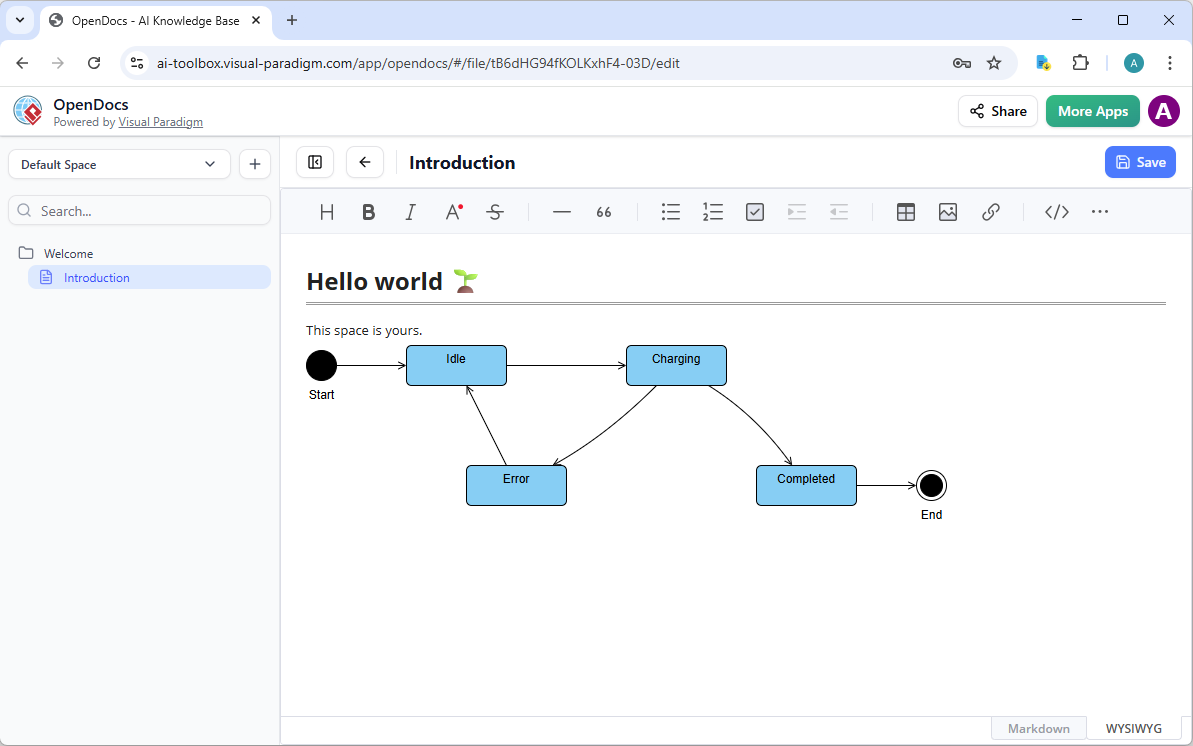
AI Visual Modeling Chatbot: Conversational Speed for Rapid State Diagram Prototyping
Need a state diagram fast? Our AI Visual Modeling Chatbot turns conversation into diagrams. No forms, no menus—just chat. Say: “Generate a UML state diagram for a traffic light controller with states Red, Green, Yellow, including timing transitions and pedestrian interrupt.” Seconds later, you get a standards-compliant diagram.
Iteration is effortless. Ask to “add a concurrent region for emergency override,” “explain the transition guards,” or “generate code for this state machine in Python.” The chatbot refines, analyzes for issues (dead states? missing events?), or even produces reports summarizing behavior. It’s perfect for brainstorming, agile sprints, or overcoming blank-canvas blocks.
Users love it for quick prototypes—like sketching login flows (Authenticated, Guest, Locked) or IoT device states (Active, Sleep, Error)—then importing favorites into VP Desktop for polish. As an online AI diagram editor for professionals, the chatbot democratizes complex modeling. Novices get expert results; experts accelerate exploration. This isn’t one-shot generation—it’s interactive co-creation that keeps models traceable and accurate.
How to Generate a State Diagram with AI Chatbot
-
Open the AI Chatbot:
- Web access: Go to https://chat.visual-paradigm.com/ (or https://ai-toolbox.visual-paradigm.com/app/chatbot/ as an alternative entry point).
- VP Desktop access: In Visual Paradigm Desktop, select Tools > Chatbot from the main menu. (This opens the same AI assistant integrated within your desktop environment.)
-
Start a new chat session: Click New Chat (on the left sidebar or as a prominent button) to begin a fresh conversation.
-
Describe what you want: In the text input area at the bottom, type a clear description of your project, system, or scenario (e.g. Develop a state diagram for a user login session). Press Enter (or click the send icon) to submit your message.
-
View and refine the diagram: The AI generates the diagram almost instantly.
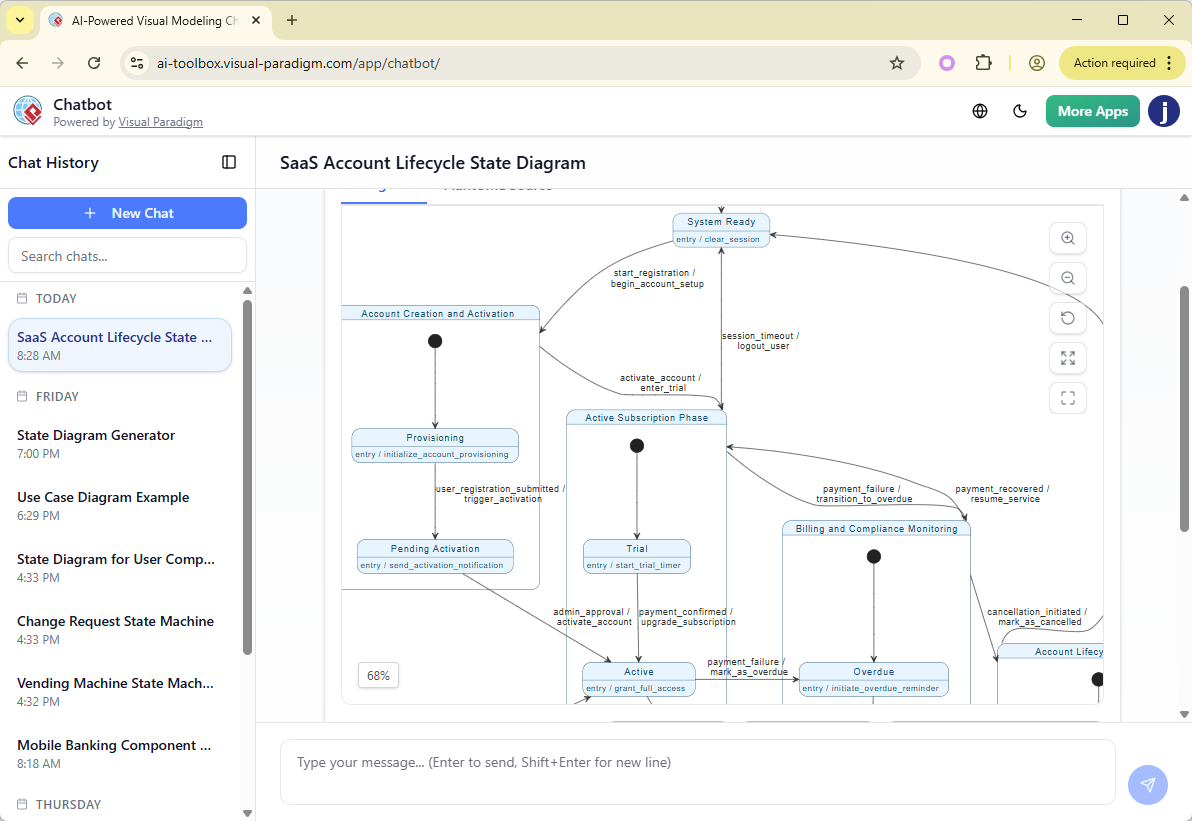
This is where the chatbot shines: keep the conversation going! Follow-up examples:
- “Add an element…”
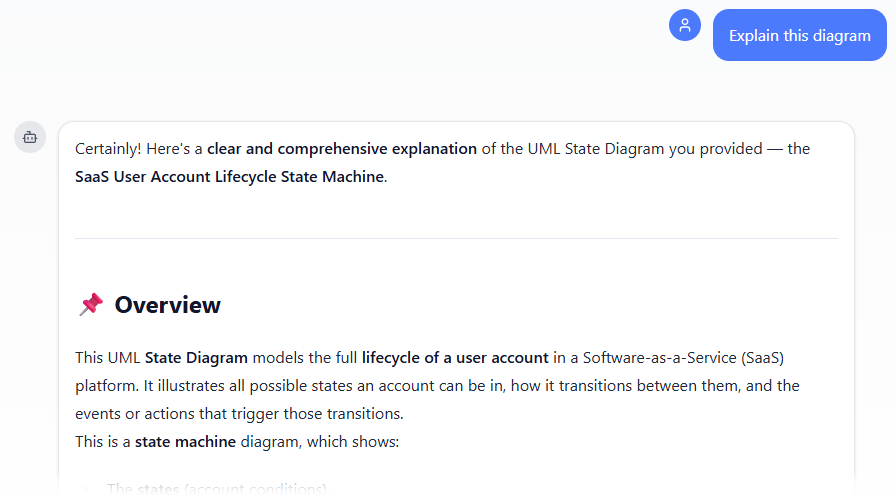
- “Explain the diagram…. “
- “Generate a brief report summarizing ….”
Why Visual Paradigm Stands Out as the Ultimate AI State Diagram Generator
Plenty of tools generate diagrams. Few offer a true end-to-end ecosystem. Competitors might give quick sketches, but they lack depth: no real traceability, no code engineering, no seamless handoff between chat prototyping and desktop refinement, no dynamic embedding in docs.
Visual Paradigm changes that. Our widest diagram coverage meets deep AI integration across platforms. Generate fast with the chatbot or desktop AI. Refine professionally in VP Desktop. Share interactively via OpenDocs. Guide consistency in Web Apps. Everything stays connected—update a state, and linked elements reflect it. Real traceability means models aren’t isolated; they’re implementation-ready. We’ve built for accuracy, scalability, and teams—not gimmicks.
Searching for the best AI UML diagram maker or free AI state diagram tool? Our community edition offers solid starts, while paid tiers unlock full AI power. Time saved, errors reduced, collaboration boosted—that’s why teams choose us.
Ready to Transform Your State Diagram Workflow?
Stop wrestling with manual drawing. Experience AI that actually understands modeling—from instant generation to production-grade refinement. Visual Paradigm delivers the complete solution for state diagrams and beyond.
Try Visual Paradigm today—start with our AI Visual Modeling Chatbot or download VP Desktop. See why we’re the leading AI diagram tool for visual modeling. Your next state machine is waiting.