

Overview of the AI Chatbot, Step-Based Apps, and the Embedded Diagram Generator
Visual Paradigm’s AI ecosystem is not a single tool but a tightly integrated suite of intelligent assistants that work together to accelerate every phase of visual modeling—from initial ideation to production-ready blueprints. Built around the core principle of standards-compliant, conversational design, these components remove friction at different points in the workflow, allowing users to choose the right level of guidance for the task at hand.
Whether you prefer free-form conversation, structured step-by-step guidance, or high-precision desktop engineering, the ecosystem adapts seamlessly. Below is an overview of its three primary pillars, each designed to complement the others.
The AI Chatbot: Your Conversational Bridge to Instant Diagrams
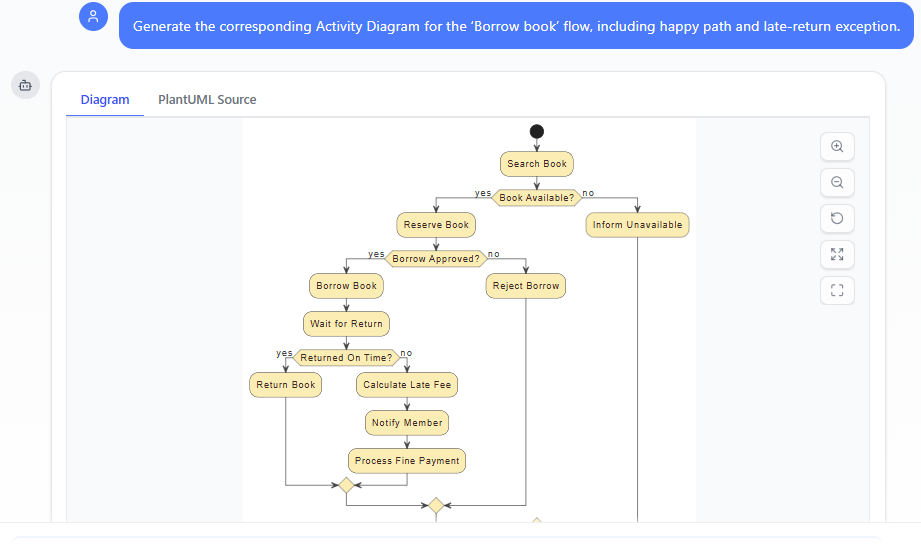
The AI Chatbot (accessible at chat.visual-paradigm.com or directly embedded within the Visual Paradigm desktop application for licensed users) serves as the primary entry point for most users. It transforms natural language into fully structured, editable diagrams in seconds, acting as an always-available co-designer.
Key capabilities include:
- Instant Diagram Generation — Describe a system, process, or use case in plain English (e.g., “Create a sequence diagram for an online banking login flow with two-factor authentication and error handling”), and receive a complete, standards-compliant diagram (UML, ArchiMate, SysML, C4, BPMN, and more).
- Conversational Refinement — Use follow-up commands to evolve the model iteratively: “Add an admin actor who can reset passwords,” “Insert a retry loop on failed login,” “Change this association to composition,” or “Make the layout more compact for presentation.” The Diagram Touch-Up mechanism ensures safe, incremental updates without breaking connectors, layouts, or semantics.
- Explanatory and Educational Mode — Ask questions like “Explain the difference between aggregation and composition” or “Show an example of a C4 Container diagram for a microservices app.” The chatbot provides clear explanations, generates illustrative examples, and even writes accompanying documentation on demand (e.g., “Write a summary article for this use case diagram”).
- Broad Diagram Support — Covers UML 2.5 diagrams (class, sequence, use case, activity, state machine, etc.), enterprise architecture (ArchiMate viewpoints), architecture views (C4 levels), SysML, data models (ERD), flow models (DFD), mind maps, and strategic tools (SWOT, PESTLE).
- Export and Continuity — Export generated diagrams directly into Visual Paradigm desktop projects for advanced editing, team collaboration, code engineering, or round-trip synchronization.
The chatbot shines when you want speed, exploration, brainstorming, or quick refinements without leaving a chat-like interface.
AI Step-Based Apps: The Guided Analyst for Structured Discovery
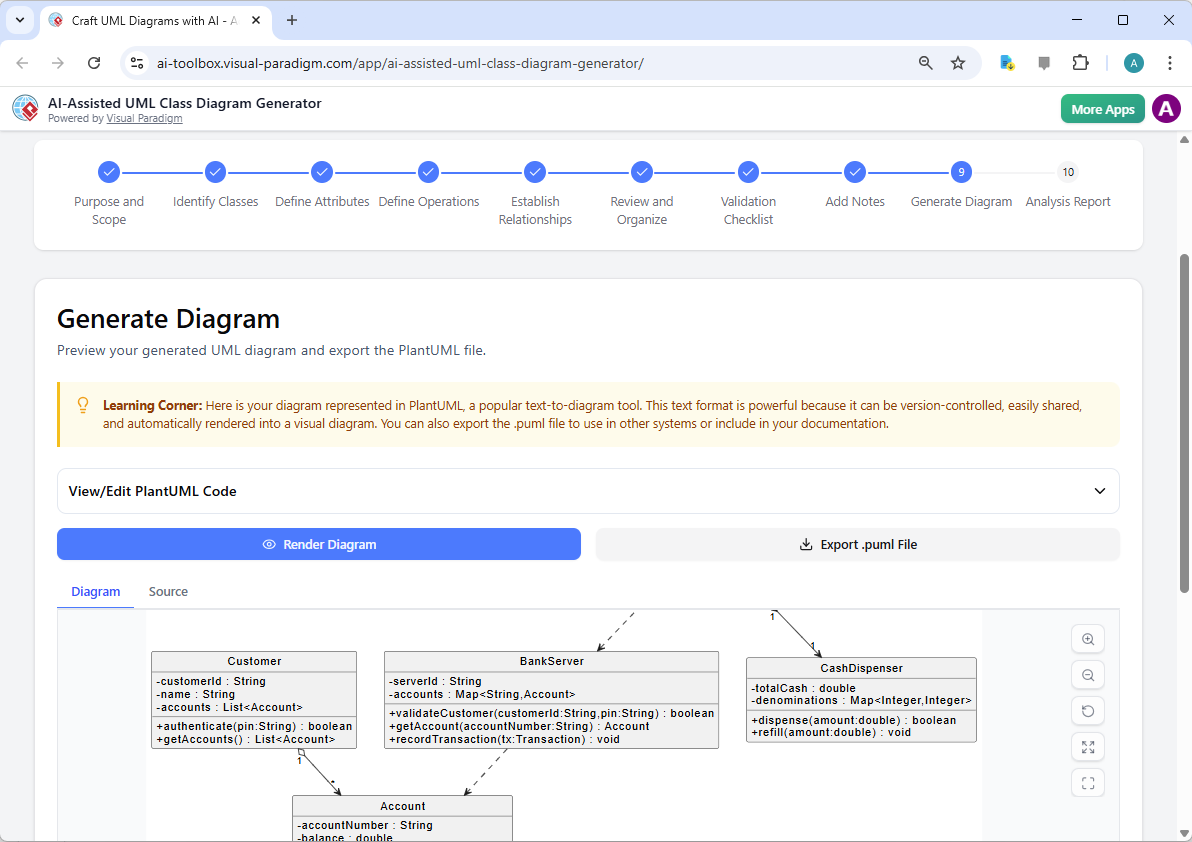
For users who prefer a more methodical, educational approach—or need to enforce consistency across teams—Visual Paradigm offers a growing library of AI Step-Based Apps (accessible via the Innovation Hub or AI Toolbox in Visual Paradigm Online and Desktop). These are wizard-like, guided workflows that break complex modeling tasks into logical, bite-sized steps, with AI assistance at each stage.
Notable examples include:
- AI-Powered Textual Analysis — Paste or type unstructured requirements text (e.g., a project brief or user stories). The app automatically identifies candidate domain classes, attributes, operations, and relationships, then generates a starting Class Diagram. Users review and approve suggestions step-by-step before final visualization.
- 10-Step UML Class Diagram Wizard — A guided process for building robust class models: define scope → identify entities → specify attributes/operations → establish relationships → apply design patterns → validate → refine → generate. Ideal for teaching OO fundamentals or ensuring consistent modeling style.
- Use Case Description Generator → MVC System Architecture Generator → Sequence Diagram Refinement Tool** — Start with high-level use cases, refine scenarios and flows, generate layered MVC structures and then automatically derive detailed sequence diagrams.
- Other Specialized Wizards — Include tools for generating Activity Diagrams from narratives, C4 model hierarchies, use case oriented modeling platform, and more.
These apps excel when you want structured learning, traceability from text to model, or repeatable processes for larger teams/projects.
Embedded Diagram Generator: High-Precision Engineering in the Desktop Environment
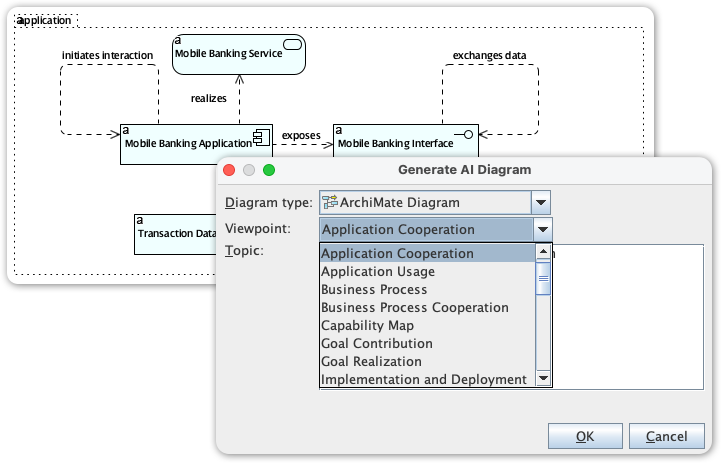
For advanced users who demand pixel-perfect control, complex layouts, or integration with full-round-trip engineering, the Embedded Diagram Generator brings AI power directly into the Visual Paradigm desktop application (Professional Edition or higher required for full AI access).
Features include:
- AI-Powered Generation Inside Desktop — Access specialized generators for Timing Diagrams, Package Diagrams, Deployment Diagrams, Component Diagrams, and emerging types (e.g., SysML Internal Block, DFD variants) without leaving your project.
- Seamless Integration — Diagrams generated via chatbot or step-based apps can be imported instantly into open desktop projects. AI suggestions appear as smart assistants within the modeling canvas.
- Advanced Validation & Refinement — Combine AI generation with desktop tools for model validation, simulation, documentation generation, code/database engineering, version control, and team collaboration features.
- Persistent Model Intelligence — All changes—whether AI-driven or manual—respect the underlying metamodel, ensuring consistency across views.
This component is ideal for professional engineering workflows where diagrams must feed directly into code generation, database schemas, enterprise architecture repositories, or audit-ready documentation.
How They Work Together
- Start fast with the AI Chatbot for ideation and rapid prototyping.
- Switch to Step-Based Apps when you need guided domain discovery or structured refinement.
- Finish with the Embedded Diagram Generator and the Visual Modeling Tools in desktop for precision, validation, export to code/databases, and team sharing.
Together, these tools form a complete pipeline: from vague idea → conversational prototype → guided structure → production-grade model → implemented system.
In the modules ahead, you’ll see hands-on examples of each component in action across the full UML spectrum, learning how to combine them for maximum efficiency and design integrity. Welcome to modeling without the chores—let the AI handle the mechanics while you focus on architecture that matters.