


Product managers, technical writers, and business analysts often struggle to map complex logic flows, authorization checks, and user onboarding steps without clunky UI drawing applications. Traditional canvas tools lead to outdated documentation whenever requirements shift. Using a modern diagram-as-code tool allows teams to define decision trees directly in plain text. By designing workflows inside a Mermaid diagram editor, teams can produce clean, collaborative process maps instantly.
In this guide, we will explore how to build structured Flowcharts using Mermaid, why text-based business logic modeling improves product clarity, and how an all-in-one diagram-as-code tool streamlines documentation workflows.
Why Use Flowcharts for Business Logic?
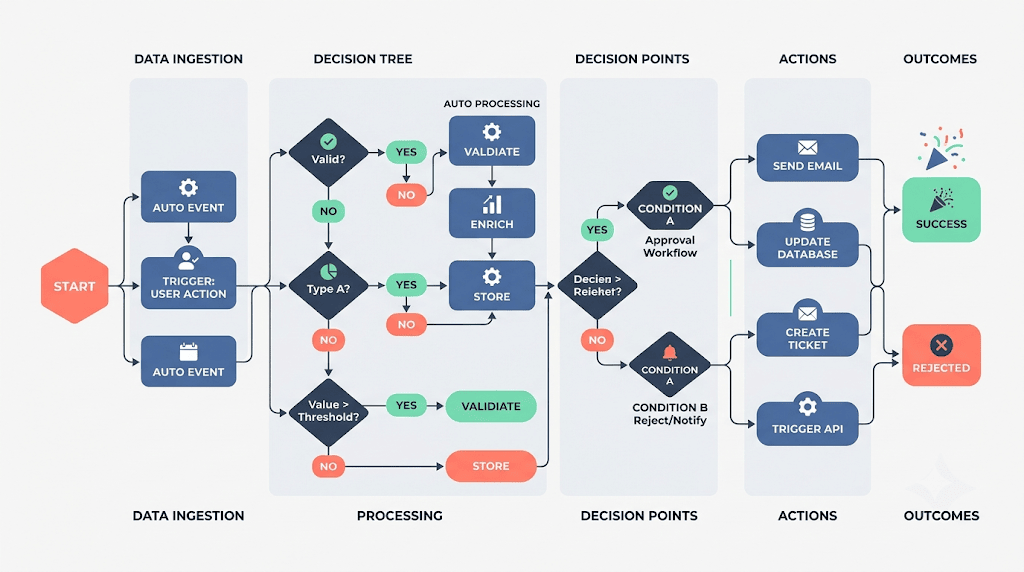
Capturing multi-branch business logic in traditional drawing tools creates significant maintenance bottlenecks. When rules change or edge cases are added, rearranging boxes manually disrupts alignment and wastes valuable time. A text-to-diagram approach solves this by automating node positioning.
Using a dedicated Mermaid diagram editor for workflow modeling provides key advantages:
- Version-Controlled Business Logic: Track rule updates and process changes over time using native Git diff histories.
- Rapid Iteration: Add decision branches, alter conditional paths, or reorder step sequences with simple text edits.
- Universal Accessibility: Plain-text definitions ensure stakeholders can review and comment on logic flows directly within pull requests or wiki pages.
Adopting a robust diagram-as-code tool ensures that your functional specs remain accurate and transparent across distributed product teams.
Building a Business Logic Flowchart Step-by-Step
Let’s examine how to construct a user checkout and discount validation workflow using flowchart syntax. Here is a practical example you can copy and paste directly into your online editor:
Business Logic Flowchart Code Example (Try it Now):
graph TD
    Start([Start Checkout]) --> InputCart[Review Cart Items]
    InputCart --> HasPromo{Apply Promo Code?}

    HasPromo -->|Yes| ValidatePromo[Verify Promo Code API]
    ValidatePromo --> PromoValid{Is Valid?}

    PromoValid -->|Yes| ApplyDiscount[Apply 15% Discount] --> CalcTotal[Calculate Final Total]
    PromoValid -->|No| ShowError[Display Invalid Code Error] --> CalcTotal

    HasPromo -->|No| CalcTotal

    CalcTotal --> PaymentGateway{Process Payment}
    PaymentGateway -->|Success| OrderSuccess([Generate Order Confirmation])
    PaymentGateway -->|Failure| PaymentRetry[Prompt Retry / Update Card] --> PaymentGateway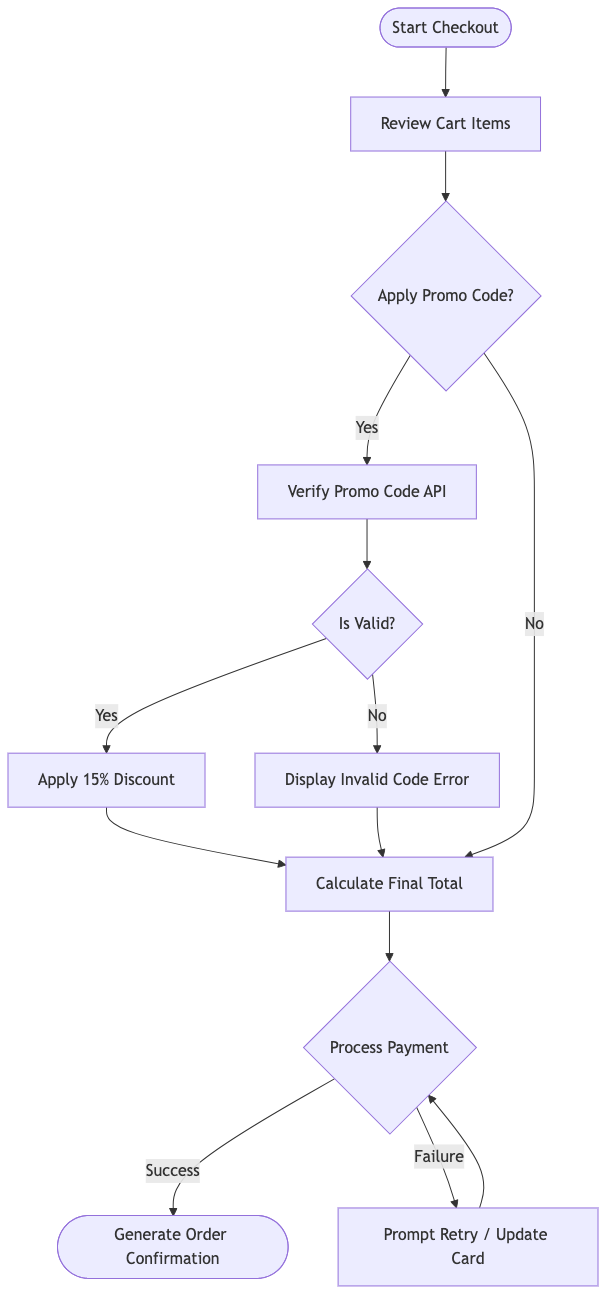
Eliminating Syntax Friction with AI in VPasCode
When modeling intricate product workflows featuring conditional loops and multiple fallback branches, minor syntax errors—such as unclosed bracket tags or invalid connection arrows—can prevent rendering. Utilizing VPasCode as your primary diagram-as-code tool gives your team access to 1-Click AI Code Error Fixing to resolve syntax errors instantly.
Whether you are creating software Architecture models, mapping project Gantt charts, or designing user flowcharts, an intelligent Mermaid diagram editor catches formatting bugs automatically so your documentation process stays smooth.
Best Practices for Product Workflow Diagrams
To maximize readability when sharing process flowcharts across technical and non-technical team members, keep these core guidelines in mind:
- Use Distinct Node Shapes: Utilize rounded rectangles for start/end nodes (
([Label])), rectangles for actions ([Label]), and diamonds for decision logic ({Label}). - Label Decision Branches Clearly: Always annotate outcome paths (e.g.,
-->|Yes|and-->|No|) to eliminate ambiguity in logic flow steps. - Export High-Resolution Vector Visuals: Export crisp SVG or PNG assets directly from your Mermaid diagram editor to embed in product wikis or publish online via Visual Paradigm OpenDocs integration.
Relying on a versatile Mermaid diagram editor powered by a complete diagram-as-code tool empowers product managers and engineers to build maintainable, production-ready workflow specifications with ease.
Transform Your Product Workflows Today
Ready to streamline your business logic modeling and build clear process flowcharts from text in seconds? Try VPasCode’s feature-rich Mermaid diagram editor today and experience instant 1-Click code error fixing, multi-format rendering, and effortless diagram-as-code capabilities.