


Building accurate SysML parametric diagrams can be surprisingly time-consuming. You need to define constraints, connect value properties, and set up equations correctly—all while ensuring consistency as requirements evolve. If you are looking for a way to generate SysML with AI, you need a solution that understands engineering logic, not just basic shapes.
Visual Paradigm offers a powerful AI SysML diagram generator that transforms plain English descriptions into well-structured models in seconds. Whether you need an AI Parametric Diagram tool for quick prototyping or a professional environment for deep architectural analysis, our ecosystem provides the most comprehensive SysML AI tool available today.
OpenDocs: Living Documentation with an Integrated AI SysML Diagram Generator
Once your model is ready, explaining it to stakeholders is the next challenge. OpenDocs is a professional knowledge management platform designed for modeling teams. It allows you to embed live, editable diagrams directly into your documentation, ensuring your technical manuals never go out of date.
- Live Integration: Embed an AI SysML diagram directly into your project pages.
- Contextual Documentation: Surround your models with decision logs, safety analysis, and requirement traceability.
- Sync Capability: When the source model is updated in Visual Paradigm Desktop, your documentation refreshes automatically.
How to Create a Diagram Using the AI Parametric Diagram Generator in OpenDocs
- Access OpenDocs: Log in to your workspace and navigate to OpenDocs. Create a new document or open an existing design record.
- Insert Your Model: In the editor, click Insert > Diagram > Parametric Diagram. This launches the specialized AI Parametric Diagram tool interface.
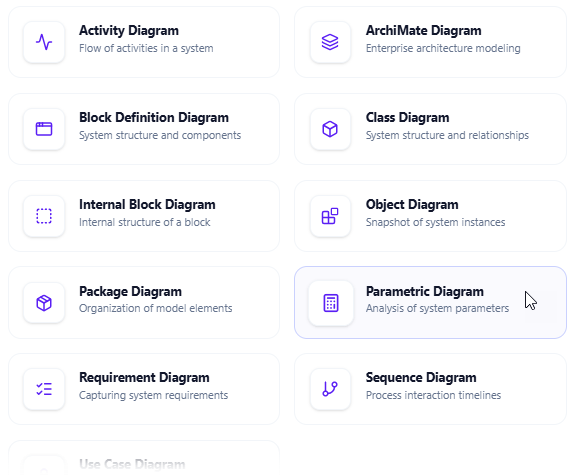
- Generate SysML with AI: Click the Create with AI button in the top-right corner. This activates the AI SysML diagram tool engine.
- Input Your Constraints: Describe your system (e.g., “A vehicle braking system where braking force is a function of pedal pressure and friction coefficient”). Click Generate.
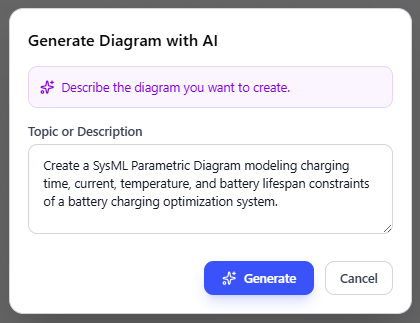
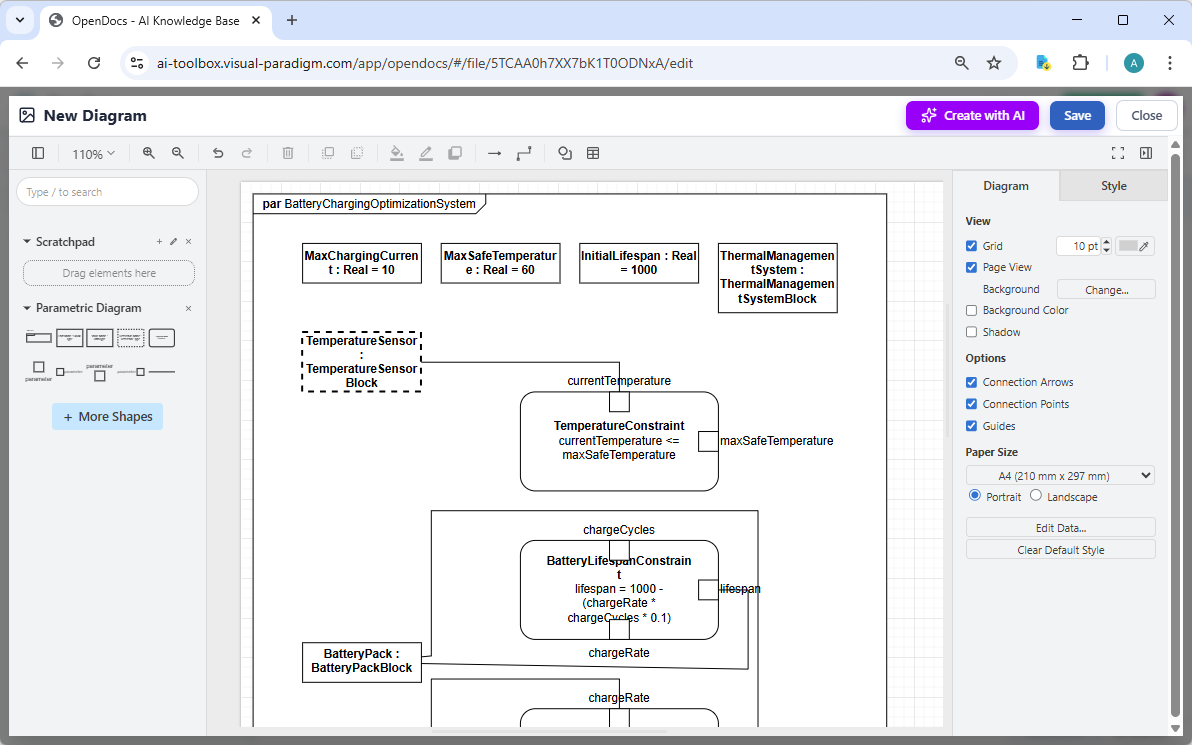
- Refine and Embed: The SysML AI tool will instantly render a professional diagram. Use the drag-and-drop editor to adjust labels or fine-tune constraints. Click Save to embed the live block into your page.
Advanced Performance Analysis with SysML v2 Studio
While our AI generators help you quickly visualize system constraints, the SysML v2 Studio provides a high-precision environment for engineers who need to verify system performance. It is purpose-built to manage the rigorous analytical requirements of the SysML v2 standard.
-
Verified Mathematical Logic: Defining performance constraints and equations requires absolute accuracy. The Studio features a Reliable Validation Engine that monitors your SysML v2 specifications in real-time, catching logic errors and parameter mismatches before they impact your analysis.
-
Dynamic Two-Way Verification: Stay in sync with your engineering data. You can define complex constraint blocks using the SysML v2 textual language for an instant diagram, or adjust your parametric links visually to automatically update the underlying source code.
-
AI-Driven Performance Insights: The built-in AI goes beyond simple drawing by offering Smart Re-contextualization—allowing you to adapt existing performance models for different project scopes—and providing Insightful Reports to ensure your system’s mathematical integrity.
-
Deep Library of Analytical Models: Don’t waste time building math models from scratch. The Studio includes over 500+ real-world SysML v2 examples, featuring validated parametric structures for various engineering disciplines that you can load and customize directly in your browser.
Check out the Release Notes or Open SysML v2 Studio to start validating your system performance with more confidence.
Why Visual Paradigm is the Leading AI SysML Tool for Engineers
Many online generators produce simple “pictures” that cannot be used in real engineering workflows. Visual Paradigm provides a professional AI SysML diagram tool that maintains full specification support for SysML v1 and v2.
| Feature Comparison | Visual Paradigm AI Tool | Standard AI Diagram Generators |
|---|---|---|
| Core Engine | Specialized AI SysML diagram generator | General-purpose flowchart AI |
| Compliance | Full SysML v1 & v2 specification support | Limited or non-compliant notation |
| Traceability | Link AI-generated blocks to requirements | No model traceability |
| Editing | Professional desktop and web editing | Static image output only |
| Collaboration | OpenDocs living documentation | Shared image links only |
Get Started with the Best AI Parametric Diagram Tool
Stop drawing complex mathematical constraints by hand. Leverage the power of an AI SysML diagram generator to speed up your systems engineering lifecycle.
- Rapid Prototyping: Use the SysML AI tool to brainstorm architecture.
- Seamless Transition: Move from AI-generated sketches to professional models in VP Desktop.
- Team Alignment: Keep everyone on the same page with OpenDocs.
→ Download Visual Paradigm
→ Try the AI SysML Diagram Generator Online
Related posts:
 Mastering Complex System Design: Best AI SysML Requirement Diagram Generator
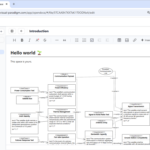 AI SysML Requirement Diagram Generator: Traceable Modeling with Visual Paradigm
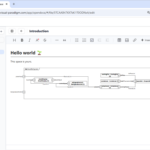 AI SysML IBD Generator: Master Internal Block Diagrams with Visual Paradigm
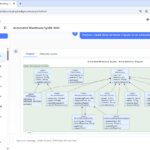 AI SysML BDD Generator: Automated Block Definition Diagrams with Visual Paradigm