


Building an Entity Relationship Diagram (ERD) the old way takes forever. You sketch entities, guess relationships, fight with attributes, and still end up fixing foreign keys later. What if you could describe your data needs in plain English and get a clean, professional ERD in seconds? That’s where AI steps in—and Visual Paradigm makes it work across an entire ecosystem, not just one isolated tool.
As a leading visual modeling platform since 2002, Visual Paradigm supports over 100 diagram types with enterprise features like team collaboration, traceability, and code generation. When it comes to AI-powered diagram tools, we go further. Our four platforms—VP Desktop, OpenDocs, AI Visual Modeling Chatbot, and Web Apps—deliver end-to-end support for creating, refining, embedding, and maintaining Entity Relationship Diagrams. Whether you’re after the best AI tool for creating Entity Relationship Diagrams, a free AI ERD maker option to start, or a full online AI diagram editor for professionals, we’ve got you covered. Let’s explore how each platform contributes.
VP Desktop: Your Powerhouse for AI-Driven ERD Creation and Professional Refinement
VP Desktop stands as our flagship tool for serious database modeling. It’s where AI meets precision. You can jump straight into generating an ERD using our integrated AI features. Just type a description like “Design a hospital management system with patients, doctors, appointments, and rooms,” and the AI instantly suggests entities, attributes, and relationships—complete with smart inferencing for keys and connections.
From there, the real strength shines. Edit everything offline with advanced tools: adjust cardinalities, add constraints, generate foreign keys automatically, and ensure normalization. Need traceability? Link your ERD to requirements, class diagrams, or even code engineering outputs. Teams love the version control and collaboration features too. Imagine generating a complex ERD in seconds, then refining it into a production-ready schema for SQL export. That’s not quick sketching—that’s real database design accelerated.
For anyone searching for an AI-powered diagram software that handles enterprise-level work, VP Desktop delivers. It’s ideal when accuracy, scalability, and integration matter most.
Creating ERDs Using AI in Visual Paradigm Desktop
Transform your descriptions into structural models by following these steps:
- Access the AI Tool: Navigate to the top menu bar, click Tools, and select AI Diagram Generation.
- Select Diagram Type: In the configuration window, locate the dropdown menu and pick Entity Relationship Diagram.
- Provide Input: Use the text field to explain your system architecture, project scope, or specific technical scenario in detail.
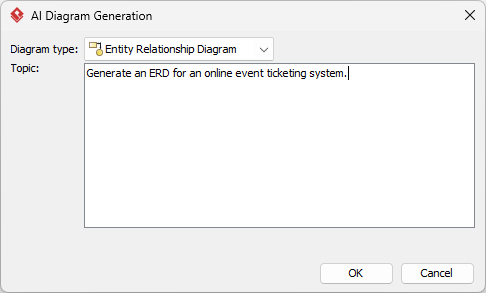
- Execute: Hit OK to begin the automated modeling process.
- Review Results: The AI will instantly build the diagram for you.
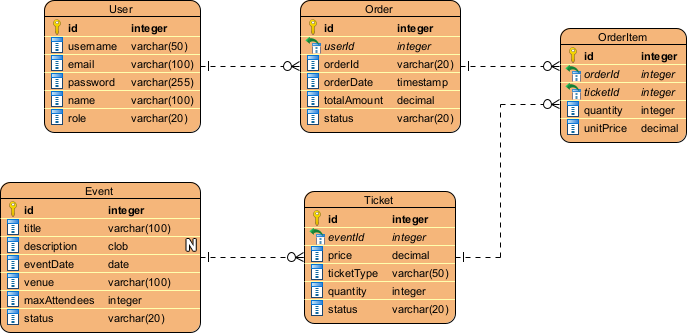
Working with Your New Diagram
Because the output is a native Visual Paradigm diagram rather than a static graphic, you have full control over the final product:
- Refine the Model: Modify any shapes, connection, or layout style using the standard editor tools.
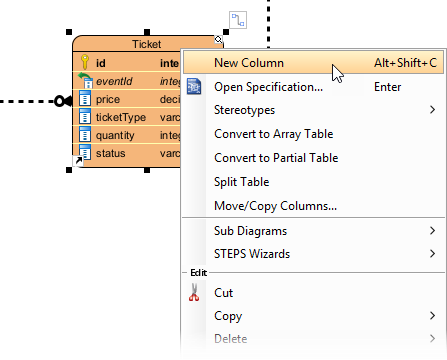
- Expand Content: Manually insert additional details or entities as needed.
- Share and Export: Save your work in various formats including PNG, SVG, or PDF for use in external documentation.
- Leverage Data: Utilize the diagram to generate database script or comprehensive technical reports.
OpenDocs: Embed Dynamic ERDs into Living Documents and Knowledge Bases
Not every ERD lives alone in a modeling tool. Sometimes you need it right inside reports, wikis, or team guides. That’s OpenDocs territory.
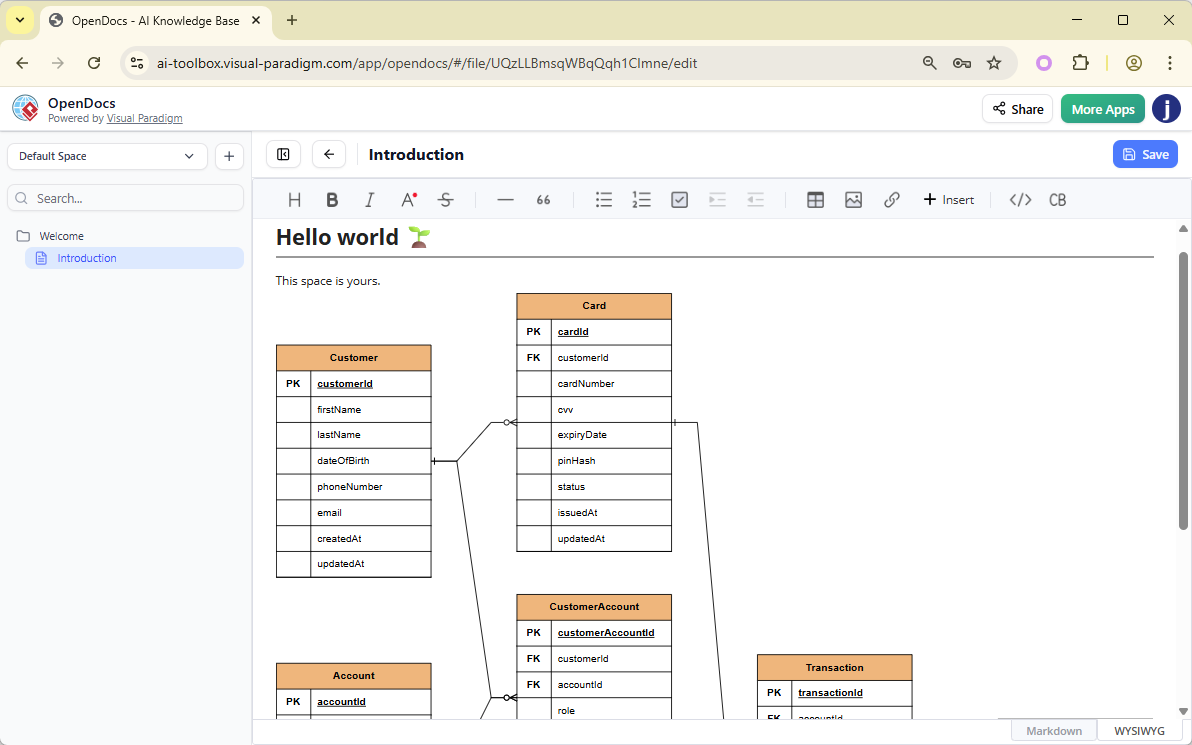
OpenDocs lets you create smart documents where diagrams stay interactive and editable. Drop an ERD into a page explaining your database architecture, and anyone on the team can view, zoom, or even tweak relationships inline without leaving the doc. No more static screenshots that go outdated the moment requirements change.
How to Insert an AI Generated ER Diagram into Your OpenDocs Page
- Open or create a page in OpenDocs: Log in to your Visual Paradigm Online workspace, navigate to OpenDocs, and either open an existing page or create a new one (via + New Document Page or similar).
- Insert a diagram: In the page editor, look at the top toolbar (or floating toolbar) and click Insert. From the popup window, select Diagram > Entity Relationship Diagram.
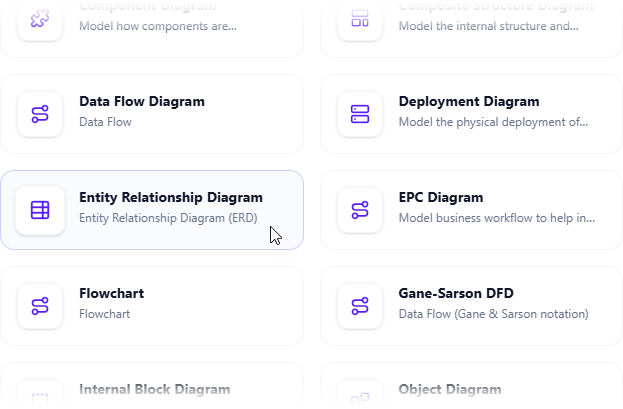
- Start creating the diagram with AI: This opens the diagram editor window. You can build it manually by dragging and dropping elements if you prefer. To use AI instead: Look for Create with AI in the top-right corner of the editor window and click it.
- Describe your problem and generate: In the text input area that appears, type a clear, detailed description of your system or scenario. Click Generate.
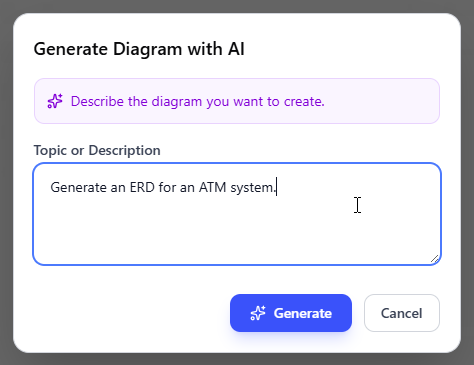
- Review, refine, and embed the diagram: The AI generates a professional ER diagram instantly.
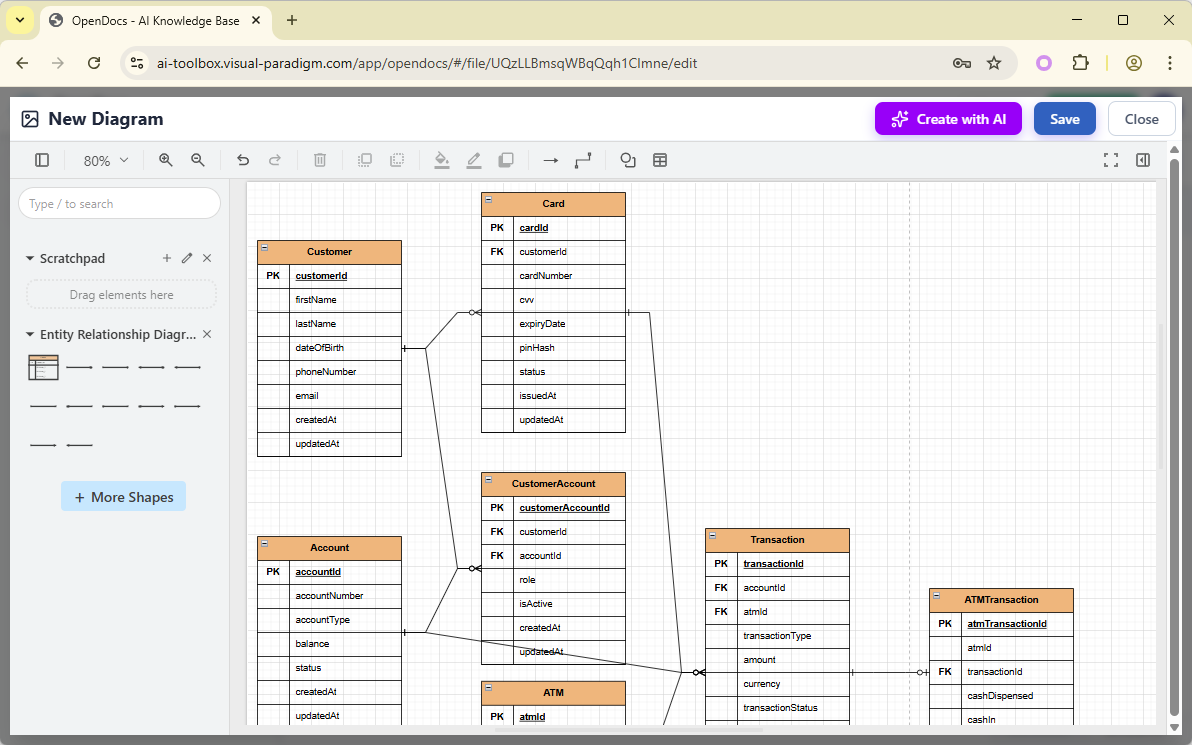
Use the intuitive drag-and-drop editor to touch up anything: move elements, adjust labels, add notes, change styles, etc. When you’re happy with it, click Save. Then click Close. The diagram is now embedded directly into your OpenDocs page as a live, editable visual block. You can view it inline without leaving the document.
Web Apps: Guided, Step-by-Step ERD Creation with Specialized AI Tools
Visual Paradigm offers several intelligent, AI-enhanced applications designed to simplify database and software modeling. These tools leverage artificial intelligence to transform natural language descriptions, business requirements, or use case details into structured visual models — including ERDs — while following best practices like normalization and relationship detection. The apps below focus on those with explicit or closely integrated capabilities for AI-assisted ERD generation.
-
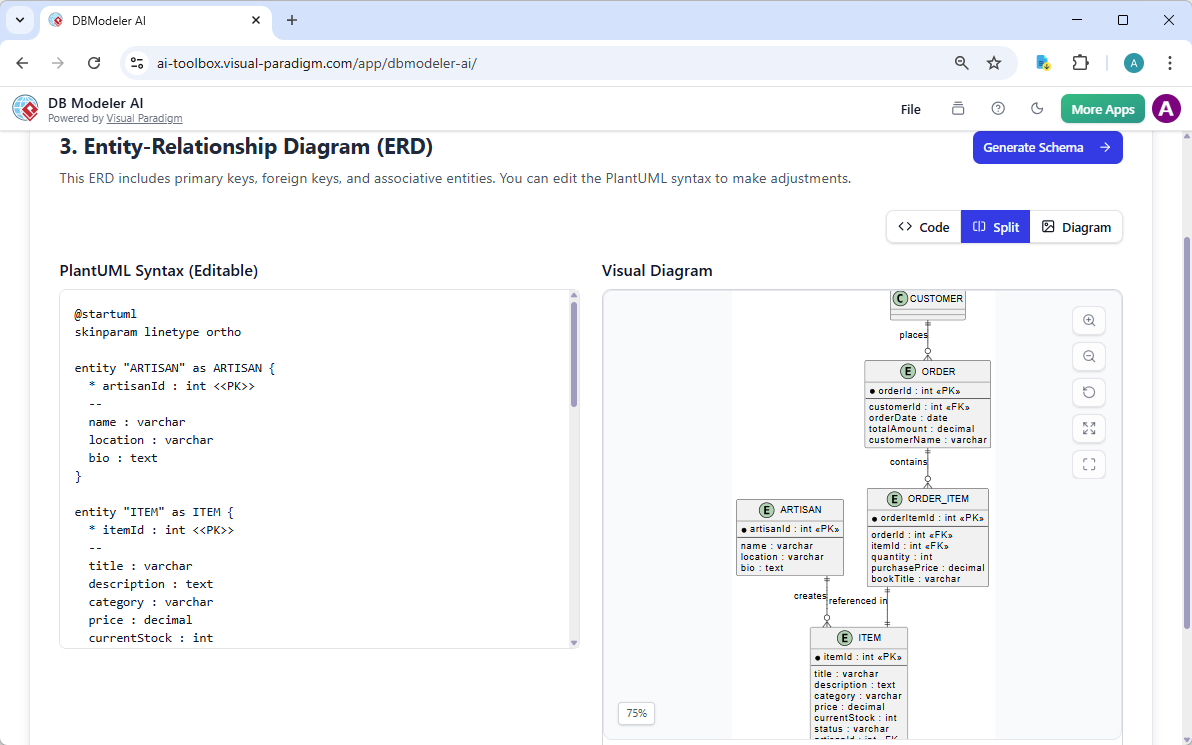
DB Modeler AI: A dedicated 7-step guided web application that uses AI to progressively generate database artifacts from a high-level business problem description. It automatically produces a Domain Class Diagram → ER Diagram → initial SQL schema → normalized schema, making it one of the most comprehensive tools for AI-powered ERD creation and refinement.
-
Use Case Modeling Studio: An AI-powered workflow tool for requirements analysis and software design. It generates Class Diagrams from use case descriptions, then automatically derives Entity-Relationship Diagrams (ERDs) from those Class Diagrams to model the corresponding data structure, bridging behavioral requirements to persistent data models.
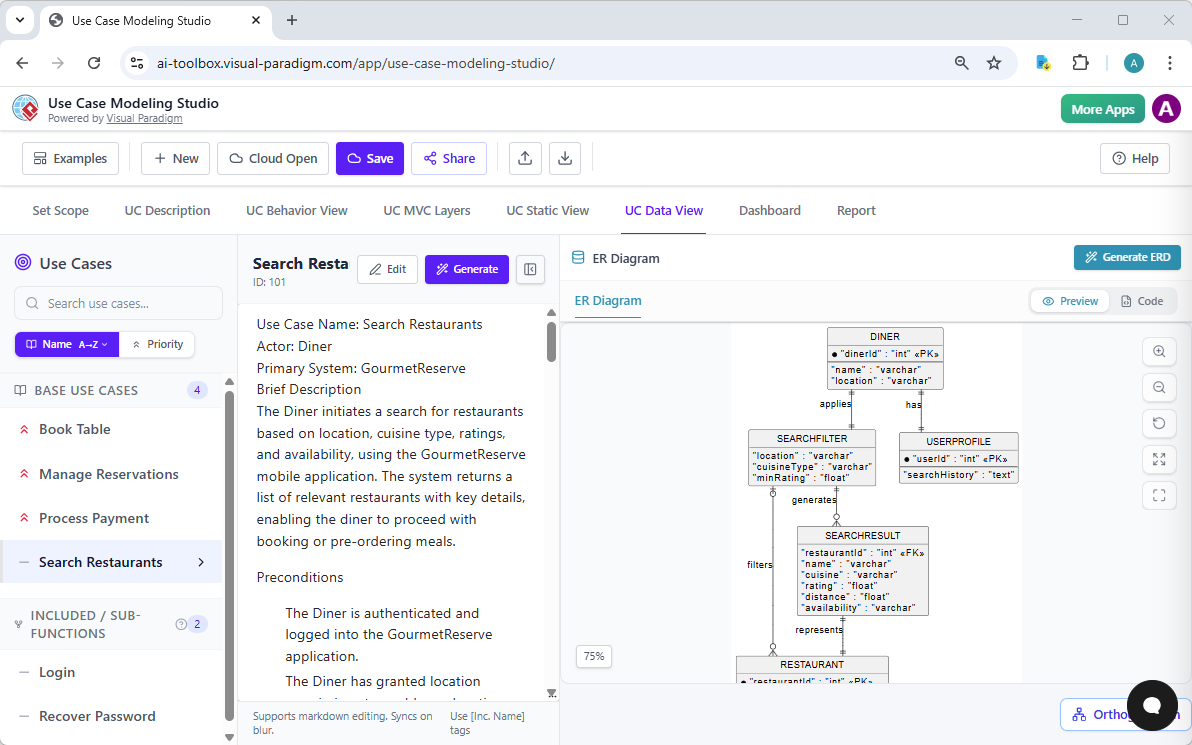
These Visual Paradigm apps dramatically reduce the effort needed for ERD generation by automating diagram creation, entity/relationship identification, and normalization steps from plain English input. DB Modeler AI stands out for full end-to-end database schema workflows with dedicated ERD focus, while Use Case Modeling Studio excels at linking use cases to data models. Together, they help analysts, developers, and architects produce accurate, high-quality ERDs faster and with fewer errors.
Why Visual Paradigm Stands Out as the Ultimate AI ERD Solution
Plenty of tools claim AI diagram generation. Most stop at one-shot outputs—pretty pictures with no depth. Visual Paradigm does more. We offer the widest diagram coverage with true AI integration across multiple workflows: instant chat generation, desktop precision, document embedding, and guided studios.
Real traceability keeps everything connected—no isolated models. Refine AI outputs without losing context. Scale for teams with collaboration, version control, and exports to code or reports. Unlike siloed competitors, our ecosystem saves time, cuts errors, and delivers professional, implementation-ready results. Whether you’re a solo developer needing a free AI ERD maker to prototype or an enterprise architect building complex schemas, this complete approach wins.
Ready to Transform Your Database Design?
Stop wrestling with manual ERD creation. With Visual Paradigm, you get instant generation, powerful refinement, seamless collaboration, and end-to-end support for Entity Relationship Diagrams. Experience how our AI-powered platforms make visual modeling faster, smarter, and more reliable.
Try Visual Paradigm today—start with our free edition or dive into DBModeler AI—and see the future of AI diagramming for yourself. Your next great database design is just a description away.
Related posts:
 Architecting Social Media Databases: How the Best AI ERD Generator Accelerates Modeling
 AI Chen Notation ERD Generator: Professional Data Modeling with Visual Paradigm
 AI Diagram Generation Guide: Instantly Create System Models with Visual Paradigm’s AI
 AI Component Diagram Generator: How Visual Paradigm Powers Your Modeling Workflow