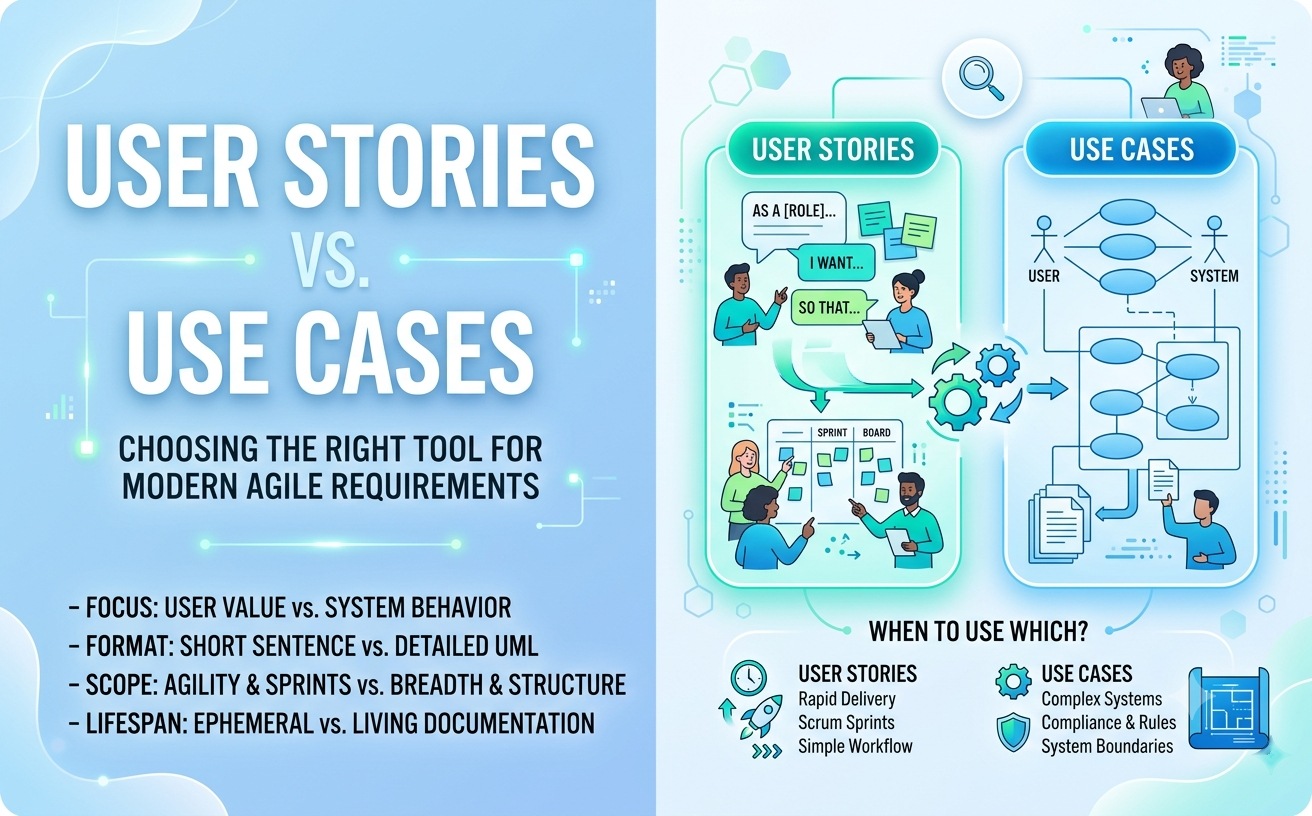
In modern Agile software development and requirements engineering, one debate comes up repeatedly: User Stories vs. Use Cases. Are they competing techniques, or do they complement each other?
While both capture software requirements from a user-centric perspective, they differ significantly in scope, level of detail, and purpose. In this guide, we break down the core differences, provide a clear comparison framework, and show how modern engineering teams use AI to seamlessly bridge user stories and visual UML models.
Understanding the Basics
What is a User Story?
A User Story is a short, high-level requirement description written from the perspective of an end-user. It focuses on the value desired rather than system mechanics. Following the classic Ron Jeffries 3Cs framework (Card, Conversation, Confirmation), user stories usually adopt a simple template:
As a [Role], I want [Action], so that [Benefit].
What is a Use Case?
A Use Case (and its associated visual UML Use Case Diagram) is a structured behavioral specification. It maps out the complete step-by-step interaction between an external actor and the system, detailing preconditions, postconditions, main success paths, and exception handling.
Side-by-Side Comparison
| Attribute | User Story | Use Case |
|---|---|---|
| Primary Goal | Start a conversation & capture immediate feature intent | Provide detailed architectural & behavioral specification |
| Granularity | Small, atomic, fits within a single sprint | Broader, encompasses multiple related user interactions |
| Format | Short sentence + acceptance criteria | Graphical UML diagram + structured textual flows |
| Focus | What the user wants to achieve and why | How actor and system interact step-by-step |
| Lifespan | Ephemeral (often discarded after sprint completion) | Living documentation (maintained across project lifecycle) |
When to Use User Stories vs. Use Cases
Choose User Stories When:
- You are running fast-paced Agile or Scrum sprints focused on rapid delivery.
- Features are straightforward and do not involve complex multi-step workflows.
- The primary need is team prioritization and managing backlogs in tools like Jira or Trello.
Choose Use Cases When:
- Designing complex systems with intricate business logic, multiple user roles, or regulatory compliance needs.
- You need to define system boundaries and clarify dependencies using
<<include>>and<<extend>>relationships. - Stakeholders require comprehensive, long-term system documentation.
Combining User Stories and Use Cases in Agile
Modern software engineering is not about choosing one over the other—it is about using them together effectively:
- Start with Use Cases for Big-Picture Architecture: Use an overarching use case model to define scope and map out all actor interactions.
- Slice Use Cases into User Stories: Break down each use case scenario into smaller user stories for sprint planning and developer backlog estimation.
- Link Stories to System Architecture: Keep user stories grounded by referencing the corresponding use case ovals in your architecture repository.
How AI Bridges User Stories and Use Case Diagrams
Manually translating backlog user stories into formal architectural models used to take days. With modern AI tools, this conversion happens instantly.
Using Visual Paradigm’s AI Diagramming Chatbot, product teams can take a batch of plain-text user stories and immediately generate syntactically correct UML use case diagrams.
The AI-Powered Requirements Workflow
- Instant Generation: Paste your user stories into the AI Diagramming Chatbot to generate an initial structural baseline.
- Code-Level Editing with VPasCode: Review and tweak underlying PlantUML or Mermaid code representation on the fly.
- Living Documentation in OpenDocs: Embed generated use case diagrams and stories together into Visual Paradigm OpenDocs to maintain a single, traceable record.
- Enterprise Modeling in VP Desktop: Import your AI diagrams directly into Visual Paradigm Desktop to perform trace-ability matrix analysis and expand use cases into sequence or activity models.
Frequently Asked Questions
Can a single use case contain multiple user stories?
Yes. A use case often covers a broader user goal (e.g., Checkout Shopping Cart), which can be broken down into several individual user stories (e.g., entering shipping address, applying coupon code, paying via credit card).
Can AI generate use case diagrams directly from Jira user stories?
Yes. Copying and pasting your user stories or epic descriptions into the Visual Paradigm AI Chatbot allows the fine-tuned model to parse actors and system goals into a formal UML diagram within seconds.
Which Visual Paradigm licenses include AI diagram generation?
AI capabilities are included with full access in both VP Online Deluxe Edition and VP Desktop Professional Edition.
Related Links
- Visual Paradigm VPasCode interactive playground: Try out Visual Paradigm VPasCode in the VPasCode interactive playground
- VPasCode overview: Learn more about VPasCode
- Try out Visual Paradigm AI Diagramming Chatbot: Generate diagrams with AI
- AI Diagramming Chatbot Overview: Learn more about AI Diagramming Chatbot: AI Diagramming Chatbot