Managing product roadmaps, release schedules, and sprint timelines in visual presentation software often leads to outdated documentation and communication gaps between engineering and product teams. When launch dates or feature dependencies shift, updating timelines manually on a design canvas consumes valuable time. Using a modern all-in-one diagram-as-code tool allows teams to maintain version-controlled project roadmaps directly in text. By authoring schedules inside a browser-based Mermaid editor, product managers can keep timelines aligned with development realities.
In this guide, we will explore how to build clear Gantt charts using Mermaid, why code-driven sprint planning improves transparency, and how a complete all-in-one diagram-as-code tool streamlines project documentation.
Why Use Mermaid Gantt Charts for Product Roadmaps?
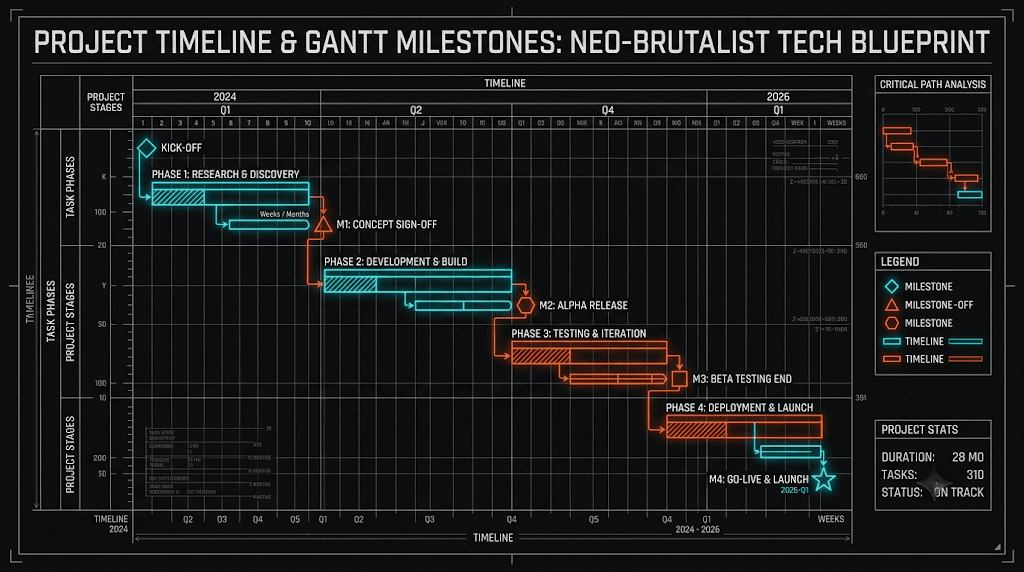
Traditional roadmap utilities often isolate product planning from actual developer documentation repositories. When priorities change, updating static timeline graphics requires manual re-exports and broken file link fixes. A text-to-diagram workflow solves this by treating timeline schedules as code.
Using a dedicated browser-based Mermaid editor for product planning delivers key advantages:
- Version-Controlled Timelines: Track milestone shifts, feature additions, and scope changes over time using Git commit histories.
- Automated Date & Task Placement: Define start dates, task durations, and sequential dependencies—the rendering engine calculates milestone positioning automatically.
- Seamless Markdown Integration: Embed live product roadmaps directly into team wikis, GitHub PRs, or project documentation hubs.
Adopting an all-in-one diagram-as-code tool ensures that strategic product plans stay synchronized across both engineering and executive stakeholders.
Building a Product Roadmap Gantt Chart Step-by-Step
Let’s look at how to model a multi-phase software product release—including discovery, backend API setup, frontend integration, and QA testing—using Gantt syntax. Here is a practical example you can copy and paste directly into your browser-based Mermaid editor:
Product Roadmap Code Example (Try it Now):
gantt
    title Q3 Product Feature Release Roadmap
    dateFormat  YYYY-MM-DD
    axisFormat  %b %d

    section Discovery & Architecture
    Requirements & UX Spec :done, spec, 2026-08-01, 7d
    API Schema Design      :active, api, after spec, 5d

    section Engineering Sprints
    Backend Microservice Dev :crit, backend, after api, 10d
    Frontend Integration    :frontend, after backend, 8d

    section Testing & Launch
    QA & Security Audit     :qa, after frontend, 5d
    Production Deployment   :milestone, m1, after qa, 0d
Eliminating Syntax Friction with AI in VPasCode
When mapping extensive annual roadmaps with overlapping tasks and complex milestone dependencies, small syntax errors—such as invalid date formats or malformed section tags—can prevent charts from rendering. Utilizing VPasCode as your primary all-in-one diagram-as-code tool gives your team access to 1-Click AI Code Error Fixing to resolve syntax errors instantly.
Whether you are defining software Architecture models, mapping operational Flowcharts, or building timeline Gantt charts, an intelligent browser-based Mermaid editor catches formatting issues automatically so your team stays focused on execution.
Best Practices for Code-Driven Roadmaps
To ensure high clarity when sharing Gantt chart roadmaps across product, engineering, and leadership teams, follow these core guidelines:
- Highlight Critical Path Tasks: Use the
:crittag to visually flag high-priority tasks that could delay downstream release milestones. - Mark Key Launch Milestones: Utilize
:milestonetags with zero duration (0d) to clearly denote major deployment targets and release dates. - Export High-Resolution Vector Assets: Export crisp SVG or PNG visual assets directly from your browser-based Mermaid editor to embed in stakeholder presentations or publish online via Visual Paradigm OpenDocs integration.
Relying on a versatile browser-based Mermaid editor supported by an all-in-one diagram-as-code tool empowers product leads to build clear, maintainable roadmap specifications with precision and speed.
Transform Your Roadmap Planning Today
Ready to standardize your product planning and build version-controlled Gantt charts from text in seconds? Try VPasCode’s feature-rich browser-based Mermaid editor today and experience instant 1-Click code error fixing, multi-format rendering, and effortless diagram-as-code capabilities.