


Effective project management and storytelling often depend on one critical factor: time. Whether you are charting a multi-year product roadmap, documenting historical events, or outlining a software development lifecycle, the ability to visualize sequences is essential. Visual Paradigm’s AI timeline generator empowers you to transform complex chronological data into sleek, professional narratives instantly.
As a cornerstone of our evolving AI diagram generator ecosystem, the timeline tool is designed to eliminate the tedious manual work of aligning dates and spacing milestones. By leveraging our AI timeline tool, teams can maintain perfect clarity on “what happens when,” ensuring that stakeholders and team members stay aligned on every critical phase of the journey.
OpenDocs: The First Pillar to Support AI Timeline Generation
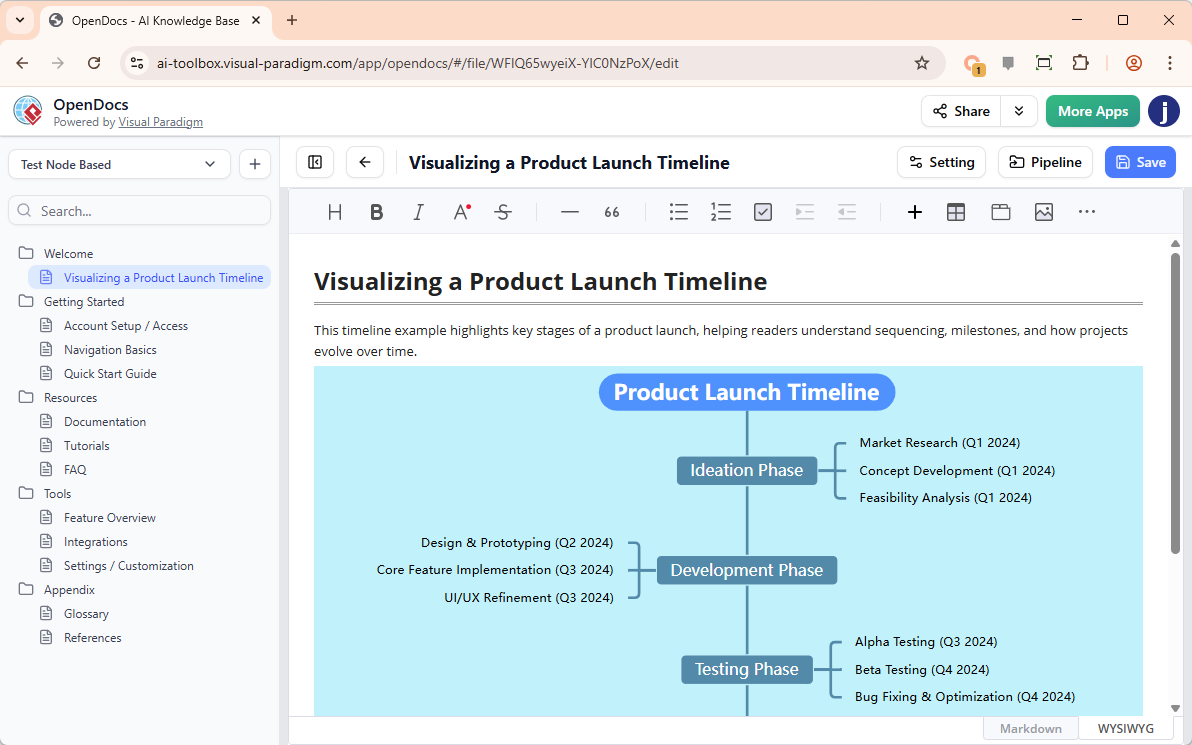
We are proud to announce that OpenDocs, our AI-powered knowledge management platform, is the first product in the Visual Paradigm suite to integrate this innovative AI timeline diagram generator. OpenDocs allows you to embed professional diagrams directly within your documentation narrative, maintaining the context and flow of your project charters, technical manuals, or status reports.
While the AI timeline generator is currently exclusive to OpenDocs, it represents the first step in bringing automated chronological modeling to our entire ecosystem. This integration ensures that your project’s temporal data is not just an image, but a dynamic component that can be updated instantly as deadlines shift.
How to Create a Timeline with AI in OpenDocs
Generating a professional roadmap in OpenDocs is a seamless process. Follow these steps to use the AI timeline tool:
- Open the Editor: Navigate to your document page in OpenDocs and click the + (Plus) icon on the top bar of the editor.
- Choose Category: Select Timelines from the category list on the left-hand side.
- Access AI Features: Click the Timeline option and then select Create with AI at the top right of the dialog.
- Describe Your Schedule: Input your project details (e.g., “A 6-month software development lifecycle including planning, design, three sprints, and a final launch in December”).
- Generate and Refine: Hit Generate. Once the AI constructs the timeline, you can use the intuitive drag-and-drop editor to adjust milestones, change colors, or add extra descriptions.
- Embed: Click Save to instantly embed the finished timeline into your document page.
Key Benefits of Our AI Timeline Diagram Generator
- Effortless Creation: Move from concept to a complete visual roadmap in seconds with the AI timeline generator.
- Visual Narrative: Break up dense technical text with engaging chronological visuals that improve reader retention and comprehension.
- High-Detail Roadmaps: Use the AI timeline tool to create high-level product visions or granular project schedules that serve as a single source of truth.
- Seamless Integration: Keep your visuals and documentation in one place. No need to export images from external tools—edit your timeline directly within your document.
The Future of AI Timeline Modeling
Visual Paradigm is committed to expanding our AI diagram generator capabilities across all platforms. While OpenDocs leads the way with the AI timeline diagram generator, this feature is built on a robust architecture that will soon support other pillars of our suite. Our goal is to provide a unified experience where an AI timeline tool is always at your fingertips, whether you are working in the cloud or on the desktop.
To see the full potential of our automated modeling tools, visit our AI Diagram Generation landing page.
Ready to automate your project schedules?
Experience the most intuitive AI timeline generator on the market today through OpenDocs. Start building your visual roadmap now.