


Visualizing hierarchical data, decision paths, or probability outcomes is essential for clear analytical thinking. However, manually structuring branches and nodes can be a tedious process. Visual Paradigm’s AI tree diagram generator eliminates this friction, allowing you to transform complex logic into structured visual trees using simple text descriptions.
As a key component of our AI diagram generator ecosystem, this tool is designed to help analysts and planners map out “if-then” scenarios and hierarchical breakdowns instantly. By using our AI tree diagram tool, you can focus on the underlying logic of your decision-making while the AI manages the layout and structural integrity of the diagram.
A Multi-Pillar Solution: OpenDocs and the AI Tree Diagram Maker
To provide maximum flexibility, we have integrated our AI tree diagram generator across two major pillars of the Visual Paradigm AI ecosystem: our documentation platform and our specialized web applications.
- OpenDocs Integration: For those who need to document their analysis directly within a knowledge base, OpenDocs now features a native AI tree diagram generator. This allows you to embed live, editable decision trees directly into your project charters and technical guides.
- AI Tree Diagram Maker (Web App): For a dedicated, lightweight modeling experience, we offer the AI Tree Diagram Maker. This standalone web app is perfect for users who want to jump straight into diagramming without opening a full project environment, providing a fast and focused interface for automated tree generation.
How to Create a Tree Diagram with AI
Whether you are using OpenDocs or our dedicated Web App, the process is streamlined for speed:
- Open the Tool: In OpenDocs, click the + (Plus) icon and select Tree Diagram. In the Web App, navigate to the AI Tree Diagram Maker landing page.
- Access AI Features: Click the Create with AI button.
- Describe Your Logic: Enter the hierarchy or decision path you wish to map (e.g., “A decision tree for a loan approval process based on credit score, income levels, and existing debt”).
- Generate: Click Generate to let the AI tree diagram generator build the branches automatically.
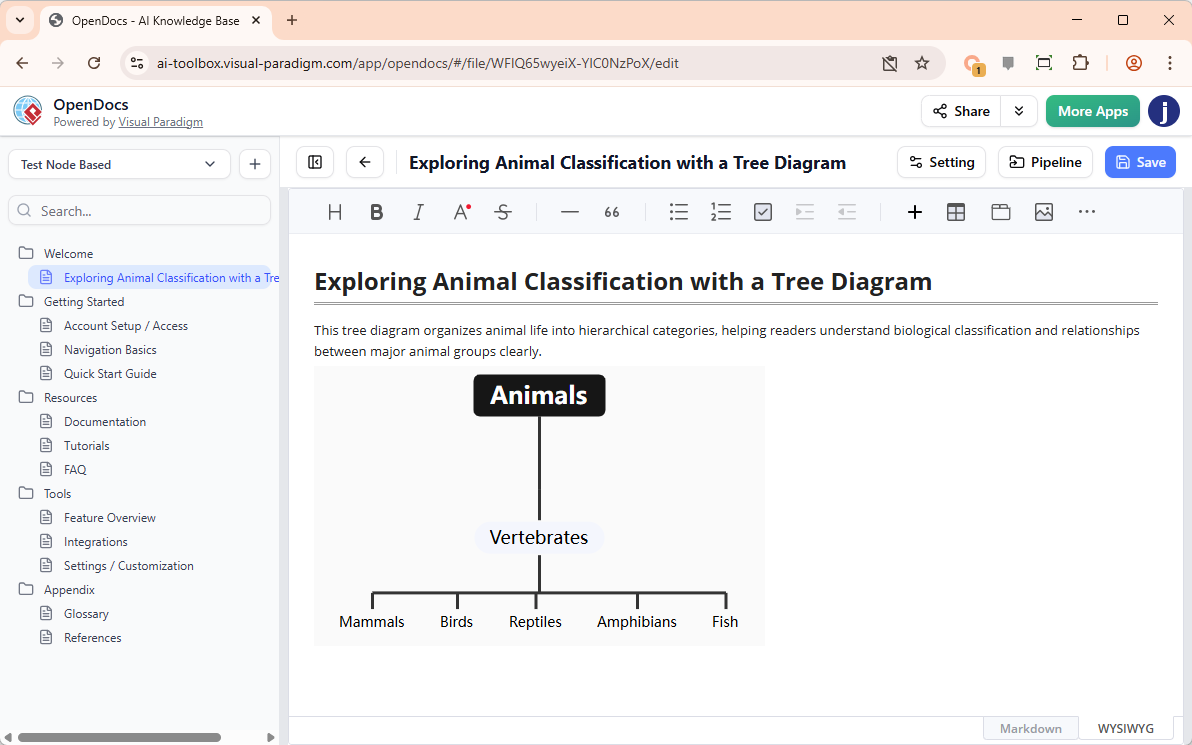
- Refine: Use our intuitive editor to adjust node labels, change styles, or add additional branches to your analysis.
Key Benefits of the AI Tree Diagram Generator
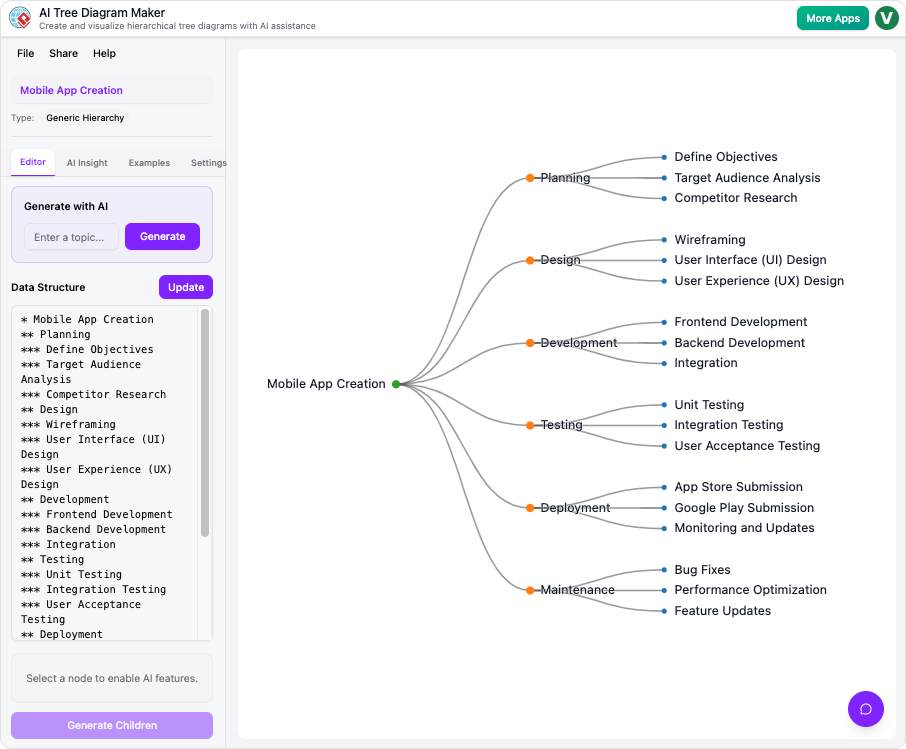
- Rapid Hierarchy Building: Convert complex lists or logic statements into a visual hierarchy in seconds with the AI tree diagram generator.
- Structured Decision Analysis: Use the AI tree diagram tool to ensure every branch of your decision-making process is logically accounted for.
- Flexible Pillar Support: Choose between documenting in OpenDocs or rapid-fire creation in our Web App depending on your current workflow.
- Visual Clarity: Automatically generate clean, spaced-out layouts that make even deep hierarchical structures easy to read.
The Future of Automated Hierarchical Modeling
Visual Paradigm is dedicated to expanding the AI diagram generator capabilities across all four pillars of our ecosystem. While the AI tree diagram generator is currently thriving in OpenDocs and our specialized Web App, we are continuously working to harmonize these tools across our entire suite. Our goal is to ensure that a professional AI tree diagram tool is always available exactly where you work.
To explore the full scope of our automated modeling tools, visit our AI Diagram Generation landing page.
Ready to map out your decisions with AI?
Try the AI tree diagram generator today in OpenDocs or via our dedicated web application.