
AI SysML Internal Block Diagram Generator: Unlock Powerful System Modeling with Visual Paradigm
Creating a SysML Internal Block Diagram (IBD) manually takes time. You define blocks, parts, ports, connectors, item flows—everything has to line up perfectly to show how a system’s internals really work. Engineers and architects often get stuck starting from scratch or fixing messy layouts. What if you could describe your system in plain words and get a clean, accurate IBD in seconds? That’s where an AI diagram generator changes everything.
Visual Paradigm stands out as a leading AI SysML Internal Block Diagram generator and all-in-one visual modeling platform. Since 2002, we’ve built tools for UML, SysML, and more—over 100 diagram types—with enterprise features like traceability, team collaboration, and code generation. Now fully AI-equipped, our ecosystem covers every step: instant generation, deep editing, embedding in docs, and conversational refinement. No other tool matches this end-to-end coverage for SysML IBD work.
Let’s explore how our four platforms deliver complete support for SysML Internal Block Diagrams. You’ll see why teams pick Visual Paradigm as their go-to AI-powered diagram software for serious systems engineering.
VP Desktop: Professional Powerhouse for AI-Driven SysML IBD Creation
VP Desktop is our flagship tool—perfect when you need full control over complex SysML models. The integrated AI diagram tool lets you generate an Internal Block Diagram right inside the app. Just describe the block’s internal structure: parts, interfaces, flows. AI builds the diagram instantly, complete with proper ports and connectors.
That’s only the start. Once generated, switch to advanced editing. Adjust layouts, add traceability links to requirements or other diagrams, verify compliance with SysML standards. Export to code, generate reports, or integrate into larger projects with version control. For enterprise teams modeling embedded systems, avionics, or automotive architectures, this blend of AI speed and desktop precision saves hours. Imagine generating a draft IBD for a vehicle’s control unit in seconds, then refining connections and adding constraints for production-ready accuracy.
No siloed generation here—everything stays connected in your model repository. That’s the real difference in a true AI SysML diagram generator built for professionals.
Key Benefits in VP Desktop
- Offline, high-performance environment for large-scale models
- AI generation + full SysML toolset (ports, item flows, binding connectors)
- Traceability, simulation, and code engineering integration
- Team collaboration with project versioning
How to Generate a SysML Internal Block Diagram with AI in VP Desktop
- From the main menu, select Tools > AI Diagram Generation. This opens the AI Diagram Generation window.
- In the window, choose your desired diagram type from the dropdown list. In this case, Internal Block Diagram.
- In the text area, describe your project, problem, system, or scenario.
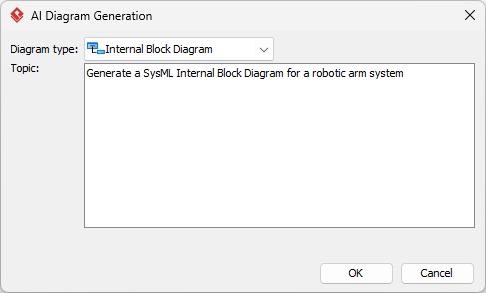
- Click OK to start the generation.
- The AI will create the diagram automatically.
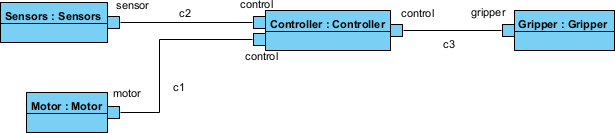
It appears as a fully editable, native Visual Paradigm diagram (not just an image). You can now:
- Edit elements, relationships, layout, or properties
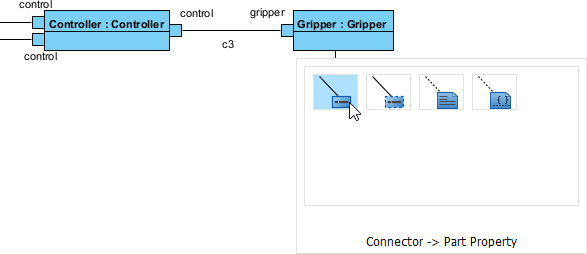
- Add more details manually
- Export as image (PNG, SVG, etc.), PDF, or use in reports
- Generate code or documentation if applicable
- Edit elements, relationships, layout, or properties
OpenDocs: Embed and Collaborate on Living SysML Internal Block Diagrams
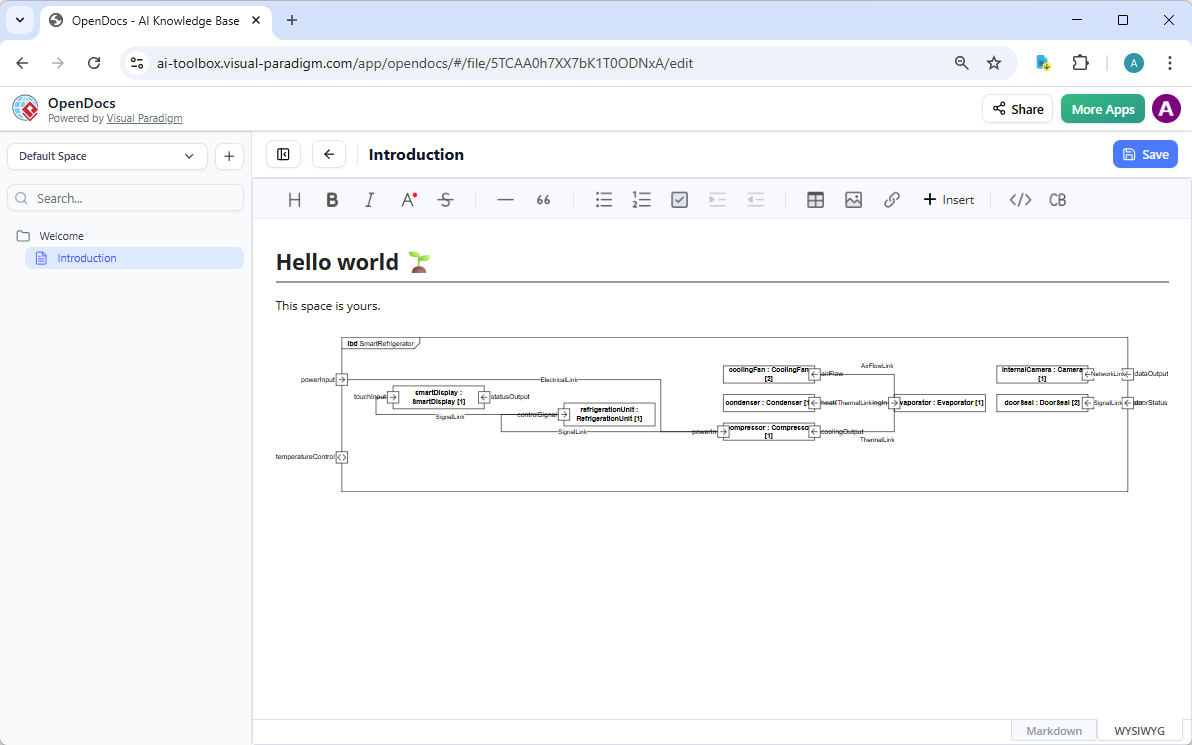
Diagrams don’t live alone—they belong in documents, wikis, reports. OpenDocs turns static content into dynamic knowledge bases, much like Notion but with real modeling power. Generate or import your SysML IBD using AI, then embed it directly into pages.
These aren’t flat images. Readers click to zoom, edit (if permitted), or jump to related models. Update the source diagram once—changes sync everywhere. Perfect for systems engineers sharing architecture overviews, design rationales, or verification plans with stakeholders. A team lead describes the system’s internals via chat, generates the IBD, embeds it in an OpenDocs page with explanations, and invites review. Collaboration happens without tool-switching or version confusion.
This makes Visual Paradigm more than an AI diagram maker—it’s a full platform for knowledge sharing in engineering teams.
Use Cases for OpenDocs with SysML IBD
- System design documents with live internal structure views
- Team wikis illustrating component interactions
- Reports embedding traceable diagrams for compliance reviews
How to Insert an AI Generated SysML Internal Block Diagram into Your OpenDocs Page
- Open or create a page in OpenDocs: Log in to your Visual Paradigm Online workspace, navigate to OpenDocs, and either open an existing page or create a new one (via + New Document Page or similar).
- Insert a diagram: In the page editor, look at the top toolbar (or floating toolbar) and click Insert. From the popup window, select Diagram > Internal Block Diagram.
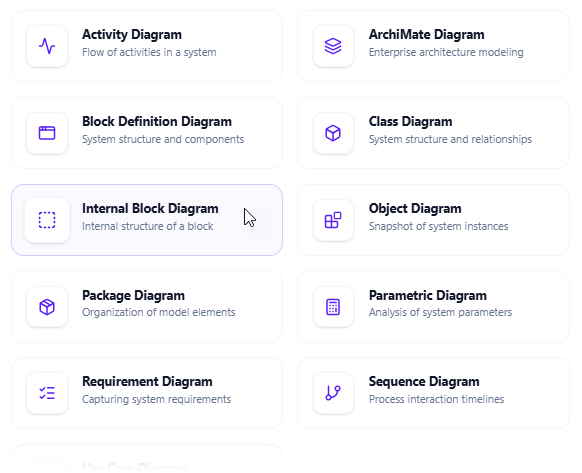
- Start creating the diagram with AI: This opens the diagram editor window. You can build it manually by dragging and dropping elements if you prefer. To use AI instead: Look for Create with AI in the top-right corner of the editor window and click it.
- Describe your problem and generate: In the text input area that appears, type a clear, detailed description of your system or scenario. Click Generate.
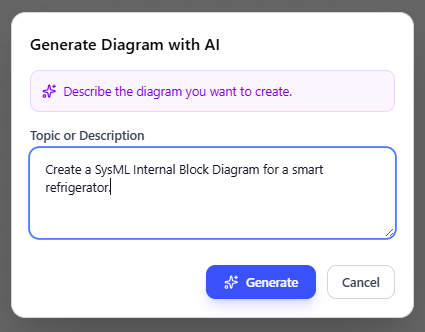
- Review, refine, and embed the diagram: The AI generates a professional Internal Block Diagram instantly.
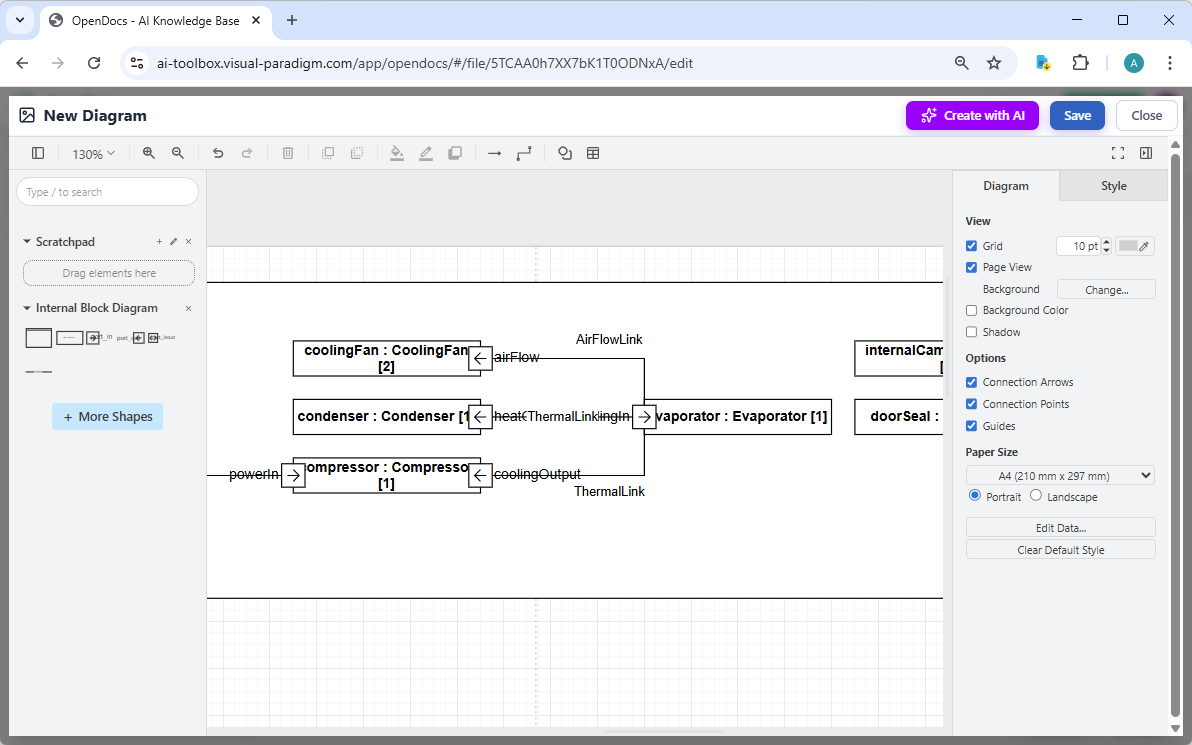
Use the intuitive drag-and-drop editor to touch up anything: move elements, adjust labels, add notes, change styles, etc. When you’re happy with it, click Save. Then click Close. The diagram is now embedded directly into your OpenDocs page as a live, editable visual block. You can view it inline without leaving the document.
AI Visual Modeling Chatbot: Conversational SysML IBD Generation and Refinement
Need quick prototypes or iterative design? Our AI Visual Modeling Chatbot turns natural language into diagrams through simple conversation. Type or speak: “Create a SysML Internal Block Diagram for a drone’s flight control system, showing sensor integration, processor, actuators, with item flows for commands and telemetry.”
The chatbot generates the IBD instantly. Not happy with a connection? Ask it to “add a proxy port for external interface” or “explain the item flow between battery and power distribution.” It refines, explains elements, suggests improvements, or even generates related diagrams like Block Definition Diagrams for context.
This shines during brainstorming or when overcoming blank-page syndrome. Novices get expert-level results fast; experienced users iterate rapidly without menu-diving. Export the final diagram to VP Desktop for deeper work or embed in OpenDocs. It’s like having an always-available SysML co-pilot.
As one of the most flexible AI Internal Block Diagram generators, it bridges quick ideas to professional models seamlessly.
Why Teams Love the Chatbot
- Natural language input for fast prototyping
- Interactive refinement and explanations
- Standalone or integrated with other platforms
- Handles SysML specifics like ports, parts, flows accurately
How to Generate a SysML Internal Block Diagram with AI Chatbot
-
Open the AI Chatbot:
- Web access: Go to https://chat.visual-paradigm.com/ (or https://ai-toolbox.visual-paradigm.com/app/chatbot/ as an alternative entry point).
- VP Desktop access: In Visual Paradigm Desktop, select Tools > Chatbot from the main menu. (This opens the same AI assistant integrated within your desktop environment.)
-
Start a new chat session: Click New Chat (on the left sidebar or as a prominent button) to begin a fresh conversation.
-
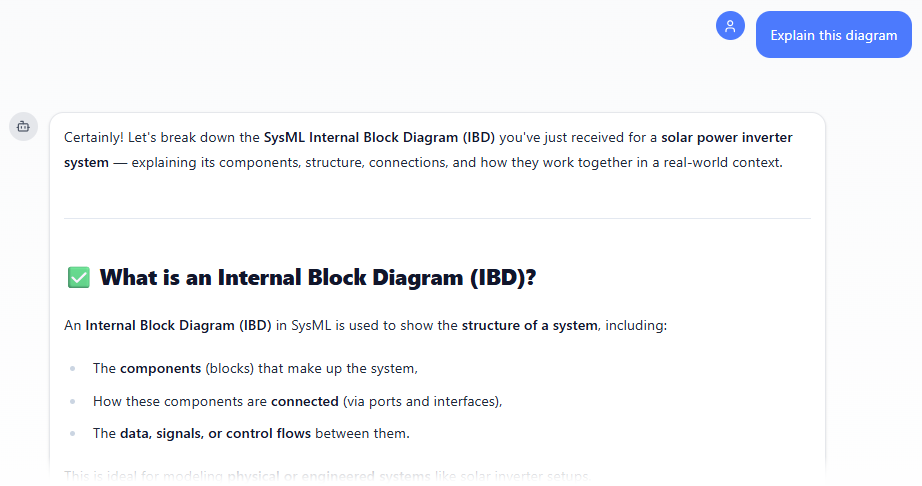
Describe what you want: In the text input area at the bottom, type a clear description of your project, system, or scenario (e.g. “Create a SysML Internal Block Diagram for a solar power inverter system”). Press Enter (or click the send icon) to submit your message.
-
View and refine the diagram: The AI generates the diagram almost instantly.
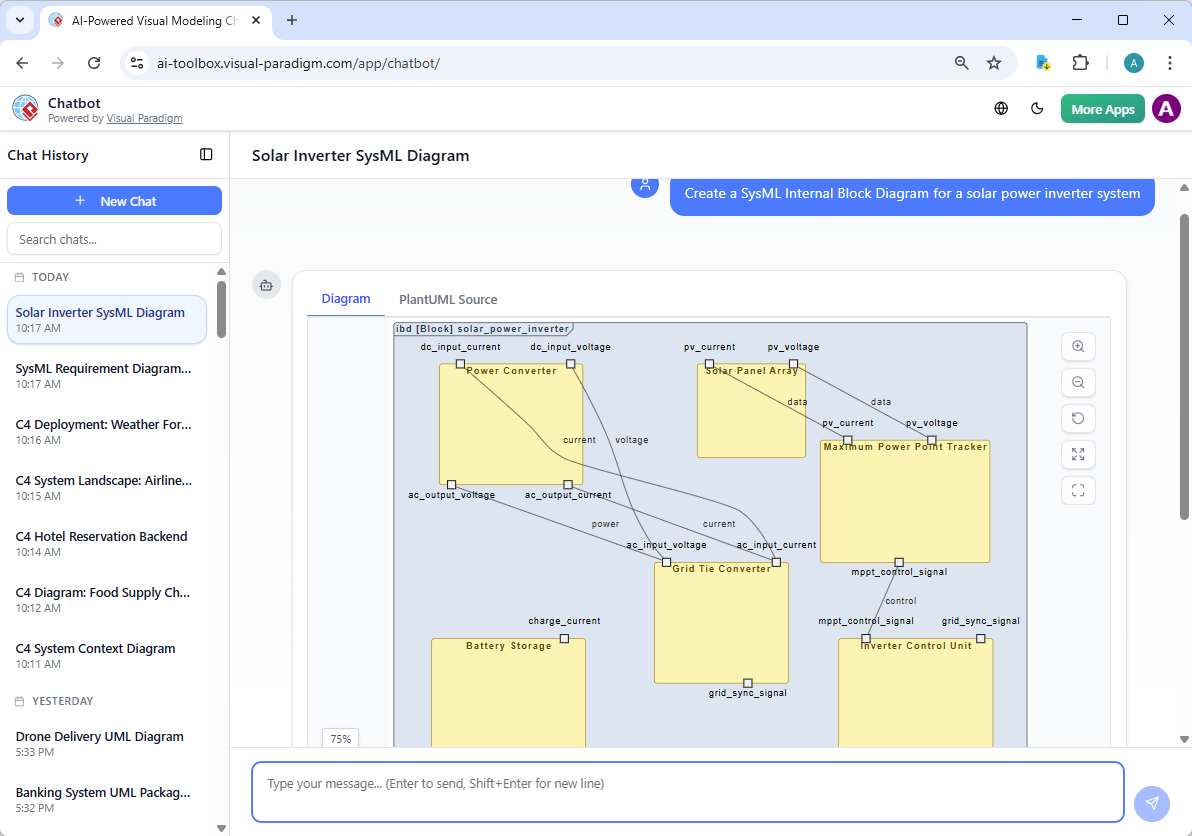
This is where the chatbot shines: keep the conversation going! Follow-up examples:
- “Add an element…”
- “Explain the diagram…. “
- “Generate a brief report summarizing ….”
Why Visual Paradigm Stands Out as the Ultimate AI SysML Internal Block Diagram Tool
Plenty of tools claim AI diagramming these days. Many offer one-shot generation—pretty pictures, but no depth. Others focus only on chat or web sketches, lacking traceability or professional outputs. Visual Paradigm does it differently.
Our ecosystem connects everything: generate via chat, refine in desktop with real SysML compliance, embed in living docs for teams. You get widest coverage, true model-based traceability (not just images), and seamless handoff between platforms. No more copy-paste nightmares or disconnected silos. Models stay professional, interconnected, implementation-ready—essential for complex systems engineering.
We’ve supported visual modeling since 2002, now supercharged for AI. Engineers choose us because we save time, cut errors, and scale for real projects—not just demos.
Ready to Transform Your SysML Internal Block Diagram Workflow?
Stop wrestling with manual drawing or limited generators. Visual Paradigm gives you the complete AI-powered diagram software for SysML IBDs: instant creation, precise editing, collaborative sharing, conversational iteration.
Try Visual Paradigm today—experience the future of AI diagramming and see why it’s the top choice for systems engineers worldwide. Download VP Desktop, start a free trial, or jump into the Chatbot. Your next Internal Block Diagram is waiting.