


Struggling to build clear class diagrams fast? You’re not alone. Many developers and architects waste hours sketching classes, attributes, operations, and relationships from scratch. What if you could describe your system in plain words and get a solid UML class diagram instantly? That’s where an AI class diagram generator changes everything.
Visual Paradigm stands out as a leading AI UML tool with deep support for class diagrams across its entire ecosystem. Since 2002, we’ve built robust modeling software trusted by enterprises worldwide. Our AI features accelerate creation while keeping models professional, traceable, and ready for code generation or team reviews. In this guide, you’ll see how our four platforms—VP Desktop, OpenDocs, AI Visual Modeling Chatbot, and Web Apps—deliver a complete end-to-end solution for anyone searching for the best AI tool for creating class diagrams.
VP Desktop: Full-Power AI Class Diagram Creation and Refinement
VP Desktop is our flagship tool for serious modeling. It blends AI speed with professional-grade editing that other tools can’t match.
Start by using the built-in AI diagram generator to produce a class diagram from a simple text prompt. Describe your system—”a library management app with Book, Member, Loan, and Fine classes”—and AI lays out classes, attributes, operations, and key relationships automatically. The layout follows UML best practices, so you avoid messy arrangements.
- Refine everything offline: Drag elements, add stereotypes, set visibility, generate getters/setters, or reverse-engineer code.
- Traceability shines here—link classes to requirements, use cases, or sequence diagrams for full project visibility.
- Export to code (Java, C#, etc.) or generate reports directly from your model.
For complex enterprise projects, this platform saves massive time. You get an AI kickstart, then full control to make models implementation-ready. No more starting from a blank canvas.
How to Generate a Class Diagram with AI in VP Desktop
- From the main menu, select Tools > AI Diagram Generation. This opens the AI Diagram Generation window.
- In the window, choose your desired diagram type from the dropdown list. In this case, Class Diagram.
- In the text area, describe your project, problem, system, or scenario.
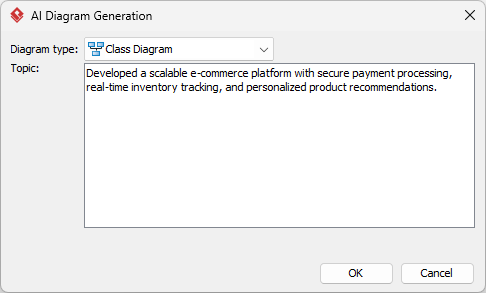
- Click OK to start the generation.
- The AI will create the diagram automatically.
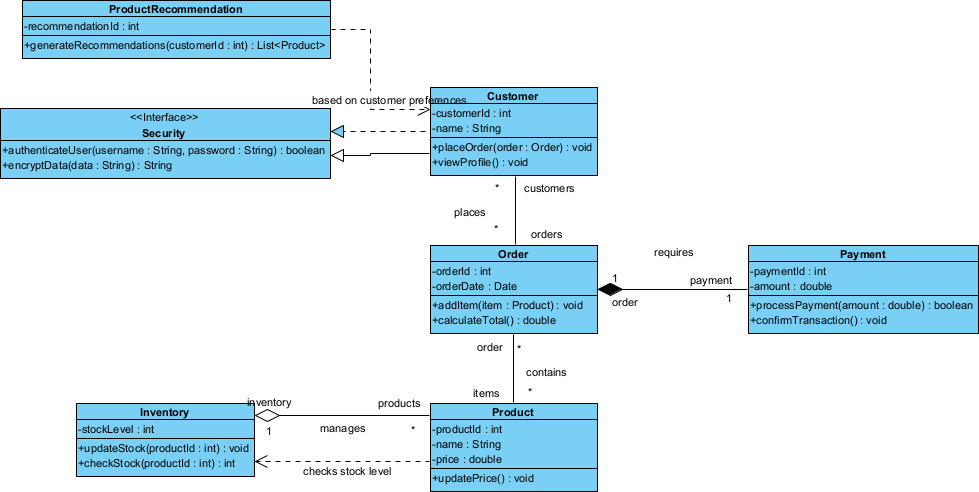
It appears as a fully editable, native Visual Paradigm diagram (not just an image). You can now:- Edit elements, relationships, layout, or properties
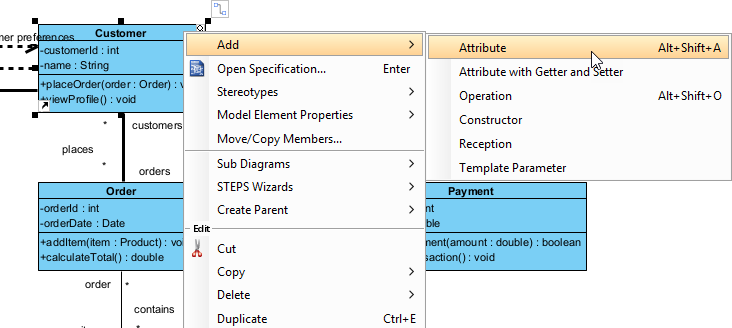
- Add more details manually
- Export as image (PNG, SVG, etc.), PDF, or use in reports
- Generate code or documentation if applicable
- Edit elements, relationships, layout, or properties
OpenDocs: Embed and Collaborate on Class Diagrams Seamlessly
Need to share class diagrams in docs, wikis, or reports? OpenDocs turns static images into living, interactive content.
Embed any AI-generated or custom class diagram right into dynamic pages. Team members click elements to zoom, edit (if permitted), or view linked details like attributes or related code snippets. It’s perfect for knowledge bases, architecture overviews, or onboarding guides.
Imagine documenting a microservices system: your class diagram sits alongside explanations, API specs, and change logs. Updates sync automatically—no recreating images. This fosters better team alignment than scattered tools ever could.
Collaboration feels natural. Comment inline, mention colleagues, track versions. For teams prioritizing knowledge sharing, OpenDocs makes class diagrams part of the conversation, not an afterthought.
How to Insert an AI Generated Class Diagram into Your OpenDocs Page
- Open or create a page in OpenDocs: Log in to your Visual Paradigm Online workspace, navigate to OpenDocs, and either open an existing page or create a new one (via + New Document Page or similar).
- Insert a diagram: In the page editor, look at the top toolbar (or floating toolbar) and click Insert. From the popup window, select Diagram > Class Diagram.
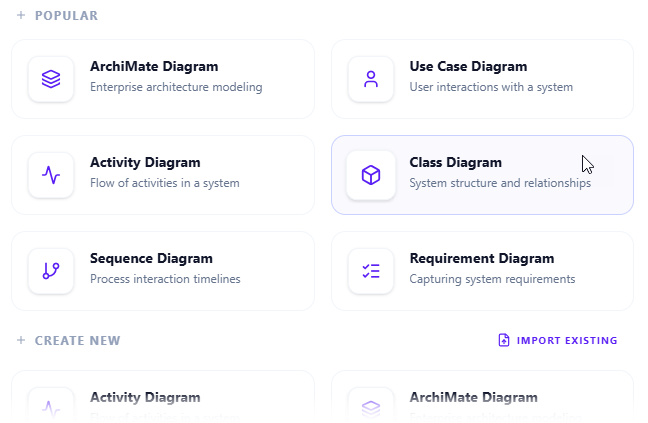
- Start creating the diagram with AI: This opens the diagram editor window. You can build it manually by dragging and dropping elements if you prefer. To use AI instead: Look for Create with AI in the top-right corner of the editor window and click it.
- Describe your problem and generate: In the text input area that appears, type a clear, detailed description of your system or scenario. Click Generate.
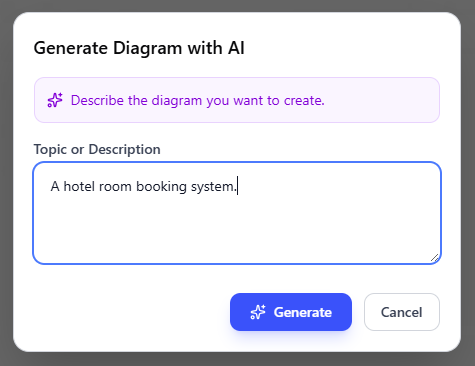
- Review, refine, and embed the diagram: The AI generates a professional class diagram instantly.
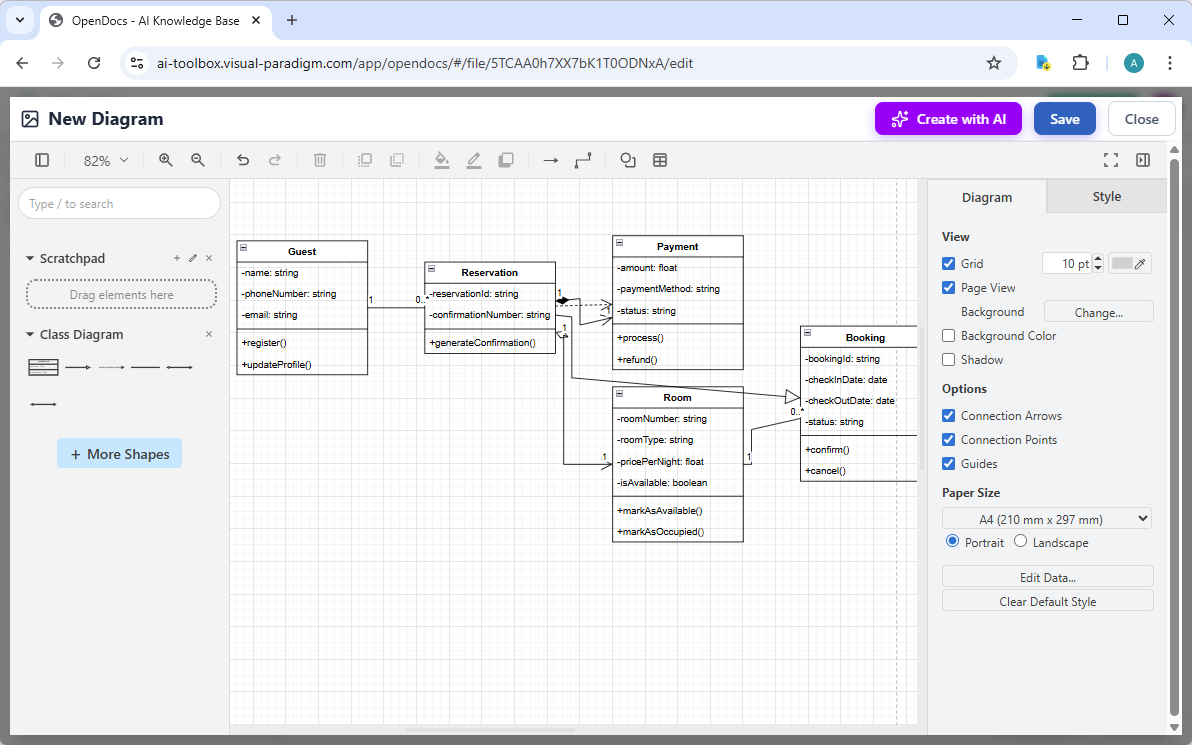
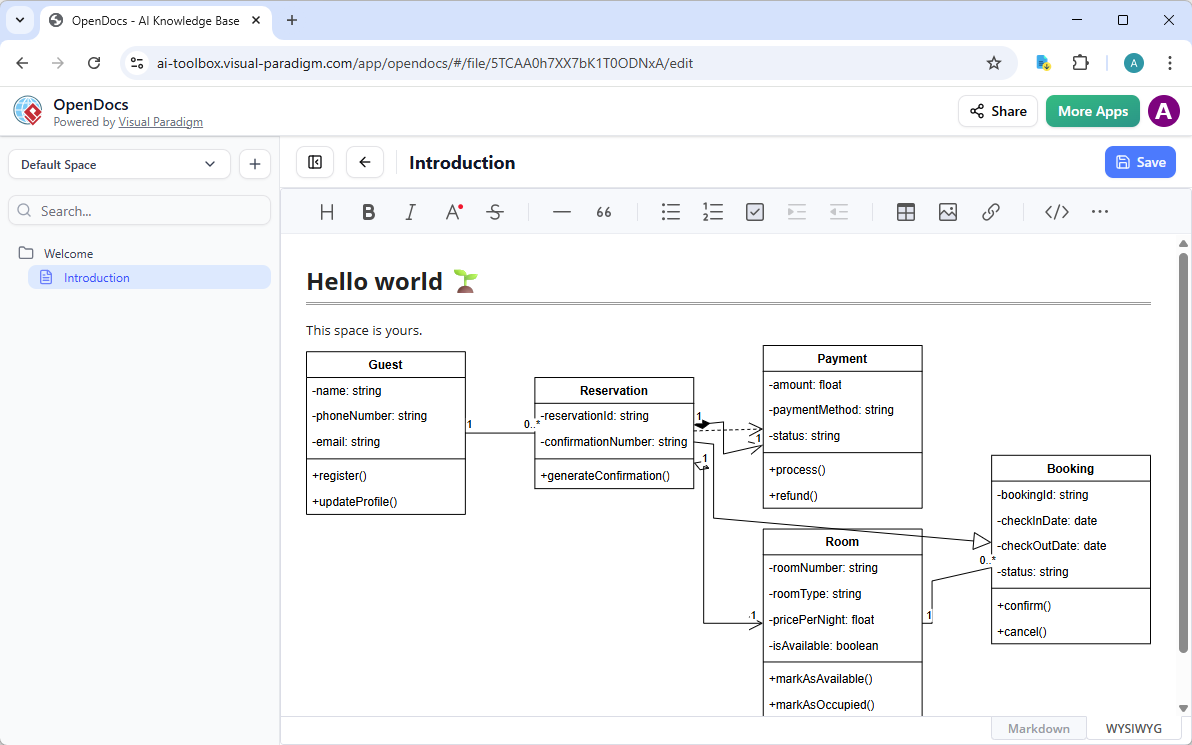
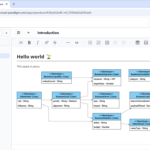
Use the intuitive drag-and-drop editor to touch up anything: move elements, adjust labels, add notes, change styles, etc. When you’re happy with it, click Save. Then click Close. The diagram is now embedded directly into your OpenDocs page as a live, editable visual block. You can view it inline without leaving the document.
AI Visual Modeling Chatbot: Conversational Class Diagram Magic
Want the fastest way to prototype? Our AI Visual Modeling Chatbot turns natural language into diagrams through simple chat.
Say: “Generate a class diagram for an e-commerce platform including User, Product, Cart, Order, and Payment.” The chatbot builds it instantly—complete with associations, inheritance if needed, and clean layout. Then iterate: “Add a Discount class with polymorphism” or “Explain the composition between Order and OrderItem.” It updates live and answers questions like “Why this association?” or “Suggest improvements for scalability.”
This shines in brainstorming sessions or agile sprints. Overcome blank-page syndrome in seconds. Export the result or pull it into VP Desktop for deeper work. It’s like having a modeling expert on call—flexible, fast, and surprisingly accurate for exploratory design.
How to Generate a Class Diagram with AI Chatbot
-
Open the AI Chatbot:
- Web access: Go to https://chat.visual-paradigm.com/ (or AI Chatbot as an alternative entry point).
- VP Desktop access: In Visual Paradigm Desktop, select Tools > Chatbot from the main menu. (This opens the same AI assistant integrated within your desktop environment.)
-
Start a new chat session: Click New Chat (on the left sidebar or as a prominent button) to begin a fresh conversation.
-
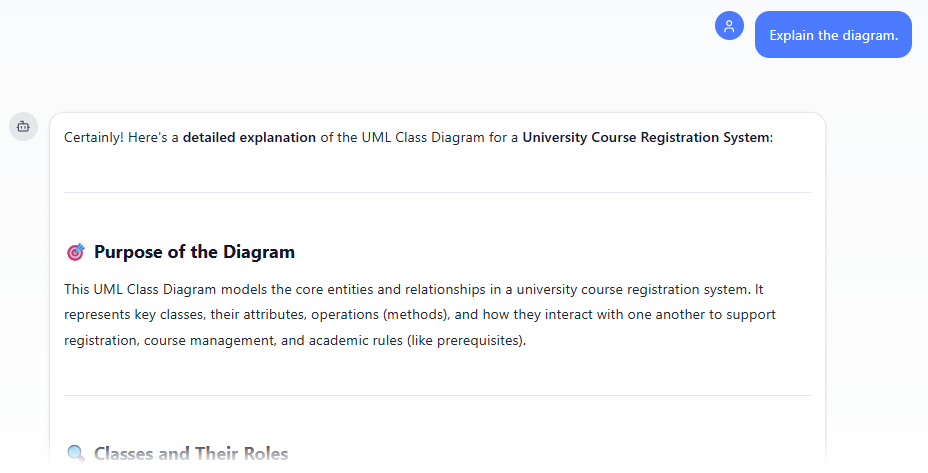
Describe what you want: In the text input area at the bottom, type a clear description of your project, system, or scenario (e.g. “Create a UML Class Diagram for a university course registration system”). Press Enter (or click the send icon) to submit your message.
-
View and refine the diagram: The AI generates the diagram almost instantly.
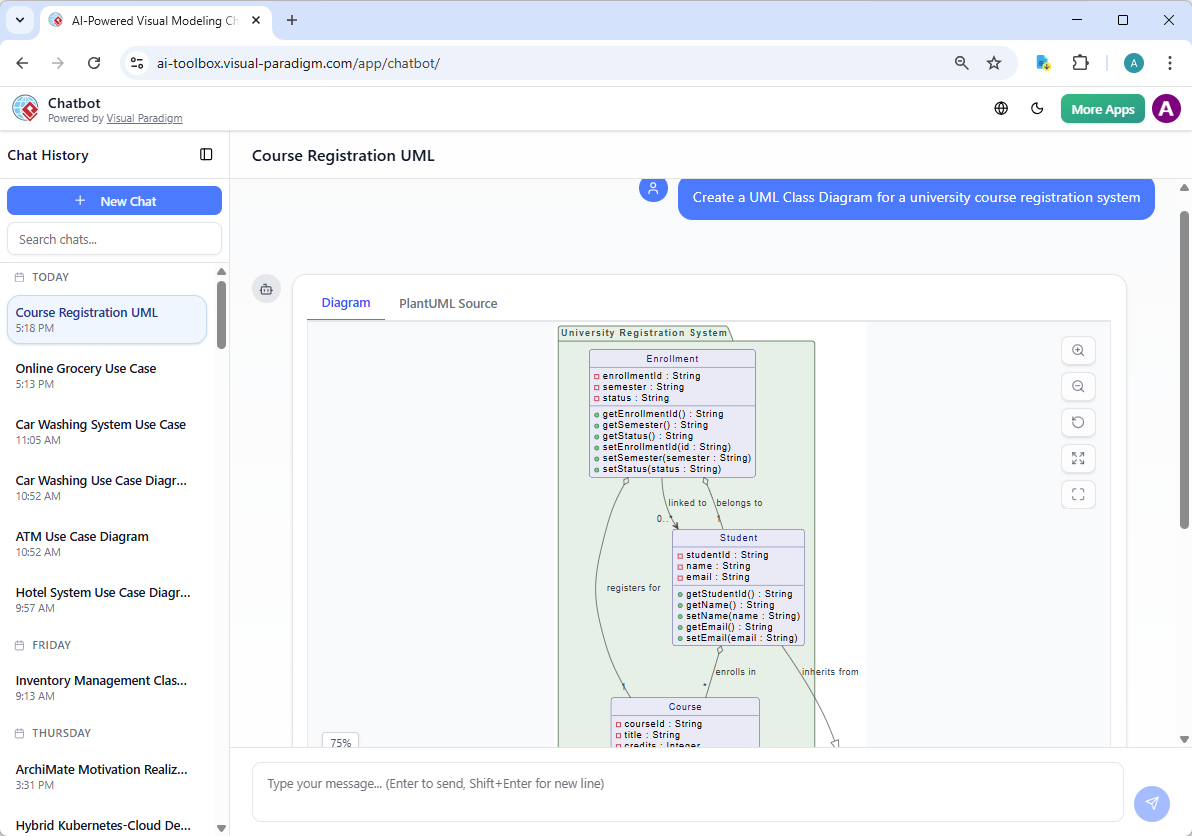
This is where the chatbot shines: keep the conversation going! Follow-up examples:
- “Add an element…”
- “Explain the diagram…. “
- “Generate a brief report summarizing ….”
Web Apps: Guided, Specialized AI Tools for Class Diagrams
Our browser-based Web Apps offer structured, AI-guided workflows tailored to specific needs.
-
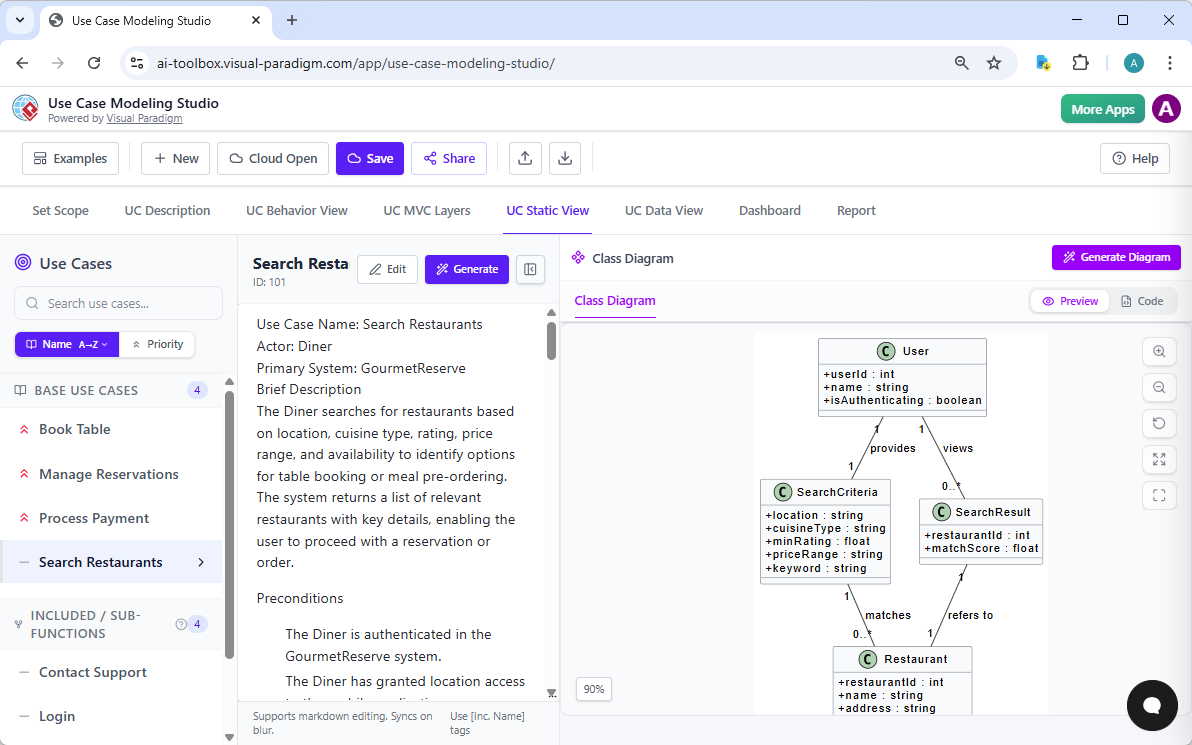
Use Case Modeling Studio: AI-powered tool that generates Class Diagrams from detailed use case descriptions (as part of its behavior-to-design workflow), automatically identifying domain classes and relationships to produce a static structure view alongside Activity, Sequence, and other diagrams.
-
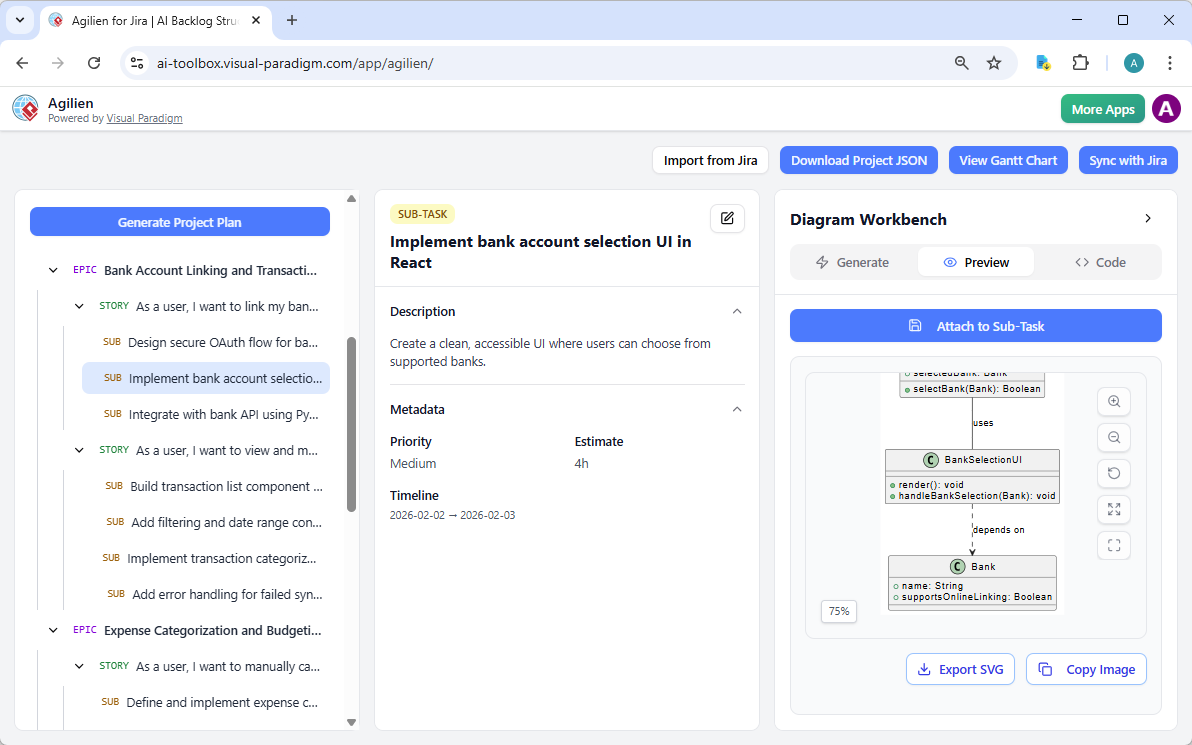
Agilien: Creates Class Diagrams directly from selected user stories or epics using its AI Diagram Workbench; bridges agile planning (epics/stories) to structural design by generating UML class diagrams that visualize domain models and object structures.
-
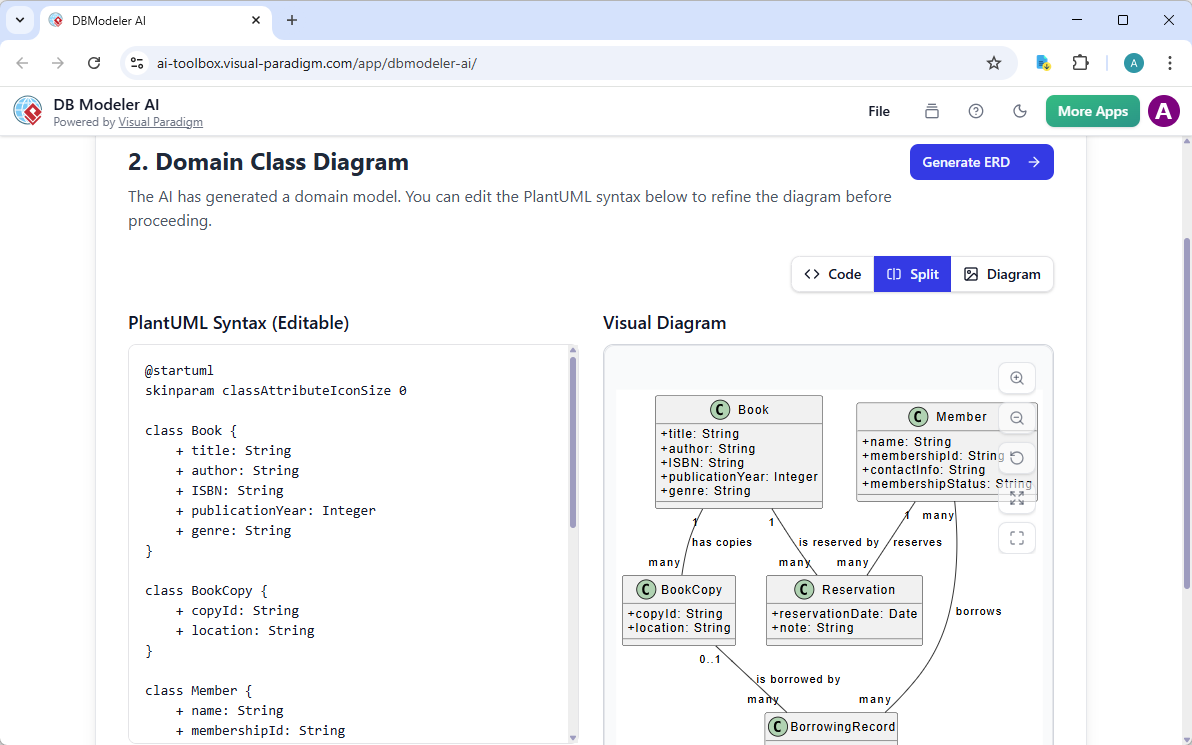
DB Modeler AI: Produces a Domain Class Diagram in Step 2 as the conceptual foundation for database design; the AI transforms a business problem description into classes with attributes and relationships before converting them into ERD and SQL schema.
-
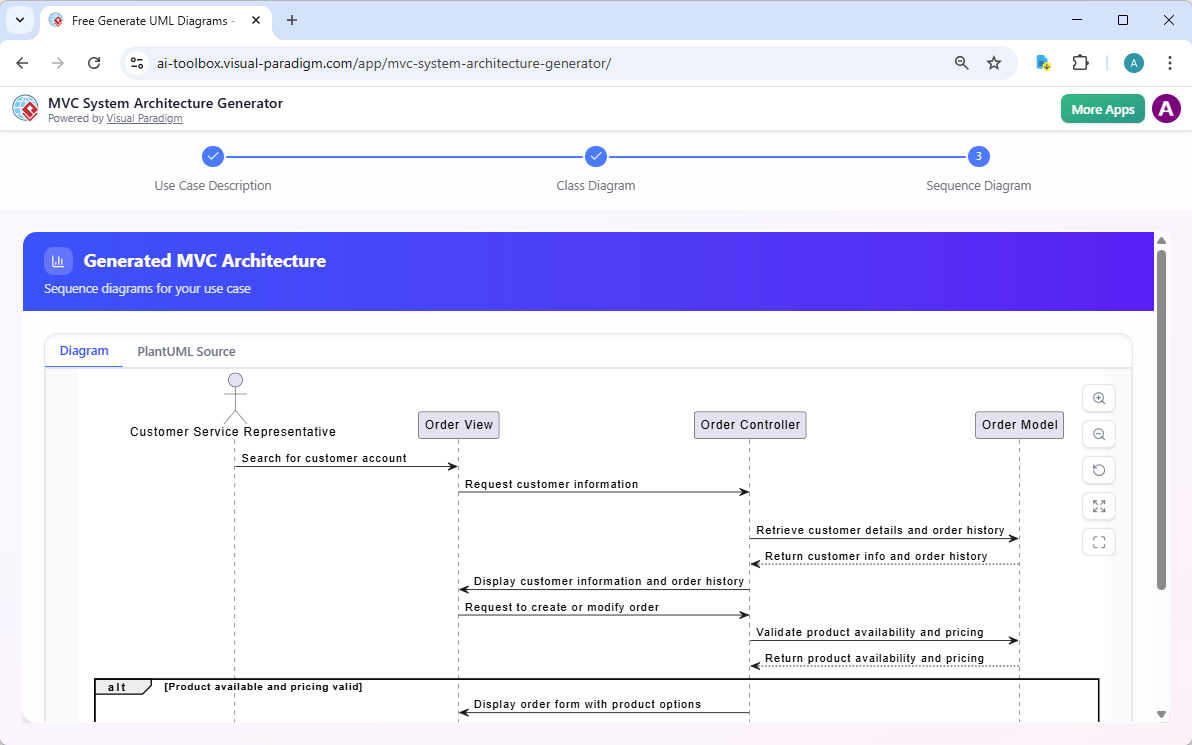
MVC System Architecture Generator: Generates a Controller Class Diagram (a specialized UML class diagram focused on MVC responsibilities) from a use case description in Step 2, identifying controllers, models, and their structural relationships in an MVC context.
-
AI-Assisted UML Class Diagram Generator: Dedicated educational/step-by-step wizard specifically for building UML Class Diagrams; uses AI to suggest classes, attributes, operations, relationships, explanatory notes, and produces a final PlantUML-based diagram with an AI-powered design analysis report.
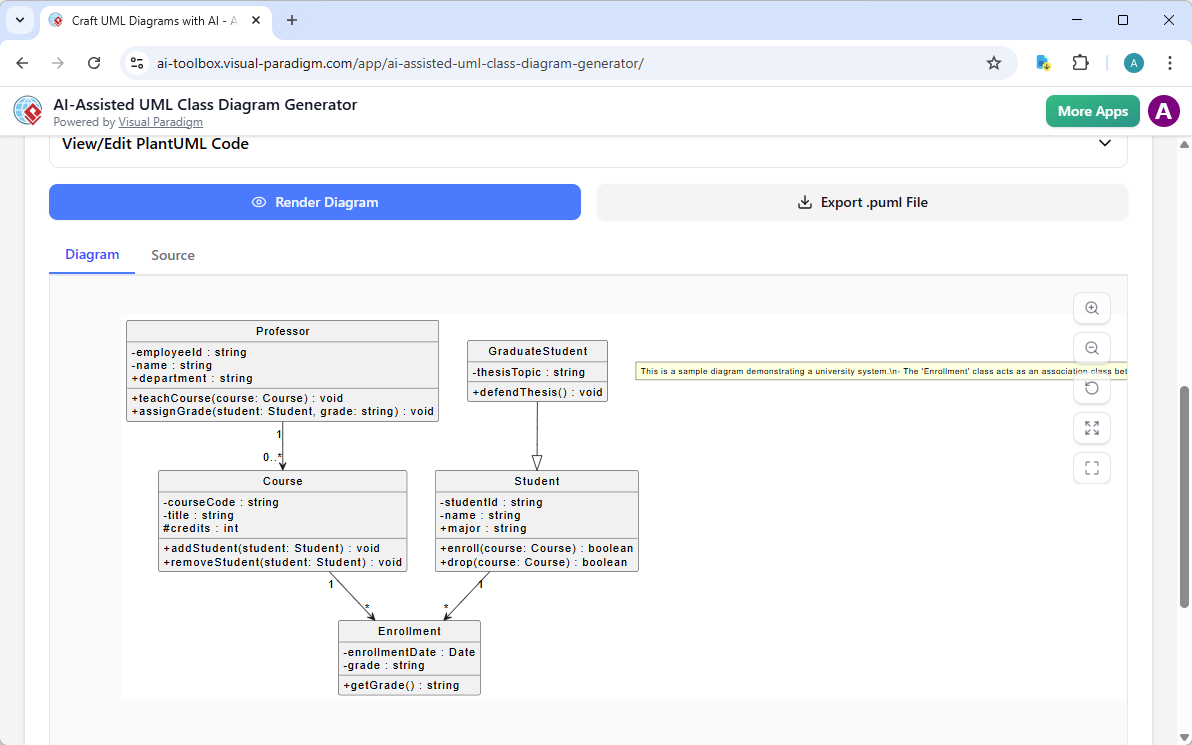
These five apps provide varying flavors of AI support for class diagram creation — from use-case-driven and agile-story-based generation to pure class-focused educational modeling and domain-to-database conceptual structuring.
Why Visual Paradigm Stands Out as the Top AI UML Tool
Plenty of AI diagram tools generate one-off diagrams. Few offer a true ecosystem.
Visual Paradigm connects everything: generate via chat or prompt, refine in desktop with traceability and code engineering, embed in collaborative docs, and use guided web apps for precision. No silos. Models stay interconnected and professional—not throwaway sketches.
- Widest diagram coverage with real AI integration across UML and beyond.
- Multiple workflows: conversational, desktop power, document embedding, guided studios.
- Focus on accuracy, refinement, and scalability—not just quick generation.
- Enterprise features: team collaboration, version control, code generation, and standards compliance.
Unlike standalone generators, we deliver end-to-end value. Save time, cut errors, and build models ready for real implementation. That’s why teams choose us over fragmented alternatives.
Ready to Transform Your Class Diagram Workflow?
Visual Paradigm gives you the complete package for AI-powered class diagrams. From instant generation to collaborative refinement and professional outputs, our platforms cover every angle.
Stop wrestling with manual diagramming. Experience the difference today.
Try Visual Paradigm now—start with our free edition or explore AI features. Visit visual-paradigm.com and see why we’re the ultimate choice for AI-powered diagram software and online AI diagram editors for professionals.
Related posts:
 Visualizing Complex System States with the AI Object Diagram Generator in Visual Paradigm
 AI Sequence Diagram Generator: How Visual Paradigm Transforms Your Modeling Workflow
 How AI UML Generators Simplify Diagram Creation for Non-Techies
 AI Profile Diagram Generator: Automate UML Extensions with Visual Paradigm