Visualizing complex software architectures is critical for aligning development teams, onboarding new engineers, and conducting effective design reviews. As cloud-native systems and microservice topologies expand, traditional visual drawing canvas utilities struggle to keep documentation up to date. Using an online Mermaid editor allows software architects to maintain version-controlled system diagrams directly in code. By defining system components in plain text, engineers can draft maintainable Architecture models inside a comprehensive diagram-as-code solution with speed and precision.
In this guide, we will explore how to build clean architecture diagrams using Mermaid, why code-driven architecture mapping accelerates technical decision-making, and how an all-in-one diagram-as-code solution streamlines system design workflows.
Why Use Mermaid for Software Architecture?
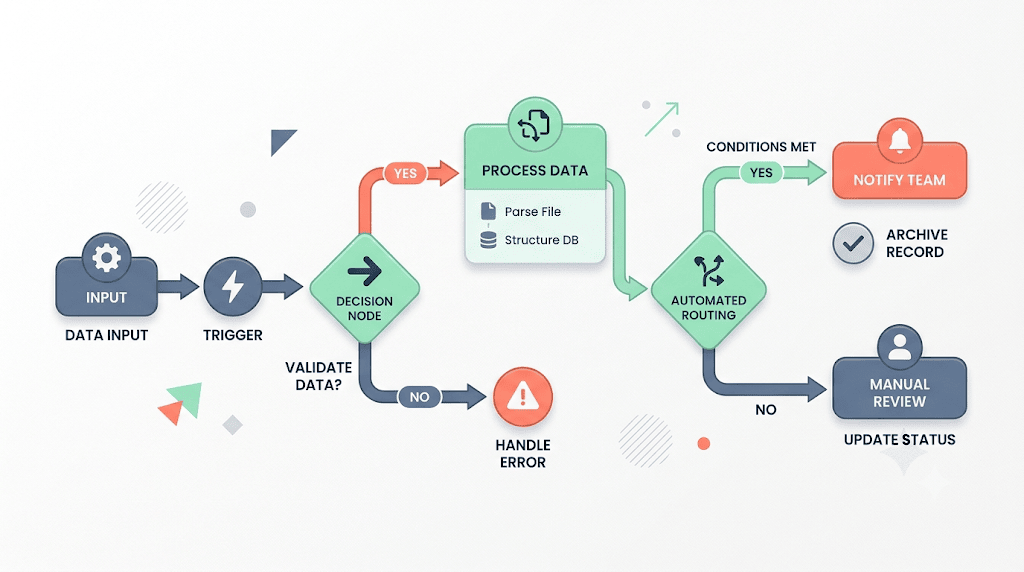
Traditional drag-and-drop diagramming tools introduce friction when mapping rapidly changing cloud environments. Updating server nodes, adjusting connecting arrows, and realigning sub-network containers manually eats away at engineering bandwidth. A text-to-diagram workflow solves this problem by using automated layout algorithms.
Using a dedicated online Mermaid editor for architecture modeling provides key advantages:
- Git-Integrated System Specs: Store your architecture definitions alongside application codebases, infrastructure-as-code (IaC) templates, and deployment pipelines.
- Automated Subgraph Layouts: Group microservices into logical sub-networks or cloud VPC containers without manual coordinate adjustments.
- Consistent Technical Standards: Standardize visual notation for databases, message queues, and external third-party APIs across all team projects.
Adopting an online Mermaid editor ensures that technical documentation evolves naturally alongside your application codebase.
Building a Microservices Architecture Diagram Step-by-Step
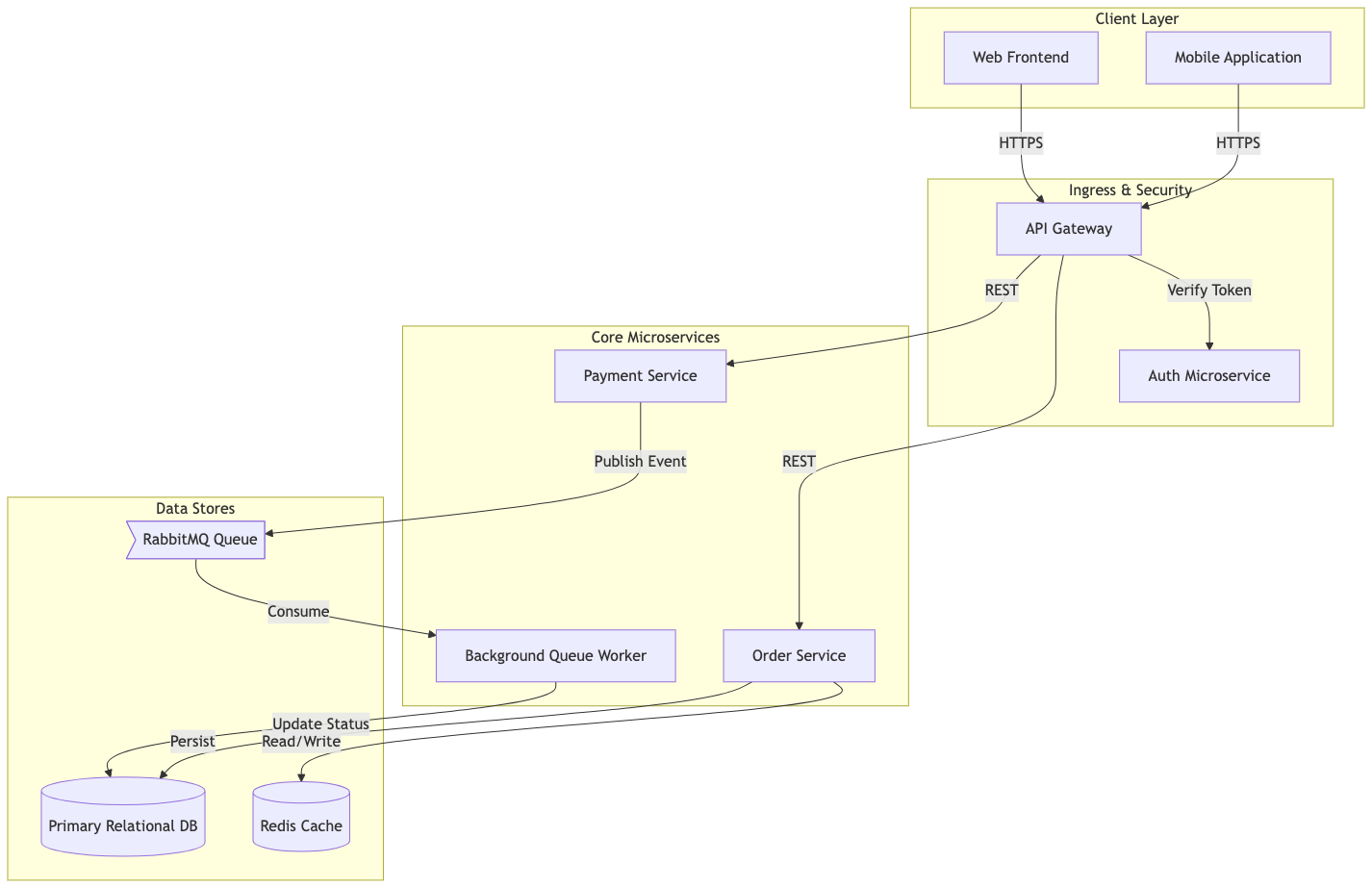
Let’s look at how to model a modern microservices architecture—including an API Gateway, authentication service, queue workers, and database clusters—using clean syntax. Here is a practical example you can copy and paste directly into your online Mermaid editor:
Architecture Diagram Code Example (Try it Now):
graph TB
    subgraph ClientLayer ["Client Layer"]
        Web[Web Frontend]
        Mobile[Mobile Application]
    end

    subgraph IngressLayer ["Ingress & Security"]
        Gateway[API Gateway]
        Auth[Auth Microservice]
    end

    subgraph ServiceLayer ["Core Microservices"]
        OrderSvc[Order Service]
        PaymentSvc[Payment Service]
        Worker[Background Queue Worker]
    end

    subgraph DataLayer ["Data Stores"]
        MainDB[(Primary Relational DB)]
        Cache[(Redis Cache)]
        Queue>RabbitMQ Queue]
    end

    Web -->|HTTPS| Gateway
    Mobile -->|HTTPS| Gateway
    Gateway -->|Verify Token| Auth
    Gateway -->|REST| OrderSvc
    Gateway -->|REST| PaymentSvc

    OrderSvc -->|Read/Write| Cache
    OrderSvc -->|Persist| MainDB
    PaymentSvc -->|Publish Event| Queue
    Queue -->|Consume| Worker
    Worker -->|Update Status| MainDB
Eliminating Syntax Friction with AI in VPasCode
When mapping large enterprise systems with dozens of subgraphs and cross-service dependencies, minor syntax slips—such as unclosed brackets or mismatched node identifiers—can halt rendering. Utilizing VPasCode as your primary diagram-as-code solution provides your engineering team with 1-Click AI Code Error Fixing to resolve syntax errors instantly.
Whether you are drafting software Architecture models, building decision Flowcharts, or generating project Gantt charts, an intelligent online Mermaid editor catches formatting glitches automatically so you can maintain technical momentum.
Best Practices for Clean Architecture Diagrams
To ensure high readability and maintainability when sharing architecture models across engineering teams, keep these core guidelines in mind:
- Use Directional Flow Wisely: Position high-level user flows top-to-bottom (
TB) or left-to-right (LR) to establish clear data entry and processing directions. - Group Components with Subgraphs: Leverage subgraphs to isolate security tiers, cloud VPCs, or individual microservice domains.
- Export High-Resolution Vector Assets: Export crisp SVG or PNG visual assets directly from your online Mermaid editor to publish interactive documentation using Visual Paradigm OpenDocs.
Relying on a powerful online Mermaid editor backed by a complete diagram-as-code solution empowers software architects to produce clear, production-ready system documentation in seconds.
Transform Your Architecture Documentation Today
Ready to standardize your software architecture models and build clean system diagrams from text in seconds? Try VPasCode’s AI-powered online Mermaid editor today and experience instant 1-Click code error fixing, multi-format rendering, and effortless diagram-as-code capabilities.