


Enterprise Architecture (EA) used to be a mountain of manual labor. Not anymore. With our AI-powered TOGAF ADM Guide Through, you can stop sweating the syntax and start focusing on the strategy. This tutorial walks you through a real-world scenario: transforming a manual coffee shop chain into a digital-first enterprise using the smartest EA tool on the market.
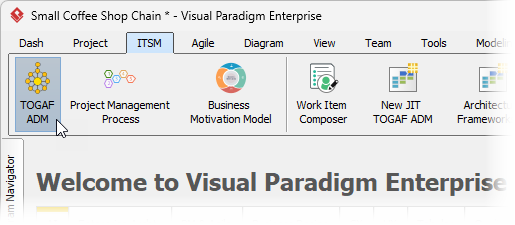
To kick things off, fire up Visual Paradigm and head straight to the ITSM menu. Select TOGAF ADM to launch the process manager. This is where your architecture journey begins, moving from a messy “As-Is” state to a polished “To-Be” vision.
Turbocharge Your Architecture Lifecycle
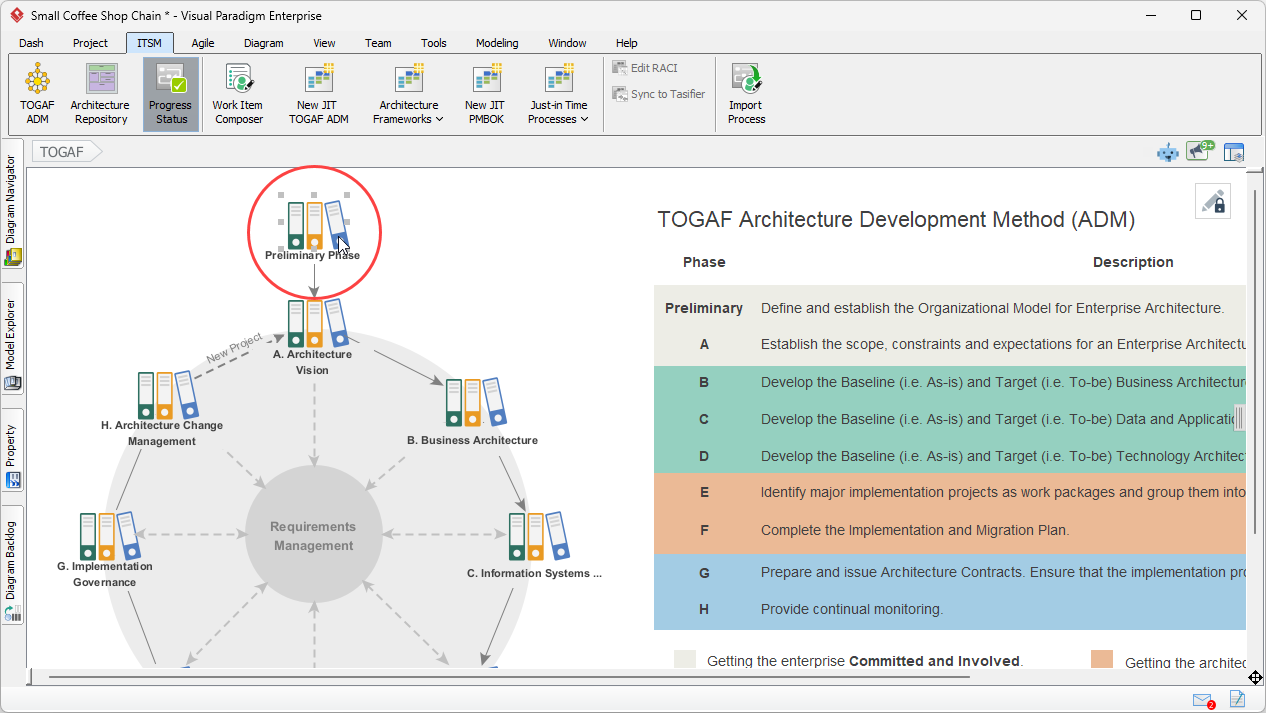
Once you’re in, you’ll see the classic TOGAF ADM “crop circle.” It’s your mission control for the entire project. For this case study, we’re diving into the Preliminary Phase to set the stage for our coffee shop’s digital transformation. Just click the phase to get started.
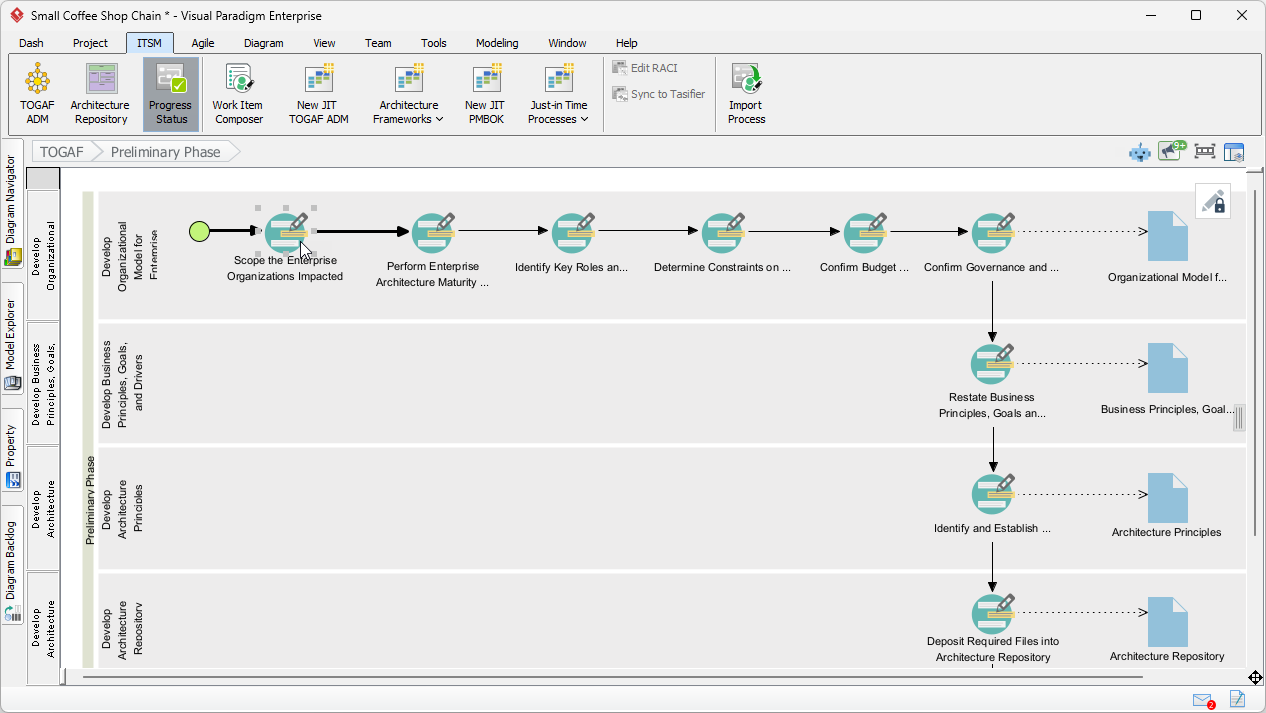
Inside the phase, you’ll find a detailed process diagram. Think of this as your roadmap. It breaks the phase down into specific activities and deliverables. We’re starting with “Scope the Enterprise Organizations Impacted” because you can’t change a business if you don’t know who’s involved. Double-click that activity shape to open the work items.
Quick Takeaways: Why Use AI for TOGAF?
- Kill Blank Canvas Anxiety: Generate initial ArchiMate models in seconds using natural language.
- Maintain Compliance: AI-powered suggestions are trained on TOGAF standards, ensuring your metadata is spot-on.
- Slash Onboarding Time: Junior architects can produce professional-grade artifacts with smart guidance.
- Seamless Documentation: Move from diagramming to full deliverable reports with zero manual re-entry.
Automating the Impact Analysis
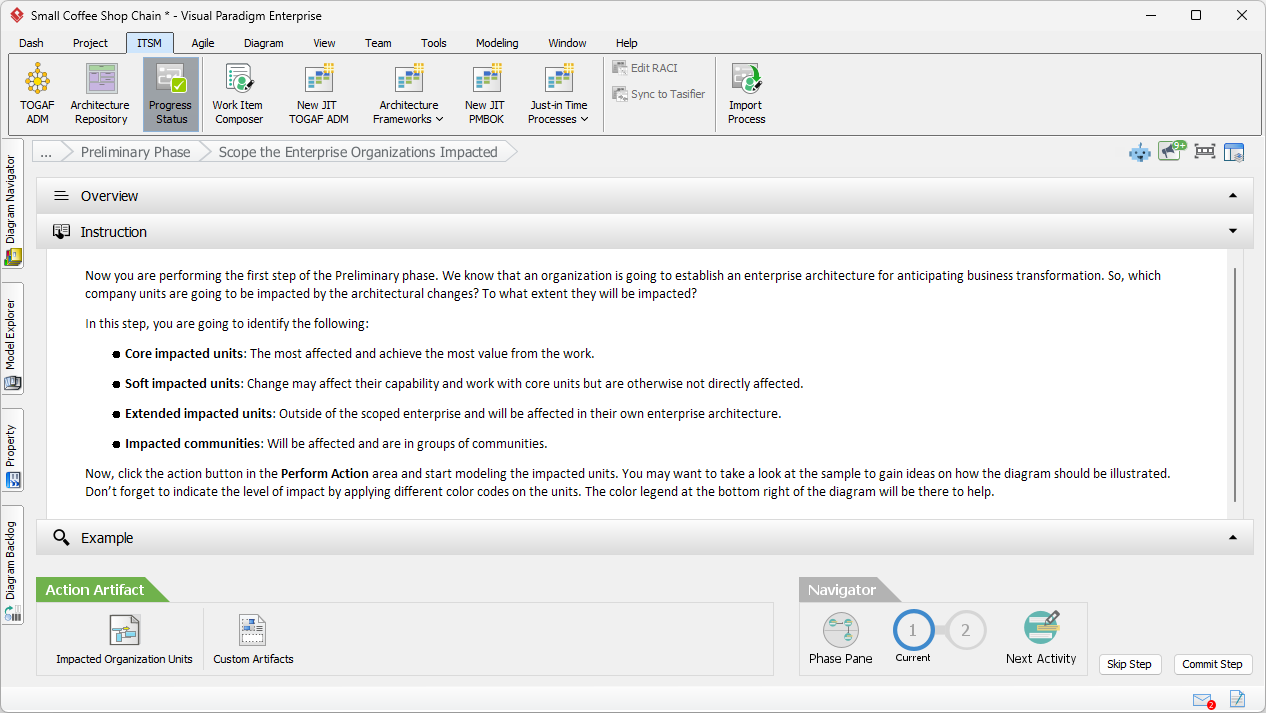
When you open an activity, Visual Paradigm gives you a three-pane view: Overview, Instruction, and Example. The Overview tab lists the exact steps you need to follow. In this case, our first job is to identify the impacted organization units. No more guessing where to start! 🎯
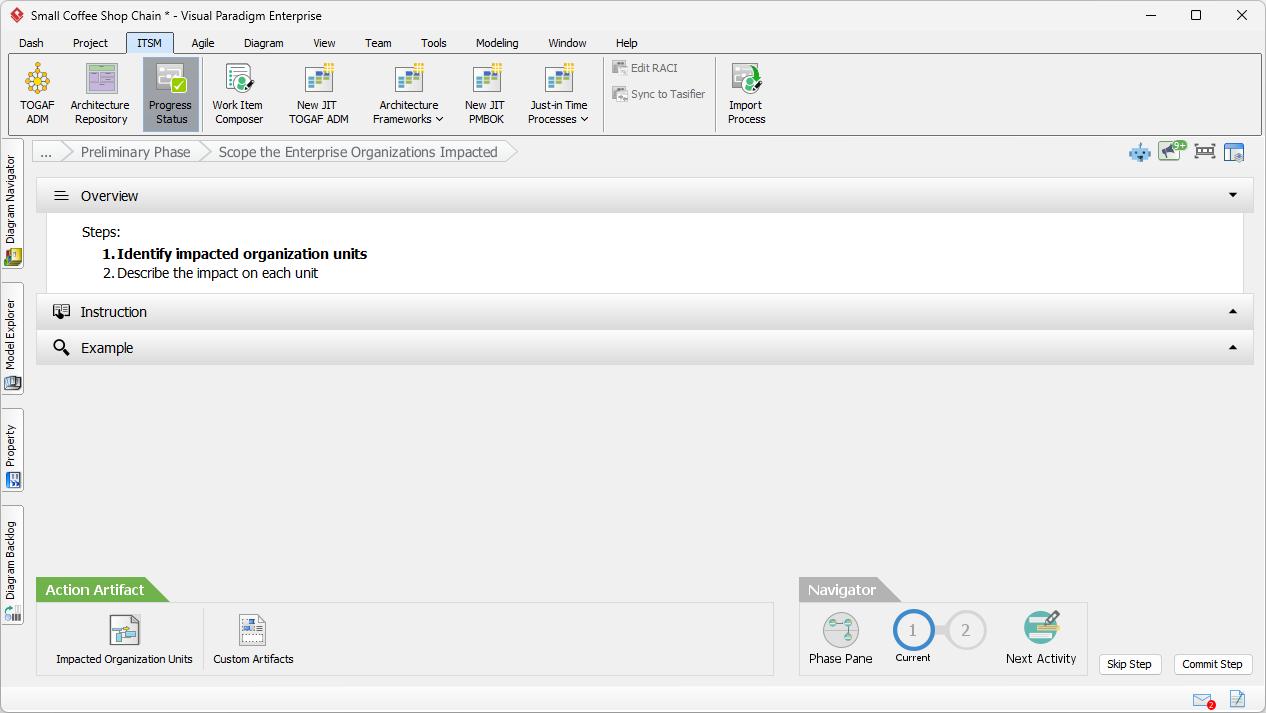
If you’re feeling a bit rusty on your TOGAF theory, the Instruction pane has your back. It explains the “why” and “how” behind identifying core, soft, and extended impacted units. It’s like having a senior architect whispering tips in your ear while you work.
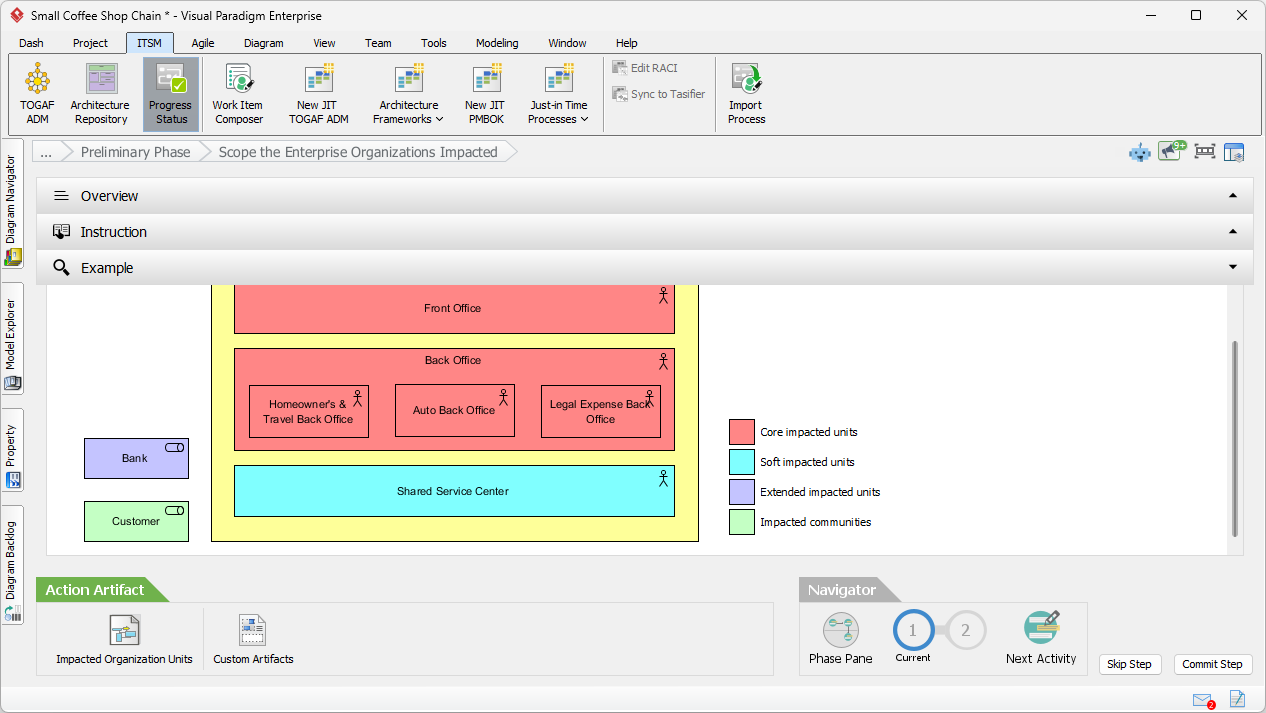
Need a visual reference? The Example pane shows you what a high-quality artifact looks like. Use this as a benchmark for your own work to ensure you’re hitting those enterprise-level standards every single time.
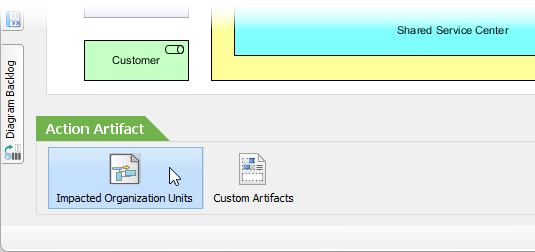
Ready to model? Click the Impacted Organization Units action at the bottom of the screen. This is where the magic happens and where our AI assistant really starts to flex its muscles.
From Natural Language to ArchiMate Models
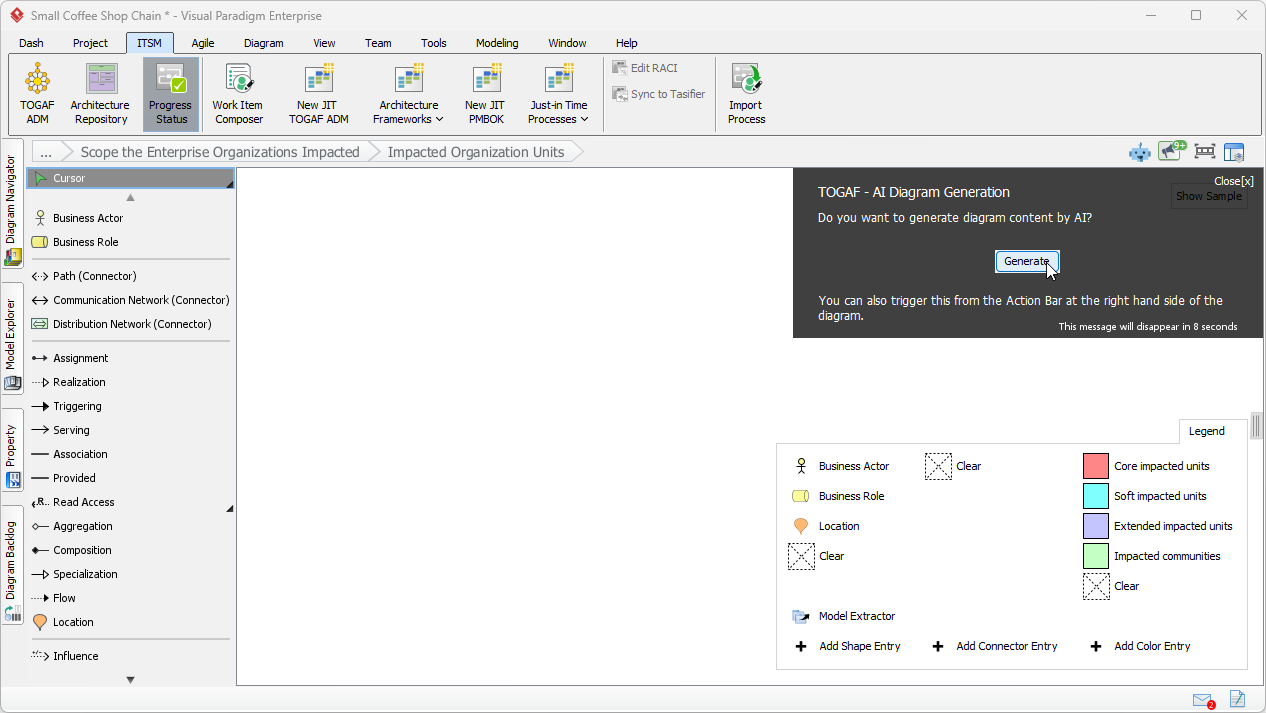
Opening the action reveals a blank ArchiMate diagram. But wait—look at that black pane in the top right. Visual Paradigm asks if you want to Generate the content via AI. Obviously, the answer is yes. Why draw manually when you can automate? 🤖
Now, just describe your situation. For our coffee shop, we describe the move from manual store orders to a new mobile app and delivery system. Be specific about the changes. The more context you give the AI-powered TOGAF ADM tool, the better the output.
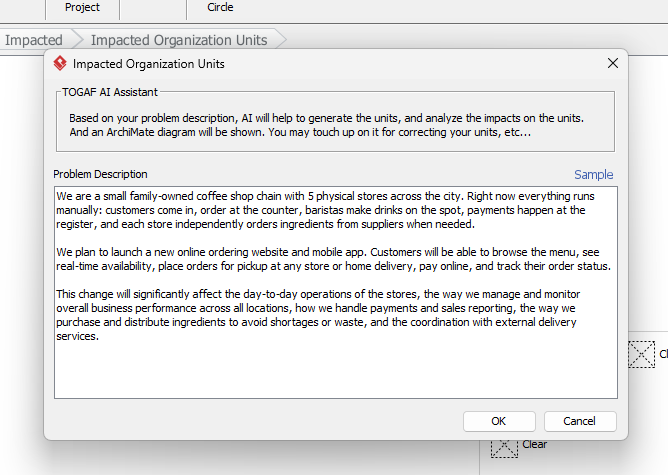
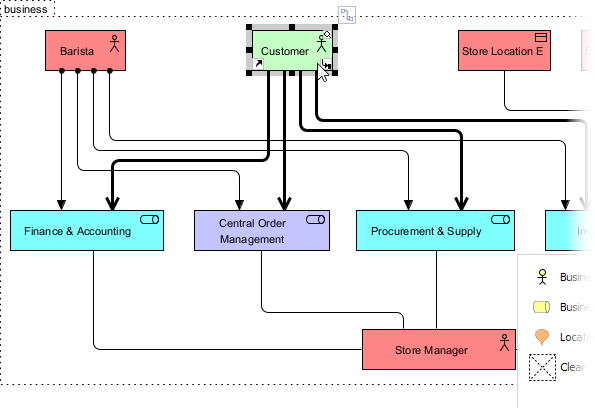
Boom! In seconds, the AI generates a structured ArchiMate diagram. It identifies baristas, store locations, and roles like inventory management. It even applies a color legend to categorize the level of impact. It’s a massive head start that saves you hours of drafting time.
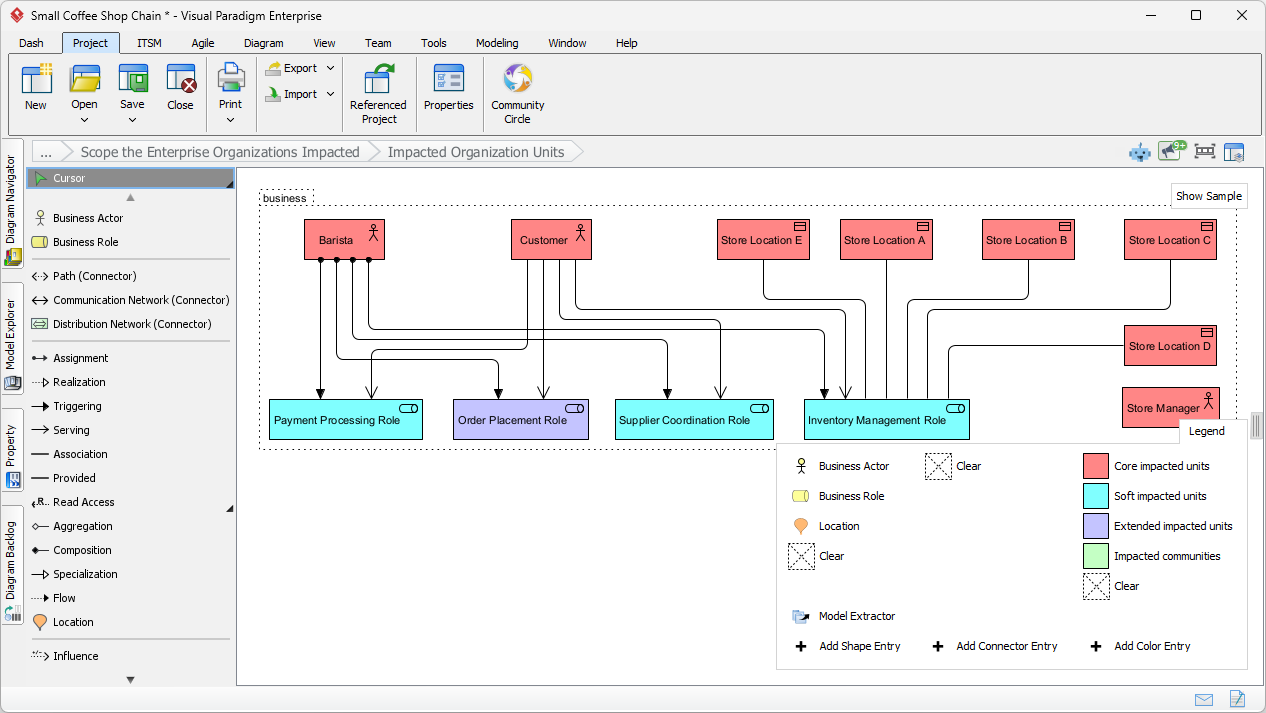
The “Human-in-the-Loop” Touch-Up
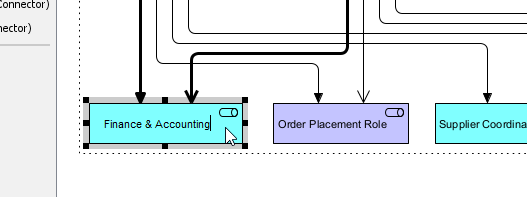
AI is fast, but you’re the expert. You’ll likely want to refine the draft. For instance, we can quickly rename elements to match company-specific terminology. We’ll change “Payment Processing Role” to “Finance & Accounting” to keep the stakeholders happy.
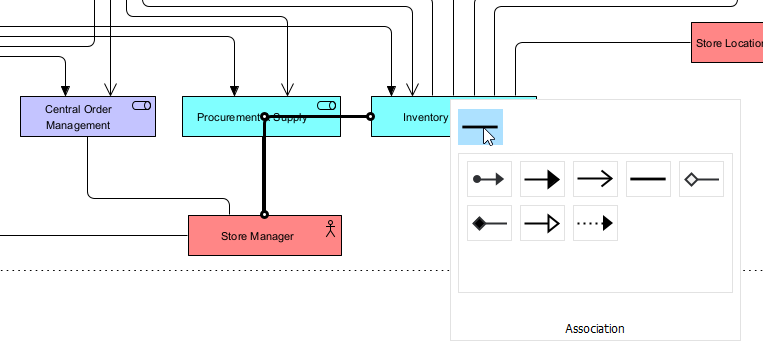
Next, we can add missing connections. Using the resource catalog, we’ll draw an association between the “Store Manager” and “Inventory Control.” The tool makes it easy to use—just drag and drop to define the relationships.
Finally, we need to fix the categorization for the “Customer.” They aren’t just a role; they’re an “Impacted community.” We simply select the correct type from the Color Legend pane at the bottom right to update the element’s status.
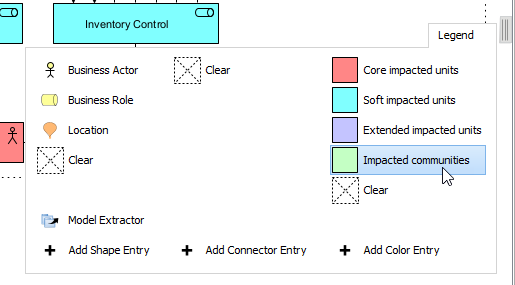
With a few clicks, the diagram is perfect. You’ve gone from a blank page to a comprehensive impact model in a fraction of the time it would take manually. This is professional enterprise architecture at the speed of light.
Finalizing Deliverables and Moving Forward
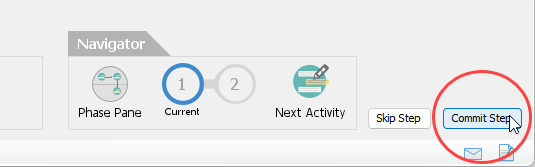
Once your diagram is polished, head back to the activity screen and hit Commit Step. This saves your progress to the architecture repository, ensuring full traceability and version control for the whole team.
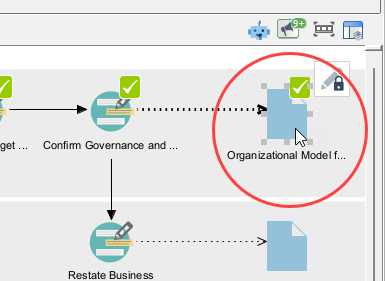
As you work through the remaining steps, you’ll see those satisfying green checkmarks. These indicate that your activities for the “Develop Organizational Model for Enterprise” deliverable are complete. Consistency? Checked. Compliance? Double-checked.
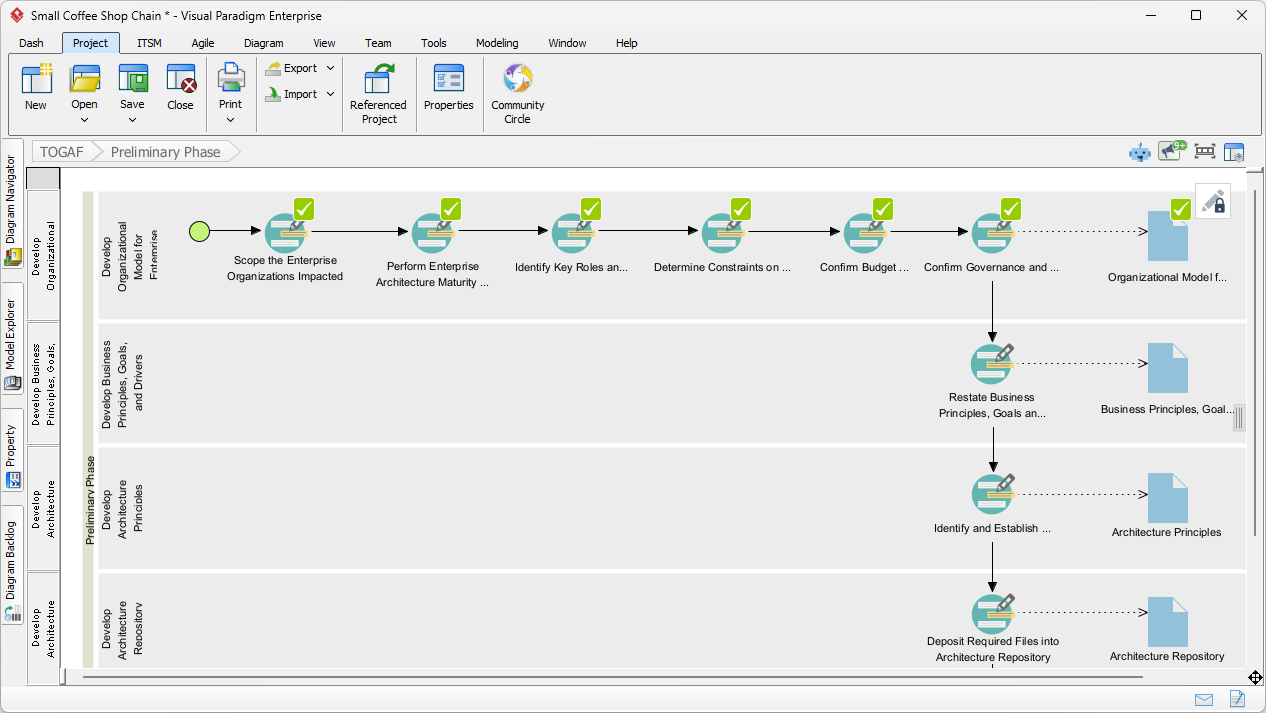
The final step is the most rewarding. Double-click the deliverable icon on the right side of the process lane. Visual Paradigm will automatically compile all your work into a formal document. No more copy-pasting into Word late at night!
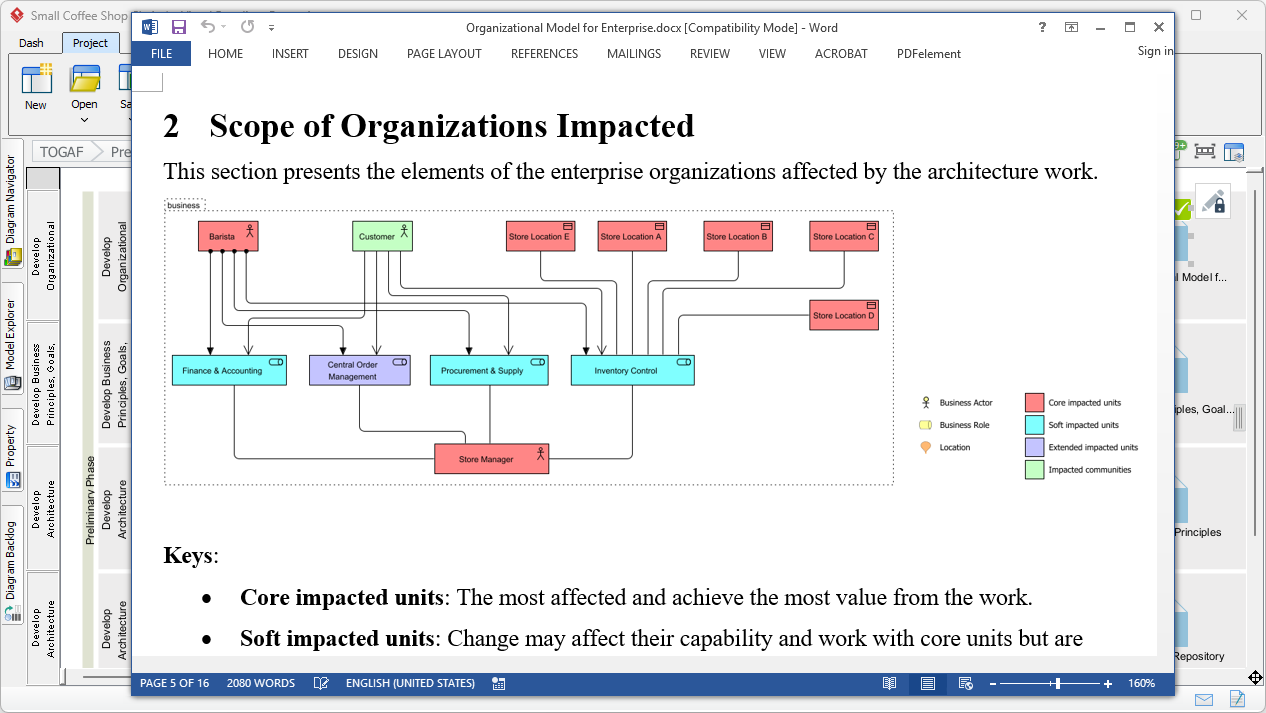
The result is a professional, high-quality document ready for stakeholder review. It includes your AI-generated diagrams, descriptions, and analysis, all formatted perfectly. This AI-powered TOGAF ADM Guide Through turns the most tedious part of EA into a victory lap.
Summary of Benefits
Using this AI-powered TOGAF ADM software isn’t just about speed; it’s about quality and consistency. By leveraging smart drafting, you ensure that every ArchiMate model and every migration plan aligns with industry best practices. You spend less time on “syntax” and more time on the high-value strategic work that actually moves the needle for your business.
Ready to revolutionize your enterprise architecture? Stop drafting from scratch and start modeling with intelligence. You can try the best AI TOGAF tool today by downloading Visual Paradigm. Accelerate your ADM execution and future-proof your architecture now!
Related Links
The TOGAF Architecture Development Method (ADM) is a globally recognized, iterative process for developing enterprise architecture that aligns IT strategy with business objectives. Visual Paradigm streamlines this complex framework through an automated Guide-Through Process, providing a structured navigator that offers step-by-step instructions, reusable templates, and integrated documentation repositories. These tools enable teams to manage the full architecture lifecycle while maintaining traceability and standards compliance.
- TOGAF ADM Software – Visual Paradigm: This resource details industry-specific software that enhances EA productivity by guiding users through the ADM phases and automatically generating required deliverables.
- TOGAF Architecture Development Method (ADM) Guide-Through Process: An overview of the automated tool that simplifies the ADM by providing visual navigation, samples, and project launch support.
- Step-by-Step Enterprise Architecture Tutorial with TOGAF ADM: A practical guide that walks users through each ADM phase, offering clear instructions and templates to initiate architecture projects.
- Comprehensive Guide to Applying Gap Analysis in TOGAF ADM: A technical deep-dive into identifying discrepancies between current and target states within the ADM framework.
- TOGAF ADM and Architecture Content Framework Explained: This article explains the relationship between ADM processes and the Architecture Content Framework for structured outputs.
- Mastering Enterprise Architecture with Visual Paradigm’s TOGAF ADM Guide: A comprehensive guide focused on implementing robust IT frameworks and aligning them with business goals.
- Techniques for Developing TOGAF ADM: An exploration of core methodologies and practical techniques used by architects to develop enterprise structures.
- TOGAF ADM Phase A: Architecture Vision Deliverables: A specialized look at the activities and deliverables required to establish a clear architecture vision during Phase A.
- Comprehensive Guide to Visual Paradigm for TOGAF, ADM, ArchiMate, BPMN, and UML: This article demonstrates how to apply multiple modeling standards in concert to support the TOGAF lifecycle.
- Case Study: Applying TOGAF ADM for a Company: A real-world demonstration showing how ArchiMate integration and TOGAF processes function within the Visual Paradigm platform.