


In today’s fast-paced business environments, teams are under pressure to deliver clarity, speed, and insight without sacrificing quality. Diagrams are no longer just visual aids—they’re strategic tools that shape decisions, communicate complexity, and align stakeholders. But if you’re only measuring the value of AI-powered diagramming by how much time it saves, you’re missing the bigger picture.
The real value of AI diagrams lies in their ability to enhance decision-making, reduce ambiguity, and improve the consistency of strategic outputs. This guide provides a practical framework to measure the value of AI diagrams beyond time savings—using real-world business metrics that reflect actual impact.
Why Time Savings Alone Don’t Capture AI Diagram Value
Time efficiency is a common first metric, but it doesn’t tell the full story. Consider a product team that uses a new AI chatbot to generate a system context diagram for a new feature. The chatbot delivers the diagram in minutes instead of hours. That’s valuable.
But the deeper value comes from:
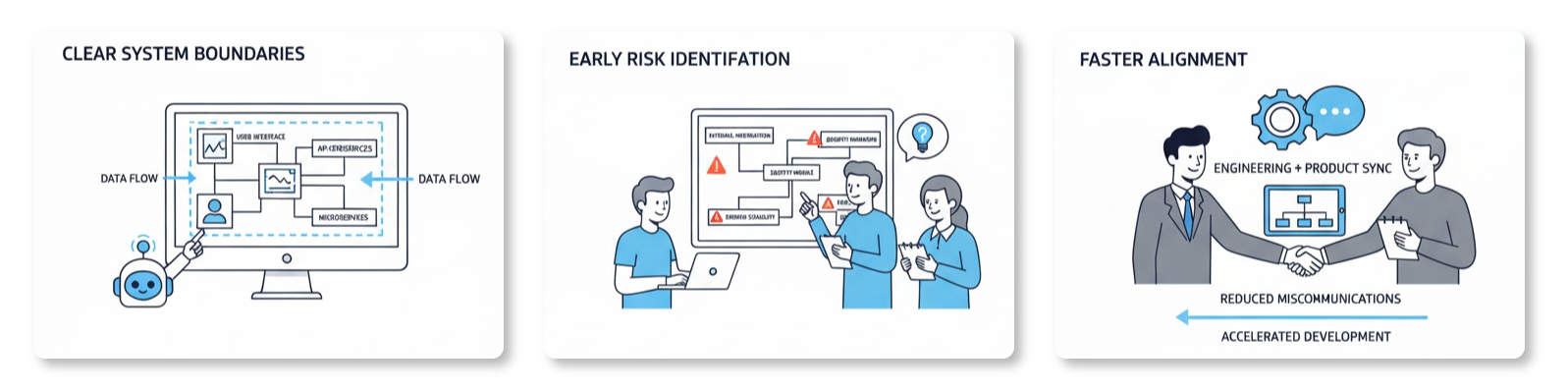
- How clearly the diagram communicates system boundaries.
- Whether it helps the team identify risks or gaps before development.
- Whether it enables faster alignment between engineering and product.
These are measurable outcomes—when you track them, you see the true ROI of AI diagram generation.
Key Metrics to Measure AI Diagram Value
To evaluate the true value of AI-powered modeling, organizations should adopt a set of performance indicators that go beyond time. Here’s a structured approach:
- Accuracy of Diagram Output
Compare the AI-generated diagram to a human-reviewed baseline. Evaluate whether the structure, relationships, and labels match known business or technical standards. For example:- A UML use case diagram generated from a natural language prompt should correctly identify actors, use cases, and dependencies.
- A C4 system context diagram should accurately represent stakeholders and their interactions with the system.
Use case: A finance team asks the AI to create a SWOT analysis for a new fintech product. The output is then reviewed by a business analyst. If the strengths and threats align with real market data, the diagram has high value.
- Clarity in Stakeholder Communication
Measure how effectively diagrams reduce confusion during team meetings or cross-functional reviews. Use metrics like:- Number of questions asked after a diagram is presented.
- Time saved in meetings due to shared understanding.
Example: After a team presents a deployment diagram, a developer asks, “Why is the API gateway listed here?” The diagram makes the dependency clear—this shows value in communication clarity.
- Reduction in Design Revisions
Track how many times diagrams need to be edited after first generation. Fewer revisions mean higher quality output.
This directly ties to ai diagram editing capabilities—when users can refine AI-generated content with minimal effort, the tool becomes a foundation for trust. - Speed of Strategic Insight Delivery
Use natural language diagram generation to create frameworks like the Ansoff Matrix or PEST analysis. Measure how quickly teams can derive strategic options.
For instance, a marketing team generates a 4Cs model in minutes. The output enables a decision about product positioning faster than manual creation. - Consistency in Outputs Across Teams
Evaluate whether AI-generated diagrams follow established modeling standards (e.g., UML, ArchiMate). Standardized outputs reduce training costs and improve team alignment. - Measurable Impact on Decision-Making
Link diagrams to tangible decisions. For example:- A deployment diagram leads to a change in infrastructure choice.
- A SWOT analysis results in a pivot in market entry strategy.
How to Use AI Diagrams to Drive Business Outcomes: A Real-World Scenario
A regional retail chain is planning a rollout of a new loyalty platform. The product team needs to understand how the platform will interact with existing systems, customers, and supply chains.
Instead of building diagrams manually, the team asks the AI chatbot:
“Generate a C4 system context diagram for a digital loyalty platform that includes customers, mobile apps, POS systems, and a central CRM. Include the key interactions and dependencies.”
The AI delivers a clean, structured C4 diagram in under 90 seconds. The team reviews it and identifies two missing elements:
- The lack of a data sync policy between POS and CRM.
- No visibility into third-party integrations.
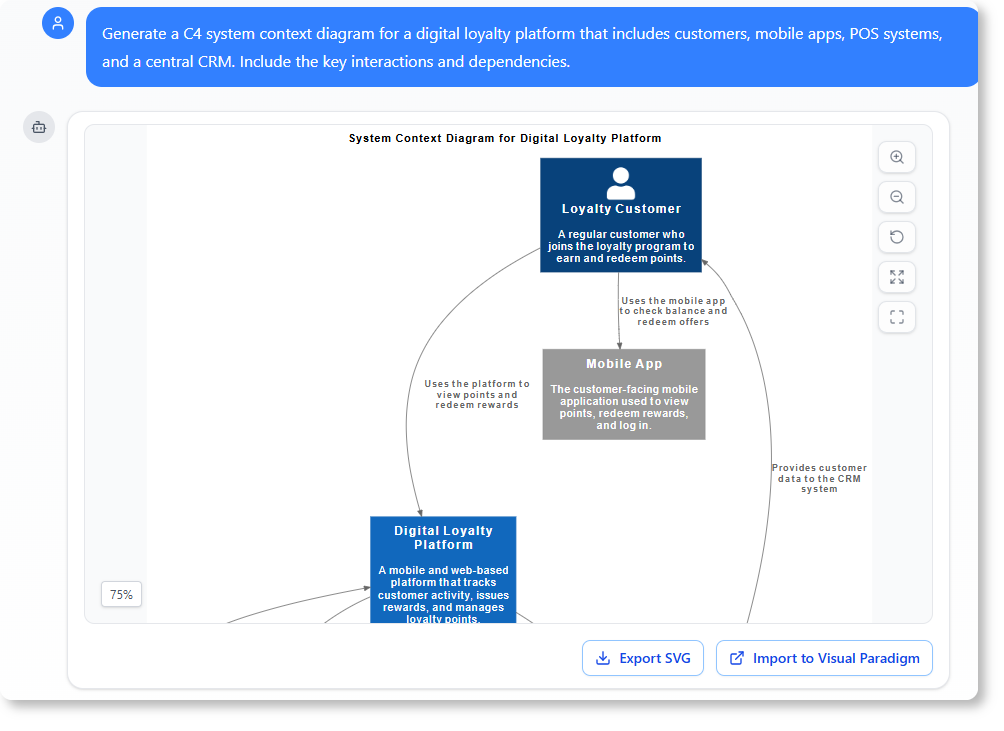
The team adds these notes and shares the updated diagram with stakeholders. Within days, the design is adjusted, and a new integration plan is approved.
This process demonstrates:
-
- Value of ai-powered diagram generation in rapid prototyping.
- How natural language diagram generation reduces friction in cross-functional planning.
- The value of ai in modeling when tied to real business decisions.
The team now tracks the number of decisions made based on diagram outputs. Over the next quarter, they see a 30% reduction in design back-and-forth meetings. This directly measures the business impact of the AI tool.
How to Measure AI Diagram Effectiveness in Your Organization
Follow this 5-step process to evaluate your team’s use of AI diagrams:
- Define the Business Objective
Identify what decision or insight is being supported by the diagram. For example: “We need a clear view of system boundaries to justify a cloud migration.” - Set Baseline Metrics
Before using the AI tool, record:- Time to create a diagram (manual method).
- Number of revisions required.
- Time spent in meetings to explain the diagram.
- Generate and Review Diagrams
Use the AI chatbot to generate diagrams using natural language prompts. Ask questions like:- “Generate a deployment diagram for a microservice-based order processing system.”
- “Create a SWOT analysis for entering a new market.”
- Evaluate Against Key Metrics
Score each diagram on:- Accuracy (does it reflect real-world conditions?)
- Clarity (can a non-technical stakeholder understand it?)
- Actionability (does it lead to a decision or next step?)
- Track Outcomes Over Time
After a period (e.g., 3 months), compare:- Number of decisions made using diagrams.
- Reduction in meeting time due to clarity.
- Frequency of design changes due to gaps revealed in diagrams.
This is how you measure ai diagram effectiveness in a way that reflects real business value.
The Role of AI Chatbot for Diagrams in Strategic Modeling
The AI chatbot for diagrams is not just a tool—it’s a strategic enabler. It allows teams to:
- Instantly explore modeling scenarios.
- Validate assumptions through visual feedback.
- Test alternatives without long design cycles.
For example, a product owner might ask:
“Show me a different version of the use case diagram if the customer service team is added as a primary actor.”
The AI generates a revised version, which helps the team explore impact before committing to a solution.
This kind of flexibility—powered by natural language diagram generation—creates a feedback loop between assumptions and outcomes, increasing confidence in modeling decisions.
Moreover, the ability to refine and adjust diagrams in response to new insights strengthens trust in the AI output. This is not just automation—it’s intelligent modeling.
Strategic Benefits of AI in Modeling
When used properly, AI-powered modeling tools deliver more than convenience. They:
- Reduce the cognitive load of complex systems.
- Enable faster iteration in product or infrastructure design.
- Provide consistent, scalable outputs that reduce training costs.
The value of ai in modeling is best seen when it supports real-time decision-making and reduces uncertainty in complex systems.
Organizations that adopt this approach don’t just save time—they improve the quality of decisions, increase alignment, and build stronger models of reality.
FAQs
Q: How can I tell if an AI-generated diagram is accurate?
You can validate accuracy by comparing the output to a human-created baseline or known standards. Review whether the relationships, actors, and constraints match real-world scenarios.
Q: Can AI diagrams be used in business strategy?
Yes. Tools like SWOT, PEST, and Ansoff Matrix are used to evaluate market opportunities. AI can generate these in natural language, making strategy faster and more accessible.
Q: Is the AI chatbot for diagrams suitable for non-technical users?
Yes. The AI understands natural language and can generate diagrams without requiring prior modeling knowledge. This makes it accessible to product owners, managers, and strategists.
Q: How do I evaluate the real-world impact of AI diagrams?
Track decisions that result from the diagrams—such as changes in product direction, resource allocation, or process design. This links the tool to tangible business outcomes.
Q: Can AI diagrams be shared and reviewed by others?
Yes. Sessions are saved and can be shared via URL, allowing team members to review and provide feedback on the generated content.
Q: What if the AI makes a mistake in the diagram?
The tool supports iterative refinement. Users can request changes—like adding or removing elements—making it easy to correct inaccuracies.
Where to Find Your AI Chatbot: Desktop vs. Online
We’re thrilled about the new AI Chatbot, but we know our product structure can sometimes cause confusion. The AI Chatbot is technically a feature of Visual Paradigm Online (VP Online).
The Integrated Advantage
When you own a Visual Paradigm Desktop license with active maintenance, you’re granted access to several powerful VP Online features. In particular, if you have the Professional or Enterprise Edition license, you can use the AI Chatbot inside the desktop environment.
- Unified Account: You maintain one account, and your workspace is shared across both platforms. No data transfer is needed.
- Dual Access: Use the chatbot directly inside your Desktop application or from any web browser via Visual Paradigm Online.
Ready to Experience the AI Chatbot?
Try It Now (No Sign-Up Required)
Want a quick demo? Click the link below to start using the AI Chatbot instantly with limited functionality. Experience the power of diagram generation and analysis immediately.
Get Full Access & Seamless Integration
Full access includes persistent chat history and the ability to import generated diagrams directly into VP Desktop for advanced modeling.
For Existing Visual Paradigm Desktop (Professional/Enterprise) Users:
Since you already hold a qualifying license, you do not need to purchase Visual Paradigm Online.
- Sign up for a FREE Visual Paradigm Online account.
- Log in with your new VP Online credentials from within your Desktop application.
For Users Who Don’t Yet Own a Desktop License:
To unlock the full integration features (including diagram import), you will first need a Visual Paradigm Desktop Professional Edition license (or Enterprise for ArchiMate).
Once you purchase your Desktop license, simply follow the steps above for existing users: Sign up for your FREE VP Online account and log in through the Desktop application.
Note on Desktop Import: The import feature for generated diagrams (UML, ArchiMate, etc.) requires a Professional Edition license or higher. Importing ArchiMate diagrams specifically requires the Enterprise Edition license.
Related Resources
- AI Chatbot Feature – Intelligent Assistance for Visual Paradigm Users: Leverage AI-powered chatbot functionality to get instant guidance, automate tasks, and enhance productivity within Visual Paradigm.
- Visual Paradigm AI Chatbot Enhances Multi-Language Support …: Discover the latest updates to Visual Paradigm ‘s AI -Powered visual modeling software, including multi-language UI and improved chat content localization. Experience seamless AI diagram generation in languages like Spanish, French, Chinese, and more with our AI chatbot for UML and other diagrams.
- AI Chatbot for Diagramming: How It Works with Visual Paradigm: The Visual Paradigm AI chatbot is an AI -powered modeling assistant that turns natural language into diagrams. It doesn’t require users to learn specific modeling standards or syntax.
- Case Study: Enhancing System Modeling Efficiency with Visual Paradigm’s AI-Powered Chatbot: This case study demonstrates how Visual Paradigm’s AI chatbot improves productivity and accuracy in system modeling by enabling conversational diagram creation.
- Visual Paradigm AI Chatbot: The World’s First Purpose-Built AI Assistant for Visual Modeling: Visual Paradigm launches its groundbreaking AI chatbot, designed specifically to assist users in visual modeling tasks with natural language interactions and intelligent guidance.
- Introducing Visual Paradigm AI Chatbot: Intelligent Design Assistance: Discover how Visual Paradigm’s AI chatbot enhances design workflows by offering real-time suggestions and automating repetitive tasks.
- Mastering Sequence Diagrams with Visual Paradigm: AI Chatbot Tutorial: A beginner-friendly tutorial using Visual Paradigm to create sequence diagrams, illustrated through a real-world e-commerce chatbot use case.
- Integrating AI Activity Diagrams into Your Visual Paradigm …: Learn how to use AI -powered modeling software to generate and refine activity diagrams with natural language. Discover the benefits of AI chatbot diagram generation in UML workflows.
- Beginner’s Tutorial: Create Your First Professional Sequence Diagram in Minutes: A beginner-friendly guide to generating professional sequence diagrams quickly using Visual Paradigm’s AI chatbot feature.
- Comprehensive Tutorial: Generating and Modifying C4 Component …: This tutorial is based on the official Visual Paradigm product demo video, demonstrating how to use the AI-powered Chatbot to create and iteratively refine a C4 Component Diagram for a car park booking system. The C4 model (Context, Containers, Components, and Code) is a popular approach for visualizing software architecture, and the Component level focuses on the internal structure of a …
- SWOT Analysis via AI Chat in Visual Paradigm: This interactive page allows users to generate SWOT analyses through an AI-powered chat interface within the Visual Paradigm environment.
- Meet the AI SWOT Assistant: How Visual Paradigm’s Chatbot …: Discover how the visual paradigm chatbot provides natural language diagram generation for business frameworks like SWOT , PEST, and more—turning ideas into clear strategic models with AI -powered analysis .
Related posts:
 Case Study: How AI-Powered Modeling Software Builds a Complete Online Shopping System UML Diagram
 AI Sequence Diagram Generator: How Visual Paradigm Transforms Your Modeling Workflow
 How AI UML Generators Simplify Diagram Creation for Non-Techies
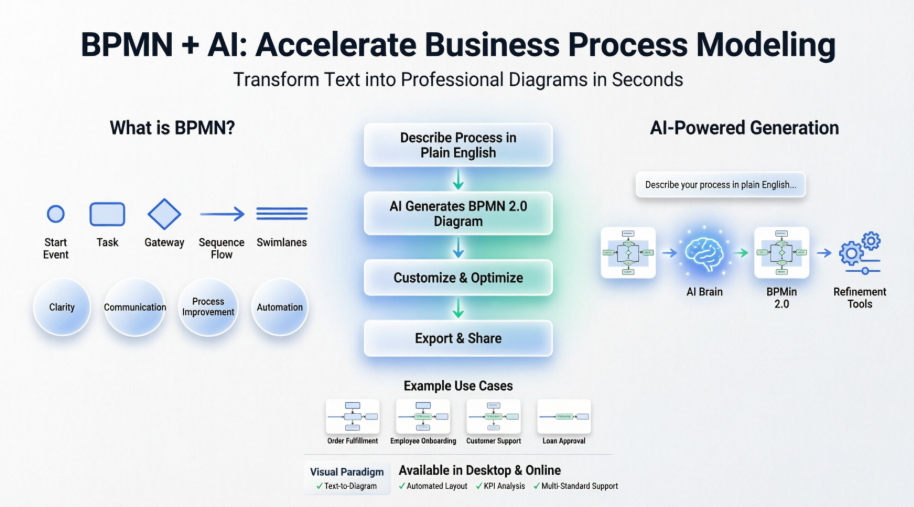 Mastering Business Process Modeling: A Complete Guide to BPMN and AI-Powered Diagram Generation with Visual Paradigm