


If you’re new to UML diagramming, you’ve probably heard some discouraging things about AI-powered tools. “They make lazy diagrams,” “They’re not accurate enough for real work,” or “You’ll never actually learn UML if you use them.” These myths stop many beginners from trying an AI UML generator—even though the technology has improved dramatically.
In reality, modern AI UML diagram generators are powerful learning aids that speed up your workflow while helping you understand concepts better. This article debunks the top 5 common myths with clear explanations and real-world examples, so you can decide for yourself without the misinformation holding you back.
Myth 1: AI UML Generators Produce Low-Quality or “Wrong” Diagrams
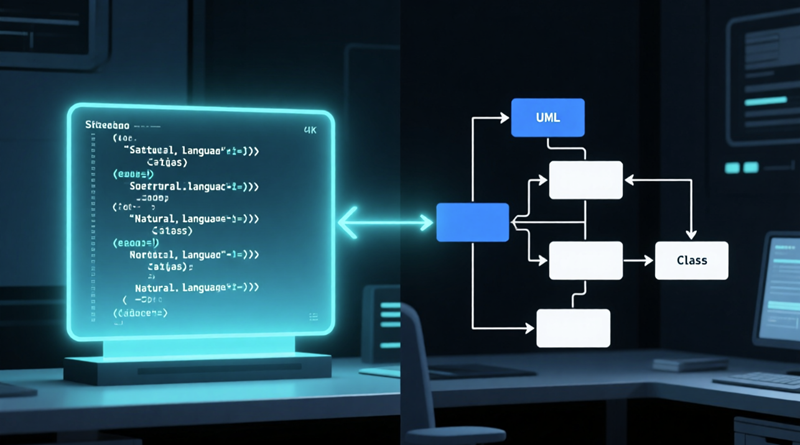
Many people assume AI just throws together random boxes and lines. The truth? Good AI tools follow official UML 2.x standards precisely. They use natural language processing to correctly map your description to the right elements—actors to use cases, lifelines in sequences, multiplicities in classes.
When errors do occur (usually from vague input), most tools let you edit easily or regenerate with clearer prompts. Quality is often higher than rushed manual work because the AI avoids common human slip-ups like inconsistent arrow directions or forgotten associations.
Beginners especially benefit: the diagram starts correct, so you learn proper notation from the start instead of copying mistakes.
Myth 2: Using AI Means You Won’t Learn Real UML
This is one of the biggest fears for students and juniors. The opposite happens. By seeing instantly how your words translate to standard UML notation, you absorb the rules faster.
Think of it like training wheels on a bike: they help you balance and build confidence. Once comfortable, you can turn them off and draw manually—but you’ll draw better because you’ve seen hundreds of correct examples generated quickly.
Many educators now encourage AI UML tools as accelerators: focus on system thinking and design decisions, not syntax memorization.
Myth 3: AI UML Tools Are Only for Simple Diagrams
Early AI tools struggled with complexity, but today’s best ones handle intricate models well. You can generate:
- Detailed class hierarchies with inheritance and interfaces
- Long sequence diagrams with multiple loops and alternatives
- Activity diagrams with parallel flows and decision nodes
- State machines with composite states and transitions
Even for enterprise-level work, AI gets you 80% there fast, then you refine the last 20% manually. This hybrid approach is faster and more accurate than starting from scratch.
Myth 4: All AI UML Generators Are Basically the Same (and Not Very Good)
Not true. Quality varies widely. Some are basic text-to-diagram converters; others offer deep integration, editing power, and ecosystem support.
Features that separate the best from the rest include:
- Conversational refinement (chat to tweak)
- Multiple platforms (desktop, web, chatbot)
- Traceability between models
- Export to standards like XMI or images
- Support for related notations (SysML, C4, ArchiMate)
Choosing a mature, well-supported tool makes a huge difference in both ease of use and output quality for beginners and pros alike.
Myth 5: AI UML Generators Are Expensive or Hard to Access
Many excellent options offer free tiers, generous trials, or low-cost plans. You can start experimenting without spending anything.
Browser-based tools require zero installation, and some even work offline. Accessibility has never been better—perfect for students, freelancers, or anyone testing the waters.
Visual Paradigm: Busting Myths with a Solid, Beginner-Friendly Option
Visual Paradigm directly addresses many of these concerns with its AI UML generator ecosystem. It delivers accurate, editable diagrams while supporting real learning through clear outputs and gentle guidance.
The four interconnected platforms let you choose your comfort level:
- VP Desktop – Offline, precise control for complex UML models with full editing power.
- OpenDocs – Embed dynamic diagrams in documents for easy sharing and collaboration.
- AI Visual Modeling Chatbot – Conversational interface: describe, refine, iterate naturally—great for overcoming blank-page anxiety.
- Web Apps – Guided, step-by-step creation in your browser, enforcing best practices from the start.
Beginners appreciate how you can start simple (e.g., chat or web), then move to desktop for deeper work—all without losing progress.
Quick Reality Check: When AI UML Tools Shine for Beginners
- Homework or project deadlines approaching
- Learning UML concepts for the first time
- Need quick prototypes to discuss ideas
- Want professional-looking diagrams without design skills
In these cases, the myths fall apart fast once you try a capable tool.
Final Thoughts: Move Past the Myths and Start Creating
AI UML generators aren’t perfect replacements for human insight—but they’re excellent accelerators, especially for newcomers. They reduce frustration, minimize errors, and help you grasp notation through practical examples.
Don’t let outdated myths stop you. Pick a simple scenario, try generating a use case or class diagram today, and see the difference yourself. Most users are surprised at how quickly they go from skeptic to regular user.
Which myth held you back the most? Have you tried an AI UML tool and changed your mind? Share in the comments—I’d love to hear your story!
Related Articles
Listed below are all the articles under the topic “AI UML Diagram Generator: Beginner’s Introduction”
- Topic 1: What is an AI UML Generator and Why Should Beginners Use It?
- Topic 2: Top 5 Myths About AI UML Generators Debunked for New Users
- Topic 3: How AI UML Generators Simplify Diagram Creation for Non-Techies
- Topic 4: AI UML Generator Basics: From Text to Diagram in Minutes
Related posts:
 How to Turn Plain English Requirements into Professional UML Models in Minutes
 Architecting Seamless Interactions: The Professional AI Sequence Diagram Generator by Visual Paradigm
 AI Package Diagram Generator: How Visual Paradigm Makes It Easy and Powerful
 The Complete Guide to UML Component Diagrams: Symbols, Rules, and Best Practices