Creating a PERT chart can feel overwhelming. You have dozens of tasks, tricky dependencies, optimistic and pessimistic time estimates, and the need to spot that critical path fast. Manual drawing eats hours, and many tools stop at basic generation without real depth or integration.
That’s where Visual Paradigm changes everything. As a leading AI diagram tool since pioneering visual modeling back in 2002, we offer the most complete AI-powered ecosystem for PERT charts and beyond. Whether you’re hunting for an AI PERT chart generator, the best AI tool for creating PERT diagrams, or a full platform for visual modeling and diagramming, our four interconnected platforms deliver end-to-end support. You’ll generate diagrams in seconds, refine them professionally, embed them in living documents, and collaborate seamlessly.
Let’s explore how each platform handles PERT charts and why together they make Visual Paradigm the ultimate choice for anyone serious about project scheduling.
VP Desktop: Professional Powerhouse for AI-Driven PERT Chart Creation
VP Desktop stands as our flagship. It’s where serious modelers go when they need control, precision, and depth. The AI diagram generator here lets you start with a simple description—like “build a mobile banking app including user registration, transaction processing, security checks, and launch”—and instantly get a structured PERT chart complete with tasks, dependencies, and time estimates.
Imagine this: you generate a complex PERT for a software rollout in under a minute, then refine node placements, add traceability links to requirements or use cases, and export to code or reports. Offline access means you work anywhere. Enterprise features like version control and team collaboration keep everything synced. No other AI diagram tool offers this blend of instant AI help and production-grade modeling. It’s perfect for architects and project managers who refuse to compromise on accuracy or scalability.
How to Generate a PERT Chart with AI in VP Desktop
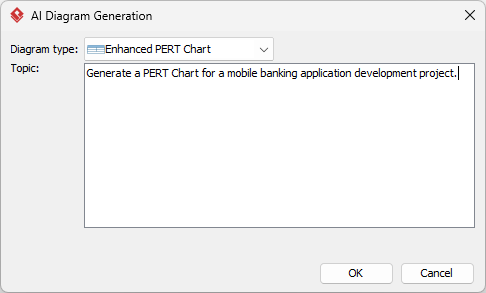
- From the main menu, select Tools > AI Diagram Generation. This opens the AI Diagram Generation window.
- In the window, choose your desired diagram type from the dropdown list. In this case, Enhanced PERT Chart.
- In the text area, describe your project, problem, system, or scenario.

- Click OK to start the generation.
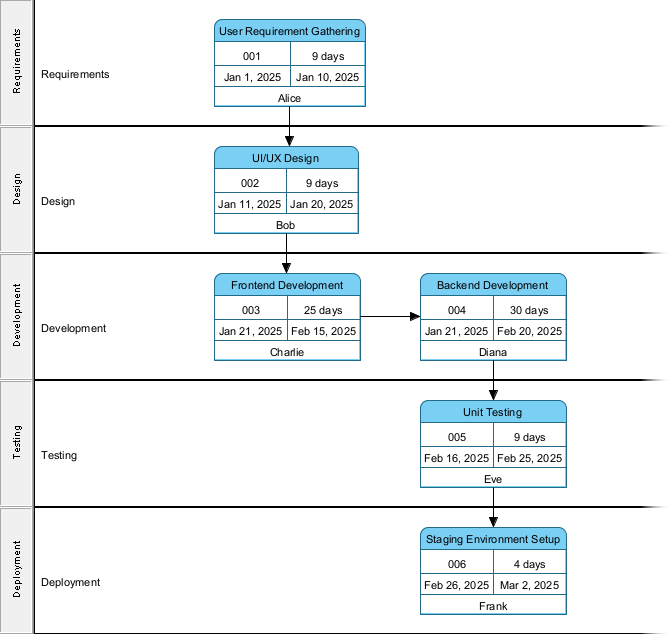
- The AI will create the diagram automatically.

It appears as a fully editable, native Visual Paradigm diagram (not just an image). You can now:
- Edit elements, relationships, layout, or properties

- Add more details manually
- Export as image (PNG, SVG, etc.), PDF, or use in reports
- Generate code or documentation if applicable
- Edit elements, relationships, layout, or properties
Key Benefits in VP Desktop
- AI-powered initial generation saves hours on setup
- Enhanced PERT features: lanes, responsible assignments, Tasifier integration
- Critical path analysis, traceability to other models
- Code engineering and report generation for implementation-ready outputs
OpenDocs: Embed and Collaborate with Living AI PERT Charts
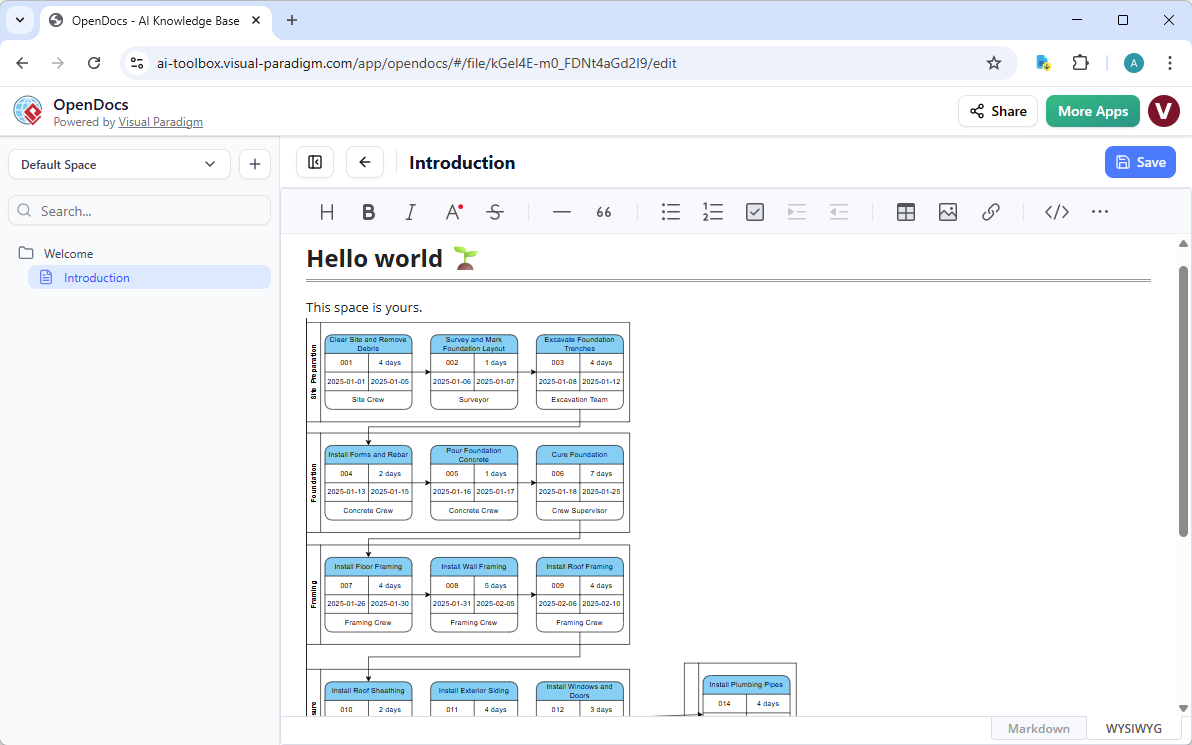
Our AI PERT chart generator in OpenDocs lets you create diagrams directly from text prompts within pages. Describe your project workflow, hit generate, and a professional PERT chart appears—tasks, arrows, durations, all neatly arranged. But unlike static images in other tools, these are dynamic. Team members click to edit inline, and update estimates as reality shifts.
Use cases shine here. Build a project playbook with embedded PERT charts showing phases and dependencies. Create status reports where executives see the critical path at a glance. Onboard new hires with interactive guides that include live diagrams. Collaboration happens naturally—no more emailing PNGs or losing context switching apps.
OpenDocs turns isolated PERT charts into shared knowledge assets. It’s essential when alignment across teams matters more than individual creation.
Why Teams Love OpenDocs for PERT
- AI generation embedded in documents—no tool switching
- Interactive, updatable diagrams keep everyone on the same page
- Great for wikis, reports, strategy docs
- Supports knowledge sharing without sacrificing editability
How to Insert an AI Generated PERT Diagram into Your OpenDocs Page
- Open or create a page in OpenDocs: Log in to your Visual Paradigm Online workspace, navigate to OpenDocs, and either open an existing page or create a new one (via + New Document Page or similar).
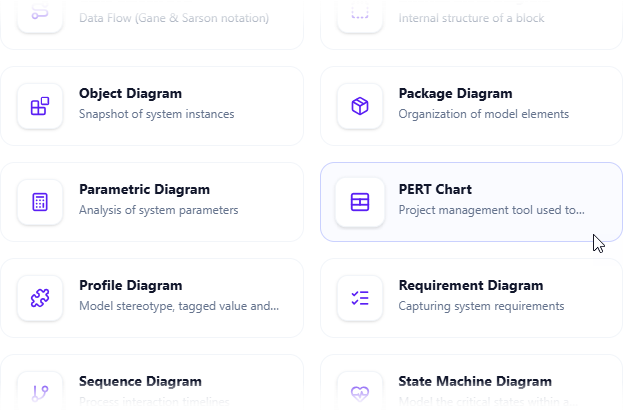
- Insert a diagram: In the page editor, look at the top toolbar (or floating toolbar) and click Insert. From the popup window, select Diagram > PERT Diagram.

- Start creating the diagram with AI: This opens the diagram editor window. You can build it manually by dragging and dropping elements if you prefer. To use AI instead: Look for Create with AI in the top-right corner of the editor window and click it.
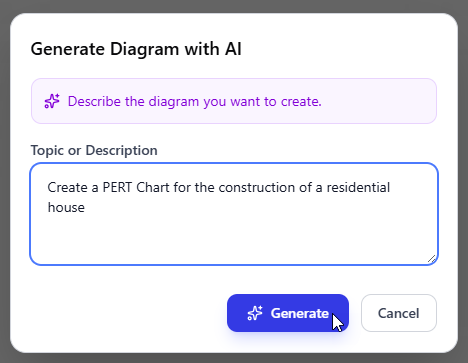
- Describe your problem and generate: In the text input area that appears, type a clear, detailed description of your system or scenario. Click Generate.

- Review, refine, and embed the diagram: The AI generates a professional PERT chart instantly.

Use the intuitive drag-and-drop editor to touch up anything: move elements, adjust labels, add notes, change styles, etc. When you’re happy with it, click Save. Then click Close. The diagram is now embedded directly into your OpenDocs page as a live, editable visual block. You can view it inline without leaving the document.

AI Visual Modeling Chatbot: Conversational Speed for Fast Iteration
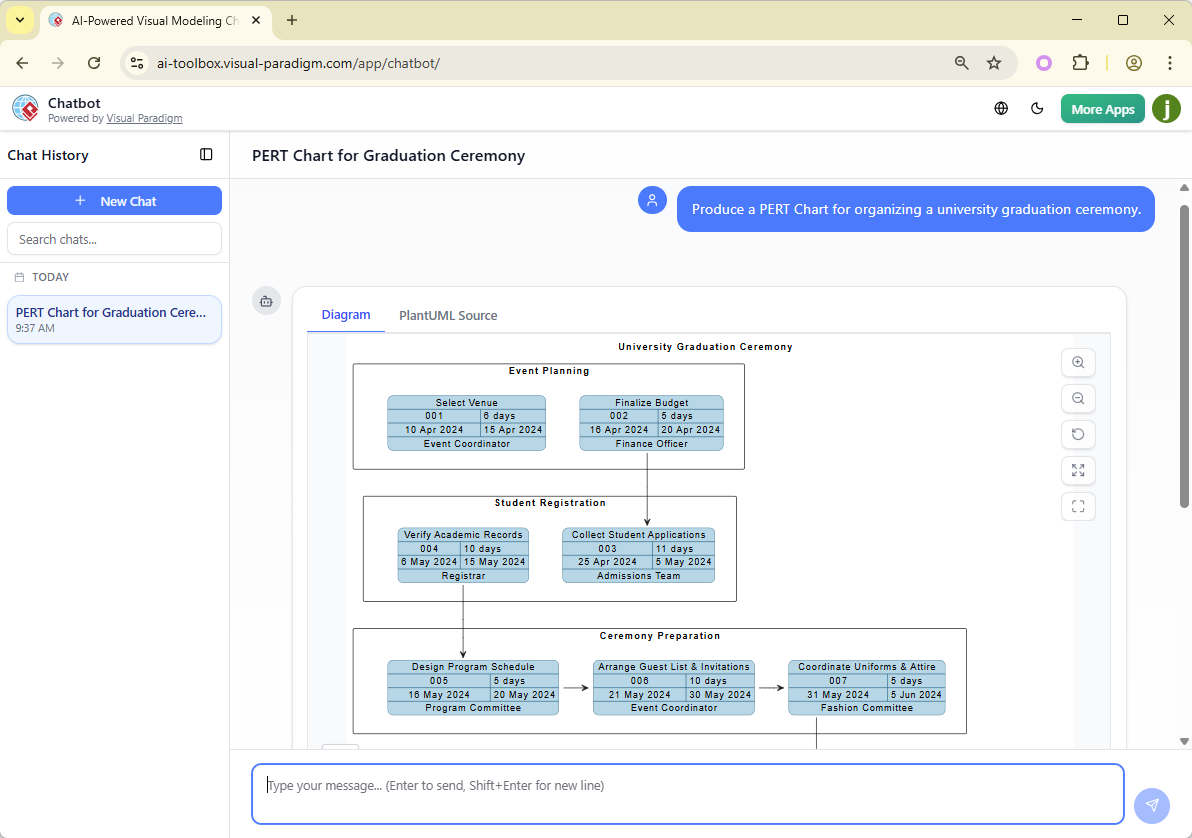
Sometimes you just need to brainstorm fast. Our AI Visual Modeling Chatbot turns that into reality. Chat like you’re talking to a project expert: “Generate a PERT chart for launching an e-commerce site—include vendor selection, site build, testing, marketing, go-live.”
In seconds, the chatbot delivers a clean PERT chart. But the magic continues. Ask it to “add security audit as a dependency before testing” or “explain the critical path” or “make durations more pessimistic for risk analysis.” It refines instantly.
Perfect for agile teams in meetings, quick prototypes, or when you’re on the go. It handles explanations too—great for teaching stakeholders what the network really means. This isn’t one-shot generation; it’s iterative, natural, and surprisingly smart.
Standout Chatbot Advantages
- Natural language to diagram in real time
- Refinement through conversation—add, explain, adjust
- Standalone or integrated with other platforms
- Ideal for brainstorming and overcoming initial hurdles
How to Generate a PERT Chart with AI Chatbot
-
Open the AI Chatbot:
- Web access: Go to https://chat.visual-paradigm.com/ (or https://ai-toolbox.visual-paradigm.com/app/chatbot/ as an alternative entry point).
- VP Desktop access: In Visual Paradigm Desktop, select Tools > Chatbot from the main menu. (This opens the same AI assistant integrated within your desktop environment.)
-
Start a new chat session: Click New Chat (on the left sidebar or as a prominent button) to begin a fresh conversation.
-
Describe what you want: In the text input area at the bottom, type a clear description of your project, system, or scenario. Press Enter (or click the send icon) to submit your message.
-
View and refine the diagram: The AI generates the diagram almost instantly.

This is where the chatbot shines: keep the conversation going! Follow-up examples:
- “Add an element…”
- “Explain the diagram…. “
- “Generate a brief report summarizing ….”

Why Visual Paradigm Stands Out as the Best AI PERT Chart Generator
Plenty of tools claim AI diagram magic. Most offer one thing: quick generation, then you’re stuck. Visual Paradigm does different. We connect everything.
Generate via chat or desktop AI. Refine in a full modeling suite with traceability. Embed in collaborative docs. Guide with structured studios. No silos. Real integration across platforms means your PERT chart evolves from idea to executed project without rework or data loss.
We cover the widest range of diagrams with true AI depth—not gimmicks. Enhanced PERT features like RACI, task assignments, and critical path tools go beyond basics. Since 2002 we’ve built for professionals who need models that scale, trace, and implement. Competitors fragment the workflow; we unify it.
Time saved. Errors reduced. Teams aligned. Projects delivered smarter.
Ready to Transform Your Project Planning?
If you’re tired of clunky tools or half-baked AI, Visual Paradigm delivers the real deal. An end-to-end ecosystem where AI accelerates every step without sacrificing control or quality.
Try Visual Paradigm today. Experience the future of AI diagramming and project scheduling. Generate your first PERT chart in minutes and see why we’re the top choice for AI-powered visual modeling.
Get started now—your projects deserve better.