AI SysML Requirement Diagram Generator: Unlock Powerful Modeling with Visual Paradigm
Creating SysML requirement diagrams can feel overwhelming. You need to capture functional and non-functional requirements, trace them to design elements and test cases, and keep everything organized and traceable. Manual drawing takes forever, and many tools offer only basic generation without real depth or integration.
That’s where Visual Paradigm shines as the leading AI diagram generator for SysML requirement diagrams. With our comprehensive AI-powered ecosystem, you generate, refine, embed, and manage these diagrams across multiple platforms. No more switching between disconnected apps. We’ve supported visual modeling since 2002, covering over 100 diagram types including full SysML, and now we’re pushing boundaries with AI assistance that makes professional-grade work faster and smarter.
In this guide, you’ll discover how Visual Paradigm delivers end-to-end support for SysML requirement diagrams through our four platforms. Whether you’re an engineer needing precise traceability or a team sharing requirements, we’ve got you covered.
VP Desktop: Professional AI-Driven SysML Requirement Diagram Creation and Editing
VP Desktop stands as the powerhouse for serious SysML work. It’s our flagship application where AI meets robust, offline modeling. You start by describing your requirements in natural language, and the AI generates a solid SysML requirement diagram instantly—complete with «requirement» blocks, deriveReqt, satisfy, verify, and trace relationships.
But generation is just the beginning. Once created, dive into advanced editing: customize requirement types with user-defined properties, adjust appearances, establish hierarchies via containment, and ensure full traceability to blocks, use cases, or test cases. Export to code, generate reports, or integrate with version control for team projects. It’s perfect for enterprise architects who demand accuracy in complex systems engineering.
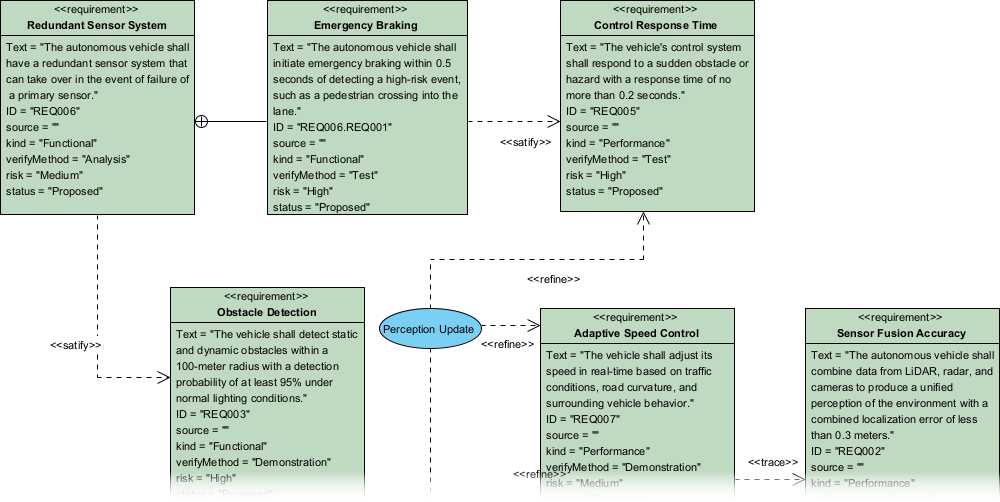
Imagine you’re modeling requirements for an autonomous vehicle system. You prompt the AI with key specs like safety constraints and performance needs. Seconds later, a structured requirement diagram appears. Refine it offline, add satisfactions to design elements, verify links to test cases—all without losing context. This seamless blend of AI speed and desktop precision saves hours while producing implementation-ready models.
How to Generate a SysML Requirement Diagram with AI in VP Desktop
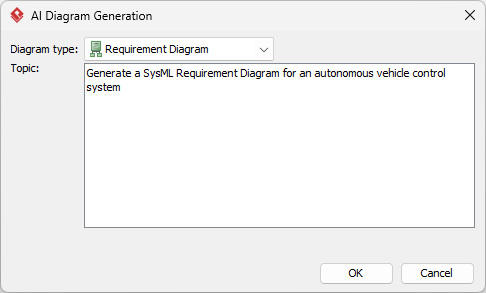
- From the main menu, select Tools > AI Diagram Generation. This opens the AI Diagram Generation window.
- In the window, choose your desired diagram type from the dropdown list. In this case, Requirement Diagram.
- In the text area, describe your project, problem, system, or scenario.

- Click OK to start the generation.
- The AI will create the diagram automatically.

It appears as a fully editable, native Visual Paradigm diagram (not just an image). You can now:
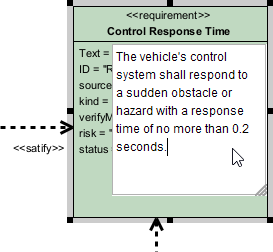
- Edit elements, relationships, layout, or properties

- Add more details manually
- Export as image (PNG, SVG, etc.), PDF, or use in reports
- Generate code or documentation if applicable
- Edit elements, relationships, layout, or properties
OpenDocs: Embed and Collaborate on AI-Generated SysML Requirement Diagrams
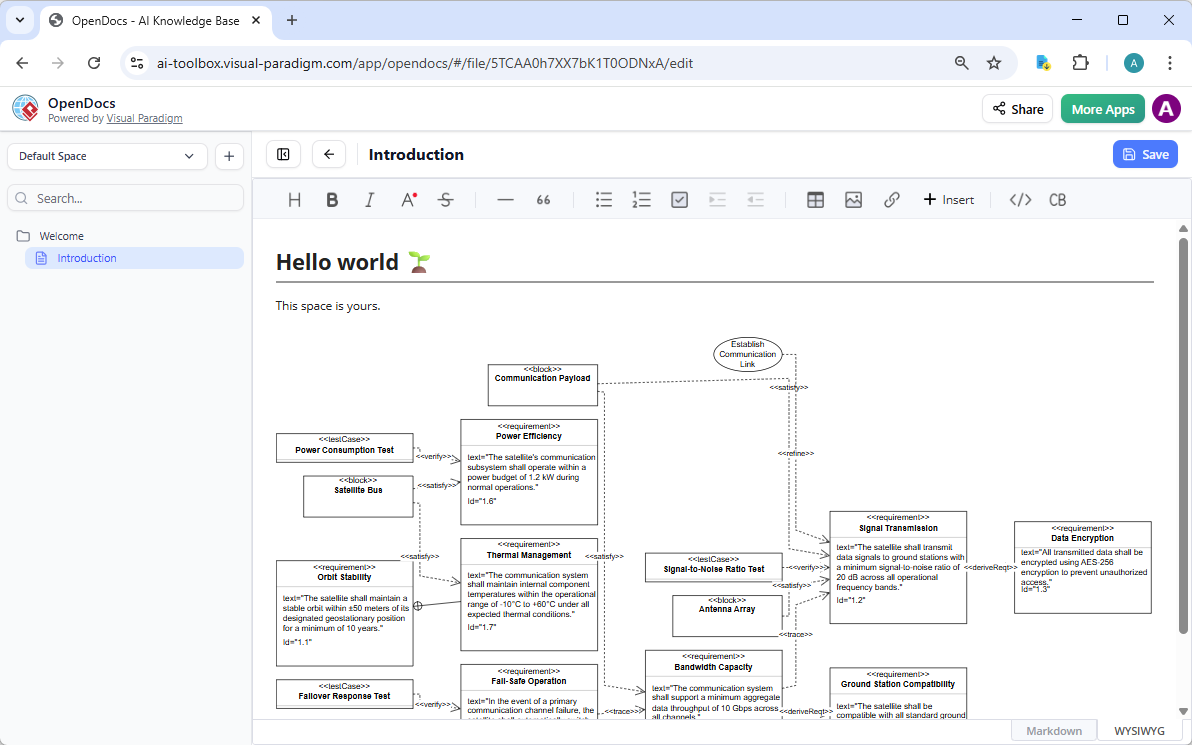
OpenDocs transforms how teams share and evolve requirements. Think of it as a smart wiki or knowledge base with living diagrams. Generate your SysML requirement diagram in VP Desktop or via chat, then embed it directly into dynamic documents.
These aren’t static images. Team members click into the diagram to view details, refine relationships, or update text—all inline. It’s ideal for building requirements documentation, strategy guides, or compliance reports where visuals must stay current and interactive.
For example, in a defense project, embed a requirement diagram showing traceability from stakeholder needs to system components right in your project wiki. Colleagues comment, suggest derivations, or verify links without leaving the page. This fosters alignment, reduces miscommunication, and keeps everyone on the same traceable model. No other platform integrates AI-generated diagrams into collaborative docs this smoothly.
How to Insert an AI Generated SysML Requirement Diagram into Your OpenDocs Page
- Open or create a page in OpenDocs: Log in to your Visual Paradigm Online workspace, navigate to OpenDocs, and either open an existing page or create a new one (via + New Document Page or similar).
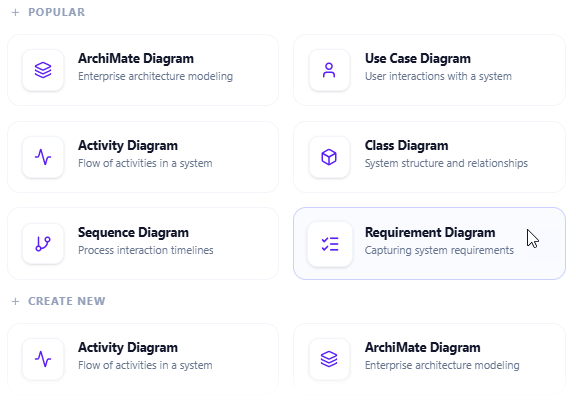
- Insert a diagram: In the page editor, look at the top toolbar (or floating toolbar) and click Insert. From the popup window, select Diagram > Requirement Diagram.

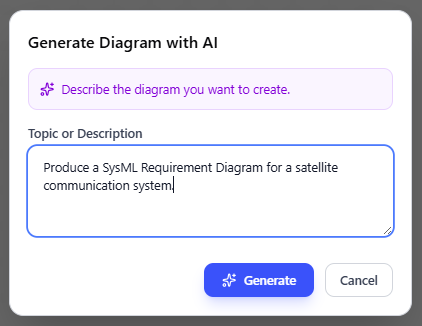
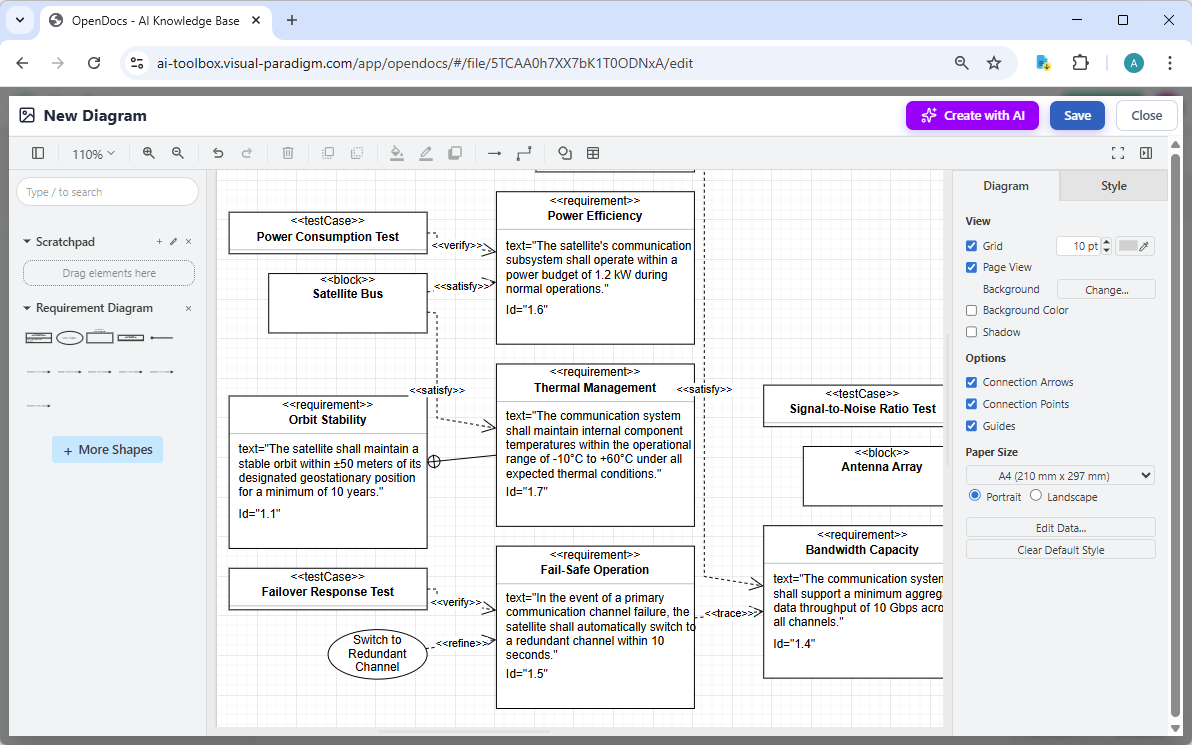
- Start creating the diagram with AI: This opens the diagram editor window. You can build it manually by dragging and dropping elements if you prefer. To use AI instead: Look for Create with AI in the top-right corner of the editor window and click it.
- Describe your problem and generate: In the text input area that appears, type a clear, detailed description of your system or scenario. Click Generate.

- Review, refine, and embed the diagram: The AI generates a professional requirement diagram instantly.

Use the intuitive drag-and-drop editor to touch up anything: move elements, adjust labels, add notes, change styles, etc. When you’re happy with it, click Save. Then click Close. The diagram is now embedded directly into your OpenDocs page as a live, editable visual block. You can view it inline without leaving the document.

AI Visual Modeling Chatbot: Conversational Generation and Refinement of SysML Requirement Diagrams
Need quick prototypes or iterative brainstorming? Our AI Visual Modeling Chatbot turns natural language into diagrams through simple conversation. Describe your system’s requirements—”The vehicle shall maintain stability under 2G lateral acceleration, with derived safety and performance sub-requirements”—and watch a compliant SysML requirement diagram appear.
Then iterate: “Add a verify relationship to this test case,” “Explain the deriveReqt chain,” or “Generate a report from these requirements.” The chatbot handles explanations, analyses, refinements, and even exports. It’s your co-pilot for overcoming blank-page syndrome or exploring ideas fast.
Agile teams love this for rapid prototyping. Start chatting during a standup, generate the diagram, refine it live, then push to VP Desktop for deeper work. It’s flexible, beginner-friendly, yet produces professional outputs with proper SysML notation. Speed meets substance—no one-off sketches here.
How to Generate a SysML Requirement Diagram with AI Chatbot
-
Open the AI Chatbot:
- Web access: Go to https://chat.visual-paradigm.com/ (or https://ai-toolbox.visual-paradigm.com/app/chatbot/ as an alternative entry point).
- VP Desktop access: In Visual Paradigm Desktop, select Tools > Chatbot from the main menu. (This opens the same AI assistant integrated within your desktop environment.)
-
Start a new chat session: Click New Chat (on the left sidebar or as a prominent button) to begin a fresh conversation.
-
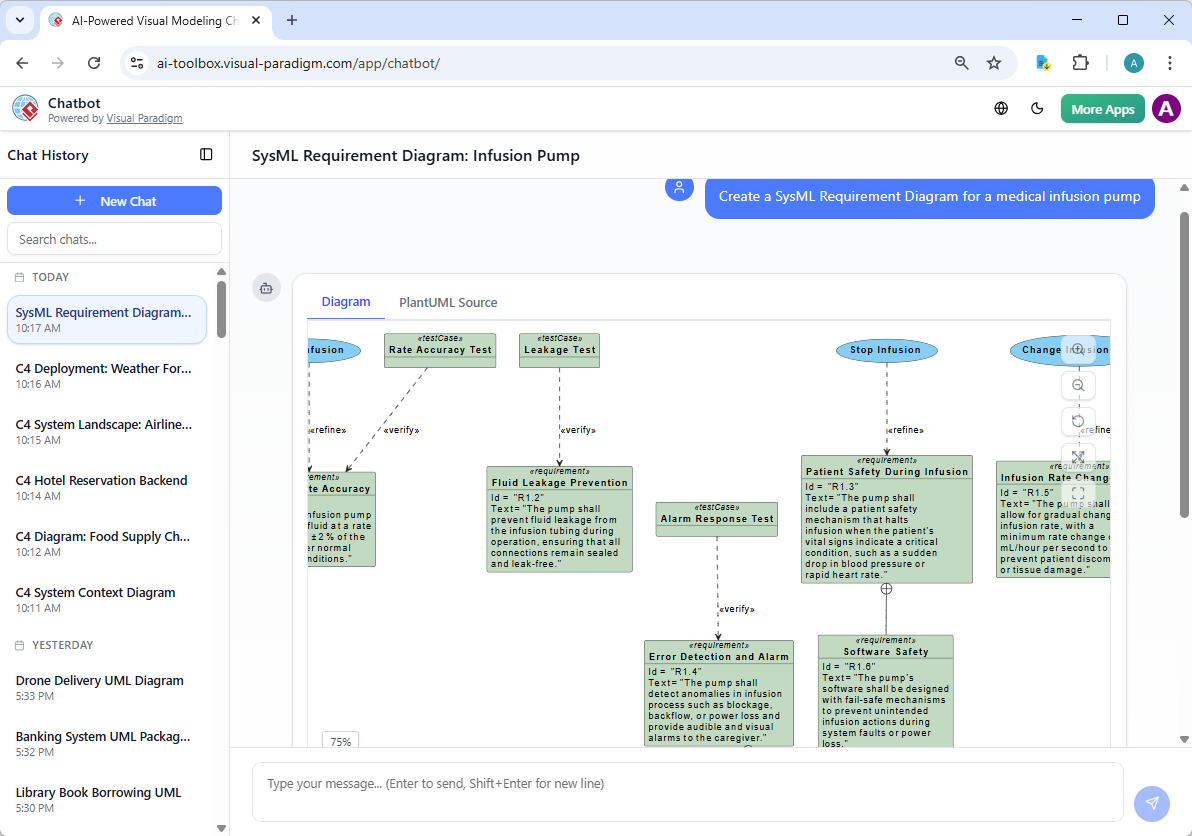
Describe what you want: In the text input area at the bottom, type a clear description of your project, system, or scenario (e.g. “Create a SysML Requirement Diagram for a medical infusion pump”). Press Enter (or click the send icon) to submit your message.
-
View and refine the diagram: The AI generates the diagram almost instantly.

This is where the chatbot shines: keep the conversation going! Follow-up examples:
- “Add an element…”
- “Explain the diagram…. “
- “Generate a brief report summarizing ….”

Web Apps: Guided, Step-by-Step Tools for SysML Requirement Diagrams
Our Web Apps offer browser-based, guided experiences with AI assistance for specific paradigms. While full SysML requirement diagram support shines brightest in desktop and chat, these specialized tools enforce best practices, ensure traceability between models, and provide structured workflows.
Use them when you want methodical creation without setup hassles. Step through requirement definition, add relationships systematically, and maintain consistency across your project. They’re great for teams standardizing processes or integrating with broader ecosystems.
Though Web Apps currently offer lighter direct support for SysML requirement diagrams compared to our other platforms, they complement the ecosystem by focusing on guided accuracy and interoperability.
Why Visual Paradigm Stands Out as the Ultimate AI SysML Requirement Diagram Tool
Plenty of AI diagram tools pop up, promising quick sketches. But most stop at generation—isolated, lacking traceability, refinement, or team integration. Visual Paradigm is different. We offer the widest diagram coverage with true AI woven throughout an interconnected ecosystem.
- Multiple workflows: Chat for speed, desktop for precision, OpenDocs for collaboration, guided web tools for consistency.
- Real traceability and refinement: Not just pretty pictures—build models ready for implementation, with satisfy/verify links that hold up in audits.
- Enterprise-ready: Team collaboration, version control, code engineering, and over two decades of UML/SysML expertise.
- AI that understands context: Generate once, refine anywhere, embed seamlessly—saving time and cutting errors.
Competitors might handle one angle well, but none match this complete end-to-end solution for AI-powered visual modeling. Whether you’re doing MBSE, requirements analysis, or full systems engineering, Visual Paradigm scales with you.
Ready to Transform Your SysML Requirement Diagram Workflow?
Stop wrestling with fragmented tools. With Visual Paradigm as your AI diagram generator for SysML requirement diagrams, you get speed, depth, collaboration, and traceability in one ecosystem.
Try Visual Paradigm today—experience AI that actually helps you model smarter. Sign up for a free trial and see how easy professional SysML diagramming can be.
Your next requirement diagram is waiting. Let’s build it better, together.