


Capturing complex enterprise architectures can be overwhelming. You must align business capabilities with IT infrastructure and motivation elements—all while adhering to the strict ArchiMate 3 notation. If you are looking to automate enterprise architecture, you need a professional AI ArchiMate diagram generator that offers more than just sketches; you need certified accuracy and full-lifecycle traceability.
Visual Paradigm provides the most comprehensive AI-powered ArchiMate 3 tool on the market. Since 2002, we have been a leader in visual modeling, offering an ecosystem that spans desktop, web, and collaborative documents. Whether you are mapping digital transformation or managing a large-scale EA repository, our EA modeling software with AI helps you generate, refine, and share standards-compliant models in seconds.
VP Desktop: Powerhouse for Certified ArchiMate Modeling
VP Desktop is the flagship environment for serious architects. It combines the speed of an AI diagram generator with the precision of an offline, enterprise-grade modeling suite.
How to Generate an ArchiMate Diagram with AI in VP Desktop
- Open the Generator: Select Tools > AI Diagram Generation from the main menu.
- Select Your Specification: Choose ArchiMate Diagram from the dropdown list.
- Describe Your Architecture: Input a prompt like: “Model a retail company’s business processes, application services, and technology infrastructure for cloud migration.”
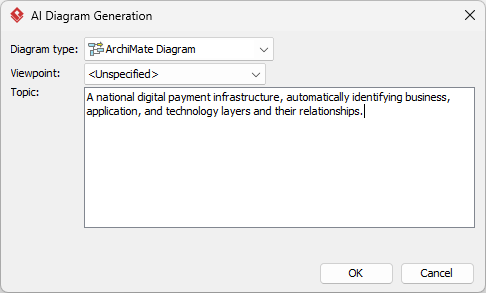
- Automated Generation: The AI instantly populates the correct ArchiMate elements (Business Actors, Application Services, Technology Nodes) into an editable model.
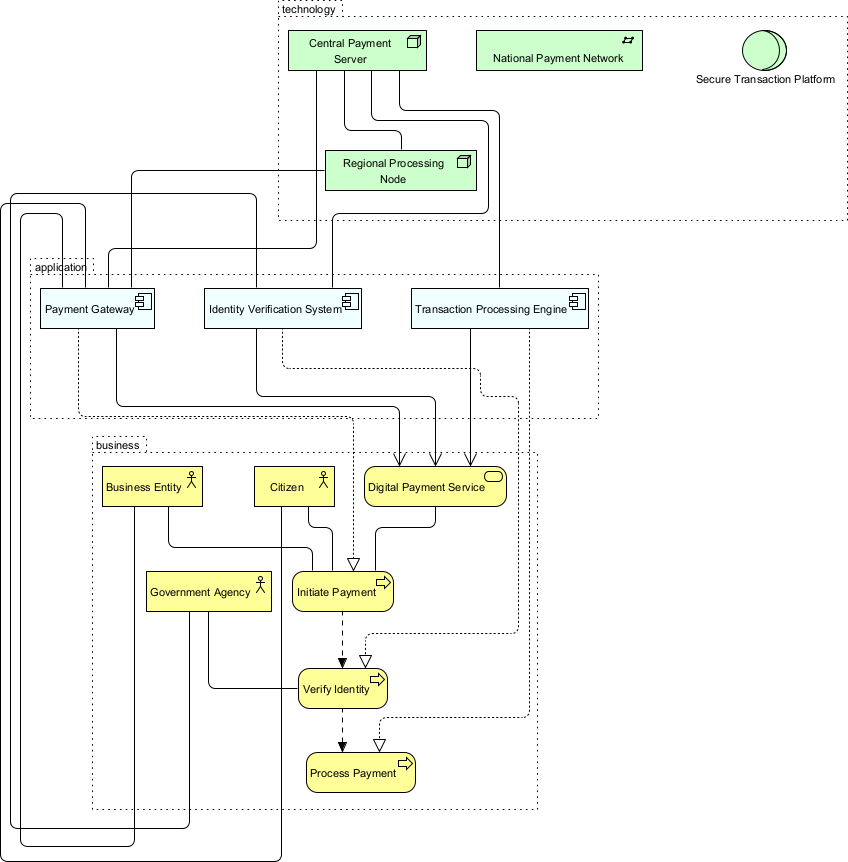
Unlike basic AI ArchiMate generators, VP Desktop ensures your models are ArchiMate 3.2 compliant. You can add cross-layer traceability, manage version control, and link your architecture directly to implementation-level BPMN or UML designs.
OpenDocs: Embed Living EA Models in Strategy Documents
Enterprise architecture shouldn’t exist in a silo. OpenDocs allows you to embed AI-powered visual modeling directly into your transformation playbooks and IT wikis.
Collaborate on ArchiMate Diagrams in OpenDocs
- Create Your Document: Open a page in your Visual Paradigm Online workspace.
- Insert Diagram: Click Insert > Diagram > ArchiMate Diagram.
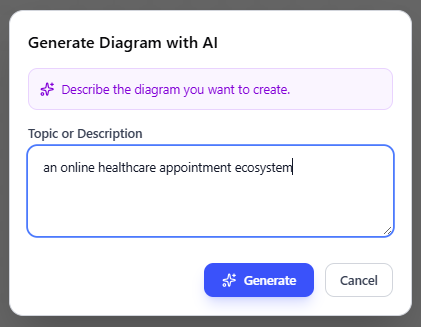
- Generate with AI: Use the Create with AI feature to describe your scenario.
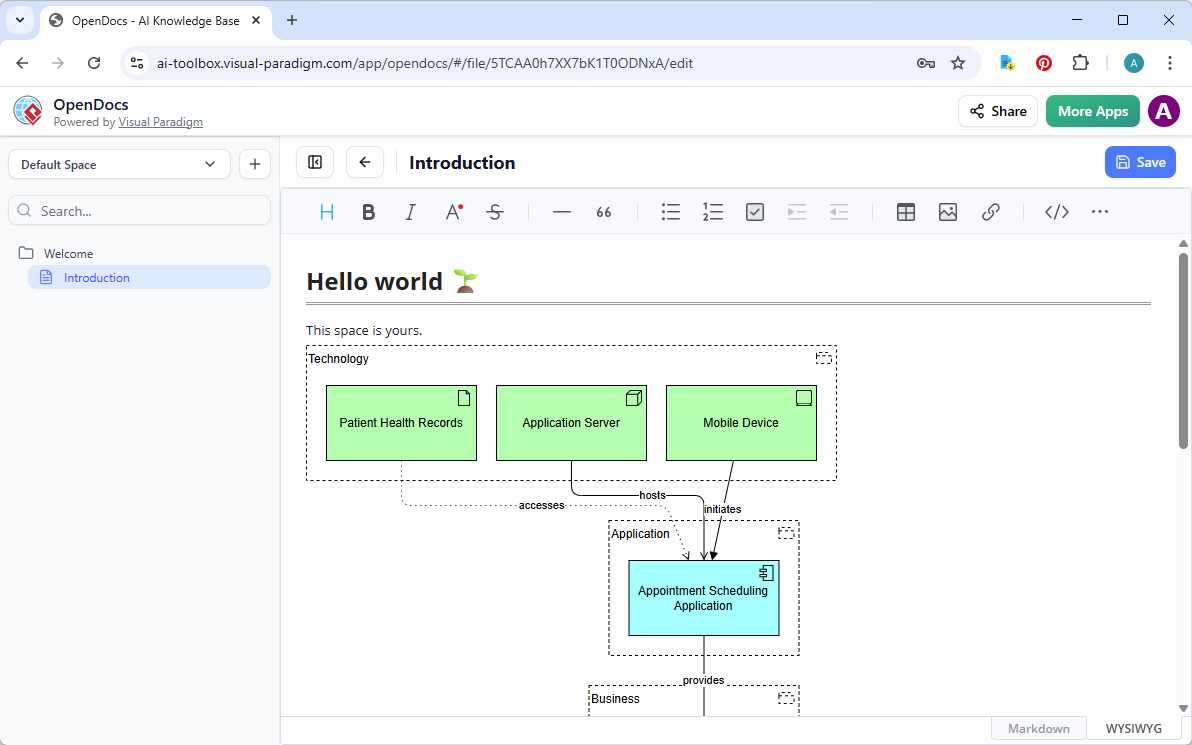
- Refine and Live-Embed: Once saved, the diagram becomes a “living” block in your document. Any updates made in the editor reflect across your documentation automatically.
AI Visual Modeling Chatbot: Your Conversational EA Co-Pilot
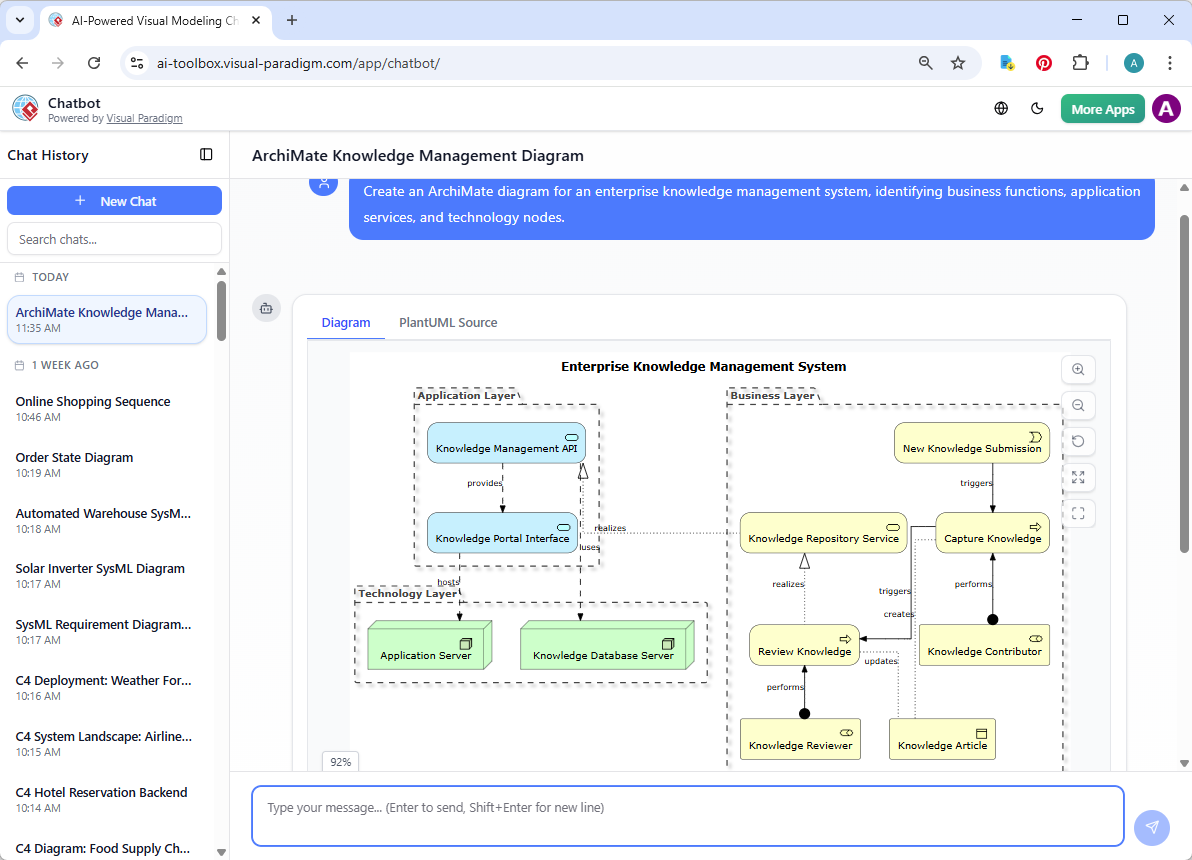
For rapid brainstorming, our AI Visual Modeling Chatbot allows you to visualize business-IT alignment with AI through simple dialogue. It is the perfect tool for bridging the gap between high-level ideas and formal models.
Simply ask the chatbot: “Generate an ArchiMate diagram showing how our CRM migration realizes the goal of ‘Improved Customer Retention’ across the business and technology layers.” The AI builds the model, explains the relationships used, and allows for instant conversational refinement.
Why Visual Paradigm is the Best AI Tool for ArchiMate Diagrams
While many AI diagram tools produce static “sketches,” Visual Paradigm provides an enterprise ecosystem. Our platform is built for professionals who require:
- ArchiMate 3.2 Certification: Official compliance from The Open Group.
- Multi-Viewpoint Support: Automatically generate Layered, Organization, Capability, or Implementation & Migration views.
- Interconnected Modeling: Link your EA models to User Stories, BPMN, and Sequence Diagrams.
- Team Scalability: Built-in version control and repository management for global architecture teams.
Modernize Your Enterprise Architecture Today
Stop wrestling with manual drawing or half-baked generators. Visual Paradigm’s AI ArchiMate diagram generator combines the speed of AI with the power of industry-standard modeling. Experience how AI-powered visual modeling can make your architecture faster, smarter, and fully compliant.