


Creating an Event-driven Process Chain (EPC) diagram can feel overwhelming. Mapping out complex business logic—where events trigger functions, decision points split flows, and parallel paths converge—can take hours on a blank canvas. If you are looking to automate event-driven process chains, you need a professional AI EPC diagram generator that understands the strict logic of EPC notation, including events, functions, and logical connectors.
Visual Paradigm is the leading AI-powered EPC modeling platform. Since 2002, we have provided enterprise-grade visual modeling for over 100 diagram types. Our AI integration transforms plain English descriptions into clean, professional EPC diagrams in seconds. Whether you are optimizing ERP configurations or documenting complex business logic, our ecosystem provides the business process chain visualization you need for real-world impact.
VP Desktop: Powerhouse for AI-Driven EPC Modeling
VP Desktop is the heart of professional modeling. This flagship application brings AI EPC diagram generation into a full-featured, offline environment built for precision and enterprise traceability.
How to Generate an EPC Diagram with AI in VP Desktop
- Access the Tool: Select Tools > AI Diagram Generation from the main menu.
- Select Your Type: Choose EPC Diagram from the dropdown list.
- Describe Your Logic: Input a prompt like: “Model the order fulfillment process: customer places order triggers check inventory; if available, proceed to pack and ship; else, notify supplier.”
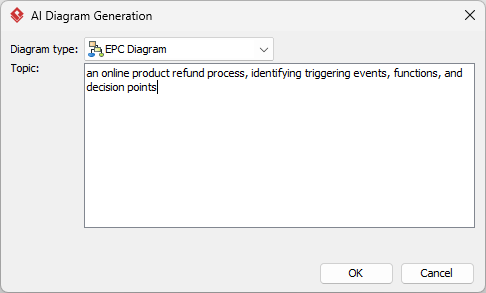
- Automated Generation: The AI renders a native, fully editable diagram featuring hexagons for events, rounded rectangles for functions, and logical connectors (AND, OR, XOR) for branching.
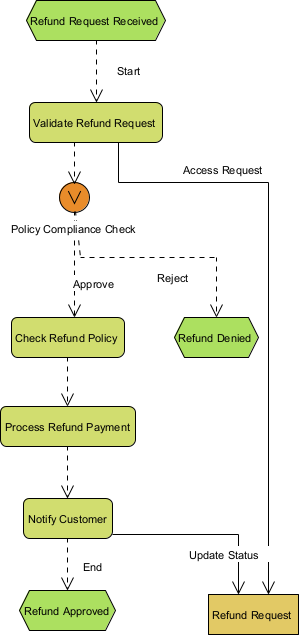
Unlike basic AI-powered diagram software that produces static images, VP Desktop creates implementation-ready models. You can link elements to requirements, export code stubs, or integrate your EPC into larger system designs with full version control.
OpenDocs: Embed Living EPC Diagrams in Your Wiki
Diagrams shouldn’t live in isolation. OpenDocs is our collaborative knowledge platform where your EPC notation generator outputs stay interactive and live.
How to Insert an AI Generated EPC Diagram into OpenDocs
- Create Your Page: Open a new or existing document in OpenDocs.
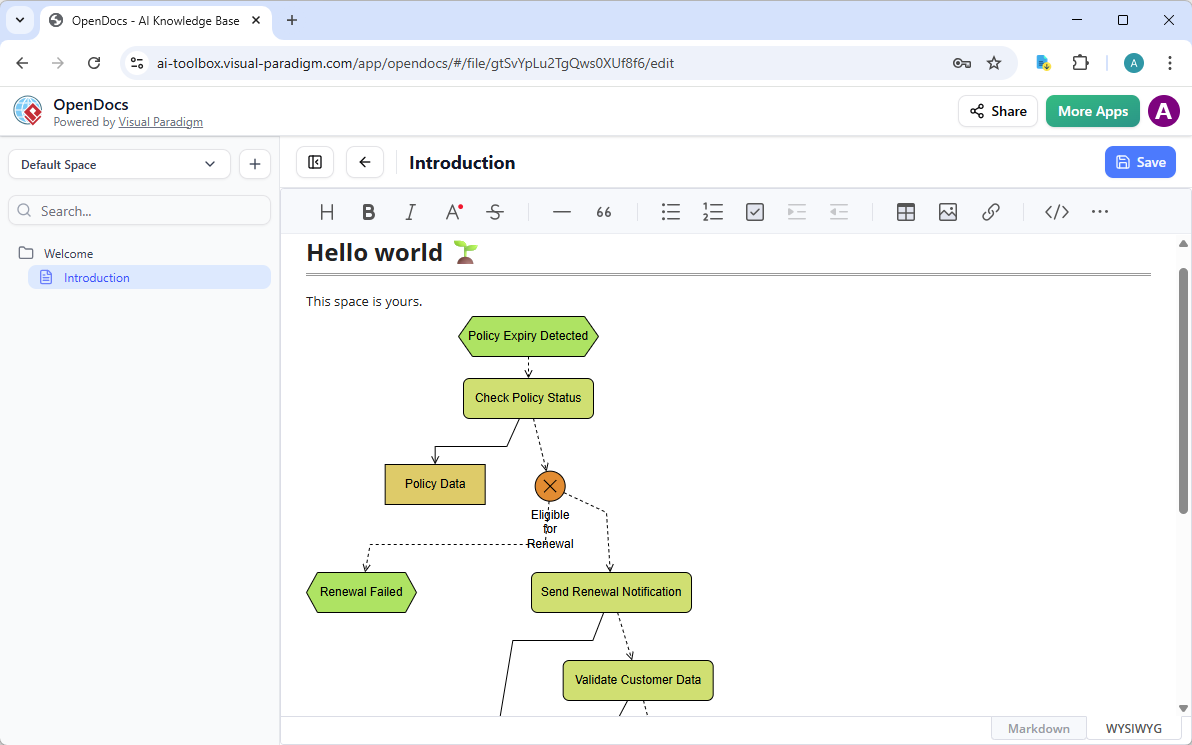
- Insert Diagram: Click Insert > Diagram > EPC Diagram.
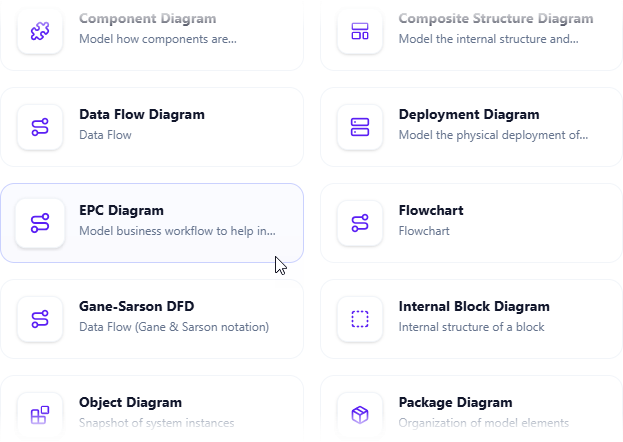
- Generate with AI: Click Create with AI in the top-right corner and describe your business scenario.
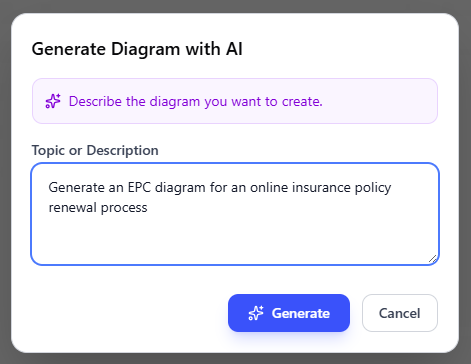
- Refine and Embed: The AI generates a professional business process chain visualization instantly. Click save to embed it as a live, editable block.
Why Visual Paradigm is the Ultimate AI EPC Diagram Tool
Many AI diagram generators offer “one-shot” sketches that lack professional depth. Visual Paradigm provides a comprehensive ecosystem designed for the modern business analyst:
- Logic-Aware Generation: Our AI understands the specific rules of EPC connectors (AND/OR/XOR) and event-function sequences.
- True Traceability: Link your EPC diagrams to BPMN or UML models within the same project.
- Professional Output: Export high-quality SVG or PDF files for ERP documentation or stakeholder presentations.
Modernize Your Business Process Modeling Today
Stop wrestling with manual layout and tedious symbol placement. Visual Paradigm’s AI EPC diagram generator is built for the speed and precision required by today’s business architects. Experience how AI-powered visual modeling can transform your workflow documentation.