


Imagine you are tasked with designing a complex mobile application like GourmetReserve, a platform where diners can book tables and pre-order meals. In the old days of software development, you would spend hours, if not days, manually dragging boxes and drawing lines in a clunky diagramming tool. You would wrestle with formatting instead of focusing on the actual logic of the system. Visual Paradigm’s online AI-powered use case modeling studio has officially changed the game, turning what used to be a chore into a seamless, creative journey.
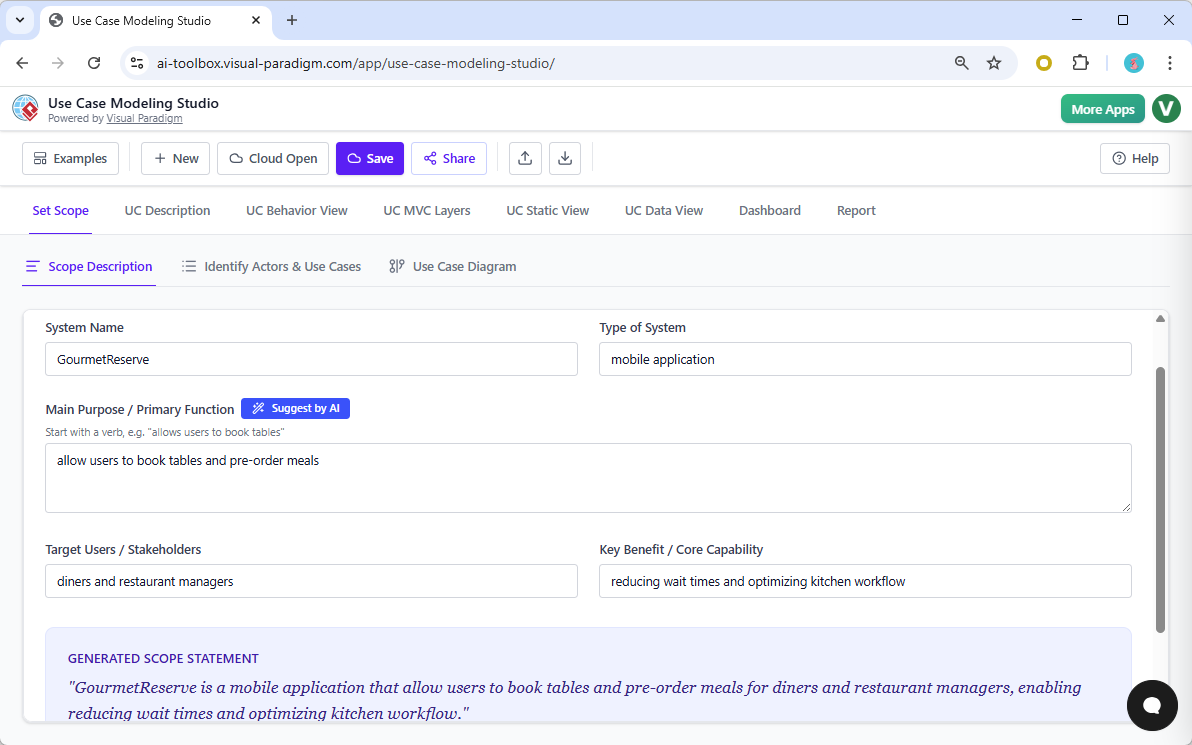
The best software requirements analysis app should feel like a partner, not just a drawing board. When you first open the studio, you start by defining your system’s scope. For GourmetReserve, you simply describe the purpose—reducing wait times and optimizing kitchen workflows. The AI then steps in to refine your vision, generating a professional scope statement that sets the foundation for everything that follows. It is the perfect way to kick-start a project without the dreaded “blank page” syndrome.
From Vision to Structure: Automating the Heavy Lifting
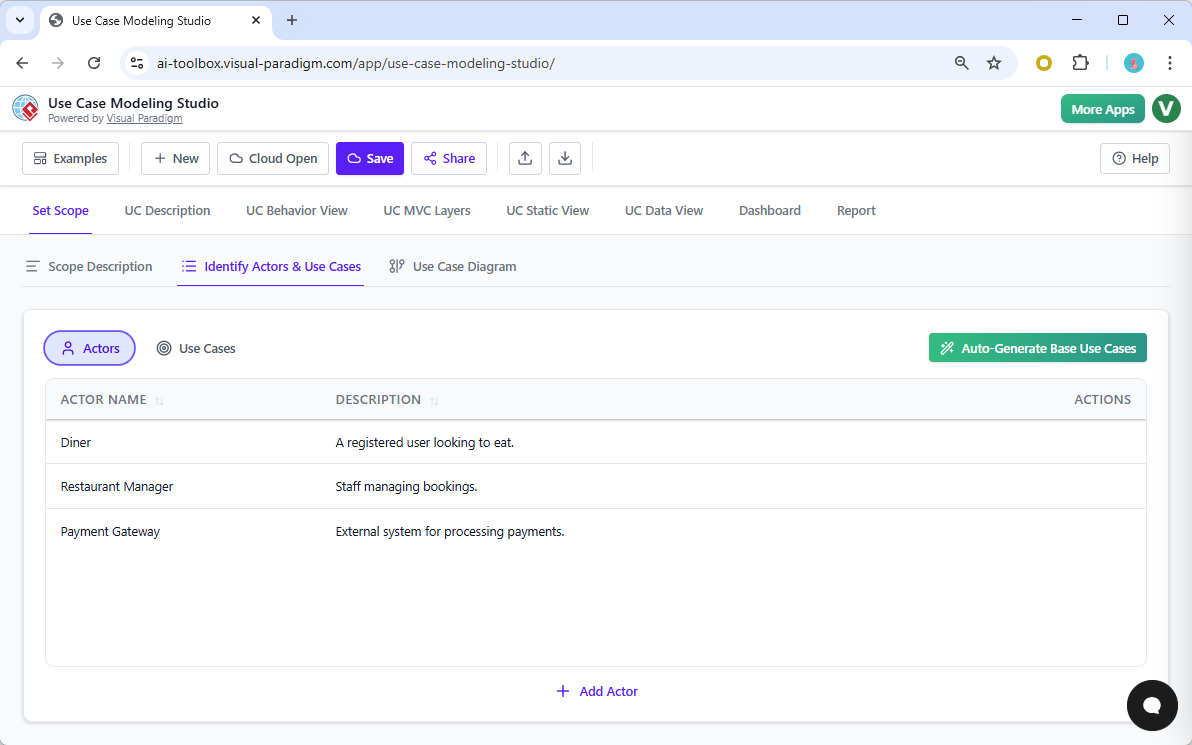
Traditional UML software requires you to manually identify every person or external system interacting with your app. This is where many projects stumble. With this professional UML design tool, the AI analyzes your scope and automatically derives the relevant actors. For our dining app, it instantly identifies the Diner, the Restaurant Manager, and even external systems like the Payment Gateway. You aren’t just drawing; you are discovering the boundaries of your system through intelligent automation.
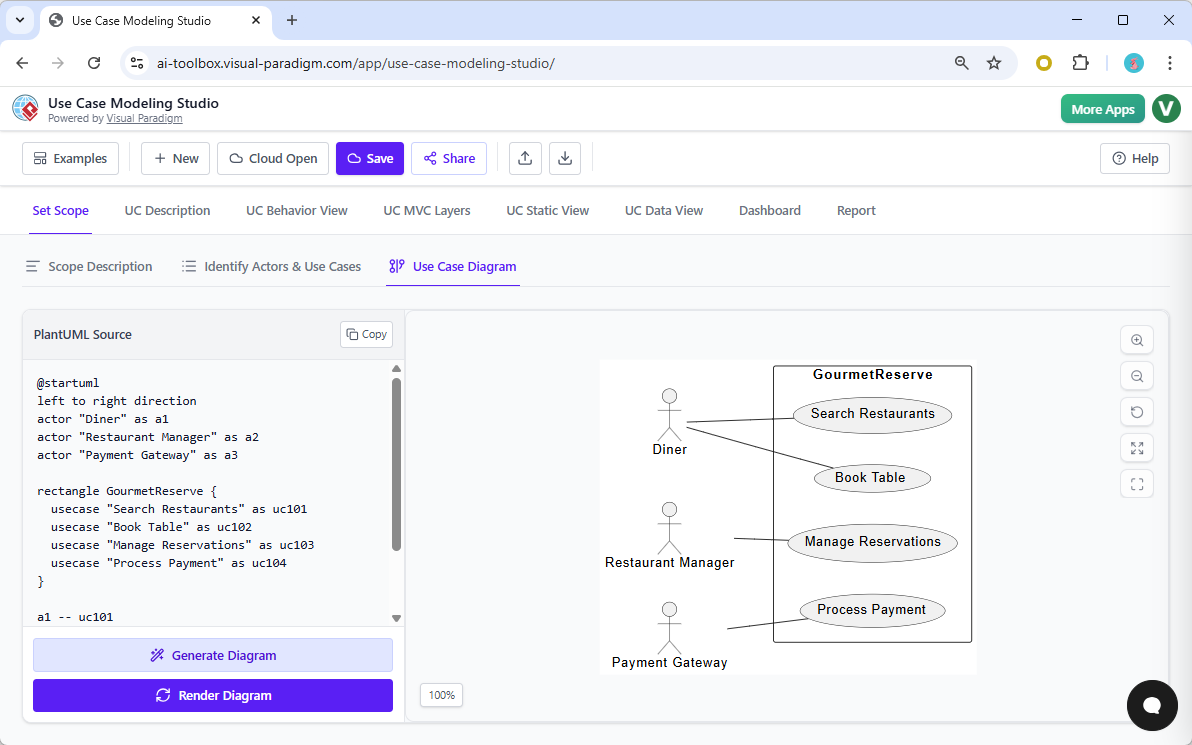
Once your actors are set, you need to see the big picture. Most tools force you to draw these relationships by hand, but here, one click of the “Generate Diagram” button breathes life into your project. The automated use case diagram maker creates a clean, professional visualization of how your actors interact with goals like “Search Restaurants” or “Process Payment.” It’s fast, accurate, and remarkably satisfying to watch.
Quick Takeaways: Why Professionals are Switching
-
AI-Driven Efficiency: Generate descriptions and diagrams in seconds rather than hours.
-
Seamless Integration: Move from high-level scope to low-level code without switching apps.
-
Consistency Guaranteed: Changes in your descriptions can be instantly reflected in your behavioral models.
-
Bridging the Gap: Naturally connects business requirements to technical design and QA testing.
Crafting Detailed Specifications with AI Assistance
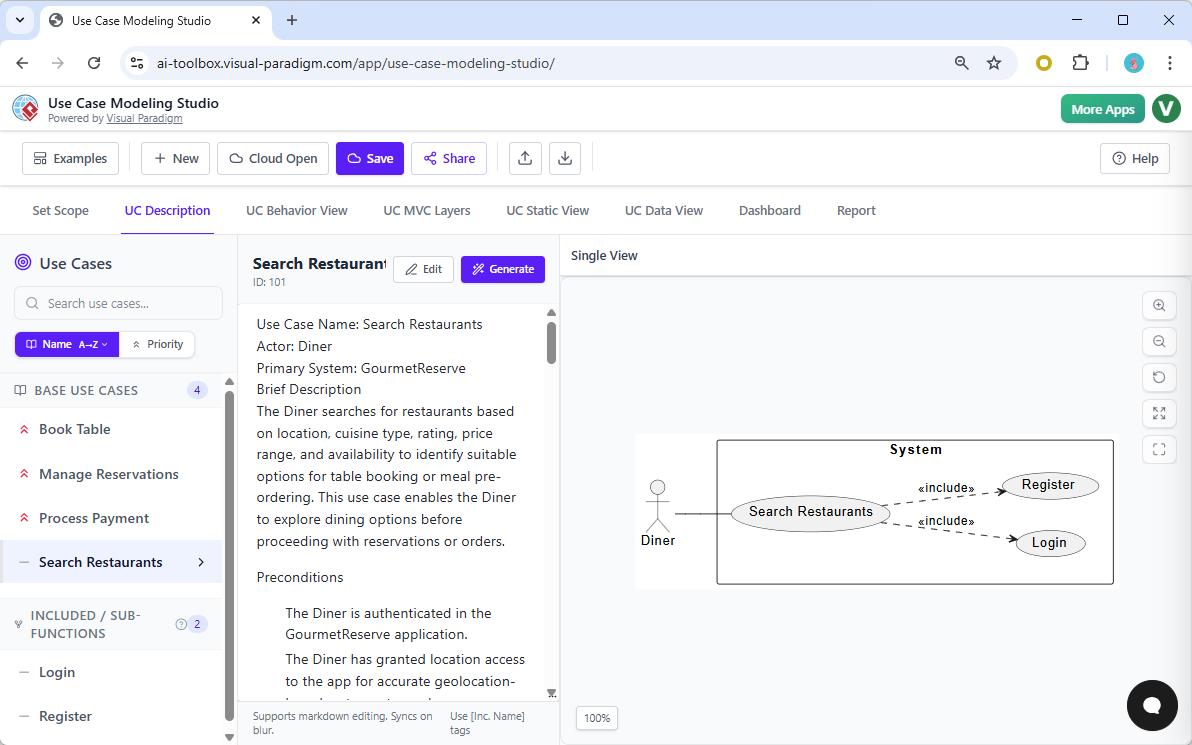
The heart of any system is the use case description. Writing these manually is notorious for being tedious and prone to errors. However, this easy-to-use software requirements tool uses AI to populate markdown editors with full specifications, including preconditions, postconditions, and flows. Imagine writing a goal like “Search Restaurants” and having a structured, professional specification appear instantly. You can still edit and refine the text, but the AI does 80% of the heavy lifting for you.
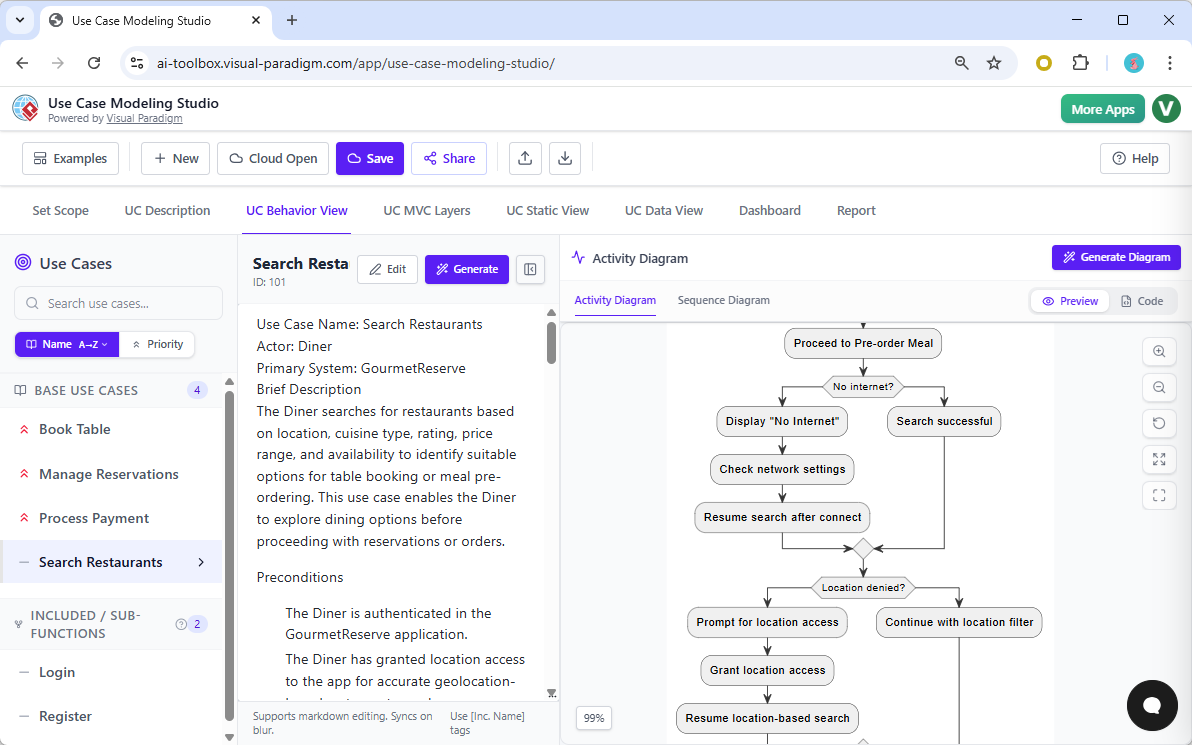
But a description is just text—we need to see the behavior. This is where Visual Paradigm truly outshines generic UML tools. By navigating to the behavior view, you can generate an Activity Diagram directly from the text you just created. It visualizes the logic of the diner’s journey, handling scenarios like “no internet” or “location denied” with grace. It turns abstract logic into a sensory, visual flow that is easy for stakeholders to understand.
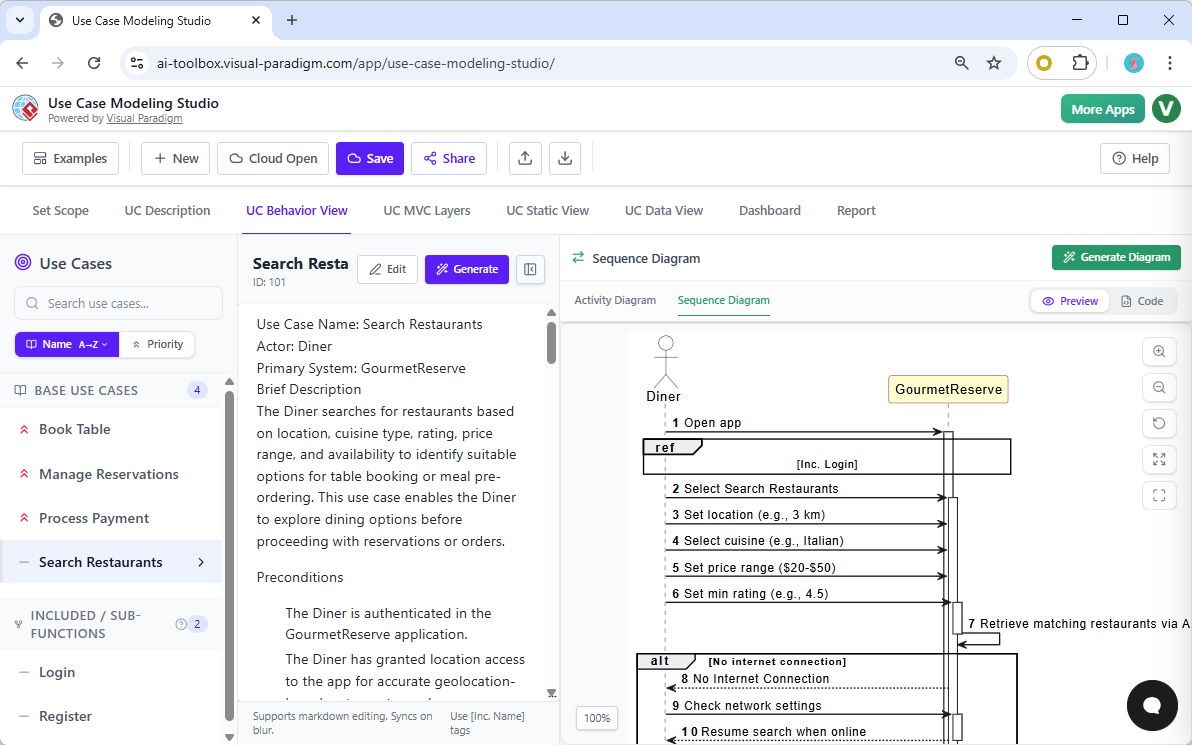
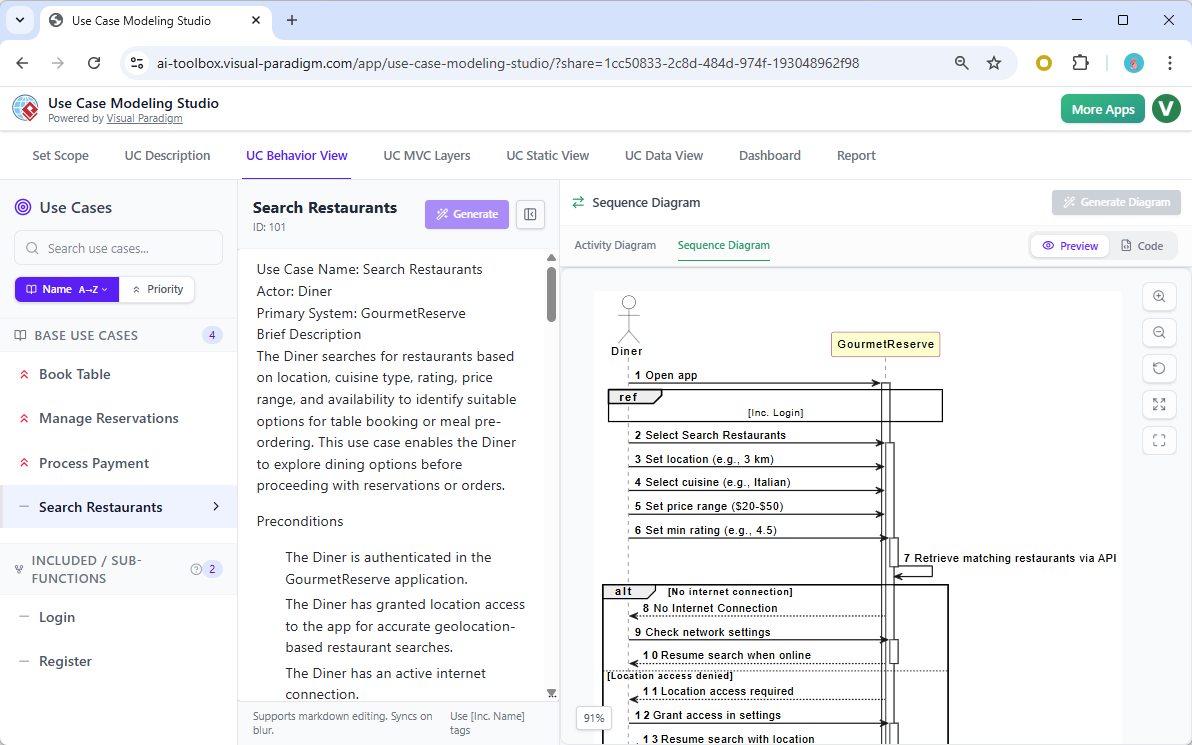
If you need to show the exact timing of interactions, the studio also generates UML Sequence Diagrams. This is perfect for illustrating how the GourmetReserve app talks to the server to retrieve matching restaurants. While other tools make you align every arrow manually, this AI-powered diagramming software handles the layout for you, ensuring your technical documentation is always crisp and impactful.
Moving from Requirements to Architectural Design
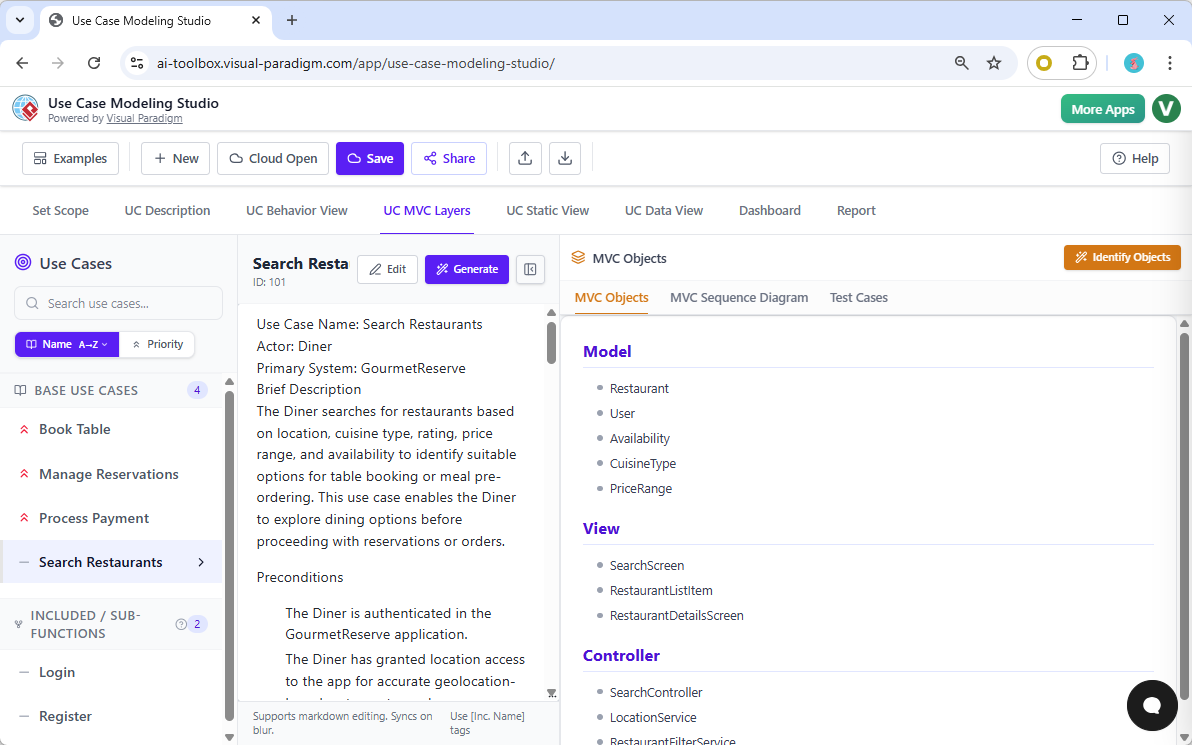
One of the biggest challenges in software design is the transition from “what” the system does to “how” it is built. This advanced software modeling studio bridges that gap perfectly using the MVC (Model-View-Controller) pattern. The AI scans your use case descriptions and identifies potential objects. For GourmetReserve, it might suggest “Restaurant” as a Model, a “SearchScreen” as a View, and a “SearchController” to handle the logic. This level of insight is something you simply won’t find in standard diagramming apps.
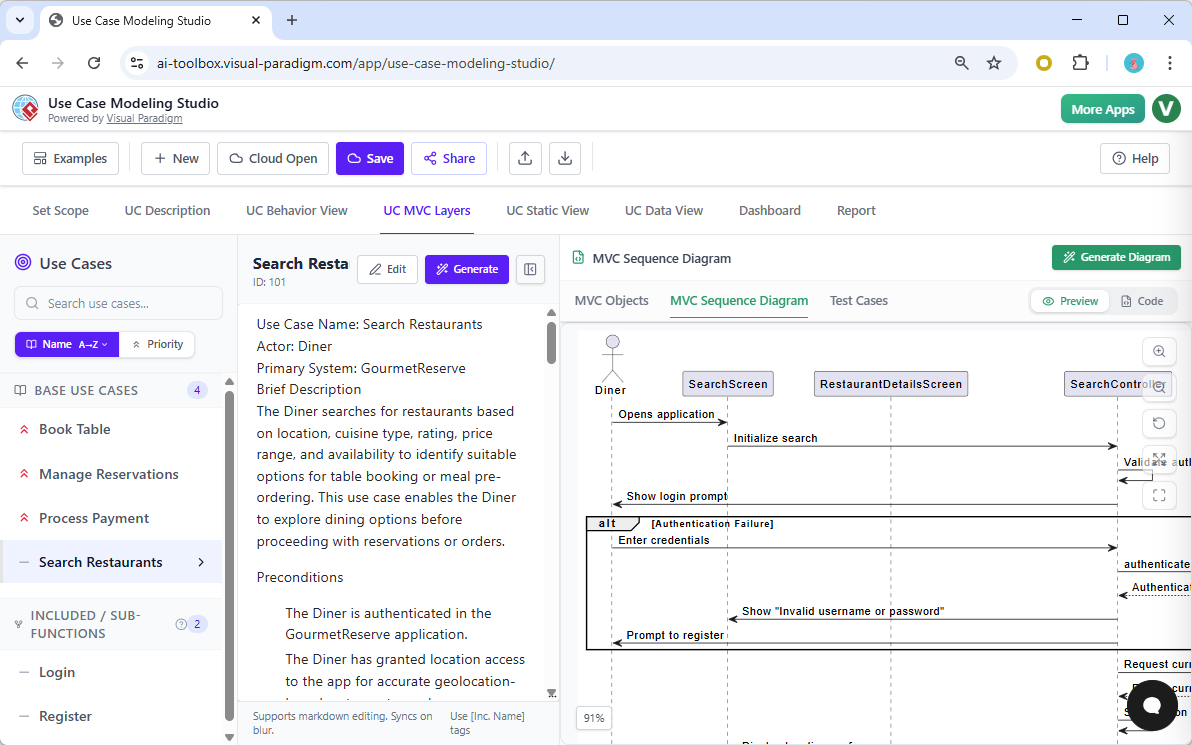
Once these MVC objects are identified, you can visualize their collaboration. The studio generates an MVC Sequence Diagram, showing the internal dance between the UI and the backend logic. It’s a gentle, supportive way to ensure your developers know exactly how to implement the feature. You aren’t just documenting; you are providing a blueprint for success.
Quality assurance is often an afterthought, but not here. The studio automatically generates a comprehensive set of test cases based on your use case description. It identifies the test scenario, the steps to take, and the expected result. This means your QA team can start preparing their test plans the moment the requirements are drafted. It is a total all-in-one requirements and testing solution.
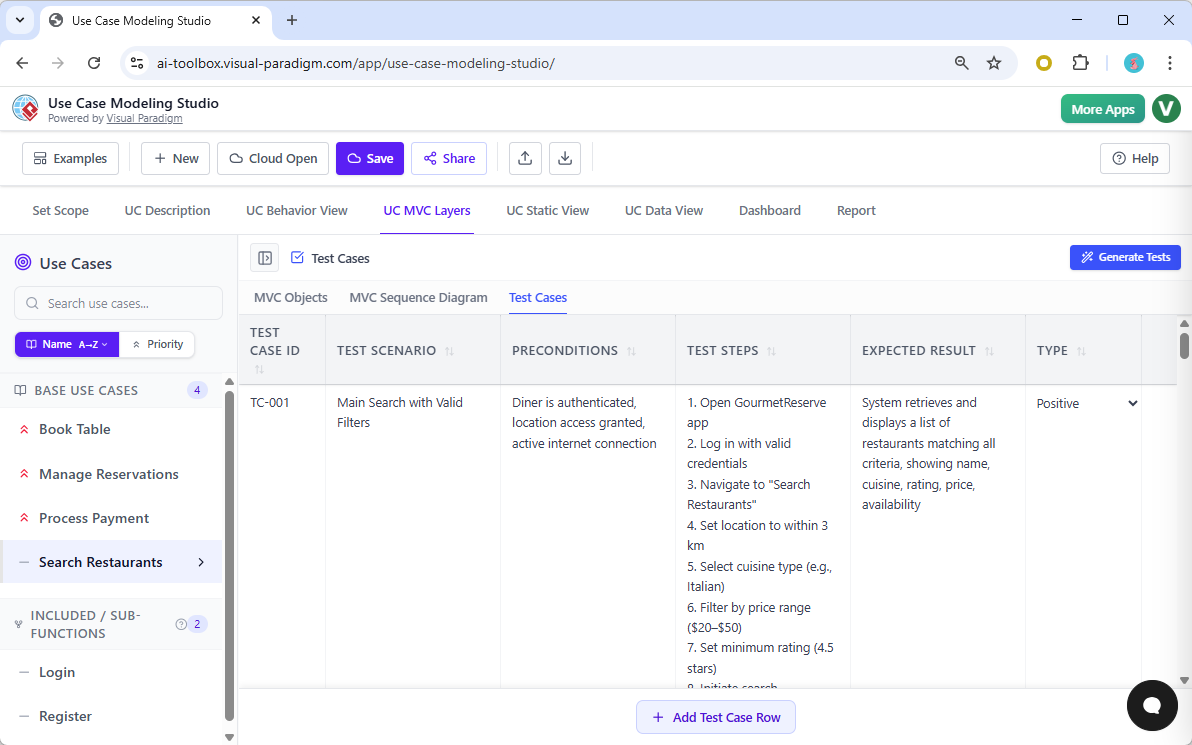
Visualizing Data and Structure
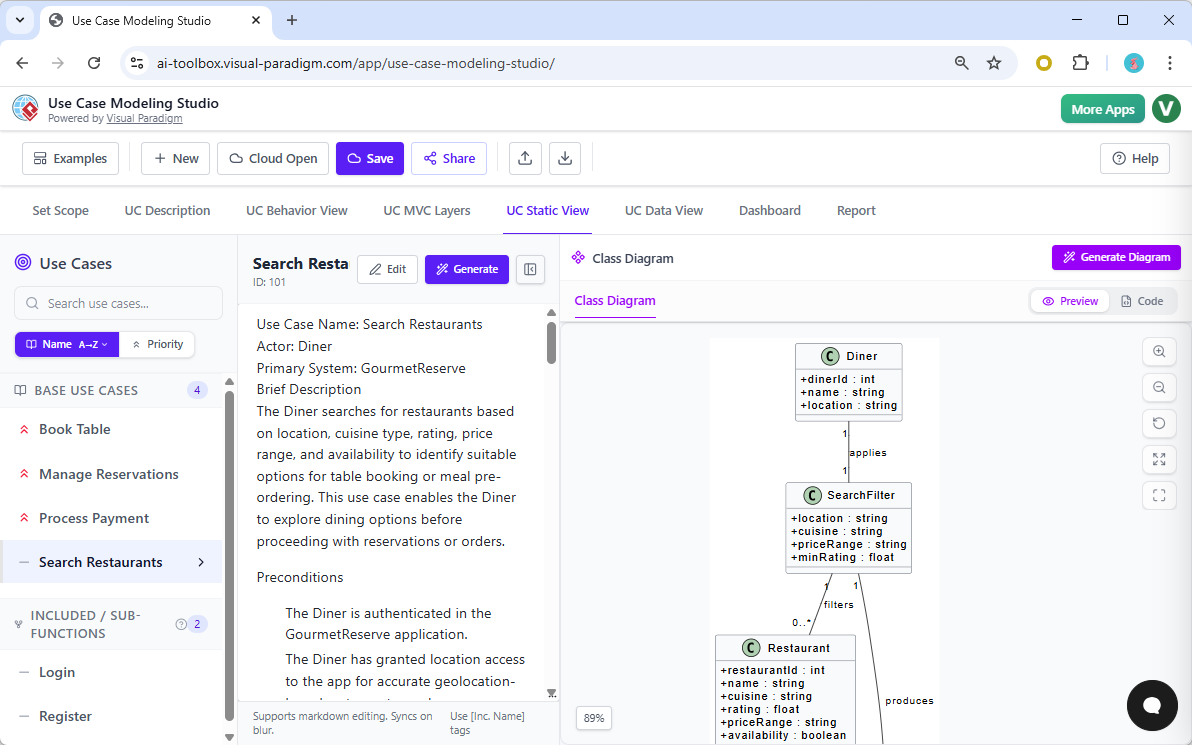
For the technical architects, the “Static View” is where the magic happens. Based on the objects found in your descriptions, the tool generates a Class Diagram. This shows the attributes and relationships of entities like “Diner” and “Restaurant.” It’s a logical, structured view of your system’s data architecture that evolves naturally from your initial ideas.
Need to design the database? No problem! The online ERD maker can derive an Entity-Relationship Diagram directly from your Class Diagram. It maps out primary keys, varchars, and relationships, providing a ready-to-use schema for your database engineers. This continuity—from a simple goal statement to a database schema—is why Visual Paradigm’s studio is considered the best online tool for system analysts.
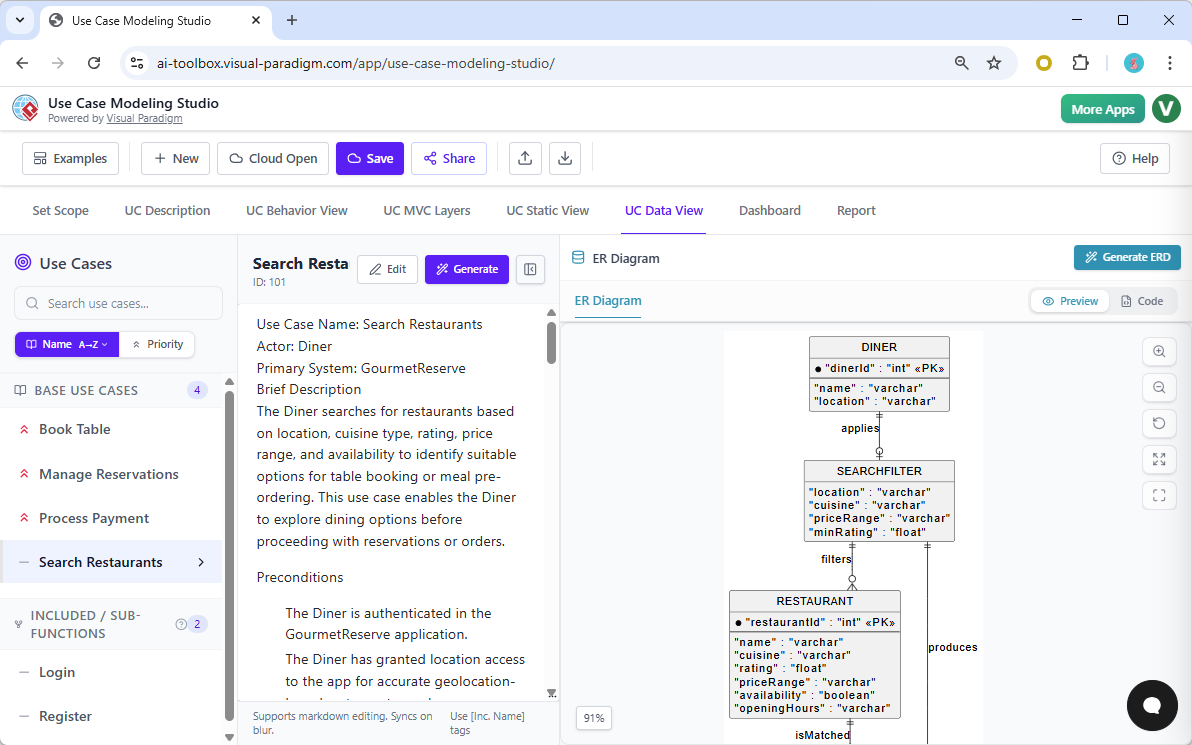
Managing Project Health and Reporting
Keeping track of a project can be overwhelming. The built-in Project Dashboard offers a friendly, high-level overview of your progress. You can see your “Description Coverage,” how many diagrams you’ve generated, and the complexity of your use cases at a glance. It’s a supportive way to stay on track and ensure no part of the GourmetReserve app is left behind.
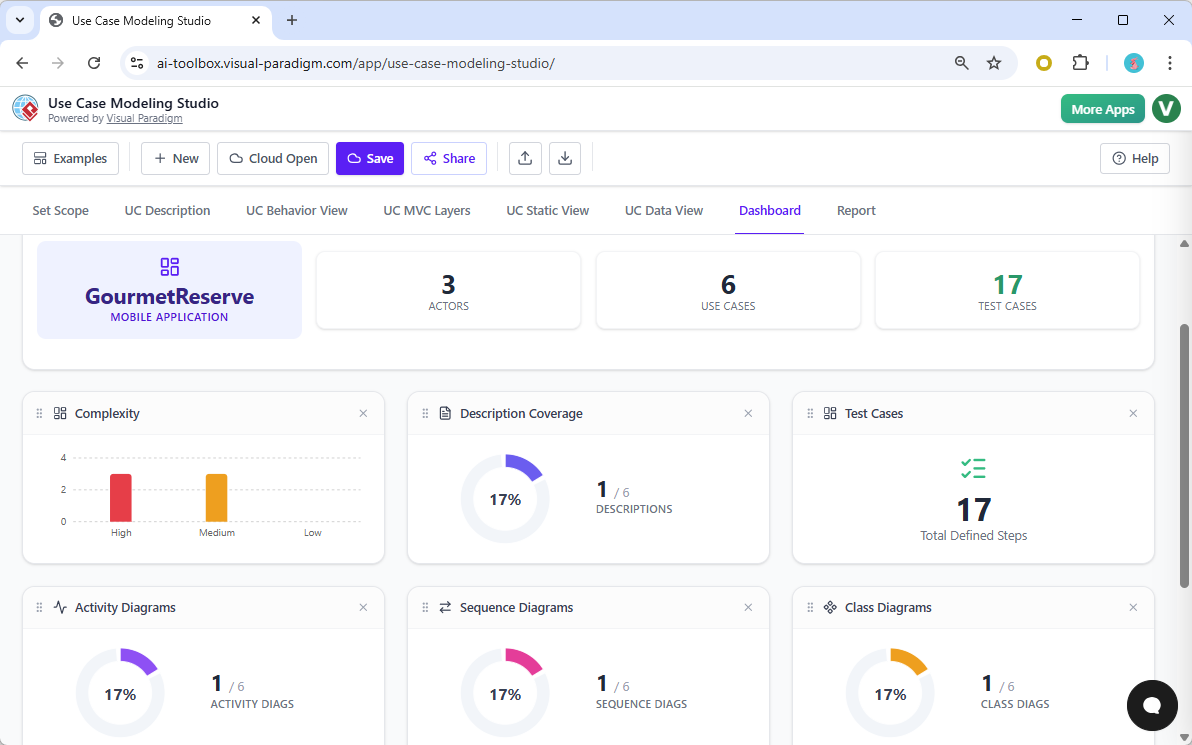
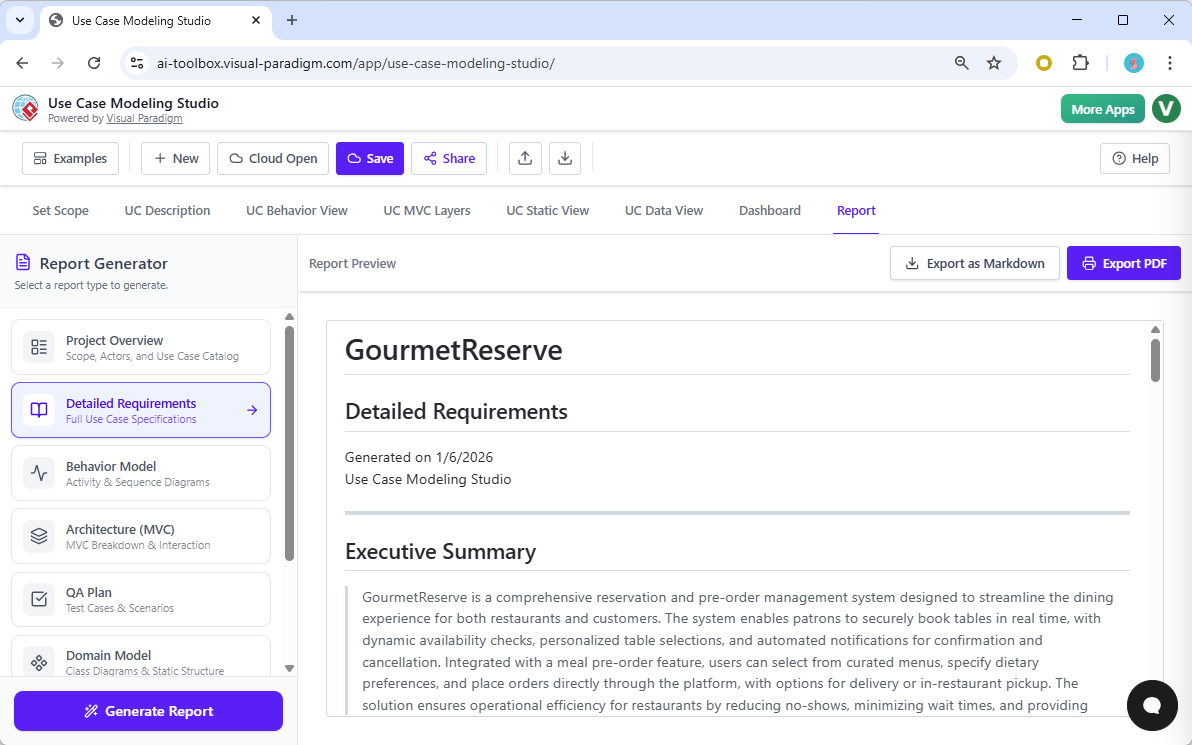
When it’s time to present to stakeholders or management, you don’t need to manually copy-paste images into a Word doc. The automated report generator compiles all your work—the scope, requirements, diagrams, and even a full Software Design Document (SDD)—into a professional format. The AI even writes an executive summary for you! You can export these as Markdown or PDF, ready for immediate sharing.
Finally, collaboration is a breeze. You can share your entire project via a unique URL, allowing your team or clients to browse the models online in a read-only view. It eliminates the “which version is the latest?” headache once and for all. This collaborative UML modeling app ensures everyone is literally on the same page.
The Verdict: A New Standard for Modeling
The Use Case Modeling Studio by Visual Paradigm isn’t just another diagramming tool; it is a comprehensive AI-powered design engine. It takes the “work” out of workflow, allowing you to focus on innovation while it handles the documentation and visualization. Whether you are a business analyst capturing requirements or an architect designing a complex MVC structure, this tool provides the clarity, consistency, and speed needed in today’s fast-paced development world.
Ready to transform your requirements into professional designs? Stop wrestling with manual tools and start building with intelligence. Experience the future of software modeling today.
Learn more about this innovative tool here: Use Case Modeling Studio Overview
Try it now: Start your own project at Visual Paradigm AI Toolbox and see how easy professional UML modeling can be!
Related Links
Use case modeling is a fundamental technique in software engineering used to capture functional requirements by visualizing the interactions between external actors and a system’s internal functions. Modern platforms now integrate AI-powered automation to refine diagrams, generate detailed use case descriptions, and even convert models into test cases or activity diagrams to ensure design consistency and traceability.
-
What Is a Use Case Diagram? – A Complete Guide to UML Modeling: An in-depth overview covering essential components, purposes, and best practices for requirement analysis.
-
Step-by-Step Use Case Diagram Tutorial – From Beginner to Pro: A practical resource that walks users through foundational and advanced techniques for creating effective diagrams.
-
Mastering AI-Driven Use Case Diagrams with Visual Paradigm: A tutorial exploring the use of AI to develop intelligent, dynamic models for modern software systems.
-
All You Need to Know About Use Case Modeling: A comprehensive look at the principles and applications of use case modeling in system design.
-
Visual Paradigm – Use Case Description Features: Details on tools used to precisely document user interactions and structured system behavior.
-
Unraveling Scenarios with the Use Case Scenario Analyzer: A guide on using specialized analyzers to examine and refine interaction flows for increased clarity.
-
Guide to Using the Flow of Events Editor in Visual Paradigm: Step-by-step instructions for documenting structured event sequences within a use case.
-
Generating Scenarios and Test Cases from Use Case Diagrams Using AI: An exploration of how AI tools automate the creation of requirement-driven test procedures.
-
Convert Use Case to Activity Diagram – AI-Powered Transformation: A resource explaining the automated conversion of interactions into detailed system workflows.
-
Use Case Diagram Gallery – Templates & Examples: A curated collection of real-world use case diagrams for prototyping and design inspiration.