


Creating a SysML Block Definition Diagram (BDD) manually is a meticulous process. Defining block hierarchies, properties, and complex relationships like composition or generalization takes valuable time away from actual system architecture. If you are looking to generate SysML blocks with AI, you need more than just a drawing tool—you need a professional AI SysML BDD generator that understands Model-Based Systems Engineering (MBSE) standards.
Visual Paradigm provides the industry’s most robust AI Block Definition Diagram tool. Whether you are modeling aerospace systems or automotive architectures, our ecosystem allows you to move from a text-based description to a standards-compliant BDD in seconds.
VP Desktop: Professional AI-Driven SysML Modeling
For sensitive engineering projects, VP Desktop combines the speed of an AI SysML BDD generator with the security of a desktop application. It is the powerhouse for engineers who need deep control over their system definitions.
Step-by-Step: Generate a SysML BDD with AI in VP Desktop
- Launch the Tool: Go to Tools > AI Diagram Generation in the main menu.
- Select Diagram Type: Choose Block Definition Diagram from the dropdown.
- Prompt the AI: Describe your system architecture in detail.
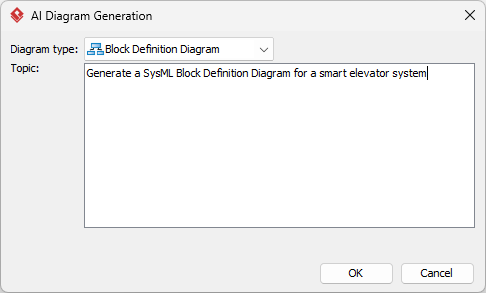
- Generate & Refine: The AI creates a native, editable BDD.
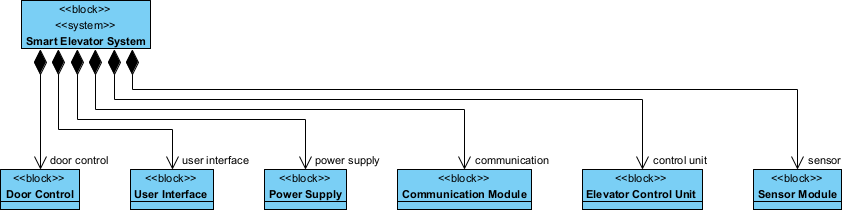
- Direct Editing: Unlike static images, you can edit elements and relationships directly in the SysML modeling editor.
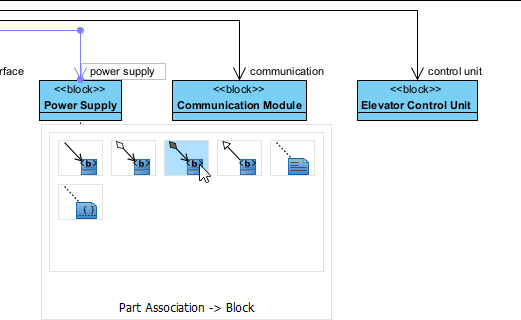
AI Visual Modeling Chatbot: Conversational BDD Creation
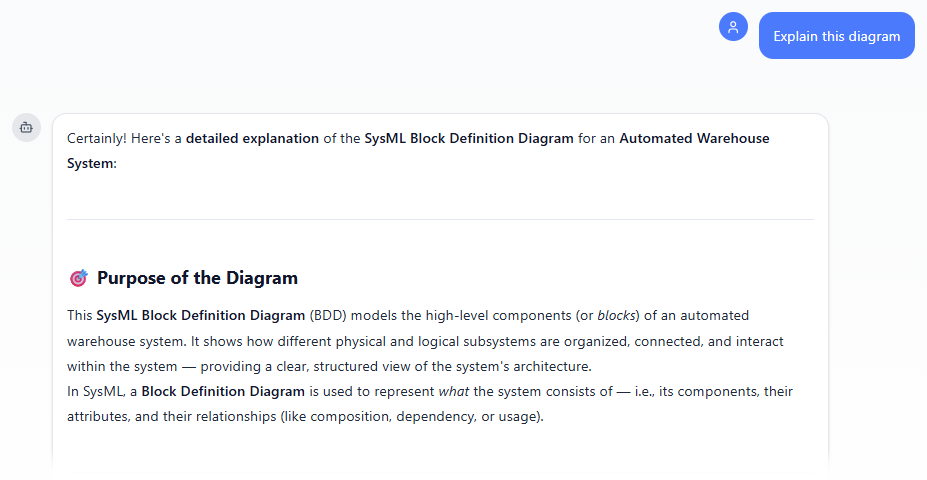
When you are in the brainstorming phase, the AI Visual Modeling Chatbot acts as your engineering co-pilot. It allows for rapid, conversational iterations on your system architecture without opening the full modeler.
Simply type: “Generate a BDD for an automated warehouse system.” The SysML AI tool will render the diagram instantly.
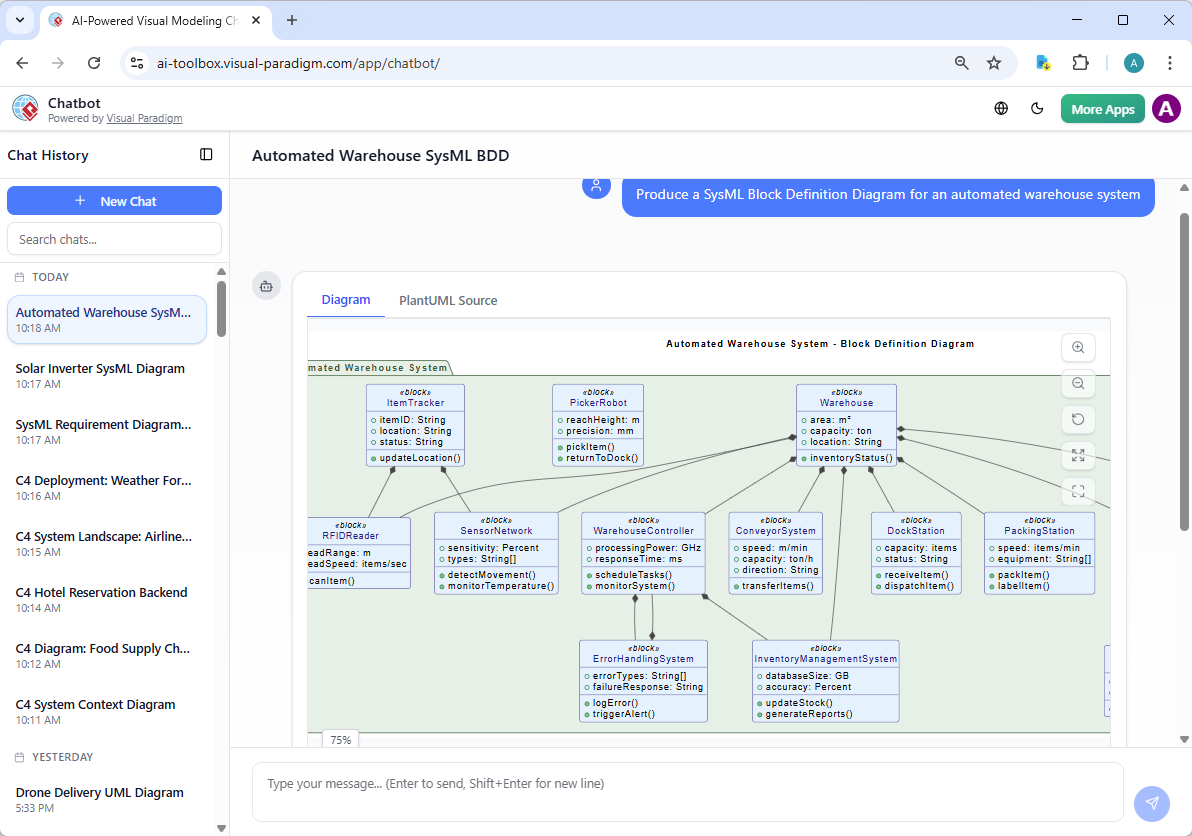
Conversational Refinement
The chatbot shines when you need to iterate. You can ask the AI to explain the logic behind the diagram or request additions such as, “Add an element for the Control System and explain the relationships.”
OpenDocs: Live Documentation for AI SysML Diagrams
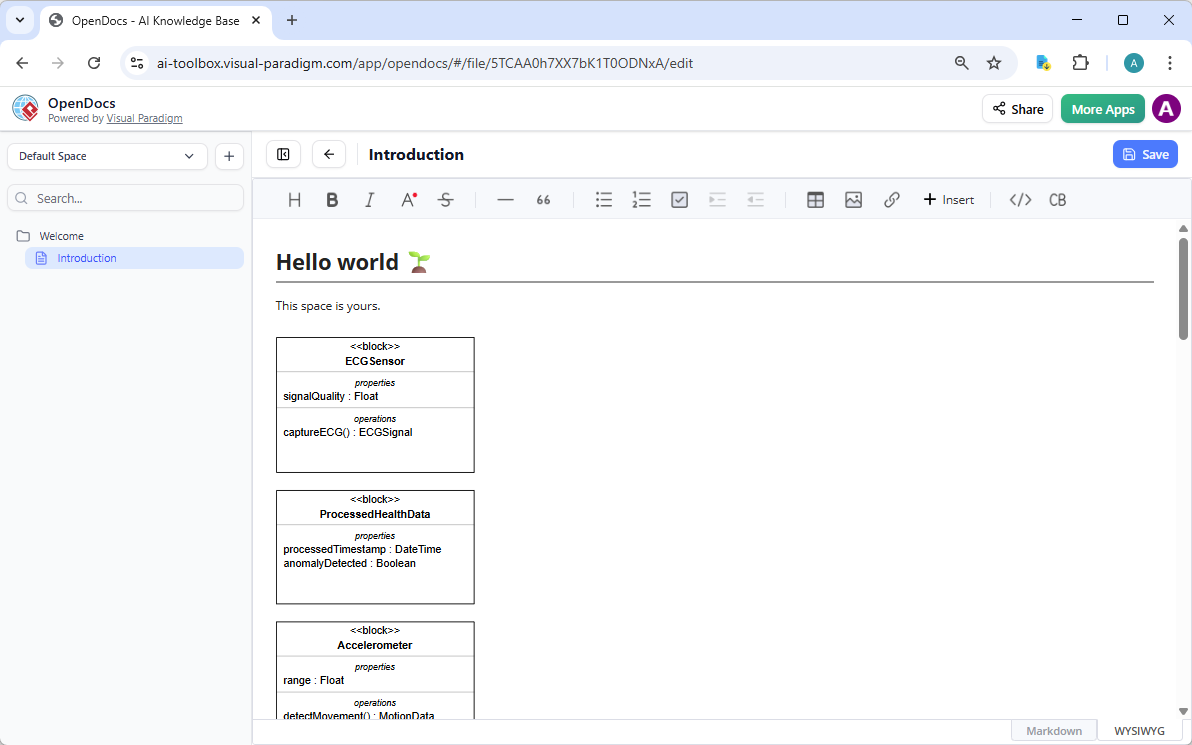
OpenDocs allows you to embed your AI-generated Block Definition Diagrams as live, interactive blocks within your technical documentation.
- Insert Diagram: Click Insert > Diagram > Block Definition Diagram in the editor.
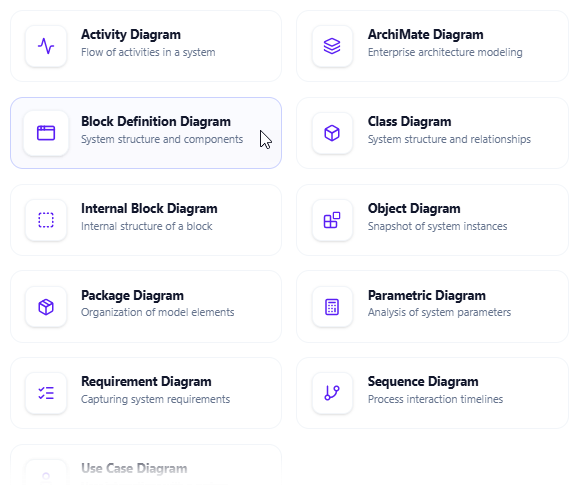
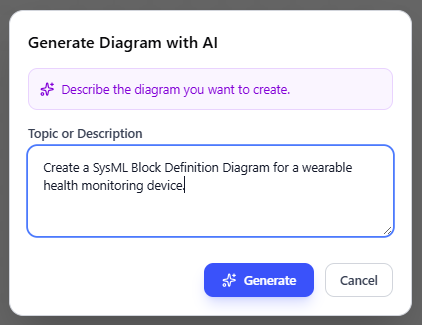
- Create with AI: Use the text input area to describe your system.
- Finalize & Embed: Review the professional BDD and click Save to embed it.
Architectural Precision with the SysML v2 Studio
While our AI generators are excellent for quickly visualizing system components, the SysML v2 Studio offers a professional workspace designed for deep architectural integrity. It provides the high-level control needed to define complex system structures and hierarchies according to the SysML v2 standard.
-
Logic-Based Structural Modeling: Defining system blocks and their relationships requires strict adherence to rules. The Studio features a Reliable Validation Engine that monitors your SysML v2 specifications in real-time, catching architectural errors before they become project hurdles.
-
Dynamic Two-Way Modeling: Maintain a perfect sync between your ideas and your documentation. You can define your system “skeleton” using the SysML v2 textual language for an instant diagram, or rearrange blocks and associations visually to automatically update the underlying code.
-
Intelligent System Insights: The built-in AI goes beyond simple generation by offering Smart Re-contextualization—allowing you to adapt existing block definitions for new system environments—and providing Insightful Reports to ensure your entire model is consistent.
-
Extensive Reference Library: Avoid starting with a blank screen. The Studio includes over 500+ real-world SysML v2 examples, providing validated BDD structures for various industries that you can load and customize directly in your browser.
Check out the Release Notes or Open SysML v2 Studio to start building more reliable system architectures.
Why Choose Visual Paradigm as Your AI SysML BDD Generator?
| Feature | Visual Paradigm AI | Generic AI Image Tools |
|---|---|---|
| Model Integrity | Creates native, linkable blocks | Static pixels only |
| SysML v2 Support | Full specification compliance | Visual approximation only |
| Traceability | Connects to requirements & IBDs | No traceability |
Start Your Free Trial | Try the AI Chatbot Online
Related posts:
 Mastering Complex System Design: Best AI SysML Requirement Diagram Generator
 AI SysML Requirement Diagram Generator: Traceable Modeling with Visual Paradigm
 AI SysML IBD Generator: Master Internal Block Diagrams with Visual Paradigm
 AI SysML Diagram Tool: Generate Parametric Diagrams with Visual Paradigm