


In today’s fast-paced software development world, creating clear and accurate use case diagrams can be time-consuming and error-prone. Whether you’re a business analyst defining system requirements, a developer modeling interactions, or a project manager aligning stakeholders, the challenge remains the same: how do you quickly generate professional diagrams that capture user goals and system functionality without endless manual drawing?
Enter Visual Paradigm — the leading AI diagram generator and comprehensive visual modeling solution since 2002. With support for over 100 diagram types, enterprise-grade features like traceability, team collaboration, and code generation, Visual Paradigm has evolved into the ultimate AI UML tool for the modern era. Our AI-powered ecosystem transforms how you create, refine, and collaborate on use case diagrams, offering seamless integration across four powerful platforms.
In this guide, you’ll discover how Visual Paradigm stands out as the best AI tool for creating use case diagrams, providing end-to-end support through VP Desktop, OpenDocs, the AI Visual Modeling Chatbot, and specialized Web Apps. Let’s explore how this complete ecosystem saves time, reduces errors, and delivers professional, implementation-ready models.
VP Desktop – Professional Powerhouse for AI-Driven Use Case Modeling
VP Desktop is Visual Paradigm’s flagship application, blending robust offline modeling with integrated AI capabilities. For use case diagrams, it excels in scenarios demanding precision, complex project integration, and advanced features like traceability and code engineering.
Key Features for Use Case Diagrams
- AI-assisted diagram generation to kickstart your models quickly.
- Advanced editing tools for refining actors, use cases, include/extend relationships, and system boundaries.
- Full traceability linking use cases to requirements, scenarios, and downstream diagrams like activity or sequence.
- Integration into larger UML/SysML projects with version control and team collaboration support.
Imagine starting with a textual description of your system — VP Desktop’s AI generates an initial use case diagram, then you leverage its professional tools to add details, export to code, or generate reports. Unlike basic online sketchers, VP Desktop ensures your diagrams are production-ready, scalable for enterprise teams, and fully traceable — making it ideal for serious architects and developers who need more than one-off generation.
How to Generate a Use Case Diagram with AI in VP Desktop
- From the main menu, select Tools > AI Diagram Generation. This opens the AI Diagram Generation window.
- In the window, choose your desired diagram type from the dropdown list. In this case, Use Case Diagram.
- In the text area, describe your project, problem, system, or scenario.
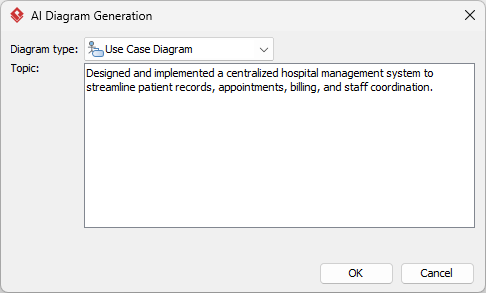
- Click OK to start the generation.
- The AI will create the diagram automatically.
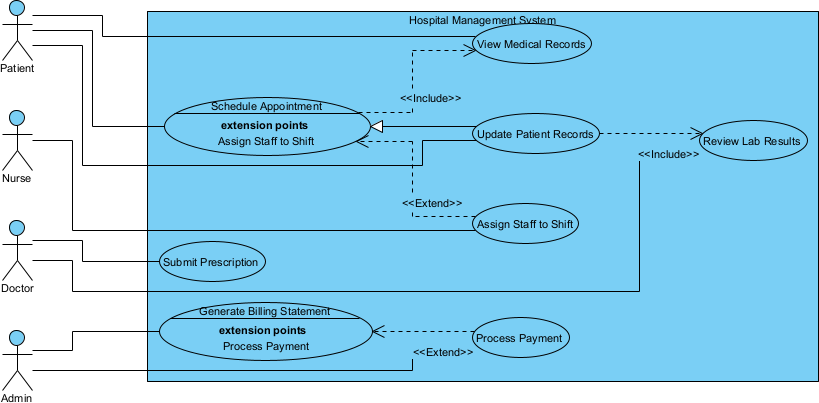
It appears as a fully editable, native Visual Paradigm diagram (not just an image). You can now:
- Edit elements, relationships, layout, or properties
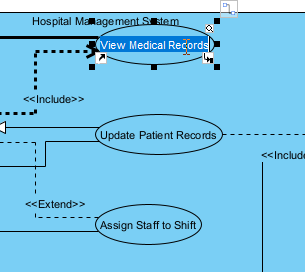
- Add more details manually
- Export as image (PNG, SVG, etc.), PDF, or use in reports
- Generate code or documentation if applicable
- Edit elements, relationships, layout, or properties
OpenDocs – Embed and Collaborate with Dynamic Use Case Diagrams
OpenDocs redefines knowledge sharing by combining document creation with AI-assisted diagramming. Think of it as a smart wiki or Notion-like platform where use case diagrams become living, editable elements within your content.
Benefits for Use Case Modeling
- Embed AI-generated or custom use case diagrams directly into reports, wikis, or strategy documents.
- Inline refinement keeps diagrams dynamic — update them without switching tools.
- Foster team alignment with interactive content for requirements reviews and stakeholder discussions.
- Support for collaborative knowledge bases where visuals illustrate processes seamlessly.
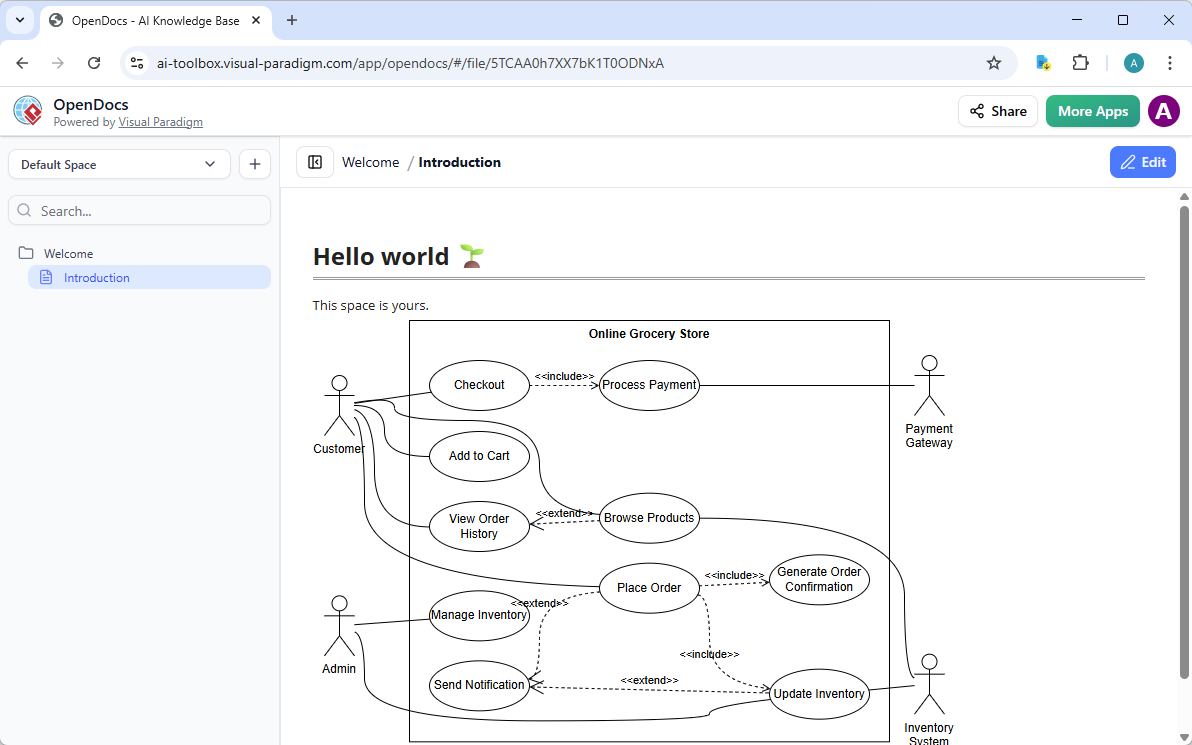
For teams prioritizing documentation and alignment, OpenDocs eliminates static images. Generate a use case diagram via AI, embed it in a project brief, and let colleagues refine it collaboratively. This platform bridges the gap between modeling and communication, ensuring your visual models remain relevant and accessible.
How to Insert an AI Generated Use Case Diagram into Your OpenDocs Page
- Open or create a page in OpenDocs: Log in to your Visual Paradigm Online workspace, navigate to OpenDocs, and either open an existing page or create a new one (via + New Document Page or similar).
- Insert a diagram: In the page editor, look at the top toolbar (or floating toolbar) and click Insert. From the popup window, select Diagram > Use Case Diagram.
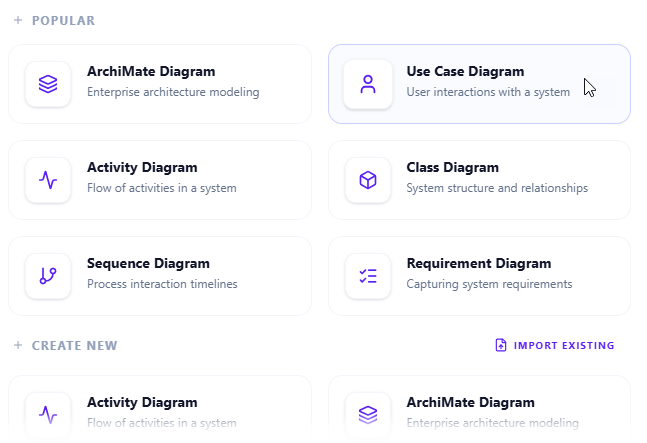
- Start creating the diagram with AI: This opens the diagram editor window. You can build it manually by dragging and dropping elements if you prefer. To use AI instead: Look for Create with AI in the top-right corner of the editor window and click it.
- Describe your use case and generate: In the text input area that appears, type a clear, detailed description of your system or scenario. Click Generate.
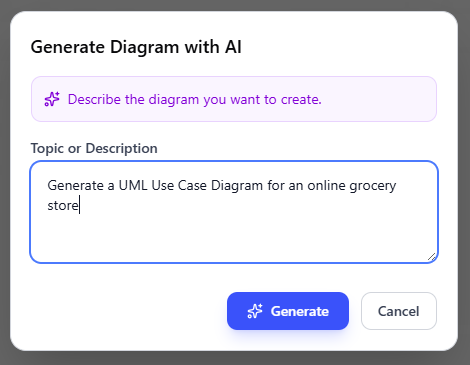
- Review, refine, and embed the diagram: The AI generates a professional use case diagram instantly.
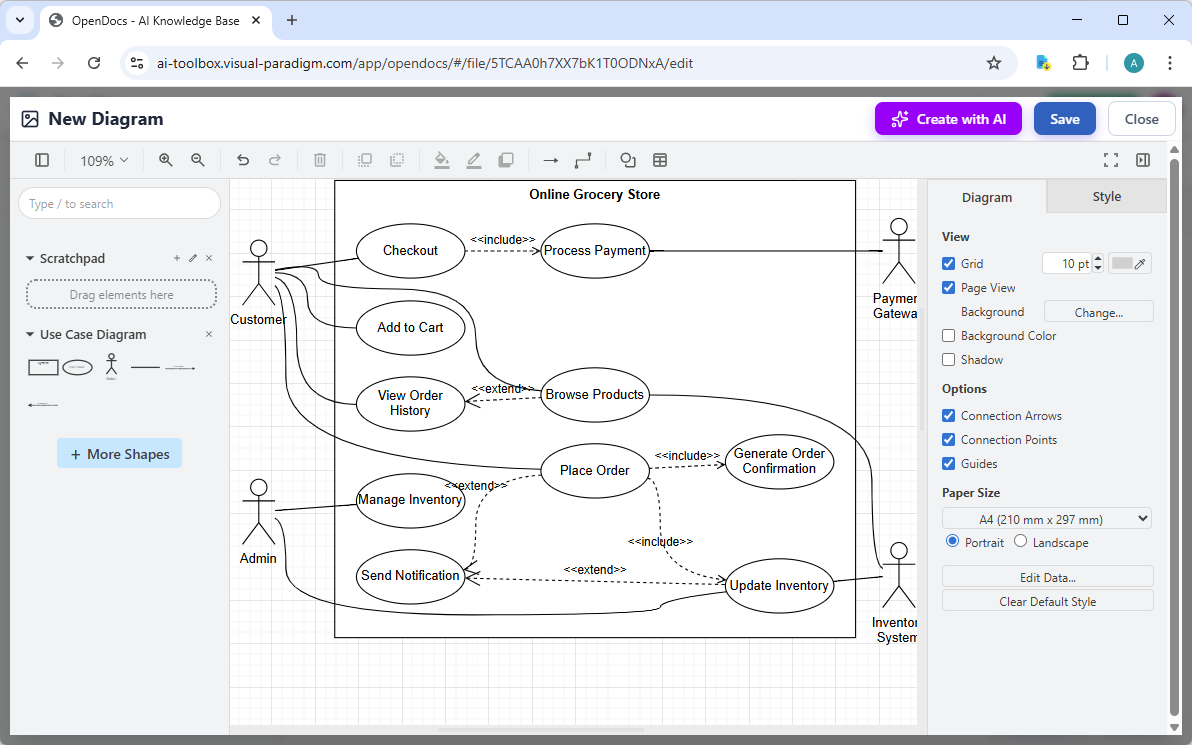
Use the intuitive drag-and-drop editor to touch up anything: move elements, adjust labels, add notes, change styles, etc. When you’re happy with it, click Save. Then click Close. The diagram is now embedded directly into your OpenDocs page as a live, editable visual block. You can view it inline without leaving the document.
AI Visual Modeling Chatbot – Conversational Generation and Refinement
The AI Visual Modeling Chatbot turns diagramming into an interactive conversation. Available standalone or integrated with other platforms, it’s perfect for brainstorming, quick prototyping, and iterative design.
How It Transforms Use Case Diagram Creation
- Natural language input: Describe your system (“Create a use case diagram for an online banking app with customer and admin actors”), and get an instant diagram.
- Refinement through dialogue: Ask to “add extend relationships for error handling” or “explain this use case.”
- Export options: Save diagrams, generate reports, or open in VP Desktop for deeper work.
- Ideal for overcoming blank-canvas syndrome in agile teams.
Picture chatting with your AI co-pilot: “Generate a use case diagram for a library management system,” then “Refine it to include optional renewals.” The chatbot handles explanations, iterations, and even analysis — bridging novices to expert-level results fast, without sacrificing quality. This flexibility makes it a game-changer for fast-paced environments.
How to Generate a Use Case Diagram with AI Chatbot
-
Open the AI Chatbot:
- Web access: Go to https://chat.visual-paradigm.com/ (or https://ai-toolbox.visual-paradigm.com/app/chatbot/ as an alternative entry point).
- VP Desktop access: In Visual Paradigm Desktop, select Tools > Chatbot from the main menu. (This opens the same AI assistant integrated within your desktop environment.)
-
Start a new chat session: Click New Chat (on the left sidebar or as a prominent button) to begin a fresh conversation.
-
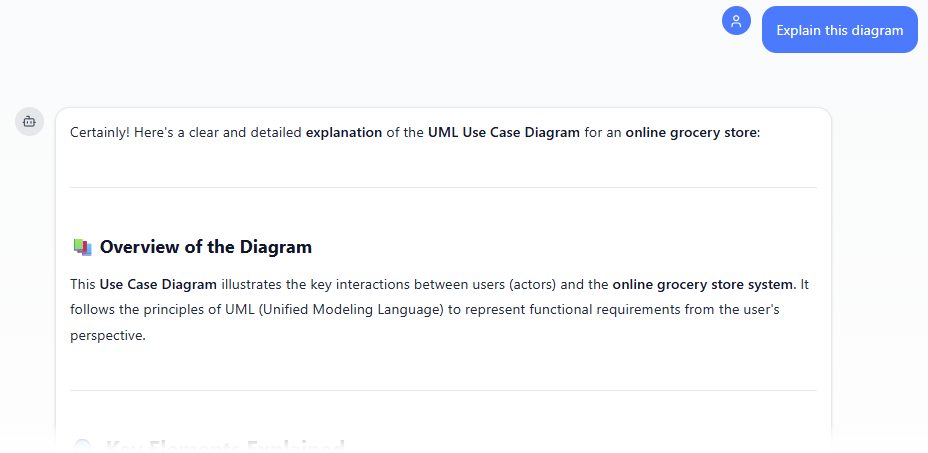
Describe what you want: In the text input area at the bottom, type a clear description of your project, system, or scenario (e.g. “Generate a UML Use Case Diagram for an online grocery store”). Press Enter (or click the send icon) to submit your message.
-
View and refine the diagram: The AI generates the diagram almost instantly.
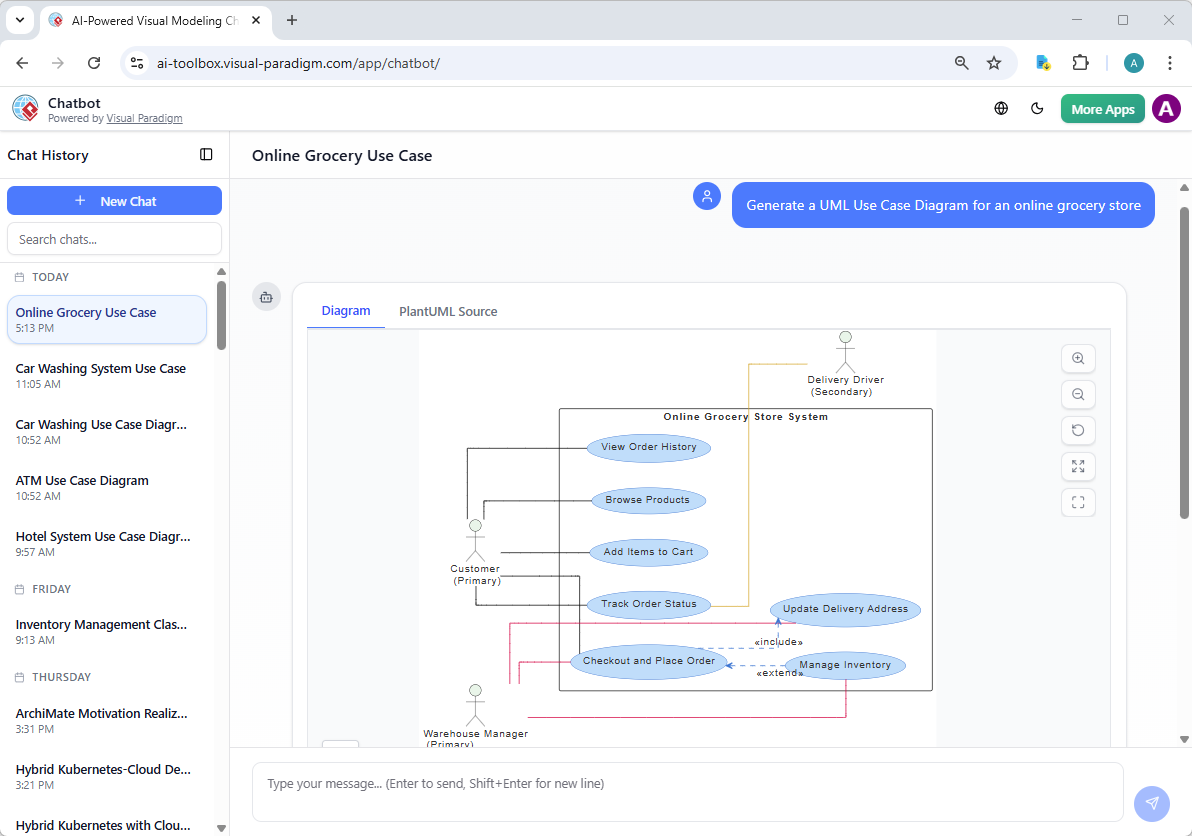
This is where the chatbot shines: keep the conversation going! Follow-up examples:
- “Add an element…”
- “Explain the diagram…. “
- “Generate a brief report summarizing ….”
Web Apps – Guided, Specialized Tools for Use Case Excellence
Visual Paradigm’s Web Apps deliver browser-based, step-by-step guided experiences with AI assistance. These specialized tools enforce best practices and ensure interconnected models.
Here is a curated list of Visual Paradigm AI-powered apps (primarily accessible via Tools > Apps in Visual Paradigm or as standalone web tools) that directly support and enhance AI-assisted use case diagram generation, modeling, analysis, and documentation. These tools leverage artificial intelligence to automate creation, refinement, analysis, and reporting of use case models, significantly reducing manual effort while improving quality and consistency.
-
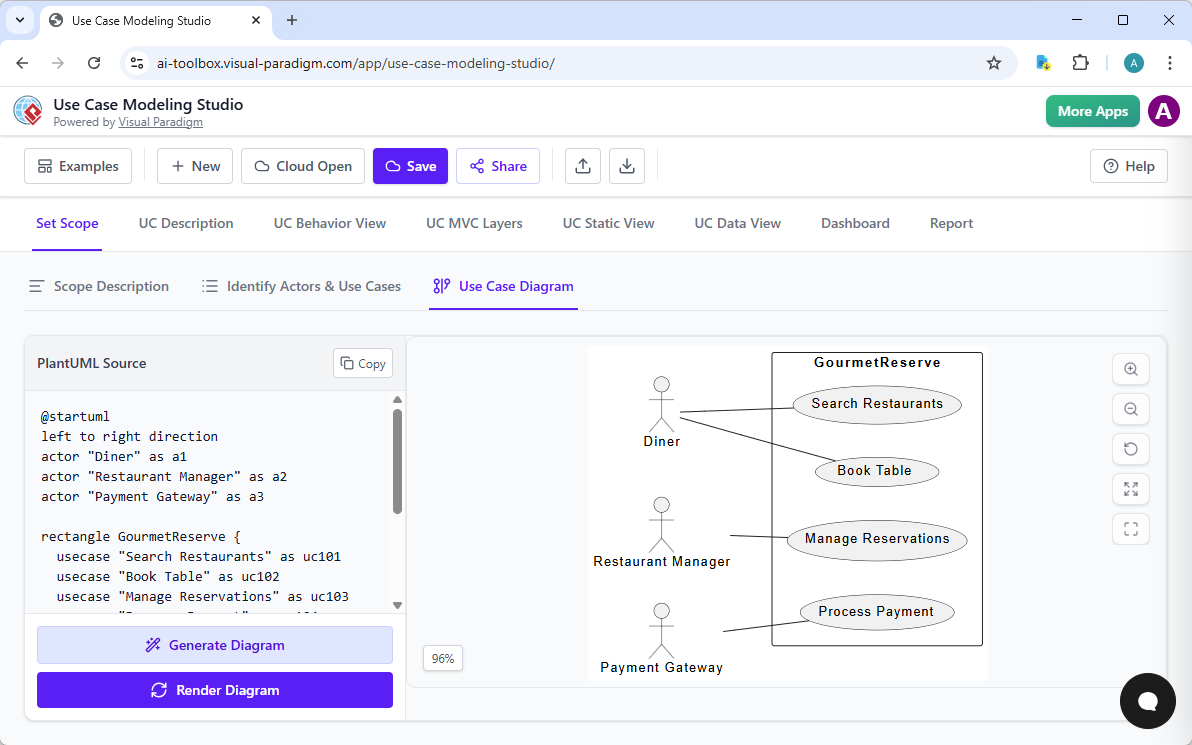
AI Powered Use Case Modeling Studio: An end-to-end AI-powered workspace that guides users from system scope definition through actor/use case identification, AI-generated detailed descriptions (with auto-detected <<include>>/<<extend>> relationships), to automatic generation of multiple UML diagrams (Use Case, Activity, Sequence, Class, ERD, MVC Sequence) and full Software Design Documents — ideal for complete AI-driven use case modeling workflows.
-
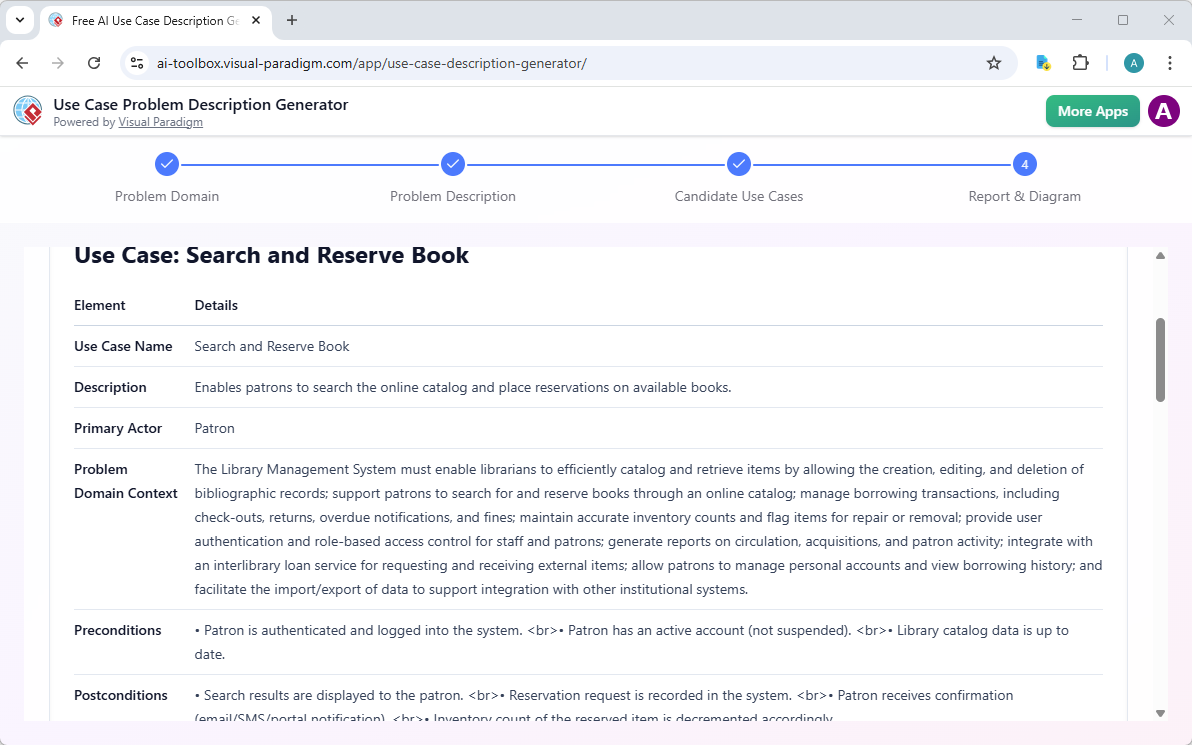
Use Case Description Generator: Transforms a high-level problem domain description into AI-generated candidate use cases, actors, detailed Markdown use case specifications (including flows, preconditions, postconditions), and a PlantUML use case diagram — perfect as the starting point for building accurate use case models quickly.
-
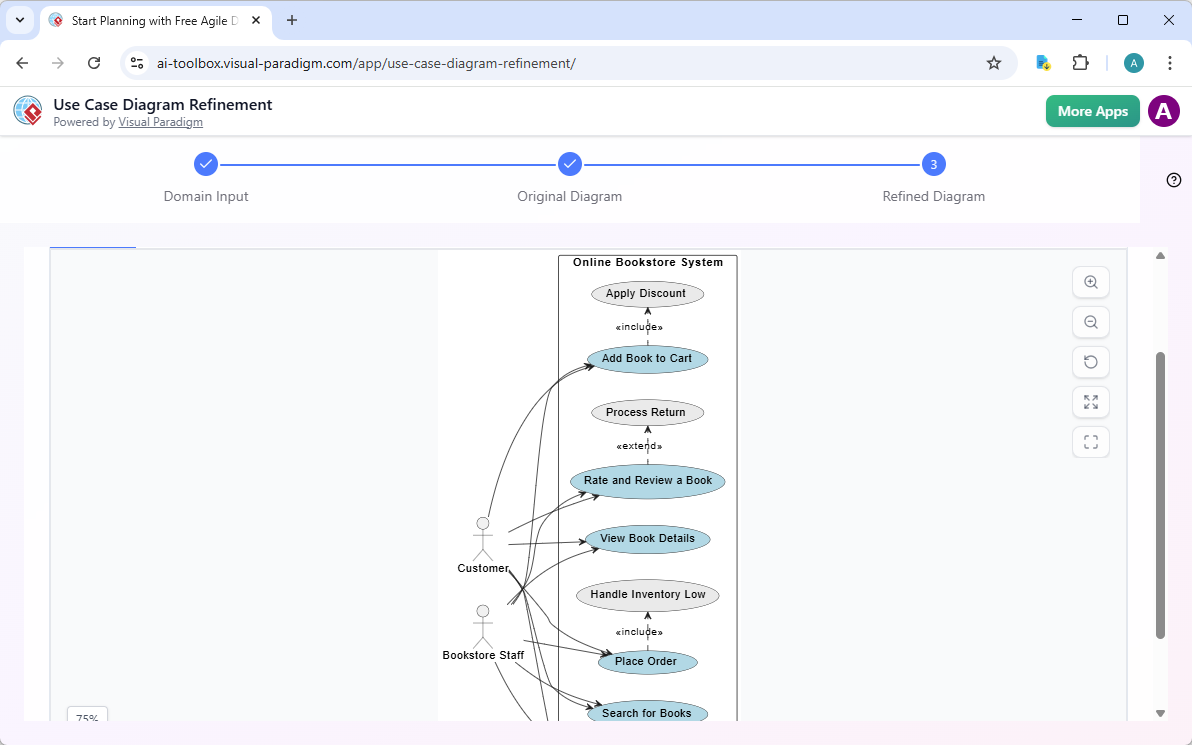
Use Case Diagram Refinement Tool: Takes a simple text description of a problem domain, uses AI to generate an initial PlantUML use case diagram, then applies AI-powered refinement to automatically add UML best practices, “”include”” and “”extend”” relationships, and additional detail — excellent for rapidly evolving basic diagrams into professional, standards-compliant versions.
-
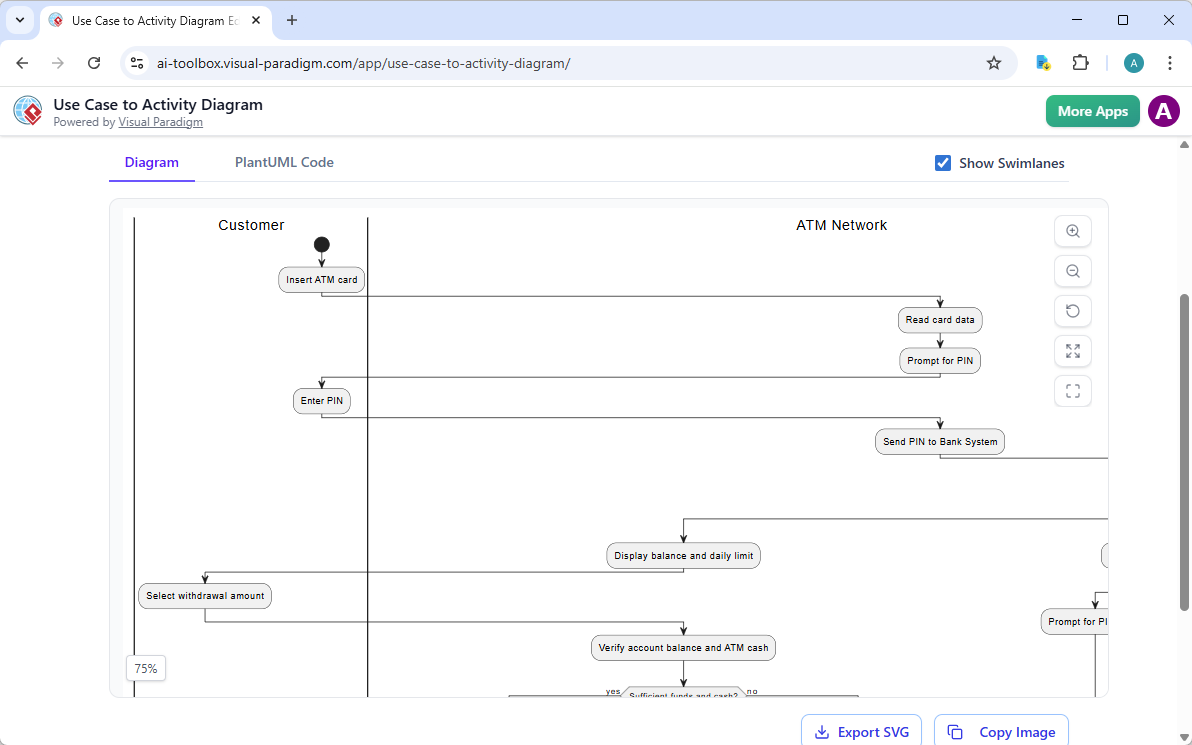
Use Case to Activity Diagram Generator: Converts a detailed use case description (main flow, alternatives, exceptions) into an AI-generated PlantUML Activity Diagram plus a comprehensive Markdown report — bridges textual use case elaboration to visual behavioral modeling with strong AI assistance.
-
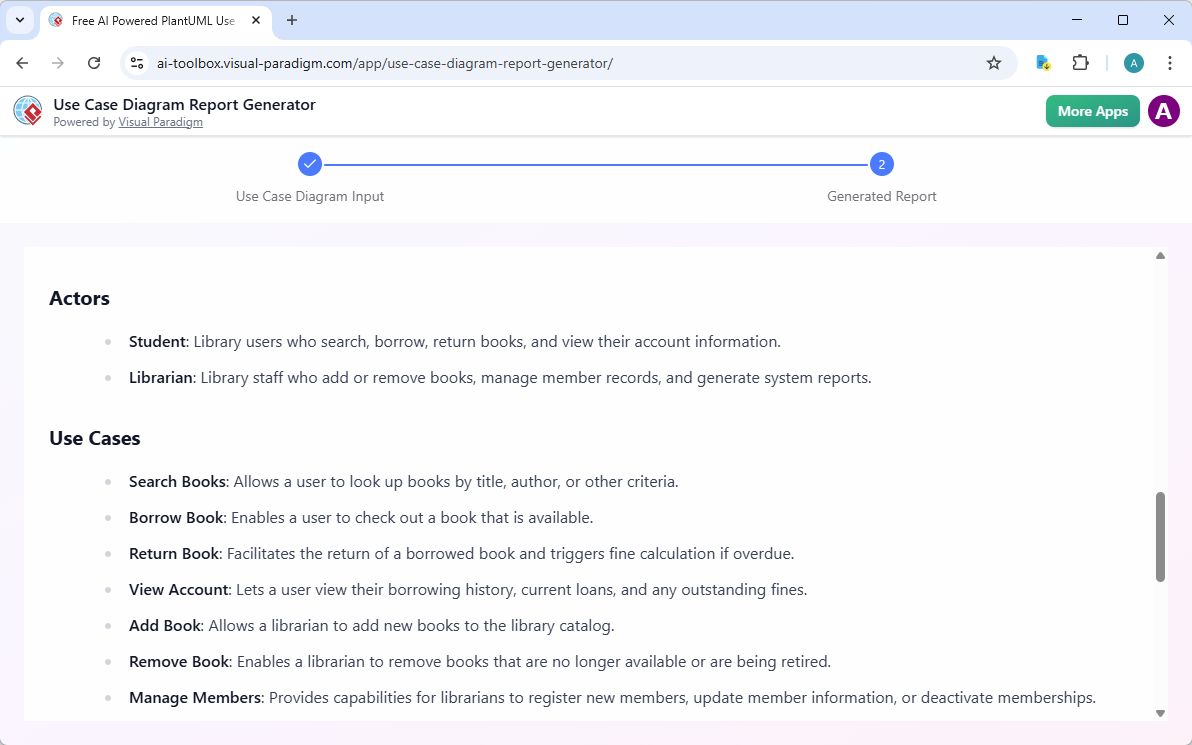
Use Case Diagram Report Generator: Accepts PlantUML use case diagram code as input and uses AI to automatically produce a structured, detailed Markdown report describing actors, use cases, relationships (including “”include””/””extend””), and overall system context — great for turning visual diagrams into professional textual documentation.
-
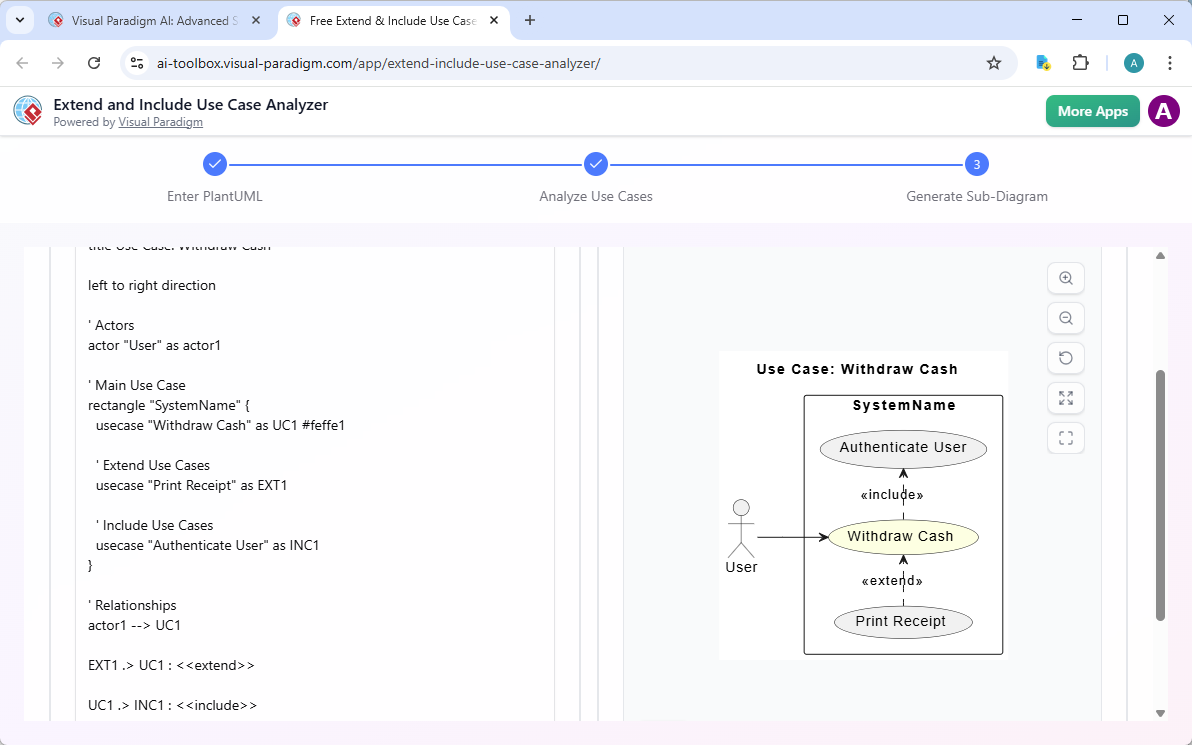
Extend and Include Use Case Analyzer: Parses existing PlantUML use case diagram code, uses AI to extract and analyze all actors, use cases, and especially <<extend>>/<<include>> relationships, then generates focused sub-diagrams — highly valuable for understanding, validating, and modularizing complex use case structures.
-
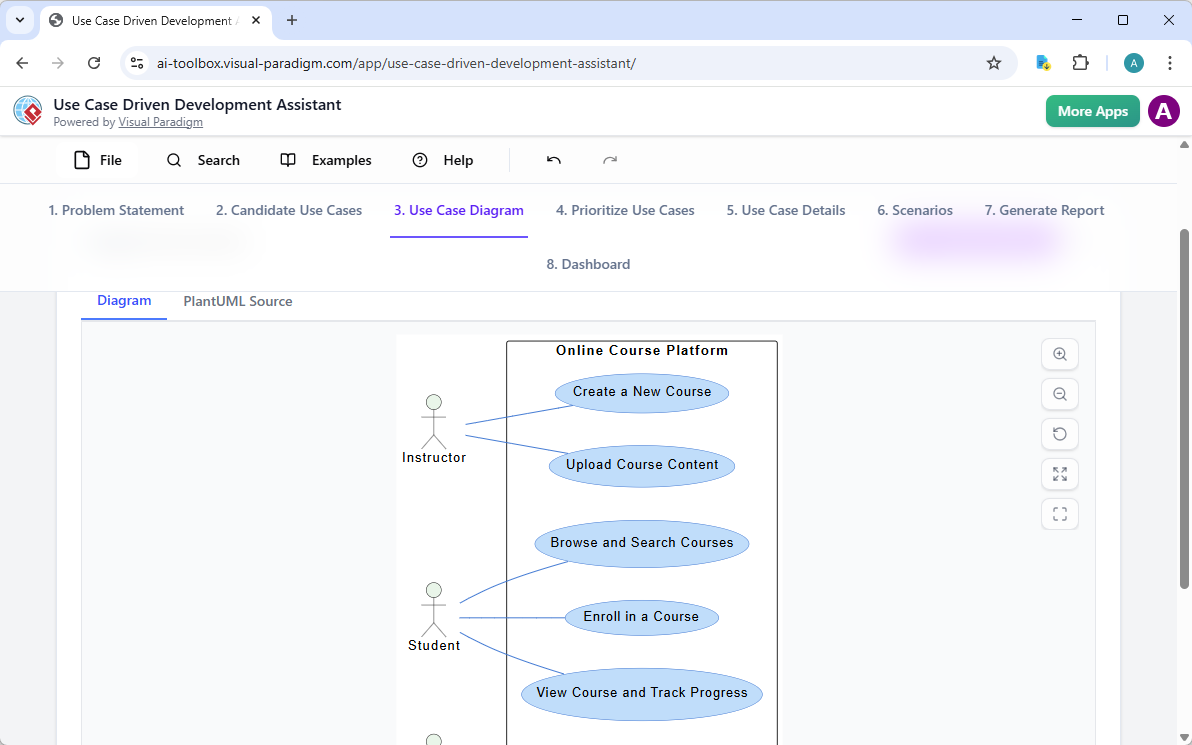
Use Case Driven Development Assistant: Provides a full AI-supported lifecycle starting from problem statement generation, AI-suggested use cases, detailed descriptions, PlantUML use case and activity diagrams, prioritization, Gherkin scenarios, and multiple report types — supports comprehensive, use-case-first development with heavy AI involvement in diagram creation.
These apps form a powerful, interconnected ecosystem within the Visual Paradigm platform, allowing teams to move seamlessly from initial idea → AI-generated diagrams & descriptions → refinement → detailed analysis → reports & further design. By automating tedious tasks like relationship detection, diagram layout, and documentation, they enable analysts, architects, and developers to focus on high-value thinking while producing higher-quality, more consistent use case artifacts in a fraction of the time. If you’re working on requirements analysis or early system design, starting with the Use Case Modeling Studio or Use Case Description Generator usually provides the strongest foundation for AI-assisted use case diagram generation.
Why Visual Paradigm Stands Out as the Best AI UML Diagram Generator
Unlike siloed tools that offer one-shot generation, Visual Paradigm provides a complete, integrated ecosystem. Our four platforms work together seamlessly: generate conversationally with the Chatbot, refine professionally in VP Desktop, embed collaboratively in OpenDocs, and follow guided best practices in Web Apps.
Key differentiators include:
- Widest diagram coverage with true AI integration across UML and beyond.
- Real traceability, refinement, and interconnected models — not just quick sketches.
- Multiple workflows (chat, desktop, docs, guided) for any need.
- Enterprise features like collaboration, version control, and code generation since 2002.
Competitors may generate diagrams, but Visual Paradigm ensures they’re professional, traceable, and ready for implementation — saving time, reducing errors, and scaling for teams.
Conclusion: Experience the Future of AI-Powered Use Case Diagramming
Visual Paradigm delivers the most comprehensive solution for AI use case diagram generation. From instant creation to deep refinement, collaboration, and analysis, our ecosystem empowers you to create high-quality use case diagrams efficiently and effectively.
Whether you’re seeking a free AI UML diagram maker, an online AI diagram editor for professionals, or a full AI platform for visual modeling and diagramming, Visual Paradigm is the ultimate choice.
Ready to revolutionize your workflow? Try Visual Paradigm today — free trial available — and experience the future of AI diagramming firsthand.