Generating Layered Views Across System Context, Container, and Component Levels from Natural Language
The C4 model – created by Simon Brown – provides a simple yet powerful way to communicate software architecture at multiple levels of abstraction without forcing teams into overly complex notation or heavyweight enterprise modeling tools. Its four hierarchical levels (Context → Containers → Components → Code) offer zoomable views that are immediately understandable by different stakeholders: executives see the big picture (Context), DevOps teams see deployable units (Containers), developers see internal modular structure (Components), and only the deepest code-level details are shown when needed (usually via UML or code snippets).
In traditional practice, creating a consistent C4 hierarchy requires manual synchronization across diagrams – often leading to drift as the system evolves. Keeping Context, Container, and Component views aligned with each other and with underlying UML models is time-consuming and error-prone.
Visual Paradigm’s AI changes this dramatically. You describe the system once (in natural language, at any level of detail), and the AI generates a complete, consistent C4 model hierarchy – with all levels automatically cross-referenced and traceable. You can start at any level and drill up or down conversationally, letting the AI maintain coherence across abstractions.
How to Generate the Full C4 Hierarchy with AI
- Open the AI App AI-Powered C4 PlantUML Studio.
- Start on the “Problem Statement” tab. Write a detailed description of your system. Enter your project name and click Generate Context. Then, click Ai-Assist: Generate Full Problem Statement.
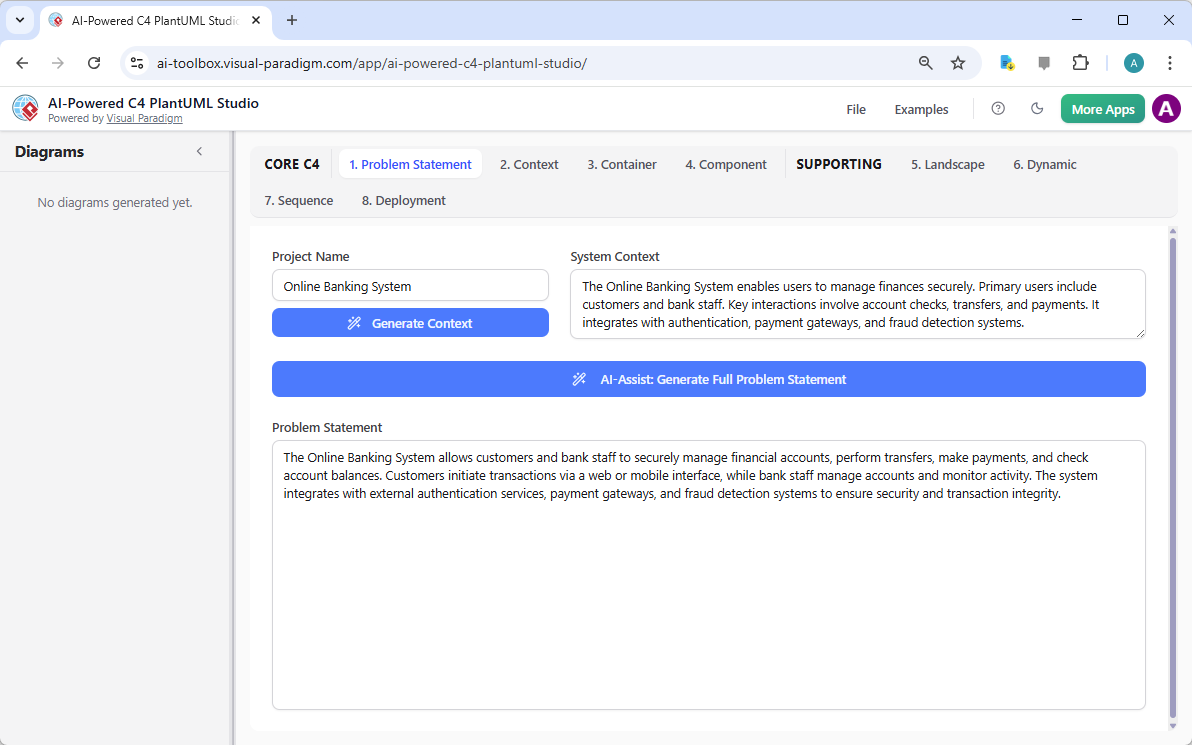
Visual Paradigm AI-Powered C4 PlantUML Studio: Providing problem statement - Navigate to the “Context” tab and click “Generate Diagram“. Review the output and make any necessary manual edits to the PlantUML code.
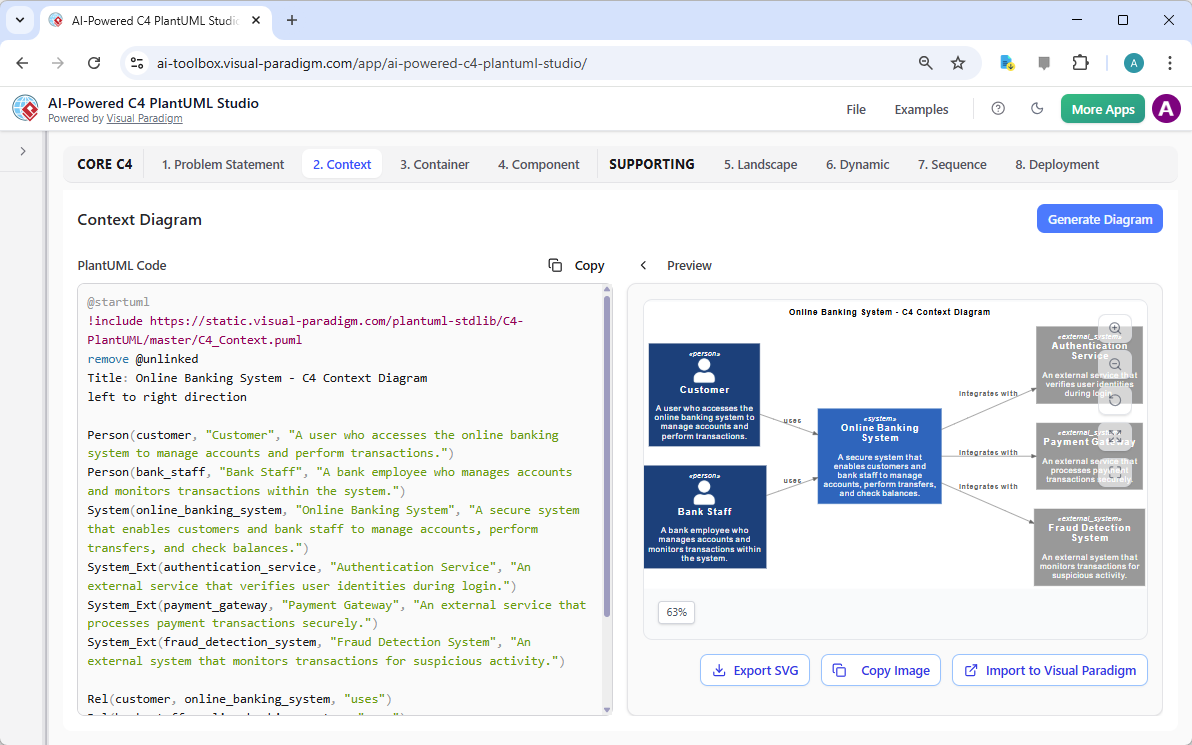
Visual Paradigm AI-Powered C4 PlantUML Studio: C4 Context Diagram - Navigate to the “Container” tab. The AI will use both your problem statement and the context diagram to generate a more detailed container diagram. Click “Generate Diagram” and refine the code.
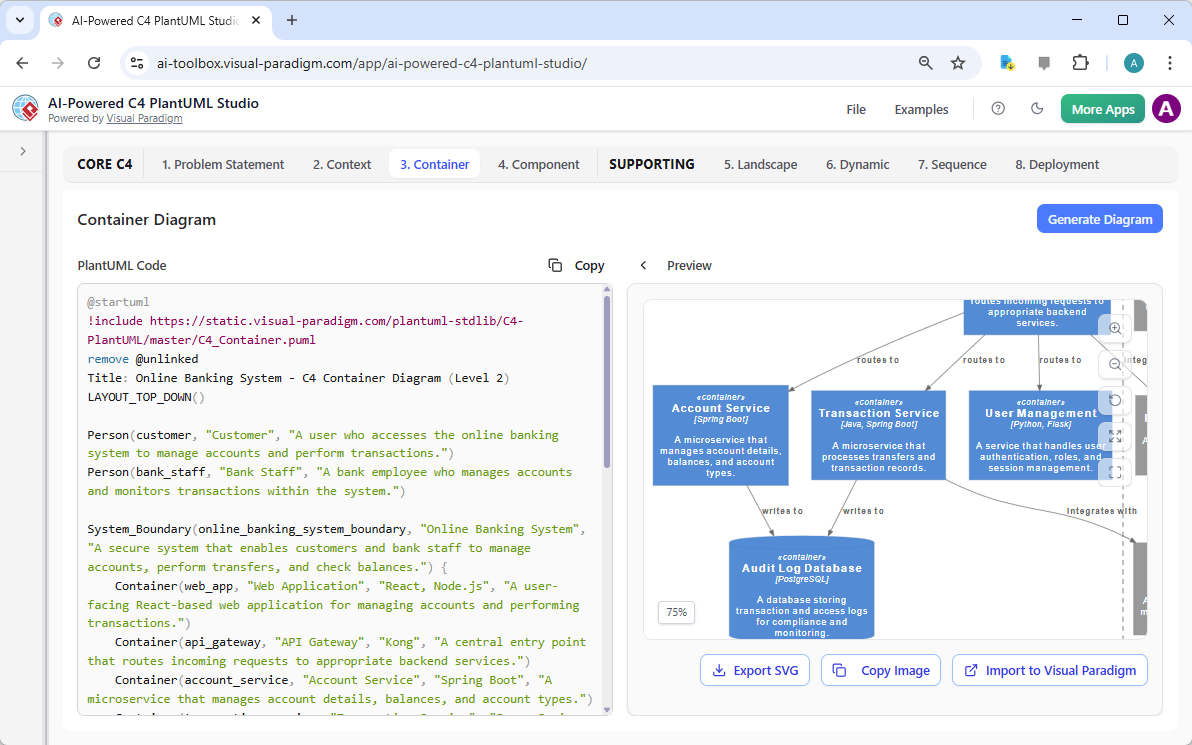
Visual Paradigm AI-Powered C4 PlantUML Studio: C4 Container Diagram - Repeat the process for the “Component” tab, where the AI will generate an even more granular view.
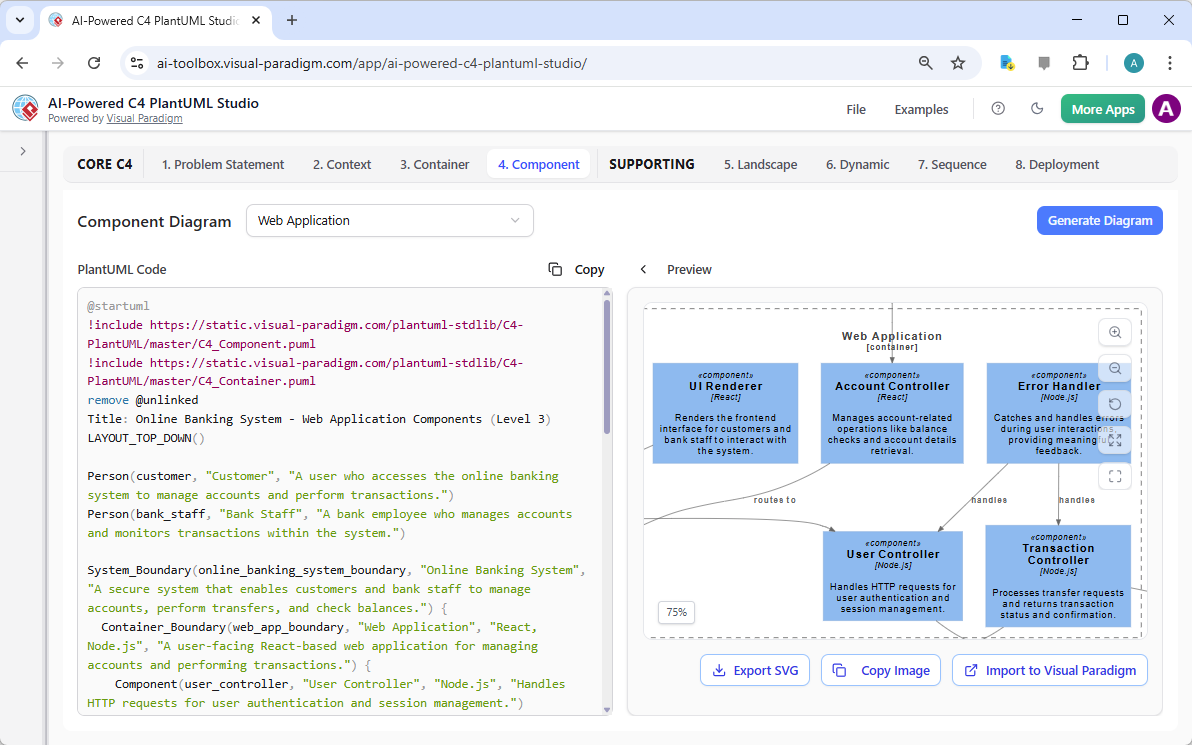
Visual Paradigm AI-Powered C4 PlantUML Studio: C4 Component Diagram - At any point, go to “File” -> “Save” to save your progress.
Why the C4 Hierarchy Is Transformative (and Why AI Makes It Seamless)
| Challenge in Manual C4 Modeling | AI-Generated C4 Hierarchy Advantage |
|---|---|
| Keeping four levels consistent is labor-intensive | One description → all levels generated and kept in sync |
| Stakeholders see different/inconsistent pictures | Zoomable, navigable views from the same underlying model |
| Hard to maintain as architecture evolves | Conversational updates ripple across levels safely |
| Overwhelming for non-technical audiences | Level 1 is deliberately simple and jargon-free |
| Code-level detail rarely included | Optional Level 4 bridges architecture to implementation |
Practical Tips for Effective C4 Generation
- Start broad, then zoom: Begin with System Context, then request Container, then Component.
- Specify technology choices when relevant: “Use AWS services” or “Show Spring Boot microservices.”
- Use C4 terminology in prompts: “Level 1 System Context”, “Level 2 Containers”, “Level 3 Components.”
- Request legends or color-coding: “Color containers by bounded context” or “Highlight external systems in orange.”
- Combine with critique: “After generating the C4 hierarchy, perform an architectural review for scalability and resilience.”
Real-World Payoff
- Executive Briefings — Level 1 Context diagram for board presentations
- Architecture Review Boards — Full hierarchy for technical governance
- Onboarding & Documentation — New team members navigate from big picture to code-level detail
- Microservices Evolution — Quickly visualize proposed splits or consolidations
- Audit & Compliance — Consistent, traceable views across abstractions
The C4 model hierarchy gives every stakeholder—from CTO to junior developer—the right level of abstraction at the right time, all generated from a single source of truth. With AI automating consistency, synchronization, and iterative refinement, you maintain a living, zoomable architectural narrative without the usual maintenance burden.
This capability sets the stage for the next section: using ArchiMate to connect the technical architecture to business motivation, processes, and enterprise strategy—creating true end-to-end alignment.