


Creating activity diagrams can feel tedious. You sketch flows, add branches for decisions, handle parallel paths, and ensure everything connects logically. One small change throws off the whole thing. What if you could describe your process in plain English and get a clean, professional activity diagram instantly? That’s where an AI activity diagram generator changes everything.
Visual Paradigm stands out as the leading AI diagram tool for this. With over two decades of experience in UML and visual modeling, we built a full ecosystem around AI. Our four platforms work together so you generate, refine, share, and collaborate on activity diagrams without switching apps constantly. Whether you’re modeling business workflows, software processes, or system behaviors, Visual Paradigm delivers an end-to-end solution no other tool matches.
In this article, you’ll see exactly how each platform supports activity diagrams and why together they make Visual Paradigm the top choice for anyone searching for the best AI tool for creating activity diagrams.
VP Desktop: Your Professional Powerhouse for Detailed Activity Diagrams
VP Desktop is our flagship application. It’s built for serious work—think enterprise projects where precision matters most. While the summary notes it’s not available for some types, activity diagrams are fully supported here as a core UML feature since our early days.
You start with AI assistance to kick things off quickly. Generate an initial activity diagram from text, then dive in. Edit actions, add swimlanes for responsibilities, insert decision nodes, fork/join for concurrency, and object flows. Everything stays traceable. Change one part, and linked models update automatically.
Real power shows in complex scenarios. Export to code, generate reports, or integrate with version control for teams. No other AI-powered diagram software gives you this depth offline. It’s perfect when you need production-ready models, not just pretty pictures.
Imagine you’re designing an order fulfillment process. AI generates the base flow from your description. You refine loops for inventory checks, add exception paths, and ensure the diagram follows UML standards perfectly. That’s VP Desktop in action—speed plus control.
How to Generate an Activity Diagram with AI in VP Desktop
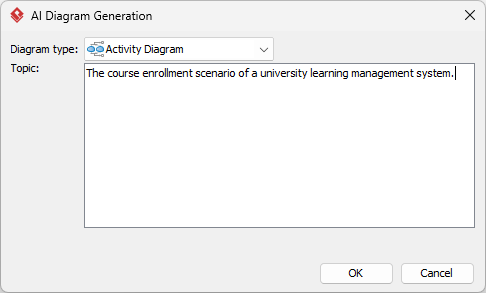
- From the main menu, select Tools > AI Diagram Generation. This opens the AI Diagram Generation window.
- In the window, choose your desired diagram type from the dropdown list. In this case, Activity Diagram.
- In the text area, describe your project, problem, system, or scenario.
-
Click OK to start the generation.
- The AI will create the diagram automatically.
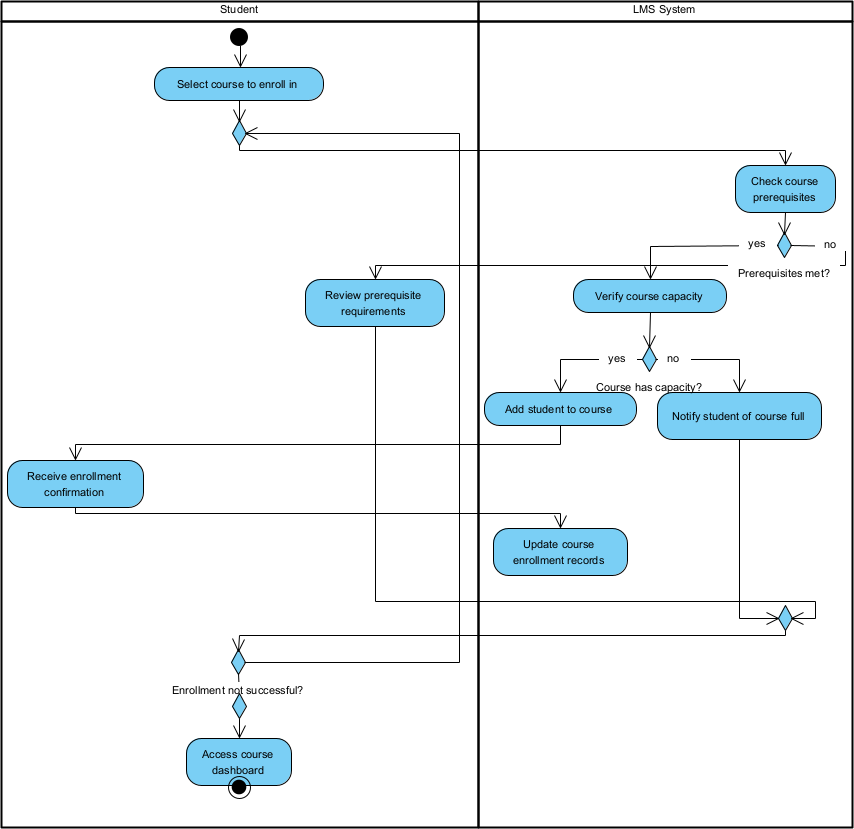
It appears as a fully editable, native Visual Paradigm diagram (not just an image). You can now:
- Edit elements, relationships, layout, or properties
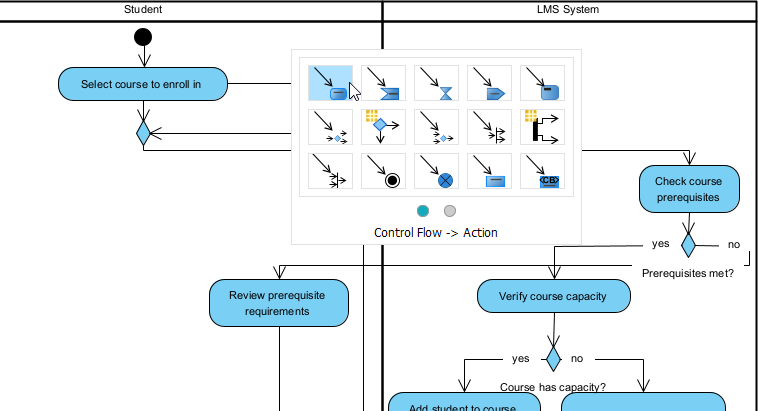
- Add more details manually
- Export as image (PNG, SVG, etc.), PDF, or use in reports
- Generate code or documentation if applicable
- Edit elements, relationships, layout, or properties
OpenDocs: Embed and Collaborate on Activity Diagrams Seamlessly
OpenDocs turns your documents into living knowledge bases. Think Notion or Confluence, but with smart, editable diagrams inside.
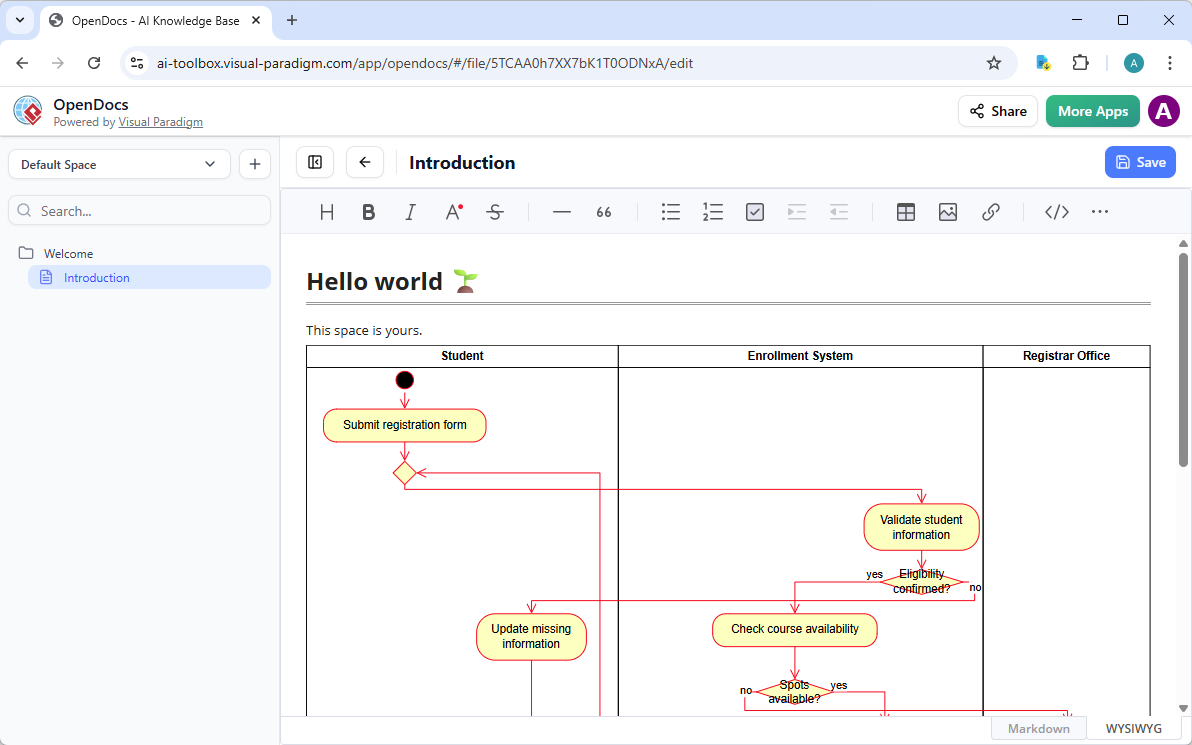
Here, you embed AI-generated or custom activity diagrams directly into pages. They’re not flat images. Click an embedded diagram, edit it inline, and changes reflect everywhere it’s used. Perfect for team wikis, process guides, or reports where visuals explain steps clearly.
Want to share a business workflow? Drop the activity diagram into a page describing the procedure. Colleagues view, comment, or tweak it without leaving the doc. This keeps everyone aligned—no more “which version is current?” headaches.
For professionals hunting an online AI diagram editor for professionals, OpenDocs shines in collaboration. It bridges generation and real-world use, making activity diagrams part of your daily knowledge sharing.
How to Insert an AI Generated Activity Diagram into Your OpenDocs Page
- Open or create a page in OpenDocs: Log in to your Visual Paradigm Online workspace, navigate to OpenDocs, and either open an existing page or create a new one (via + New Document Page or similar).
- Insert a diagram: In the page editor, look at the top toolbar (or floating toolbar) and click Insert. From the popup window, select Diagram > Activity Diagram.
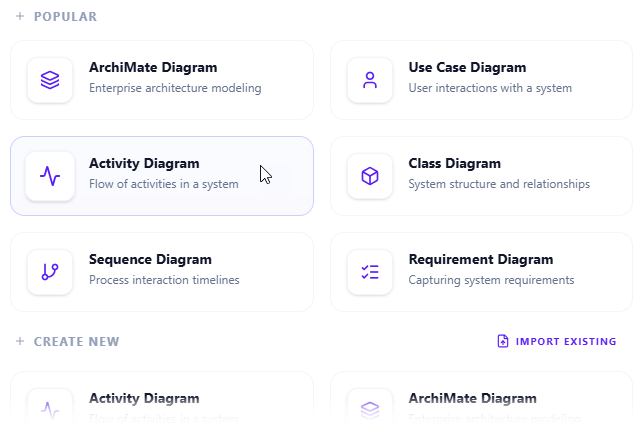
- Start creating the diagram with AI: This opens the diagram editor window. You can build it manually by dragging and dropping elements if you prefer. To use AI instead: Look for Create with AI in the top-right corner of the editor window and click it.
- Describe your problem and generate: In the text input area that appears, type a clear, detailed description of your system or scenario. Click Generate.
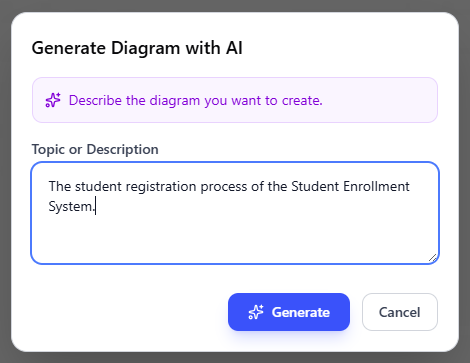
- Review, refine, and embed the diagram: The AI generates a professional activity diagram instantly.
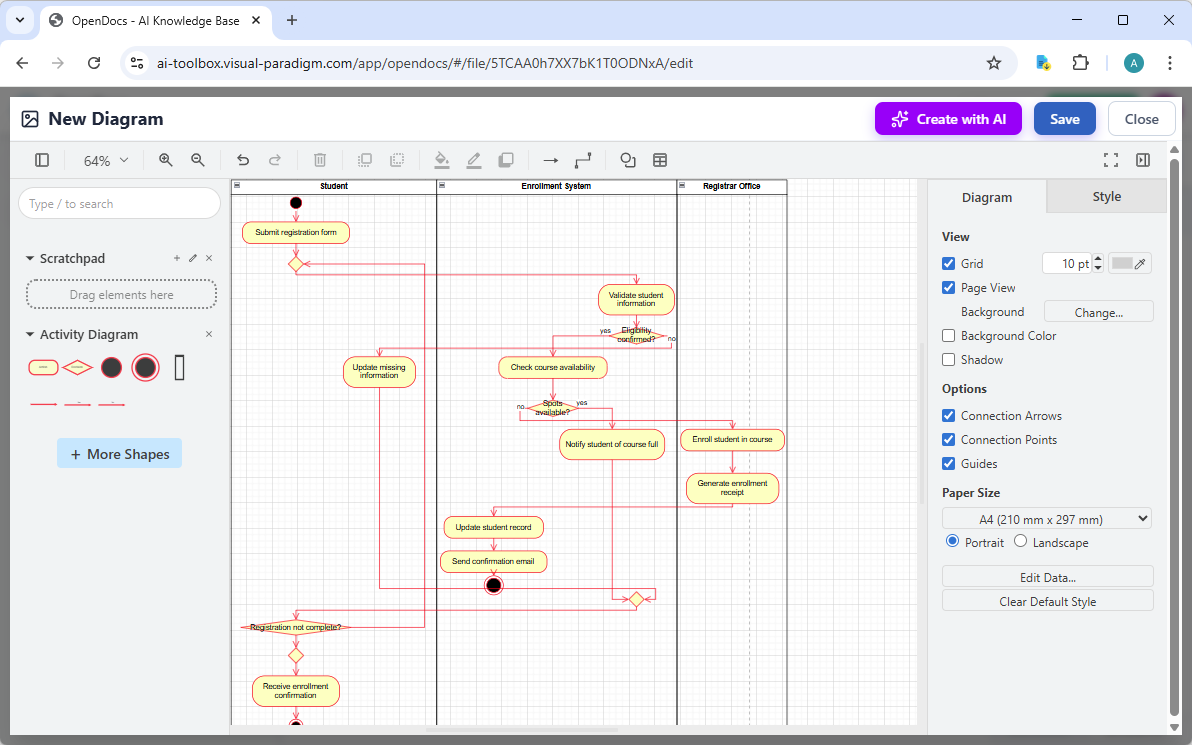
Use the intuitive drag-and-drop editor to touch up anything: move elements, adjust labels, add notes, change styles, etc. When you’re happy with it, click Save. Then click Close. The diagram is now embedded directly into your OpenDocs page as a live, editable visual block. You can view it inline without leaving the document.
AI Visual Modeling Chatbot: Generate and Refine Activity Diagrams Through Conversation
Our AI Visual Modeling Chatbot feels like having a diagramming expert on call. You chat in natural language, and it builds or updates diagrams instantly.
Type: “Create an activity diagram for user registration in a web app, including email verification and error handling.” Seconds later, you get a structured diagram with actions, decisions, and flows. Not happy? Say “Add a parallel path for social login” or “Explain the decision node for password strength.” It refines on the spot, answers questions, or even generates related reports.
This platform excels at brainstorming and iteration. Stuck on a blank page? Chat removes the block. Need quick prototypes in agile sprints? Perfect. It handles complexity well—forks for concurrent tasks, object nodes for data passing, all while keeping things UML-compliant.
As an AI activity diagram generator, the chatbot stands out for speed and interactivity. It’s your co-pilot, turning vague ideas into clear visuals fast, then letting you polish them further in other platforms.
How to Generate a Activity Diagram with AI Chatbot
-
Open the AI Chatbot:
- Web access: Go to https://chat.visual-paradigm.com/ (or https://ai-toolbox.visual-paradigm.com/app/chatbot/ as an alternative entry point).
- VP Desktop access: In Visual Paradigm Desktop, select Tools > Chatbot from the main menu. (This opens the same AI assistant integrated within your desktop environment.)
-
Start a new chat session: Click New Chat (on the left sidebar or as a prominent button) to begin a fresh conversation.
-
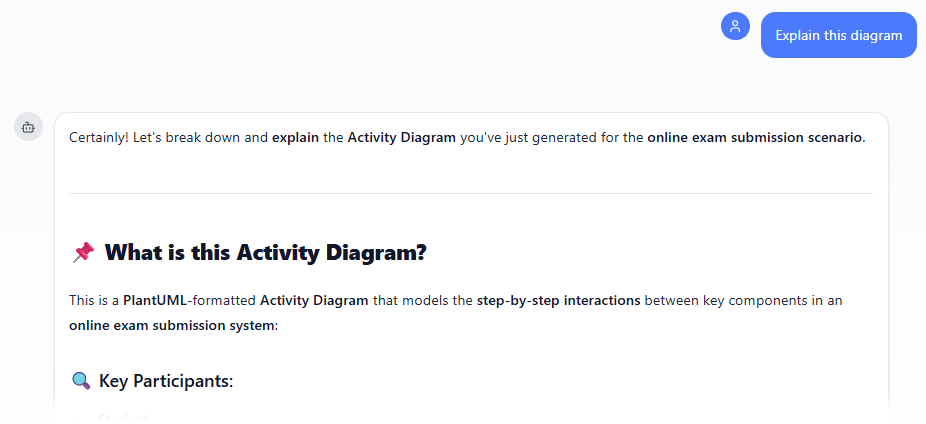
Describe what you want: In the text input area at the bottom, type a clear description of your project, system, or scenario (e.g. Draw an Activity Diagram for an online exam submission scenario illustrates interactions between the student, exam portal, submission service, evaluation module, and result database.). Press Enter (or click the send icon) to submit your message.
-
View and refine the diagram: The AI generates the diagram almost instantly.
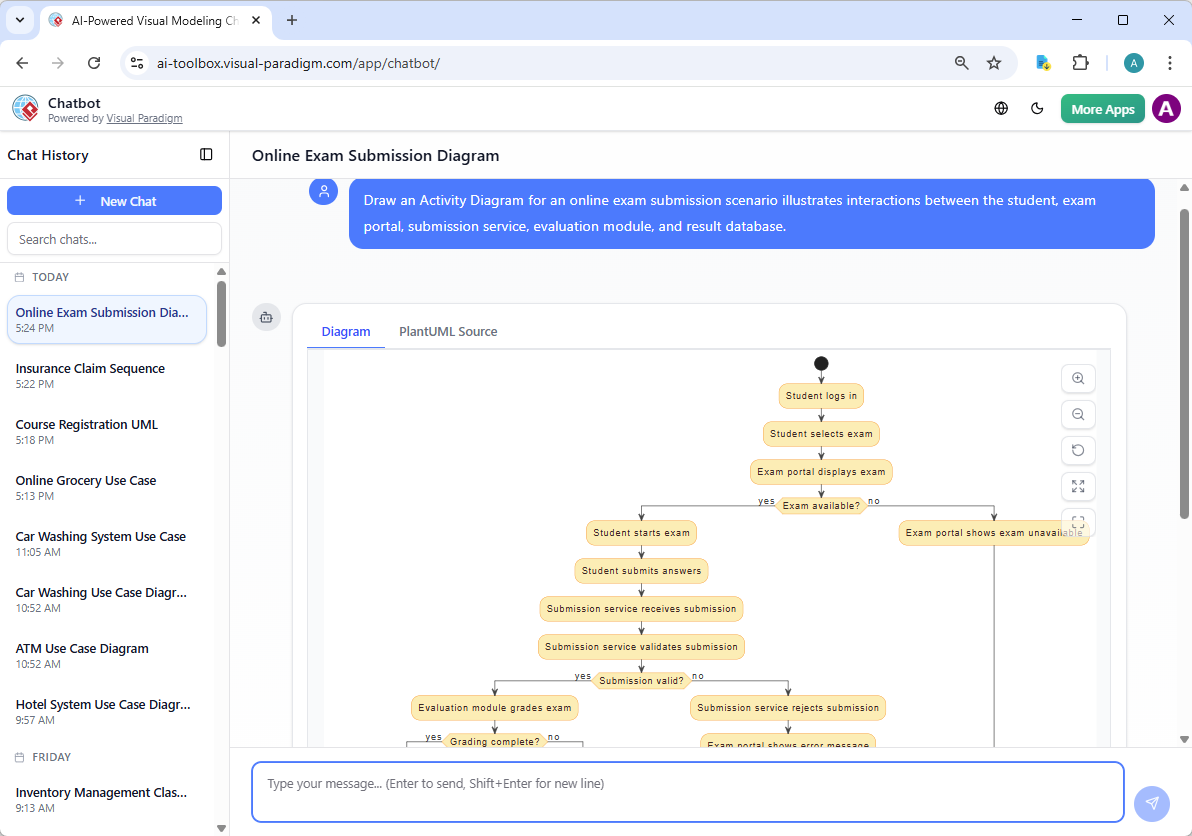
This is where the chatbot shines: keep the conversation going! Follow-up examples:
- “Add an element…”
- “Explain the diagram…. “
- “Generate a brief report summarizing ….”
Web Apps: Guided, Step-by-Step Tools with AI Smarts
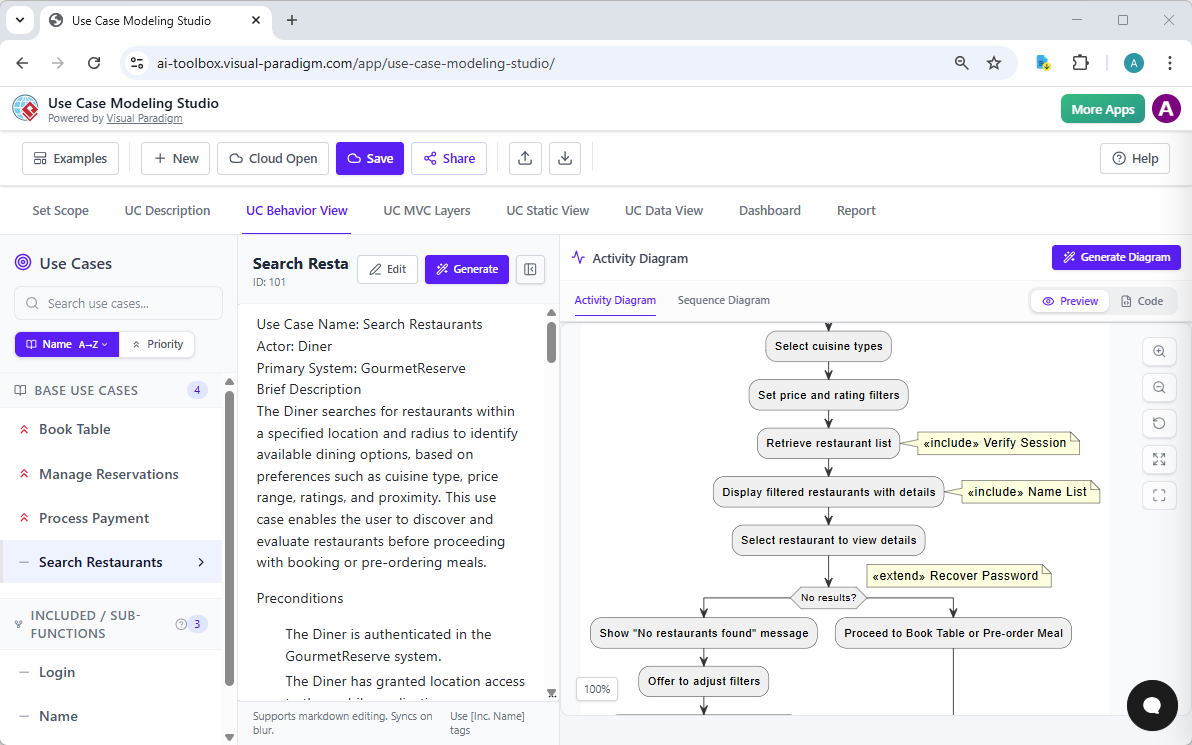
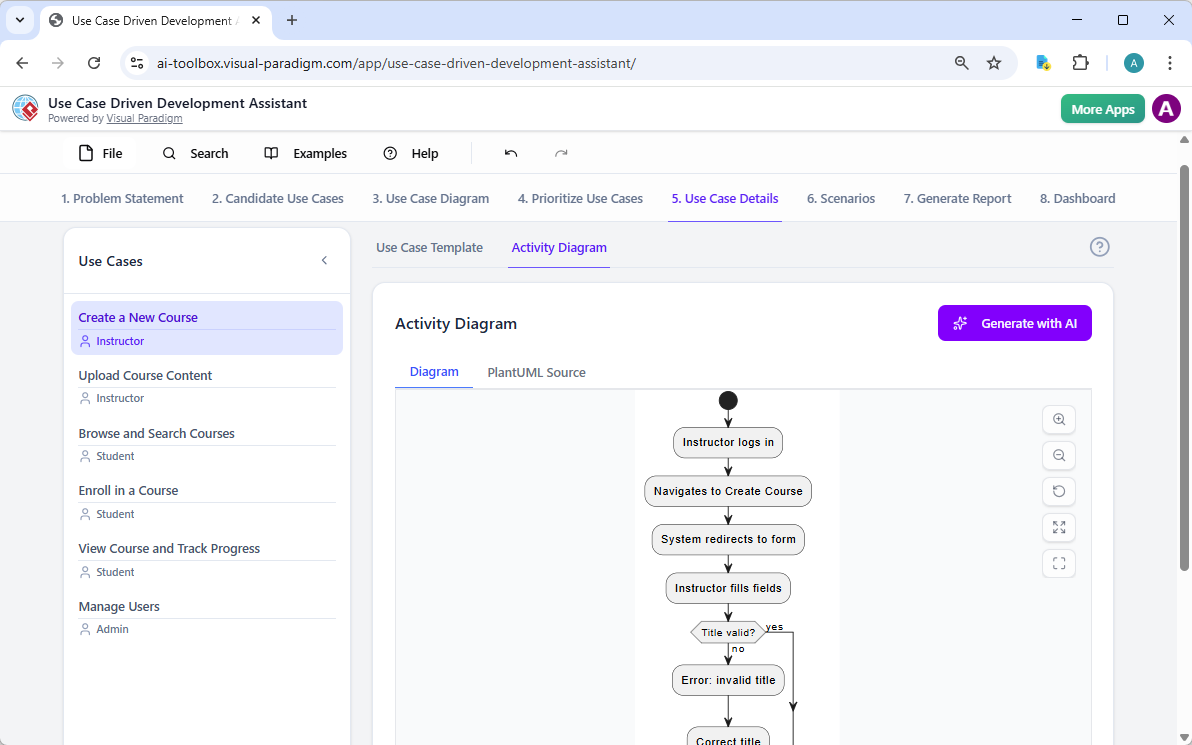
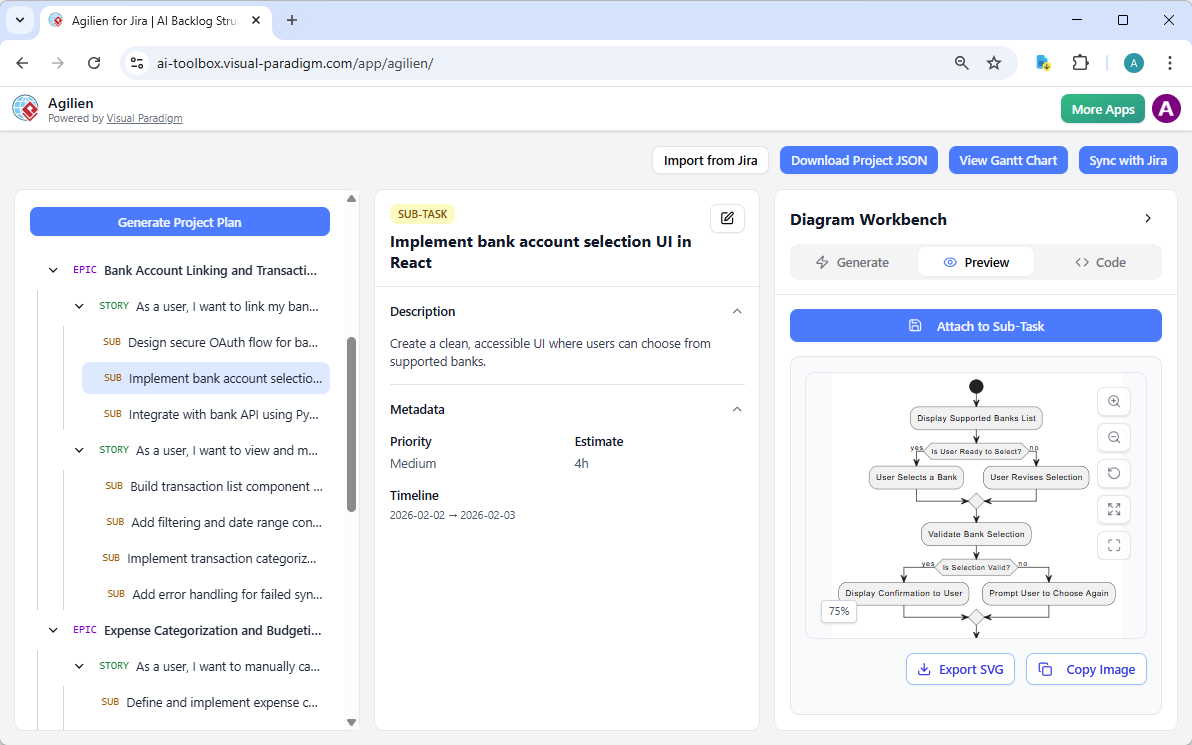
Here is a list of Visual Paradigm apps that support AI-assisted Activity Diagram generation, based on the provided knowledge bases and related features. These apps leverage AI to transform textual descriptions (such as use cases, user stories, or process narratives) into professional UML Activity Diagrams, often using PlantUML for rendering.
-
Use Case Modeling Studio: This AI-powered studio aids in Activity Diagram generation by automatically creating them from detailed use case descriptions. After generating or editing a use case specification (including main flow and alternatives), users can instantly produce an Activity Diagram in the UC Behavior tab to visualize the workflow, decision points, and process steps, with the option to view/edit the underlying PlantUML code.
-
Use Case Driven Development Assistant: This assistant supports AI Activity Diagram generation within its structured UCDD workflow. In the Use Case Details tab, after generating a detailed use case template (main flow + alternatives), the AI can produce an Activity Diagram to illustrate the step-by-step process and control flow of the selected use case, helping teams visualize behavior directly from requirements.
-
Agilien: As an AI agile planning tool integrated with Jira, Agilien enables Activity Diagram generation through its Diagram Workbench. Users select any work item (e.g., user story or epic), choose Activity Diagram as the type, and let AI generate a visual representation of the workflow or process implied by the story’s description and acceptance criteria, with live PlantUML code editing for refinement.
These apps form the core set from the provided documentation that explicitly emphasize AI-driven Activity Diagram creation as part of use case, requirements, or agile workflows.
In conclusion, Visual Paradigm’s AI-powered apps significantly reduce the effort required for Activity Diagram generation by automating the translation of natural-language or structured requirements into visual process models. This not only accelerates modeling but also improves consistency, supports iterative refinement, and bridges requirements analysis with design visualization—ideal for analysts, architects, and agile teams. For the most advanced or general-purpose AI diagram generation (including Activity Diagrams from free-form text), explore the broader Visual Paradigm AI Diagram Generator feature available in their online and desktop platforms.
Why Visual Paradigm Stands Out as the Ultimate AI Diagram Tool
Plenty of tools generate diagrams. Few do it across an entire ecosystem like ours.
- Widest coverage: We support activity diagrams fully, plus dozens more UML types, BPMN, SysML, and beyond—with real AI integration.
- Multiple workflows: Chat for quick starts, desktop for precision, docs for sharing, web for guided steps. Pick what fits the moment.
- Traceability and refinement: Unlike one-shot generators, our platforms keep models connected. Edit once, update everywhere.
- Professional outputs: Standards-compliant, exportable, scalable for teams. Not toys—tools for real projects.
Competitors often silo features. You generate in one place, edit in another, share awkwardly. Visual Paradigm ties it all together. You save time, cut errors, and end up with models ready for development or documentation.
Ready to Try the Best AI Activity Diagram Generator?
Visual Paradigm gives you everything needed for activity diagrams in the AI era. Generate fast with chat, refine deeply on desktop, embed collaboratively in OpenDocs, or follow guided paths in web apps. It’s a complete solution that grows with you—from solo sketches to enterprise rollouts.
Stop wrestling with outdated tools or fragmented apps. Experience seamless AI-powered visual modeling today.
Try Visual Paradigm now – sign up, start chatting with our AI. See why teams choose us for the best AI tool for creating activity diagrams and so much more.